Skip to content
Mizban

Guests and their stays

The operator finds a guest in seconds and sees all of their past and current stays.

Call center and operatorsOn a computer5 steps
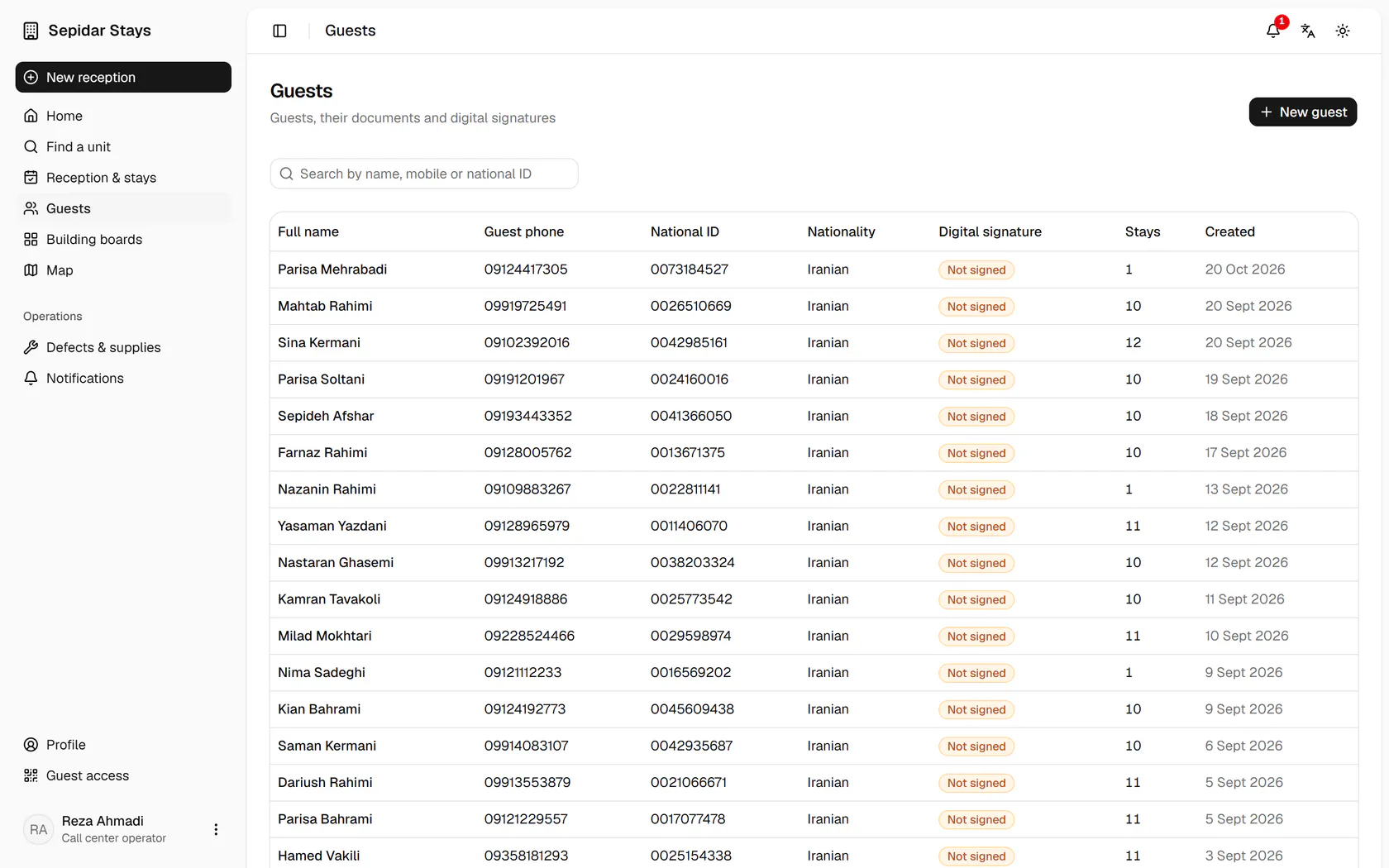
Type the guest's name, mobile number or national ID in the search box.The list narrows at once; open Sina Kermani's profile.The profile lists the guest's documents and every stay with its status.The newest stay is at the top; open it.That stay's booking form opens with the guest link and the stay timeline.

Type the guest's name, mobile number or national ID in the search box.

Step by step

  1. 1

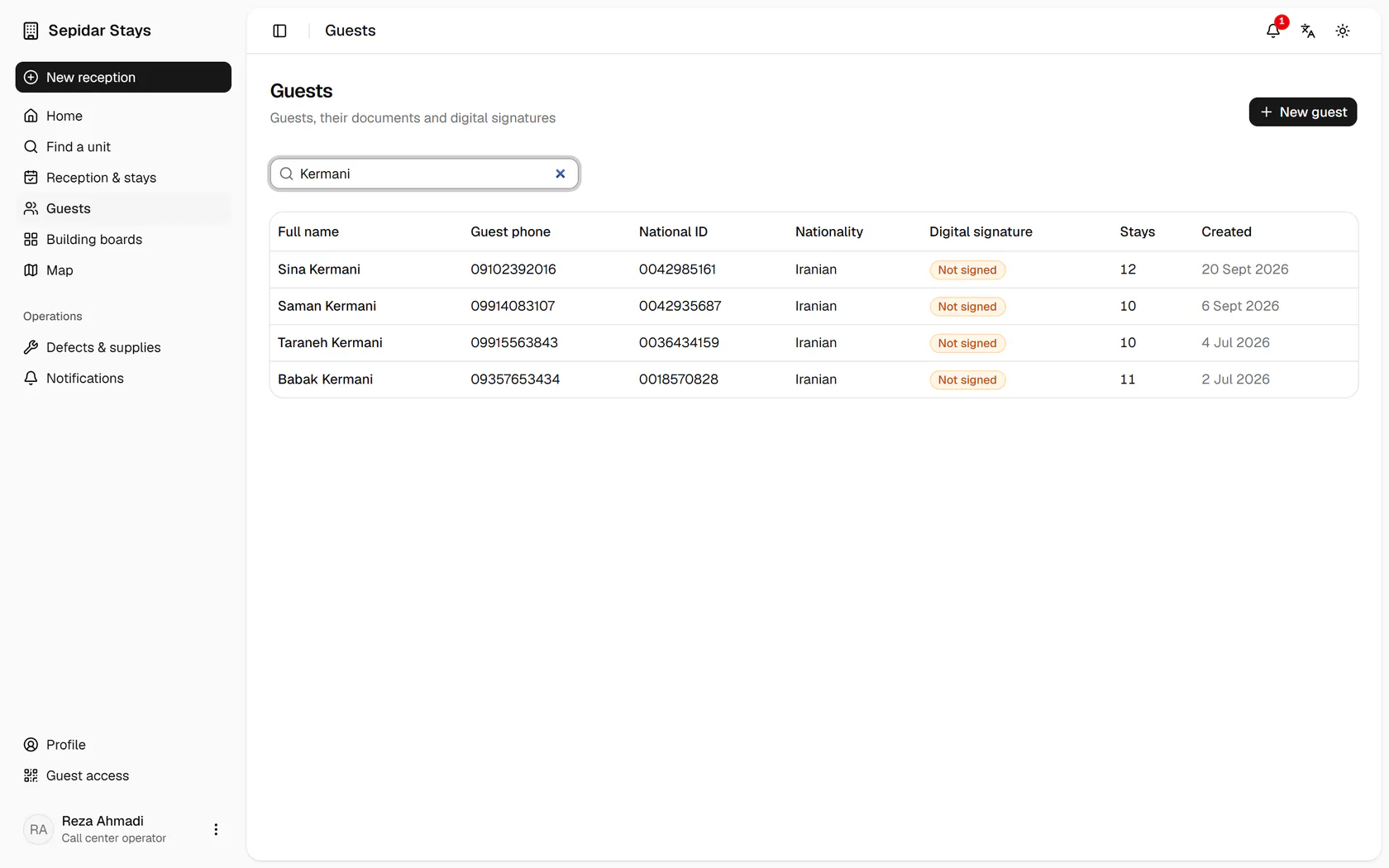
    Type the guest's name, mobile number or national ID in the search box.

    Type the guest's name, mobile number or national ID in the search box.
  2. 2

    The list narrows at once; open Sina Kermani's profile.

    The list narrows at once; open Sina Kermani's profile.
  3. 3

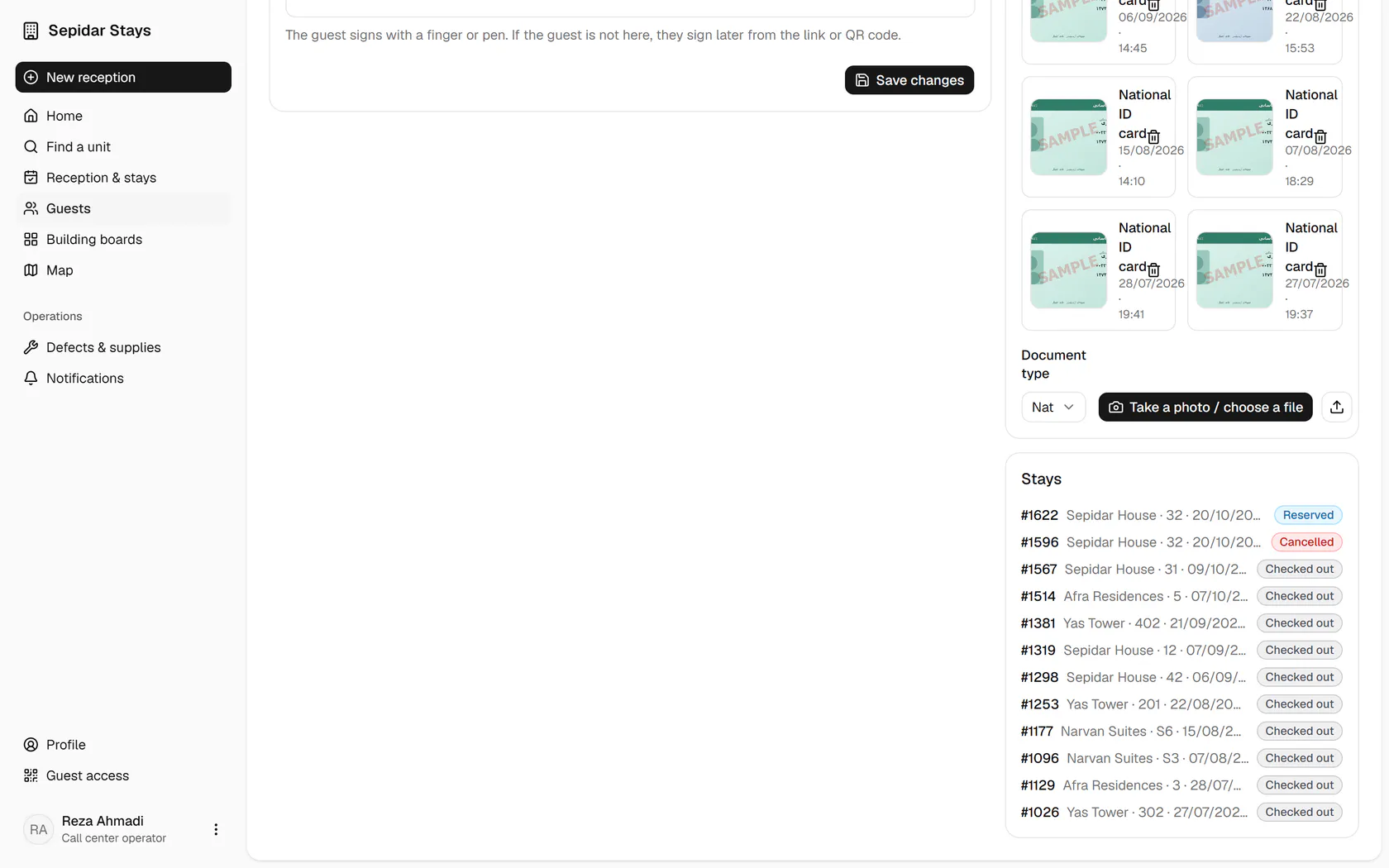
    The profile lists the guest's documents and every stay with its status.

    The profile lists the guest's documents and every stay with its status.
  4. 4

    The newest stay is at the top; open it.

    The newest stay is at the top; open it.
  5. 5

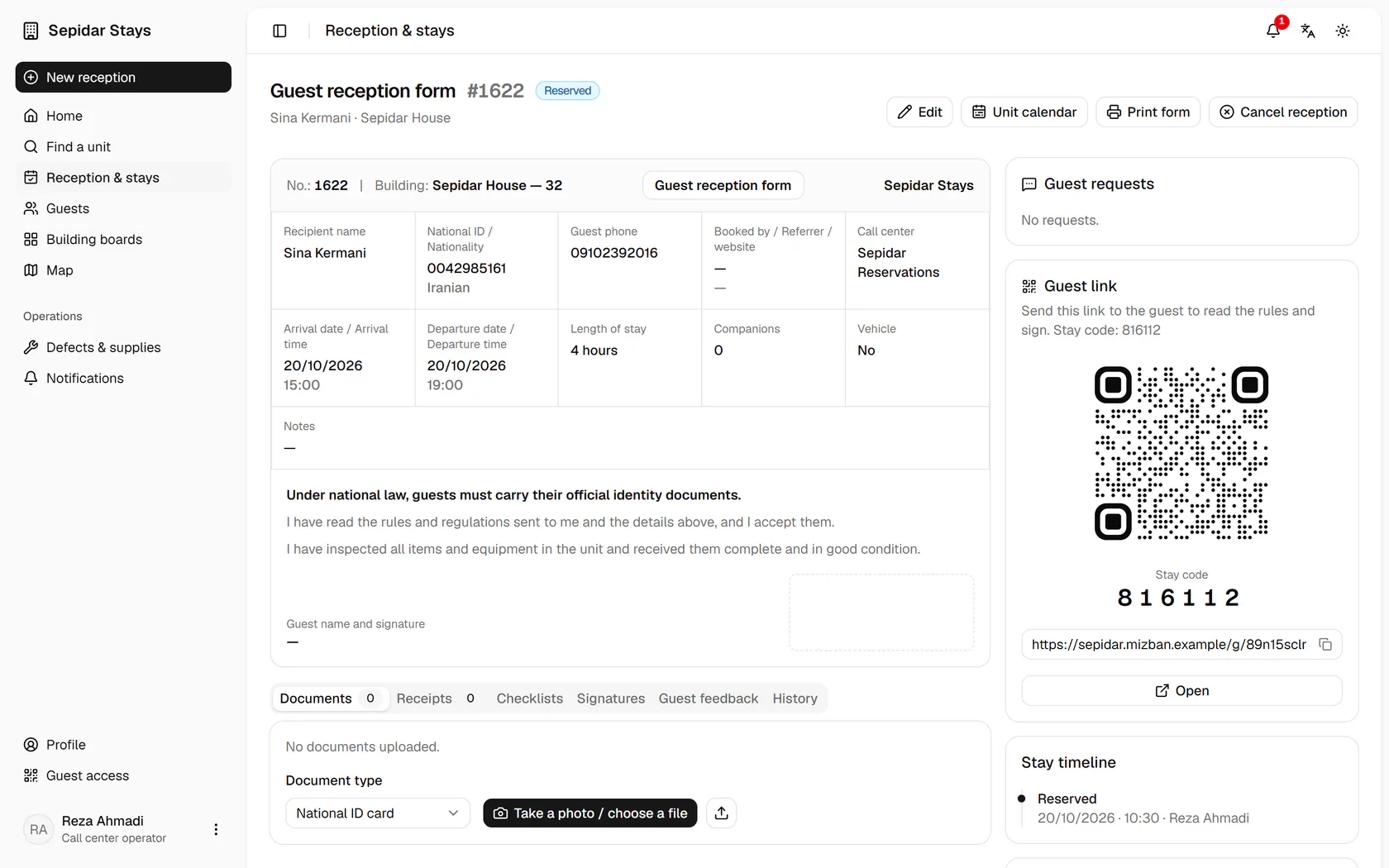
    That stay's booking form opens with the guest link and the stay timeline.

    That stay's booking form opens with the guest link and the stay timeline.