Mizban guide
Every section opens with an animated tour, then walks through each step with a real screenshot.
Admin
Sets up buildings, units, hosts, call centers, checklists and settings, then runs the business on real numbers.
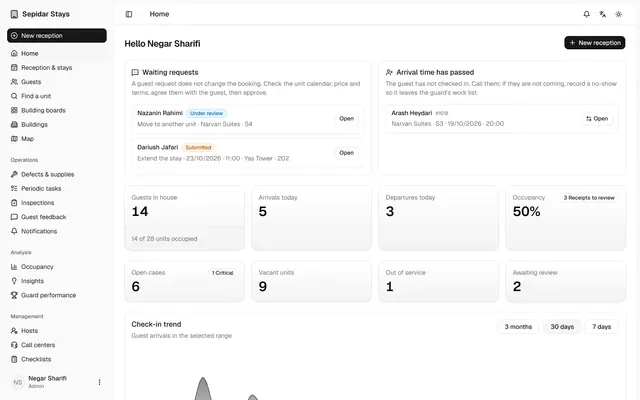
The admin home page
The admin sees at a glance what needs attention today: requests, late arrivals, occupancy, arrivals, departures and cleaning.
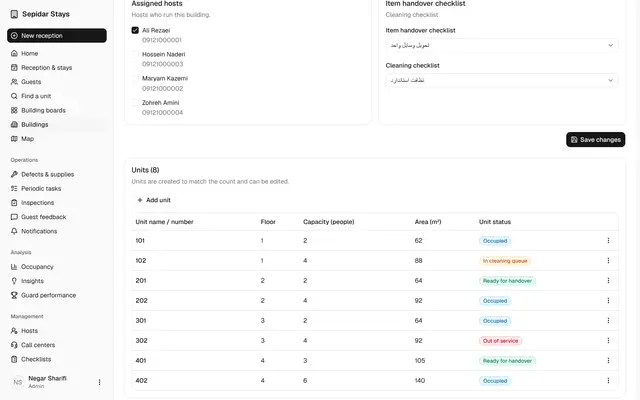
Buildings, units and the board
The admin keeps each building's units up to date and sees every unit's booking and operational state on the board.
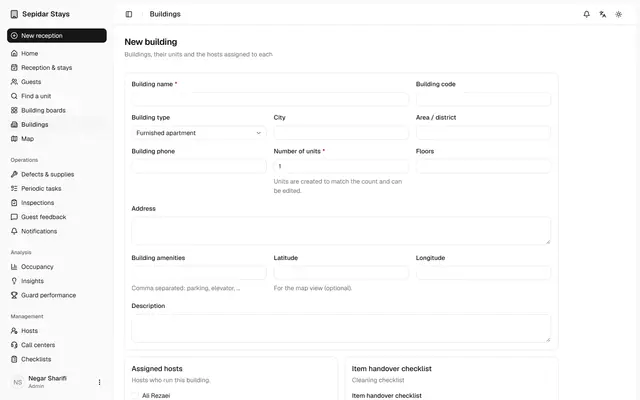
Add a new building
A new building with its host and checklists is set up in minutes, and its units are created automatically.
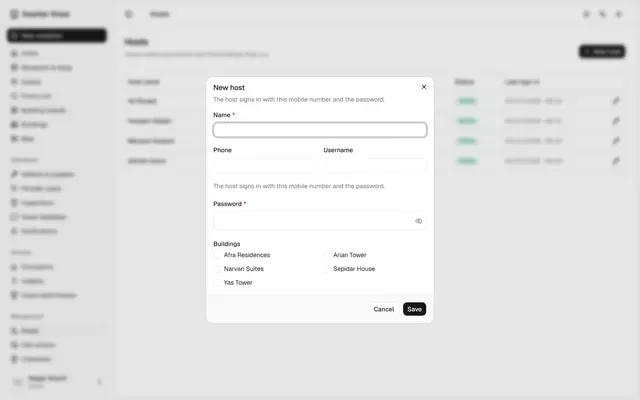
Hosts, call centers and users
The admin adds a host, checks each call center's users and keeps everyone who signs in to Mizban in one list.
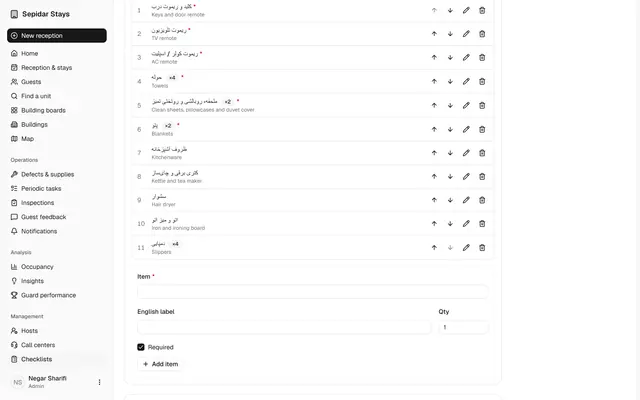
Edit the handover checklist
The admin decides which items are counted when a unit is handed over, so check-in and check-out stay accurate.
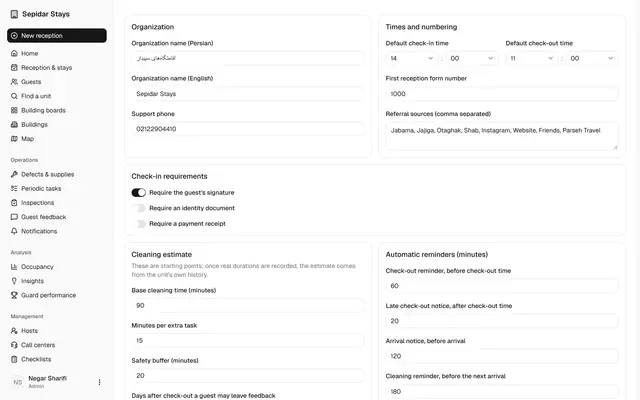
Organisation settings
The organisation's rules, from check-in requirements to reminders and the SMS gateway, are set on one page.
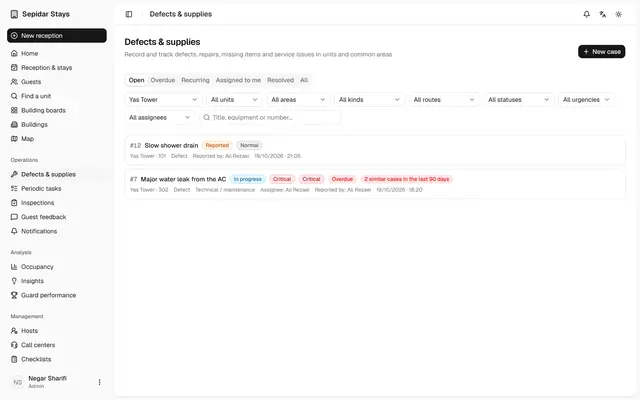
Triage a new case
The admin routes a case nobody has reviewed yet, so its owner, priority and call center notice are clear.
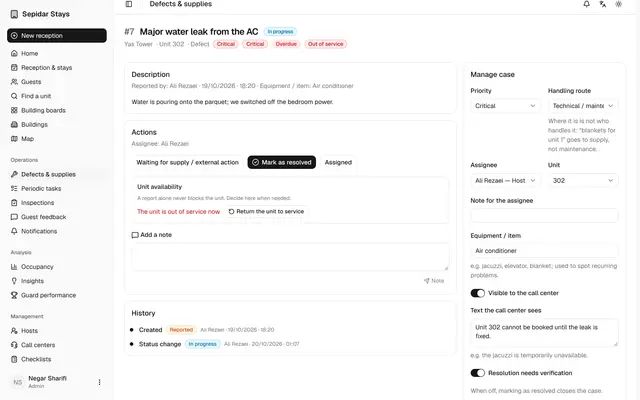
Critical case, unit out of service
A critical case shows why a unit is out of service, what the call center knows and what has happened so far.
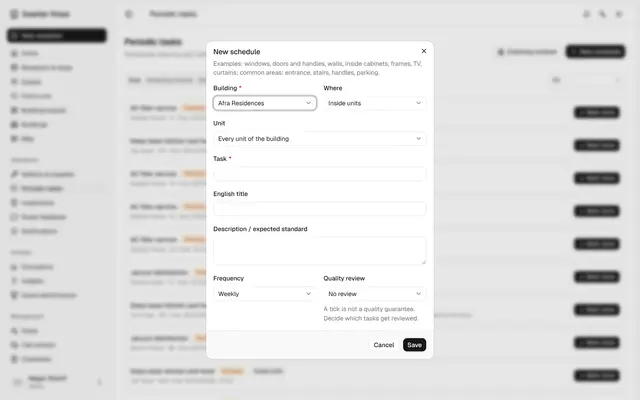
Schedule a periodic task
Recurring work like washing curtains is scheduled once and reaches the host on time by itself.
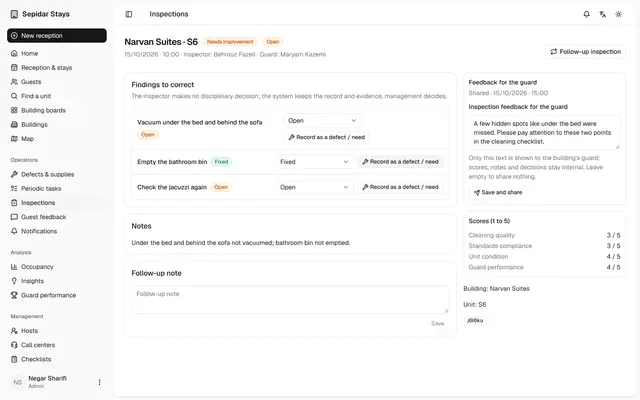
Share inspection feedback
The admin turns an inspection into clear feedback for the host, while scores and internal notes stay private.
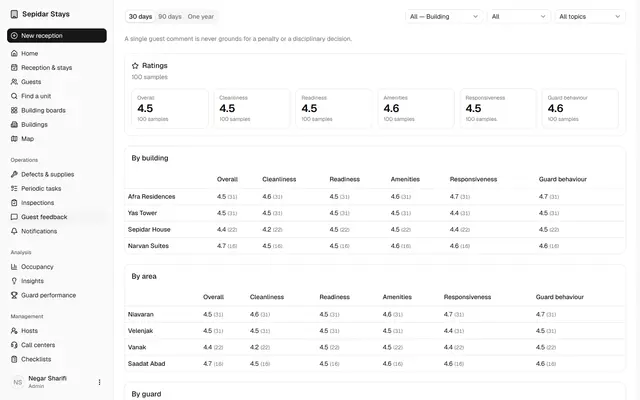
Guest feedback
The admin reads guest scores by building, files a guest's problem report and turns it into a trackable case.
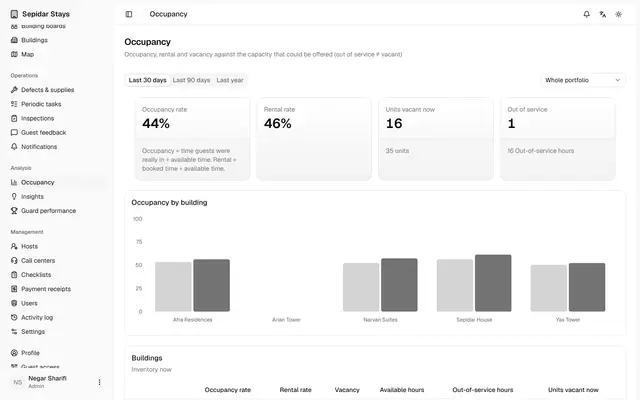
Occupancy, insights and map
The admin reads occupancy, answers to management questions, host performance and the building map from real data.
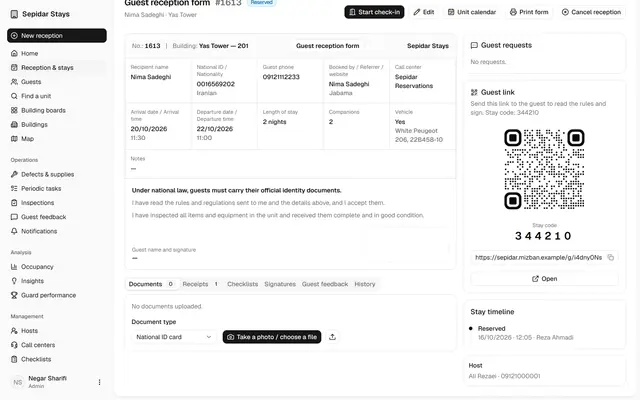
Verify a payment receipt
Receipts uploaded by guests are checked and verified, so no check-in waits on an unconfirmed payment.
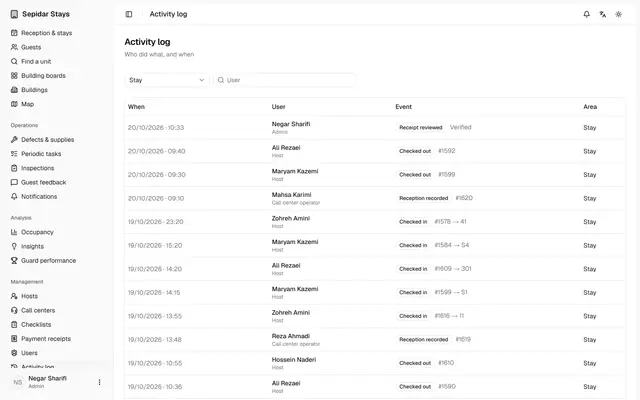
Activity log and notifications
The admin sees who did what, and which texts and reminders were sent and with what status.
Call center and operators
Owns the booking promise: finds a free unit for the dates, books and edits stays, and decides on guest requests.
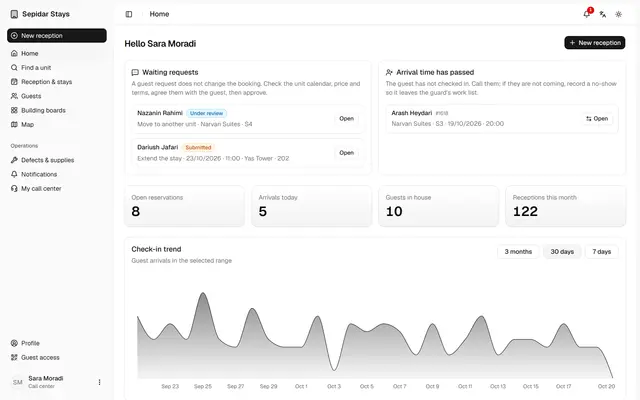
Call center home queue
The call center starts each day with the work that needs a decision, so no guest request or overdue arrival is forgotten.
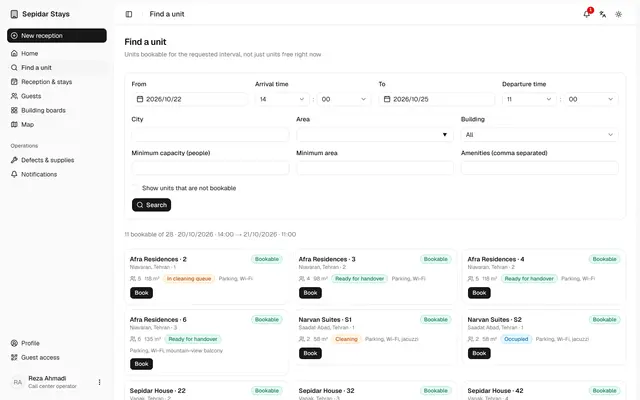
Find a unit and book
The operator finds units free for the requested dates and creates a complete booking with a guest link in minutes.
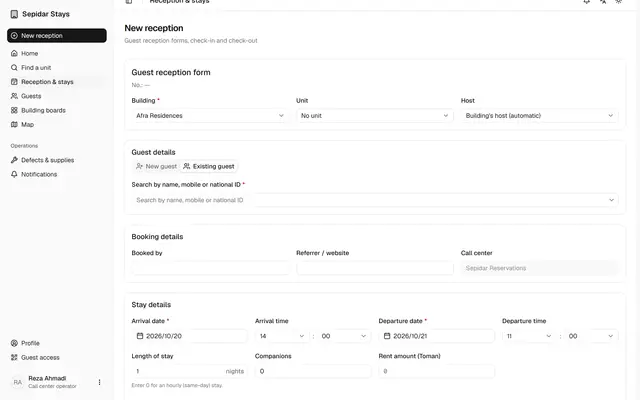
Booking for a returning guest
A returning guest's details are never typed twice, and a same-day hourly stay is booked with zero nights.
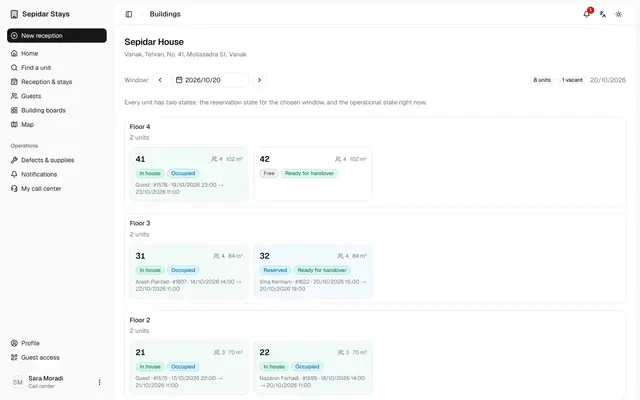
Building board and unit calendar
The call center sees every unit floor by floor and starts a booking straight from the unit calendar.
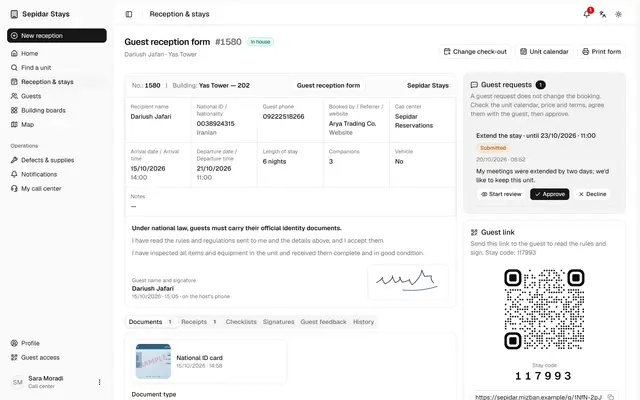
Approve an extension request
An in-house guest's extension is reviewed and approved, and the new check-out and price are recorded in the booking at once.
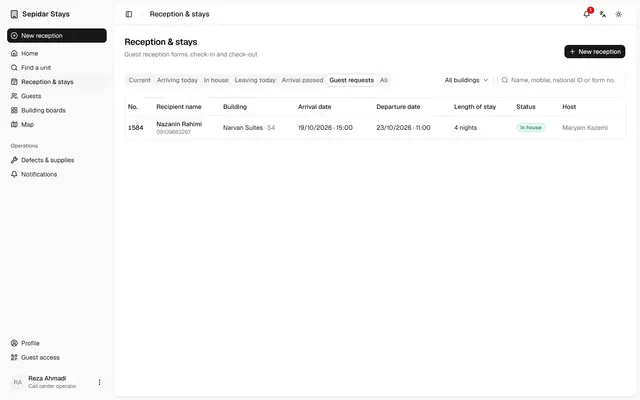
Decline a unit change request
When a guest's request cannot be met, it is declined with a clear reason that the guest can read.
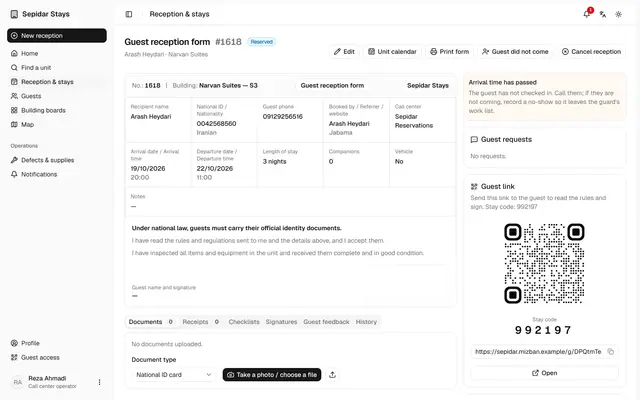
Record a no-show
A booking whose guest never came is closed, freeing the unit and clearing it from the host's work list.
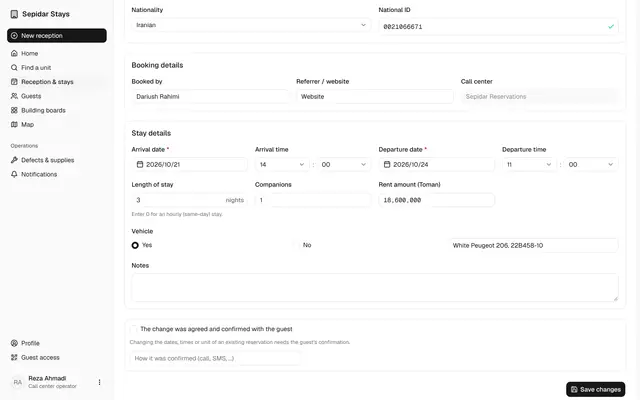
Edit and cancel bookings
Booking dates change only with the guest's recorded consent, and a cancellation is recorded after a clear confirmation.
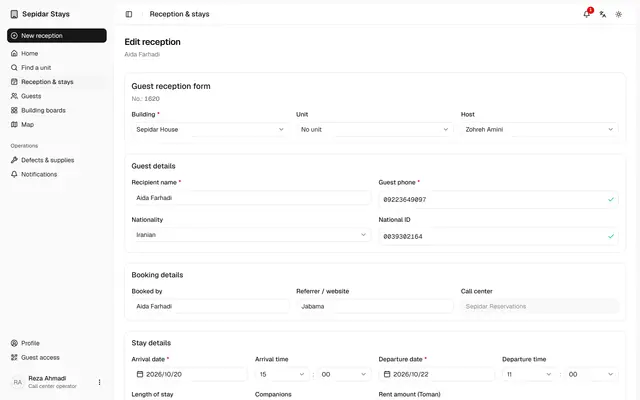
Assign a unit to a booking
A booking made without a unit gets one before the guest arrives, so the host knows which unit to prepare.
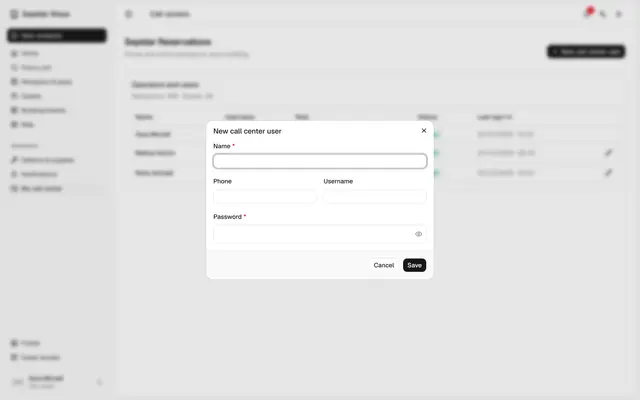
Add a call center operator
The call center manager creates an account for a new colleague without waiting for management.
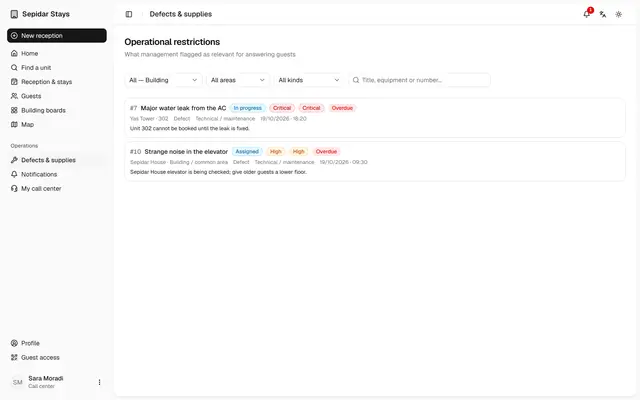
Operational restrictions
The call center sees only the cases management marked as relevant for answering guests.
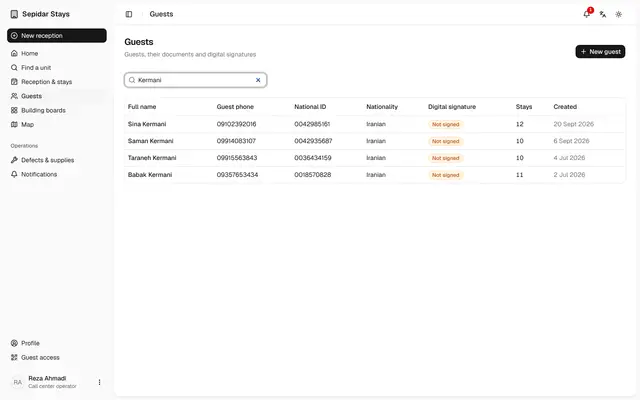
Guests and their stays
The operator finds a guest in seconds and sees all of their past and current stays.
Host
Runs the building day from a phone: check-ins, check-outs, cleaning, periodic tasks and reporting problems.
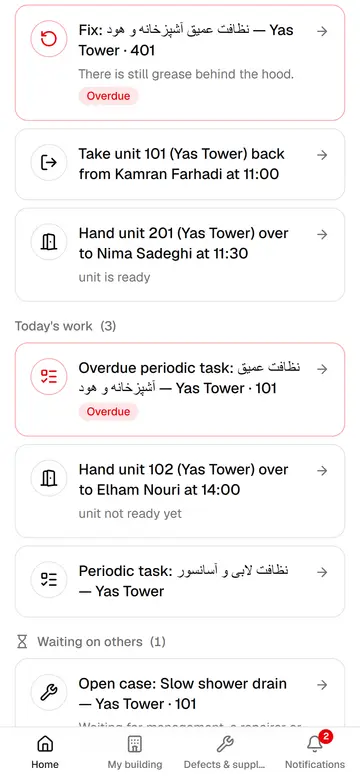
The host's phone home
Every morning the host sees on one screen what is urgent, what is due today and what waits on others.
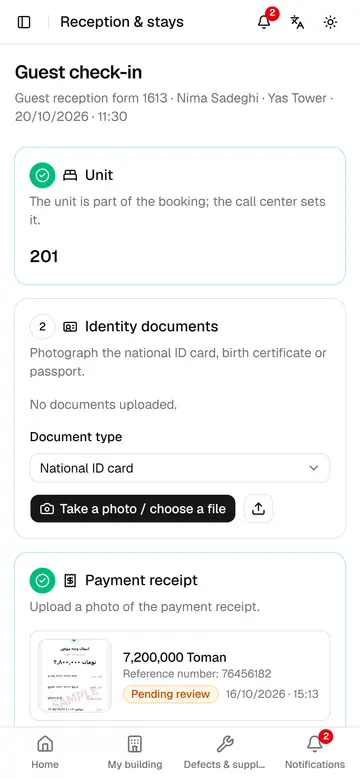
Check-in a guest
The host records documents, receipt and items, the guest signs on their own phone, and the unit becomes occupied.
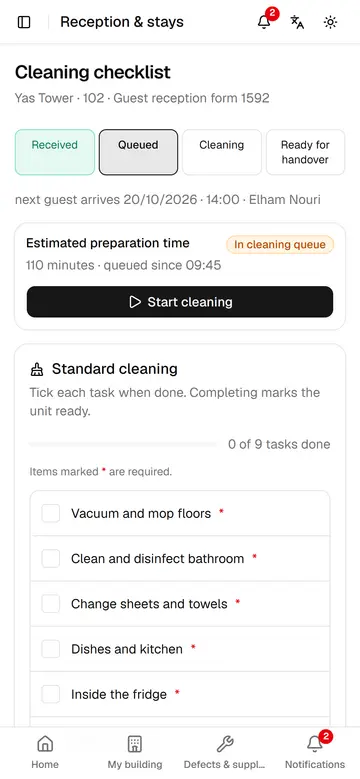
Prepare a unit before arrival
Unit 102 is cleaned before Elham arrives at 14:00, and everyone can see when it will be ready.
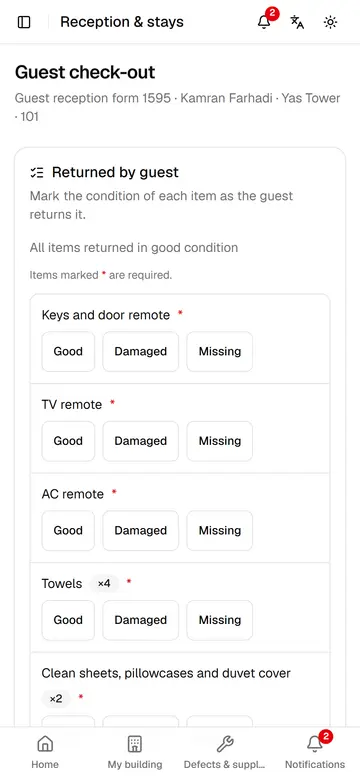
Check-out and take the unit back
The host rates every returned item, the guest signs, and the unit goes straight to the cleaning queue.
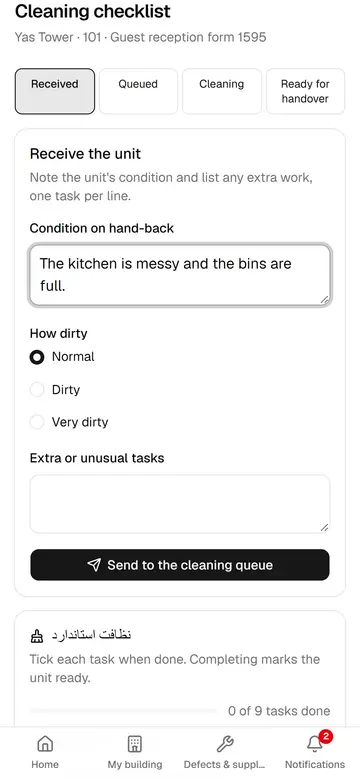
Send a unit to cleaning
The host notes the unit's condition and extra work, so the ready time is estimated more accurately.
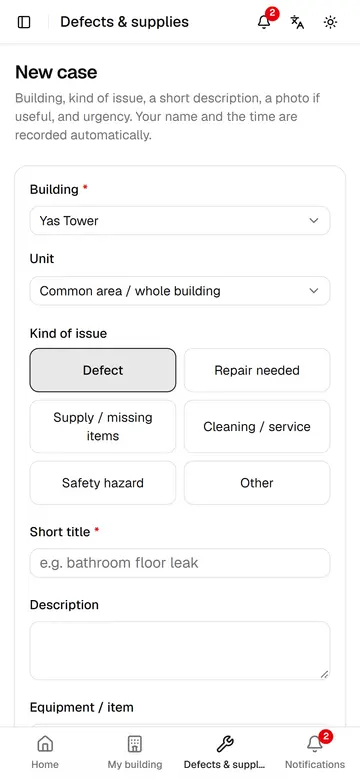
Report a defect or need
In a few taps the host files a case with a photo and urgency, so the right person hears about it quickly.
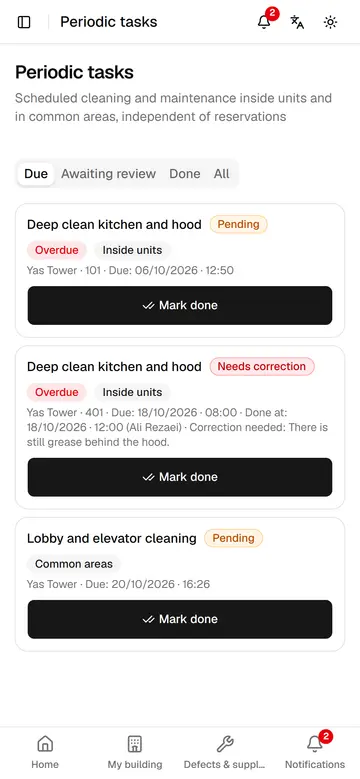
Periodic tasks and corrections
The host marks periodic tasks done and redoes a task the reviewer sent back, with a short note.
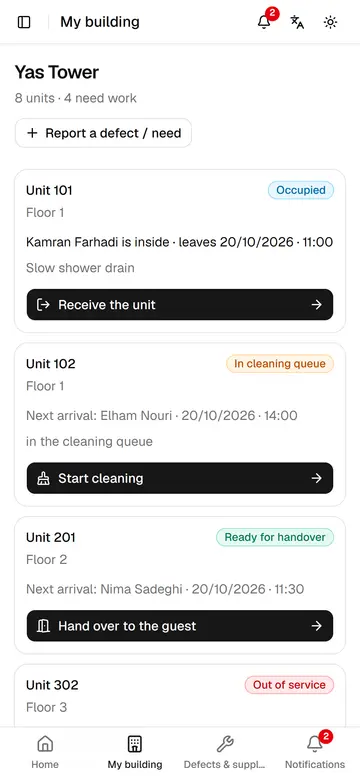
My building
The host sees every unit's state, who is inside and the next step at a glance.
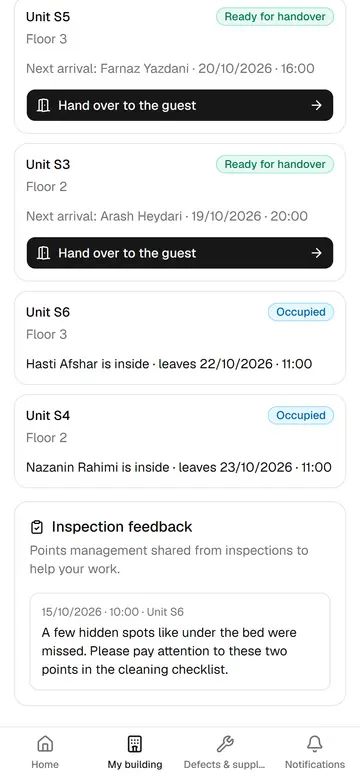
Inspection feedback for the host
Points management shares from inspections appear right on the host's My building page.
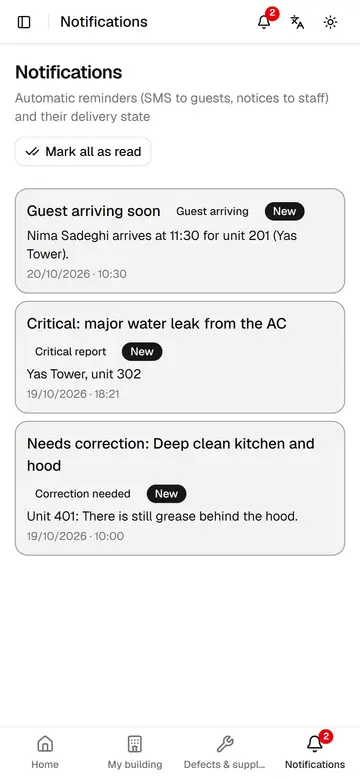
Host notifications
The host sees upcoming arrivals, urgent cases and returned tasks in notifications and opens each with one tap.
Inspector
Measures quality: inspects buildings and units, reviews cleanings and periodic work, and confirms fixes are real.
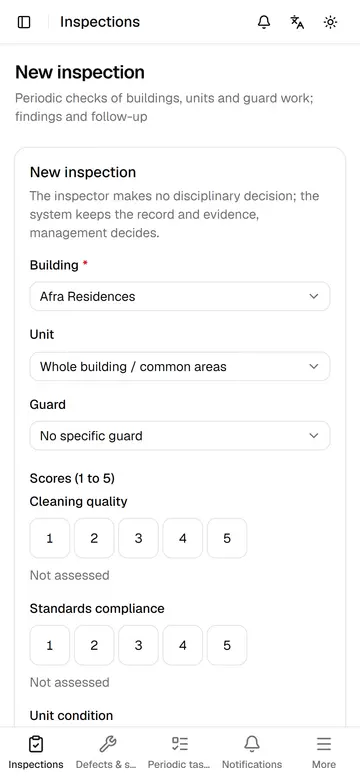
Record an inspection on the phone
While walking the unit, the inspector records scores, the verdict and the findings to fix, so follow-up starts at once.
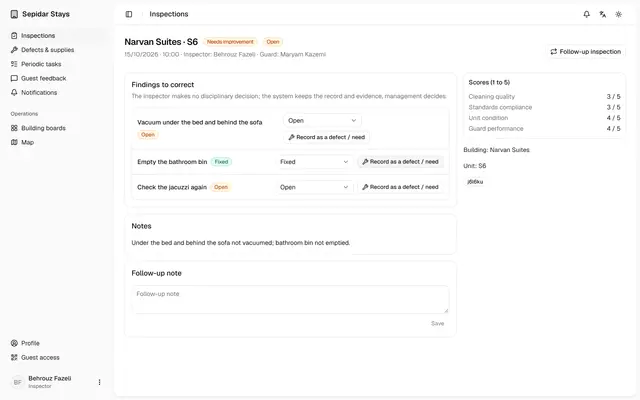
Follow up an inspection
The inspector updates each finding, leaves a follow-up note and turns a lingering one into a case, so nothing is forgotten.
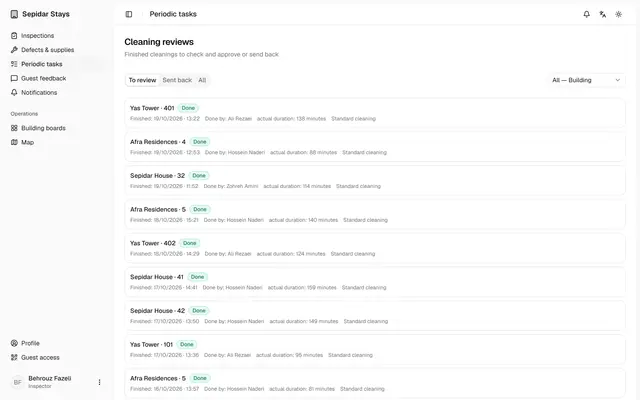
Review finished cleanings
The inspector checks finished cleanings against their checklist, approves good work and sends incomplete work back with a reason.
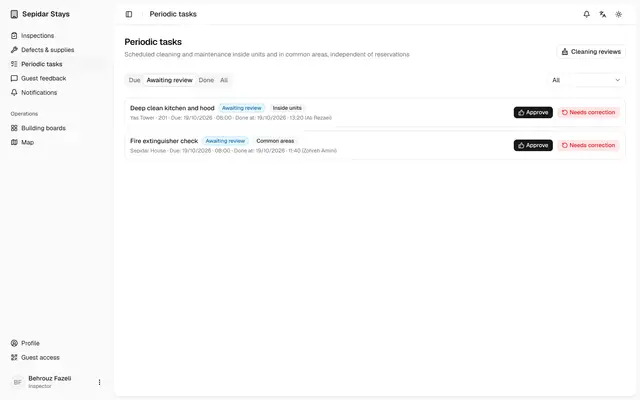
Review periodic tasks
Periodic work the host has done is approved or sent back by the inspector, so a tick never replaces real quality.
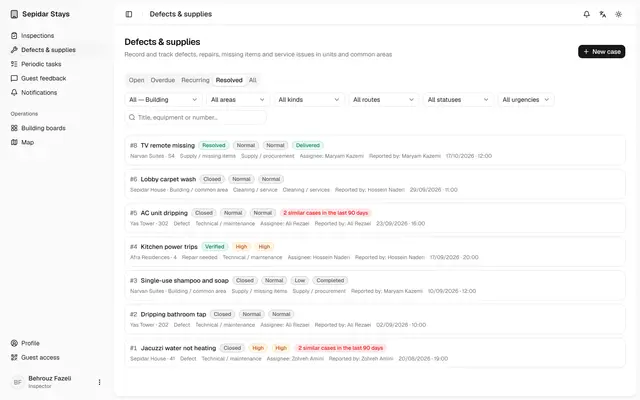
Verify a fixed case
The inspector checks a case the host marked resolved and verifies it, or reopens it if the fix did not hold.
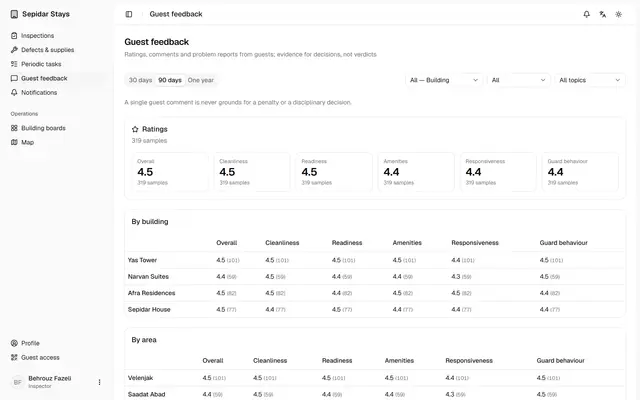
Guest feedback for inspectors
The inspector sees guest ratings and comments by building, unit and host, and files each comment for the next inspection.
Guest
No app to install: a QR code or text opens the guest's own page for signing, unit status, extensions and feedback.
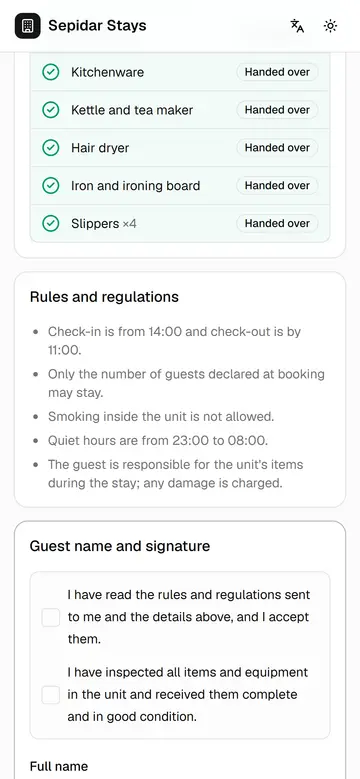
The guest signs on their phone
The guest sees the handed-over items and the rules live on their own phone and signs with a finger, with no paper.
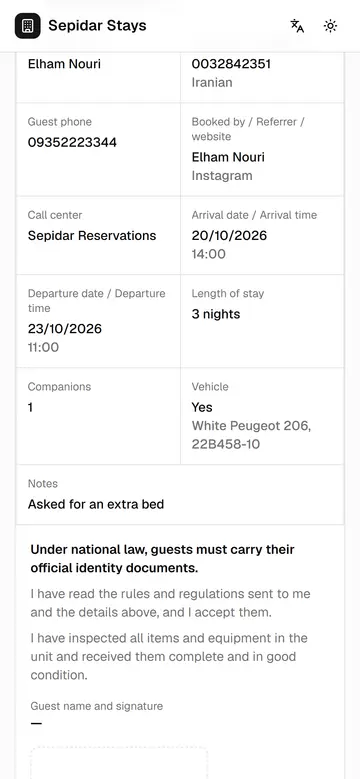
Live page before arrival
Before arriving, the guest sees when the unit will be ready, reads the form and rules, and sends a request.
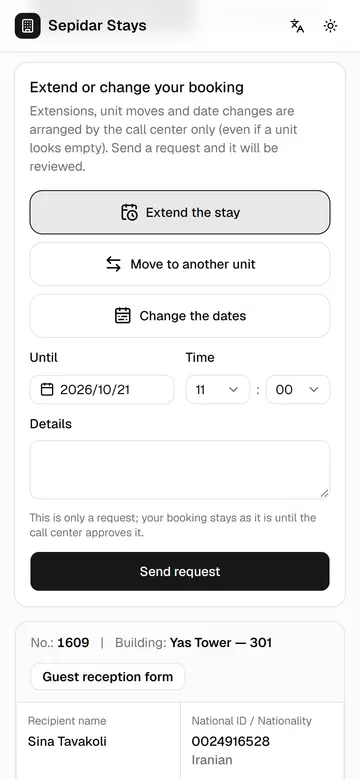
Ask to extend the stay
A guest in the unit asks for an extension from the live page, and the request goes straight to the call center.
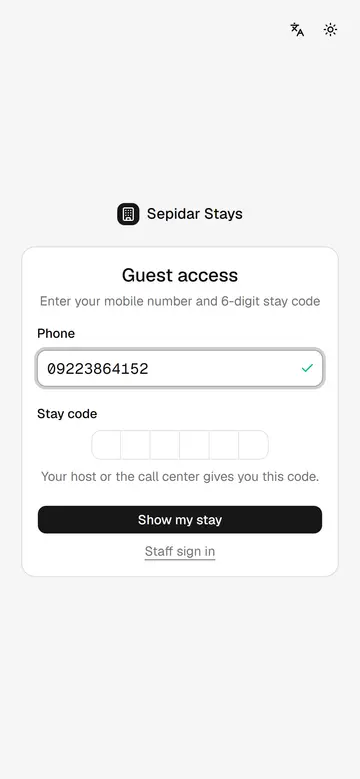
Guest sign-in with stay code
A guest without the QR code reaches the live page with a mobile number and the 6-digit stay code.
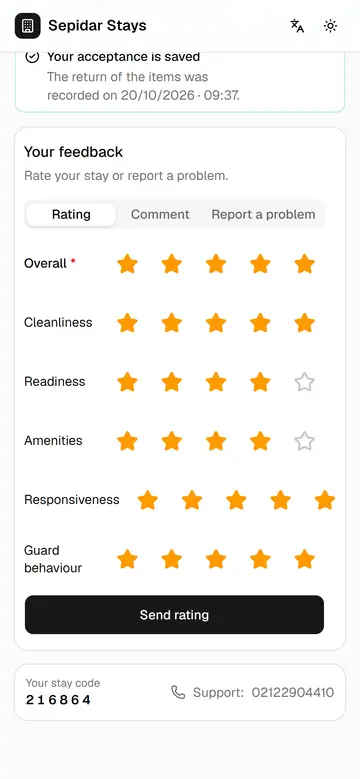
Guest feedback after check-out
After check-out the guest rates six areas, leaves a comment and reports a problem, so quality can be measured.