Approve an extension request
An in-house guest's extension is reviewed and approved, and the new check-out and price are recorded in the booking at once.
Call center and operatorsOn a computer7 steps
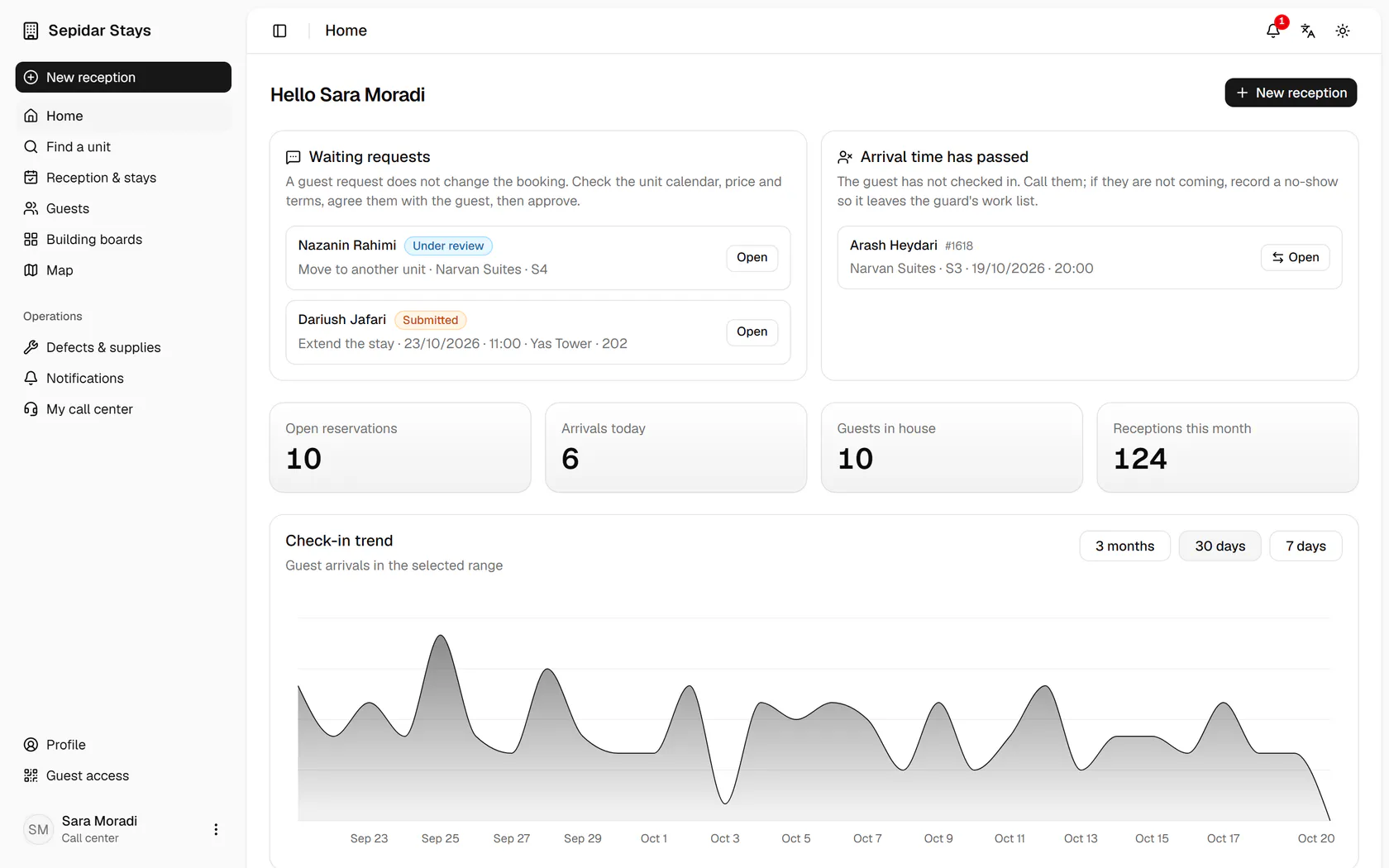
On the home page, open Dariush Jafari's extension request for Yas Tower 202.
Step by step
- 1
On the home page, open Dariush Jafari's extension request for Yas Tower 202.
- 2
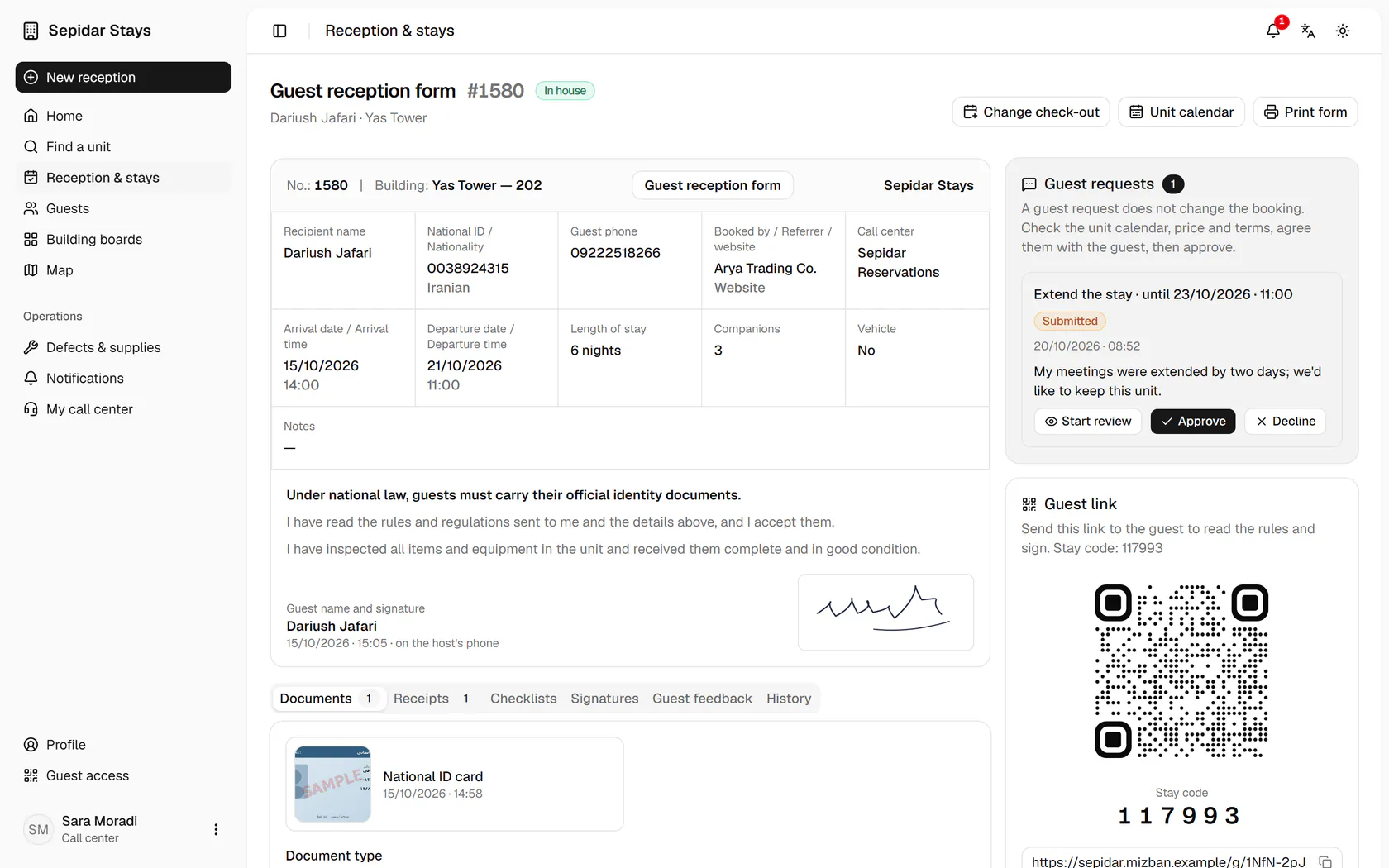
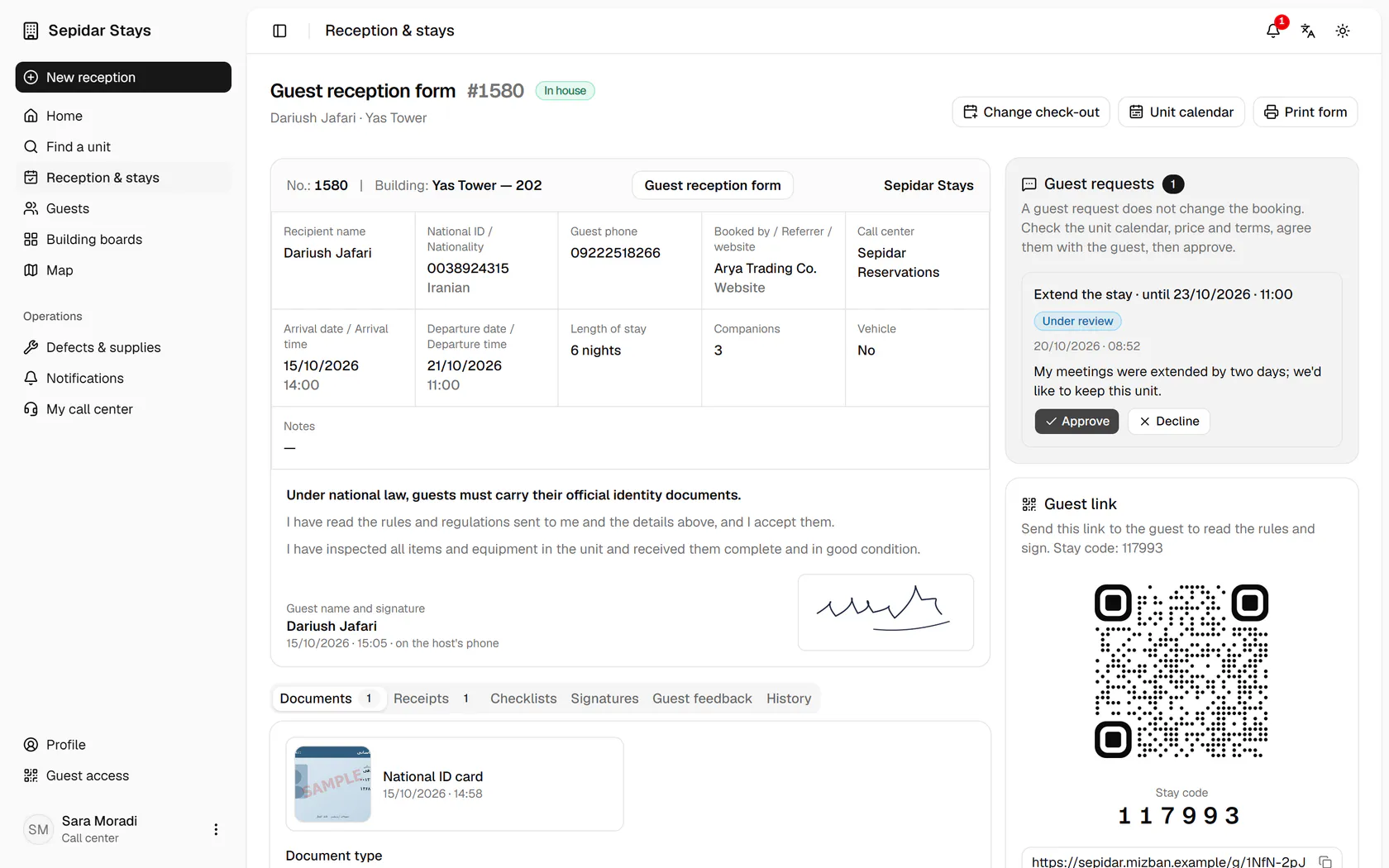
Press Start review so the guest and colleagues know the request is being handled.
- 3
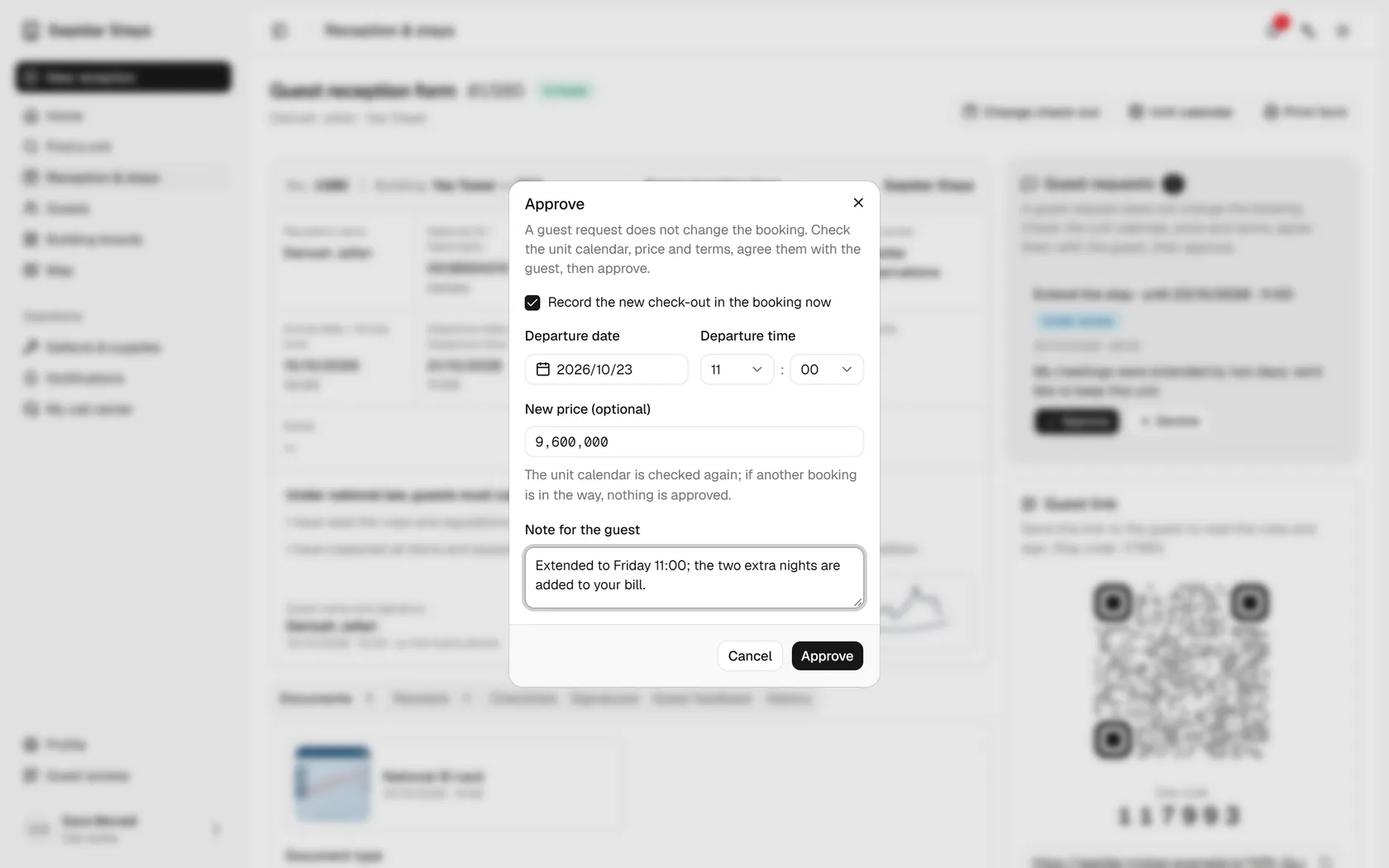
Once the calendar and price are agreed with the guest, press Approve.
- 4
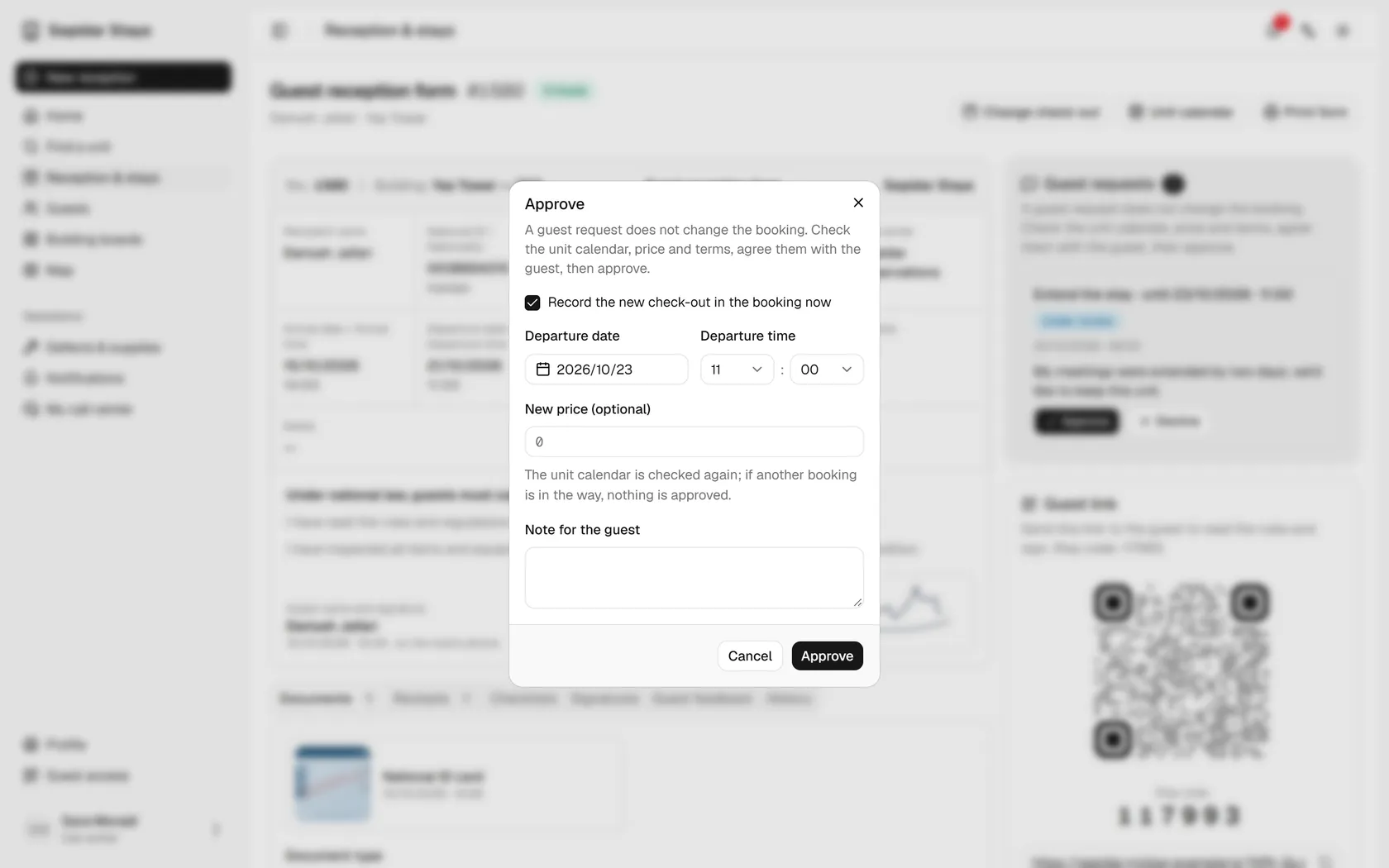
The requested check-out date and time are filled in; enter the new price.
- 5
Add a note for the guest and confirm; the unit calendar is checked again.
- 6
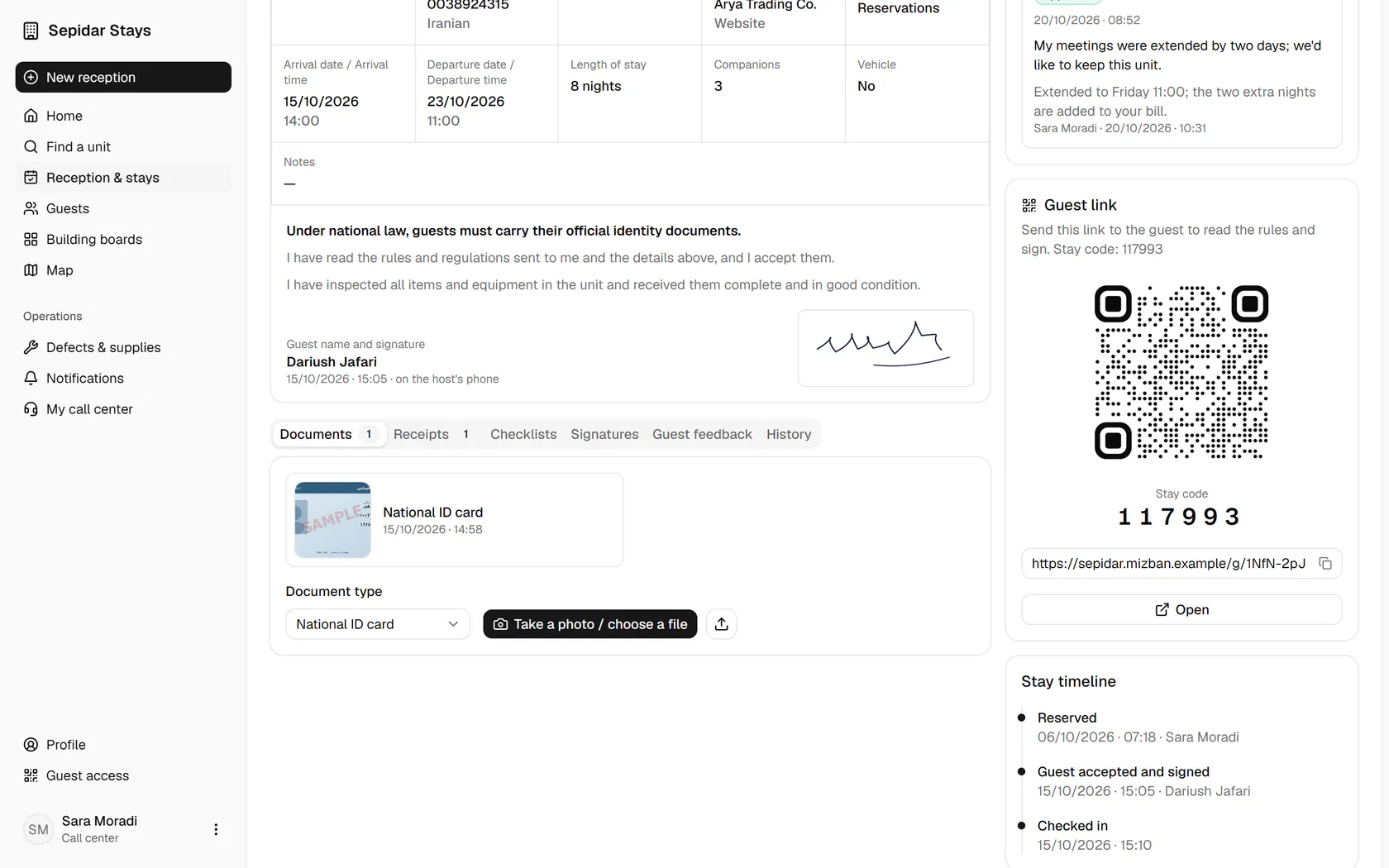
The form now shows the new check-out and length of stay; open the History tab.
- 7
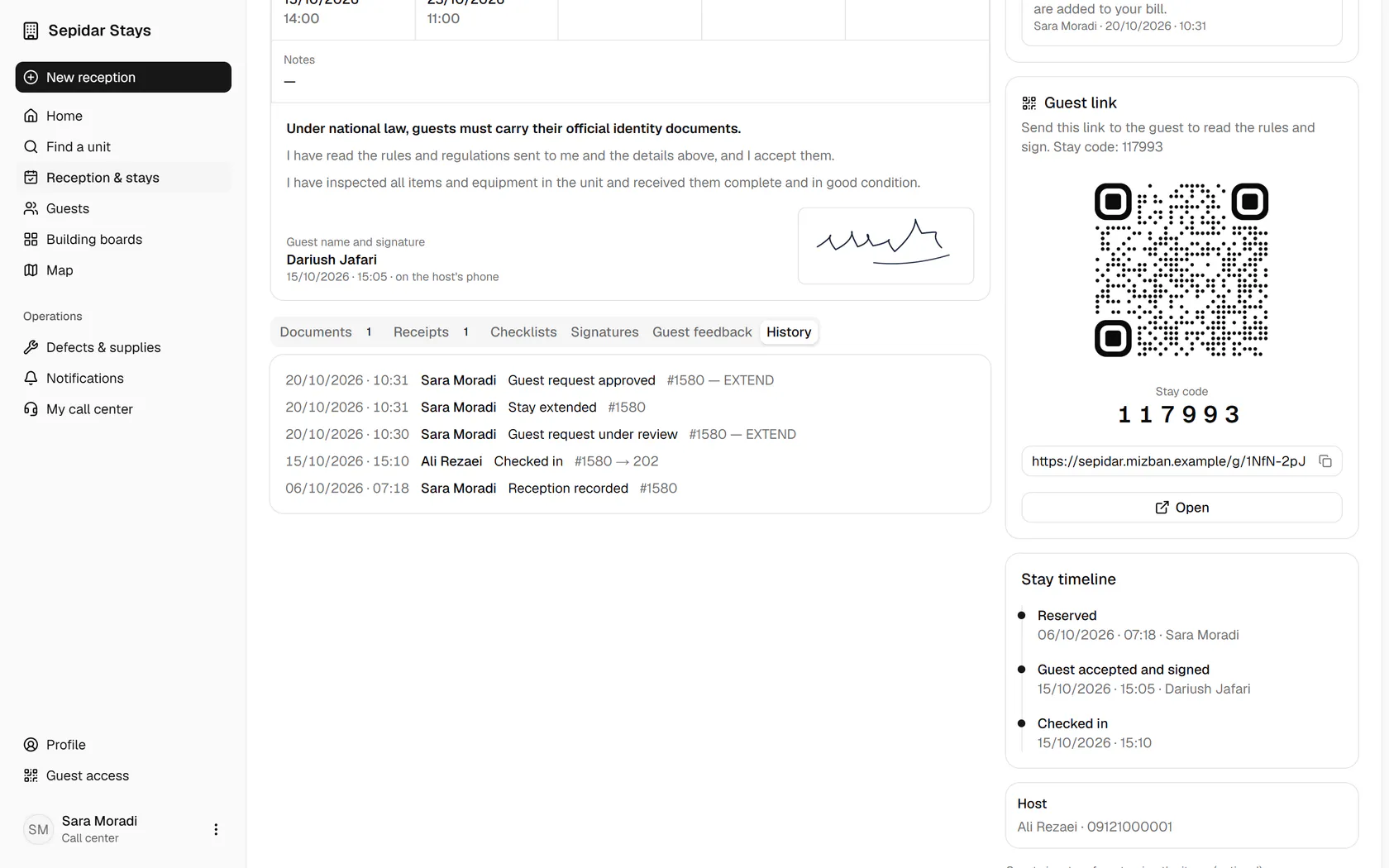
The history shows who reviewed and approved the request and extended the stay, and when.