Building board and unit calendar
The call center sees every unit floor by floor and starts a booking straight from the unit calendar.
Call center and operatorsOn a computer6 steps
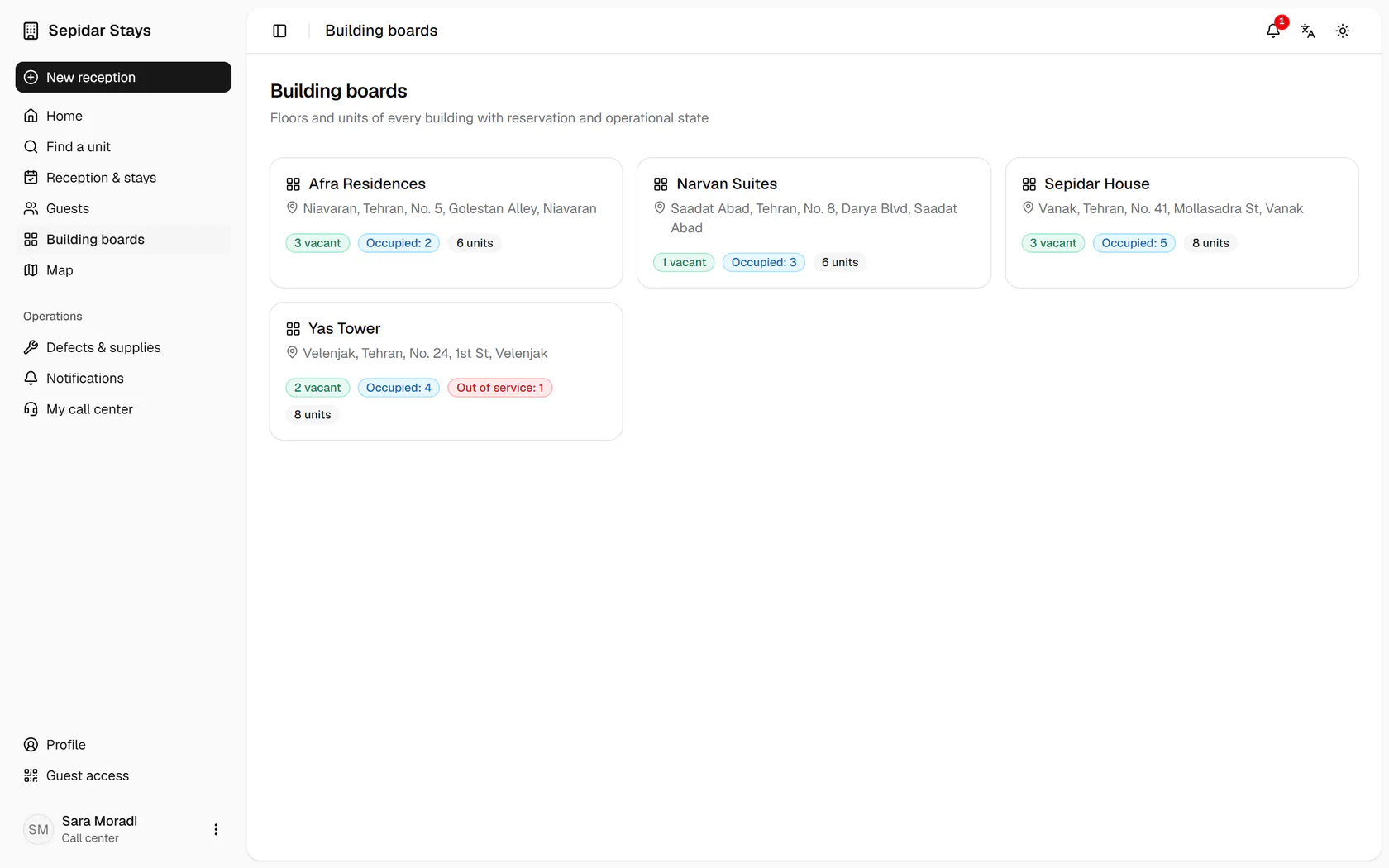
The boards show vacant and occupied counts per building; open Sepidar House.
Step by step
- 1
The boards show vacant and occupied counts per building; open Sepidar House.
- 2
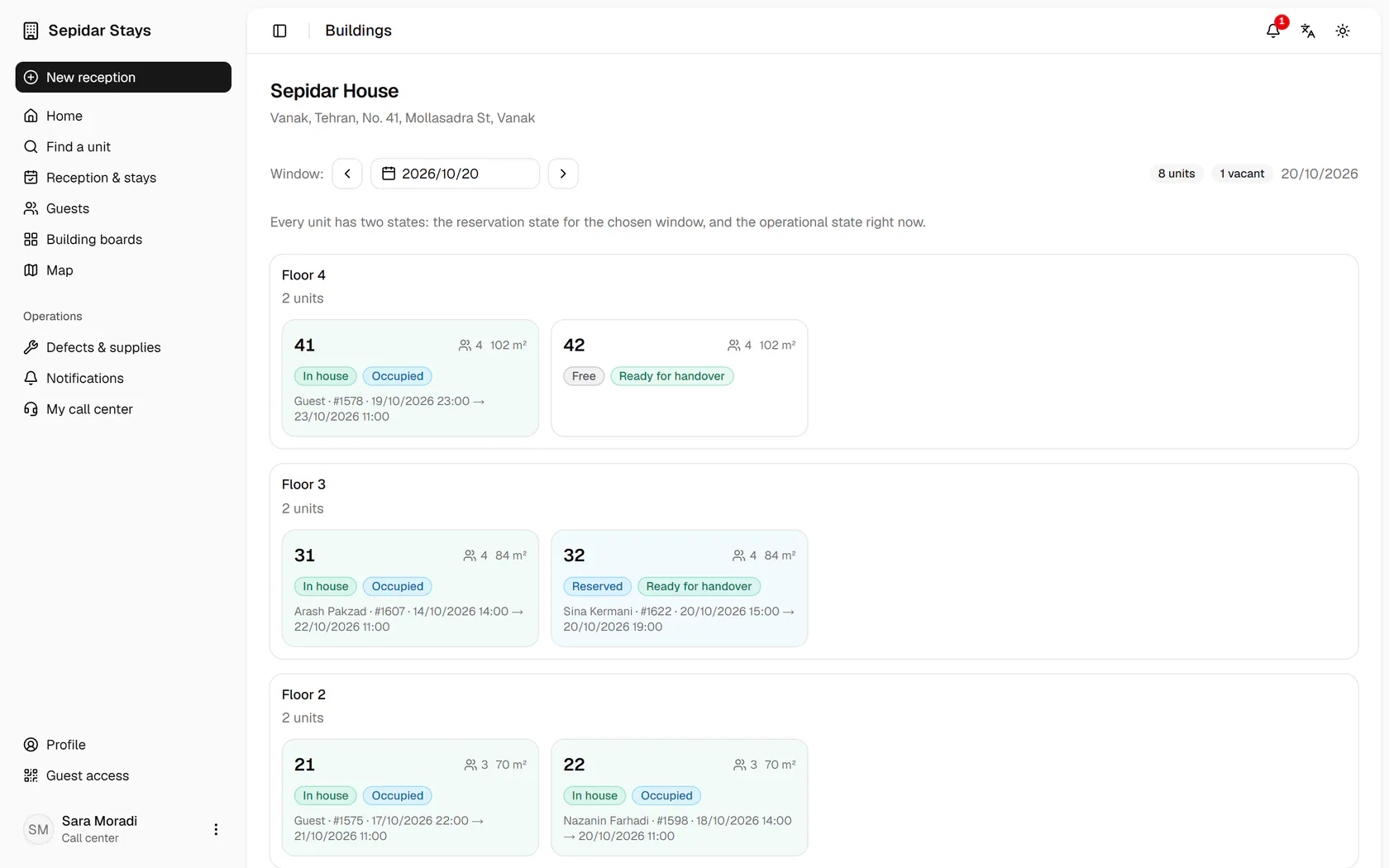
Floors run top to bottom, and each unit shows two states: booking and operational.
- 3
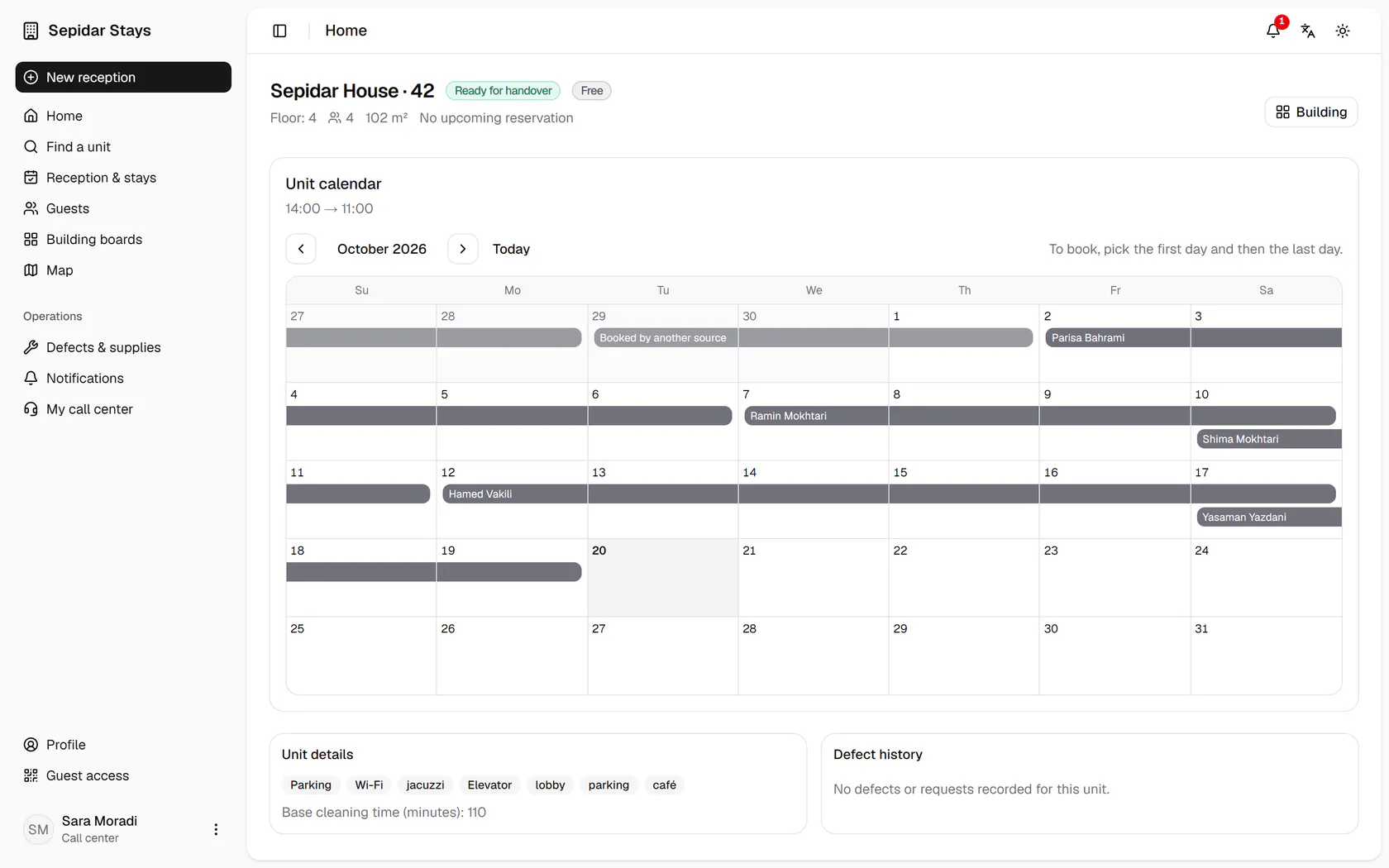
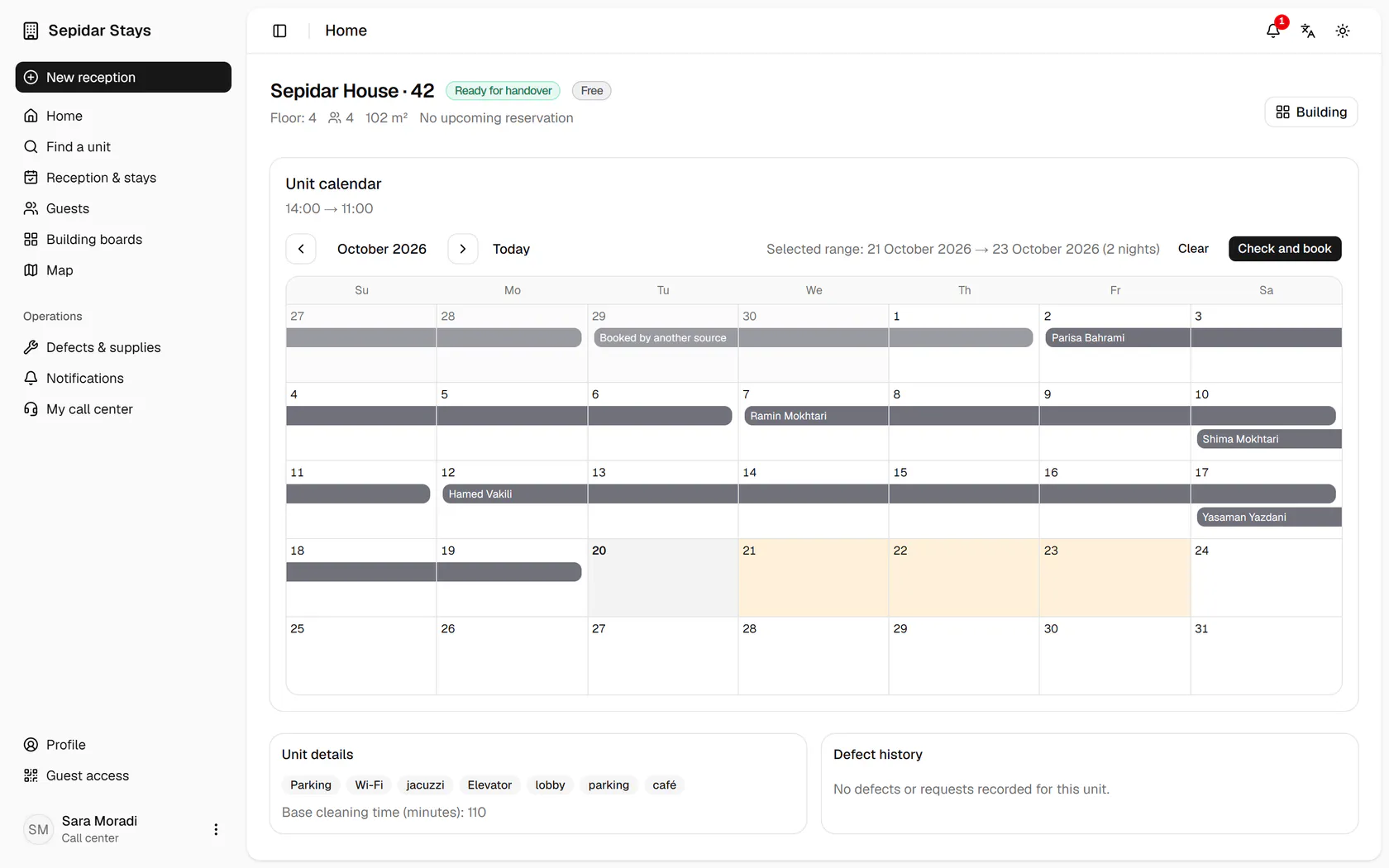
The unit calendar shows existing bookings; click the arrival day.
- 4
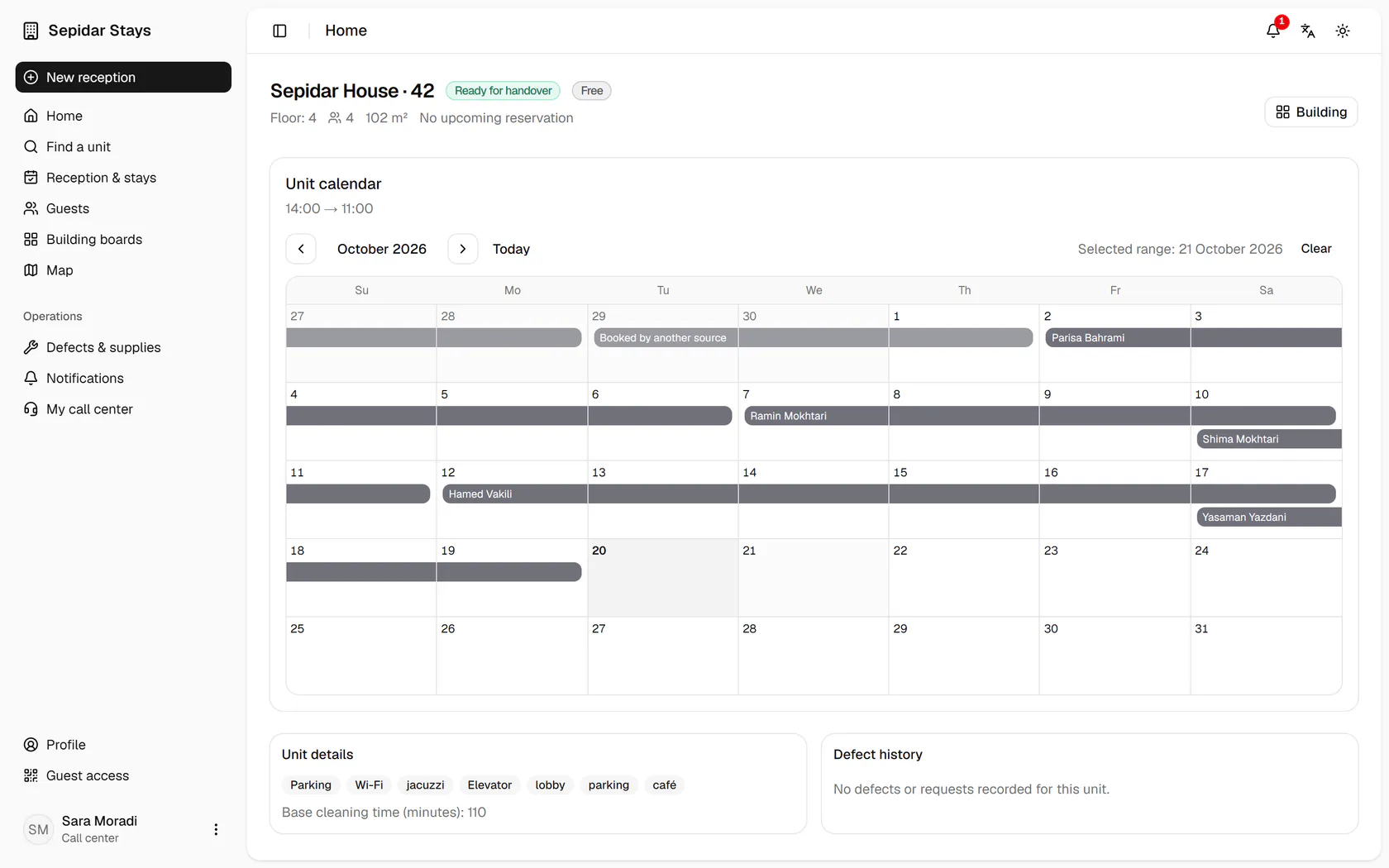
Now click the departure day to set the range and the number of nights.
- 5
The chosen range appears above the calendar; press Check and book.
- 6
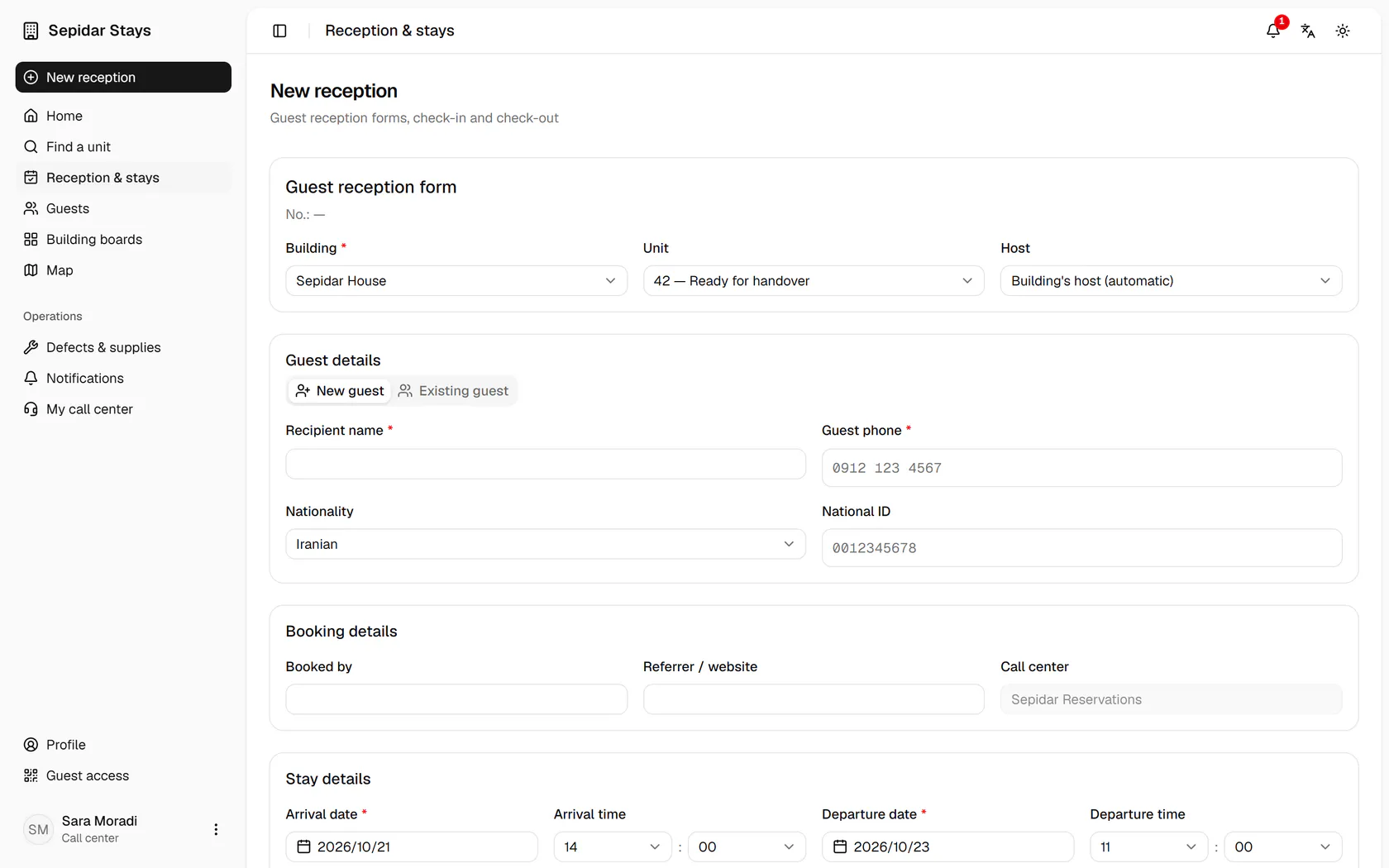
The booking form opens with the building, unit and dates already filled in.