Skip to content
Mizban

Booking for a returning guest

A returning guest's details are never typed twice, and a same-day hourly stay is booked with zero nights.

Call center and operatorsOn a computer7 steps
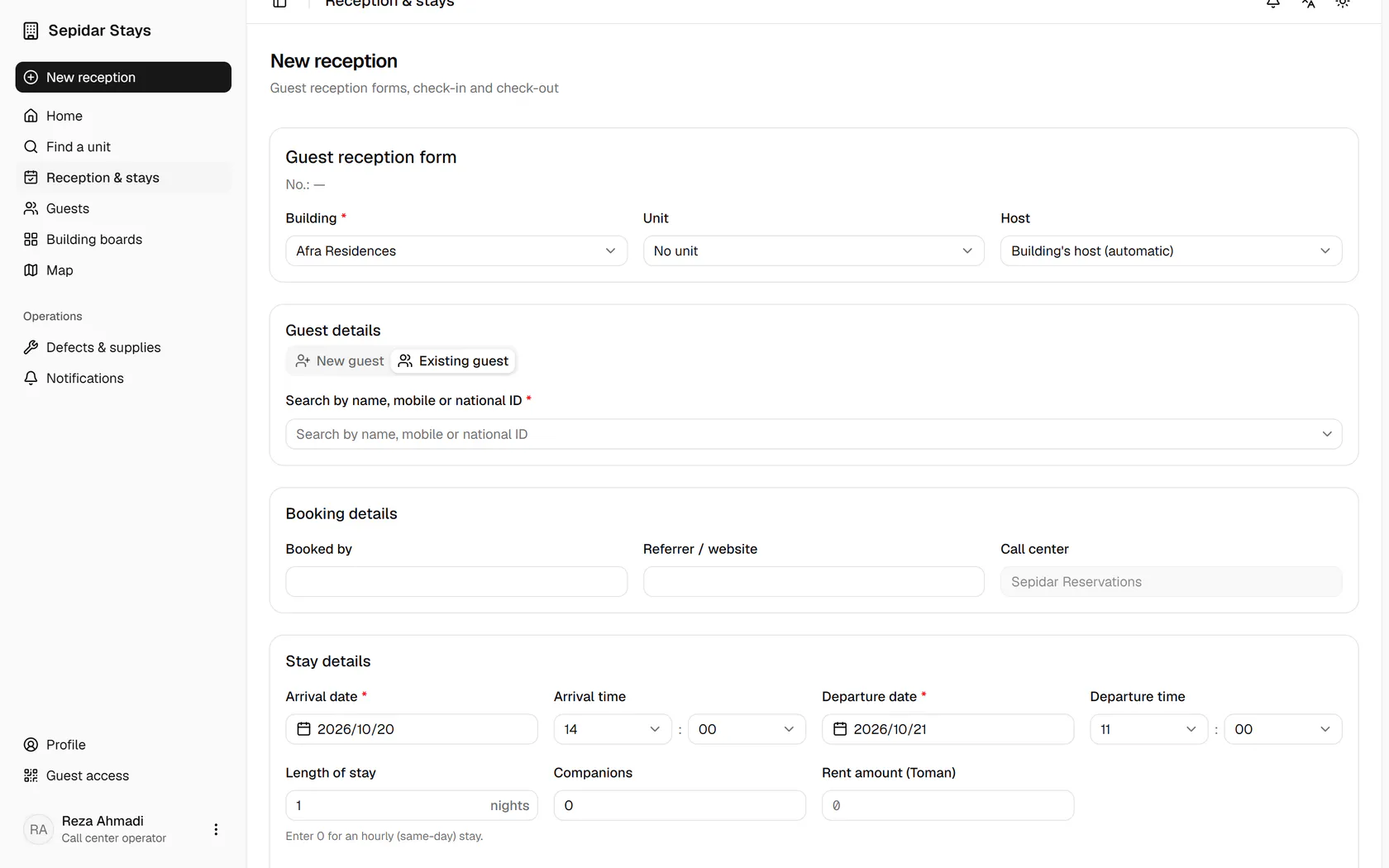
In the new booking form, switch to the Existing guest tab.Type part of the guest's name, mobile number or national ID.Pick the right guest from the list; the mobile number beside each name helps.With the building set, choose the unit and see its current state.For a same-day hourly stay, set the length to zero nights and adjust the times.Enter the amount and save the booking.The four-hour stay is saved, with a fresh guest link and stay code.

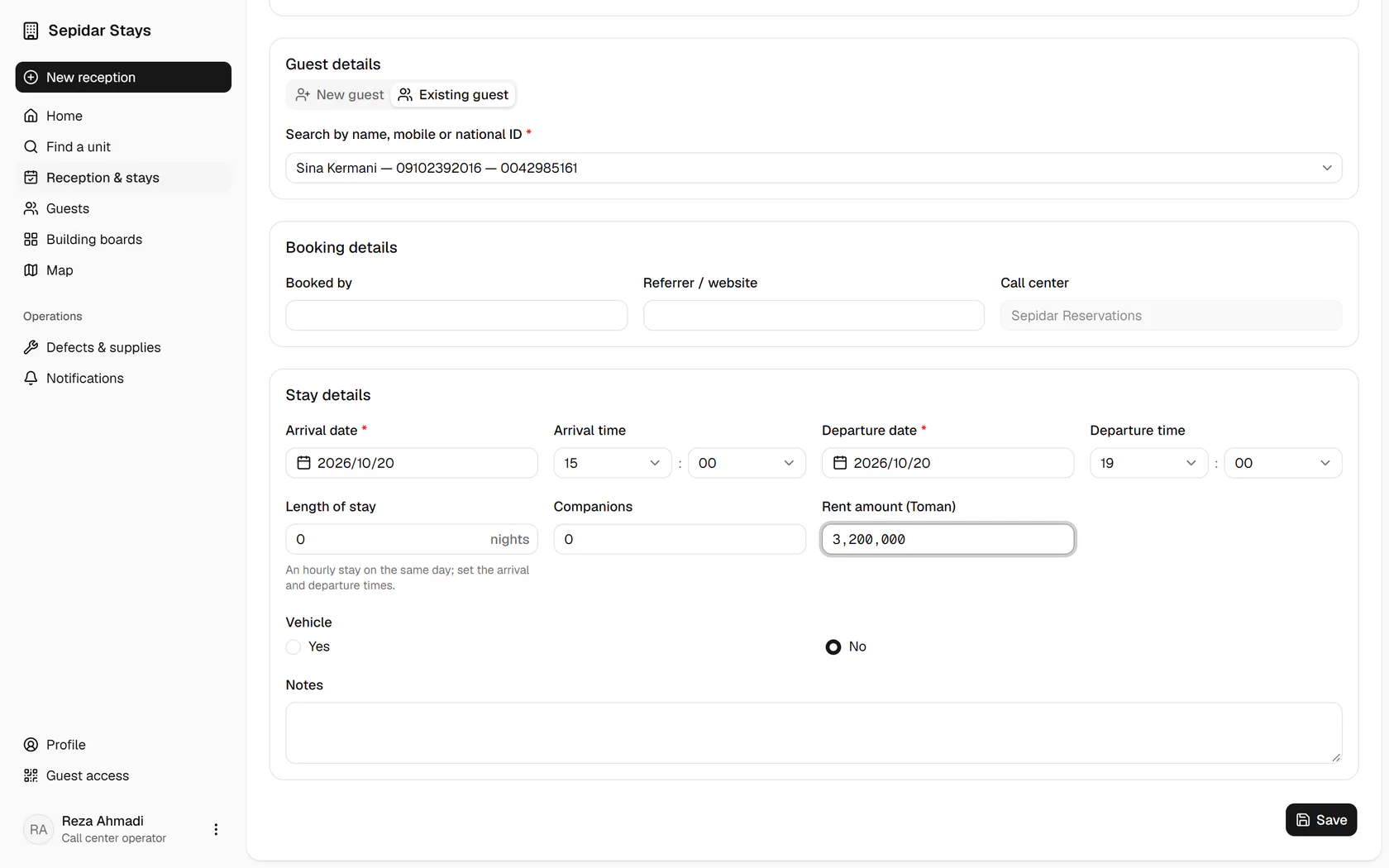
In the new booking form, switch to the Existing guest tab.

Step by step

  1. 1

    In the new booking form, switch to the Existing guest tab.

    In the new booking form, switch to the Existing guest tab.
  2. 2

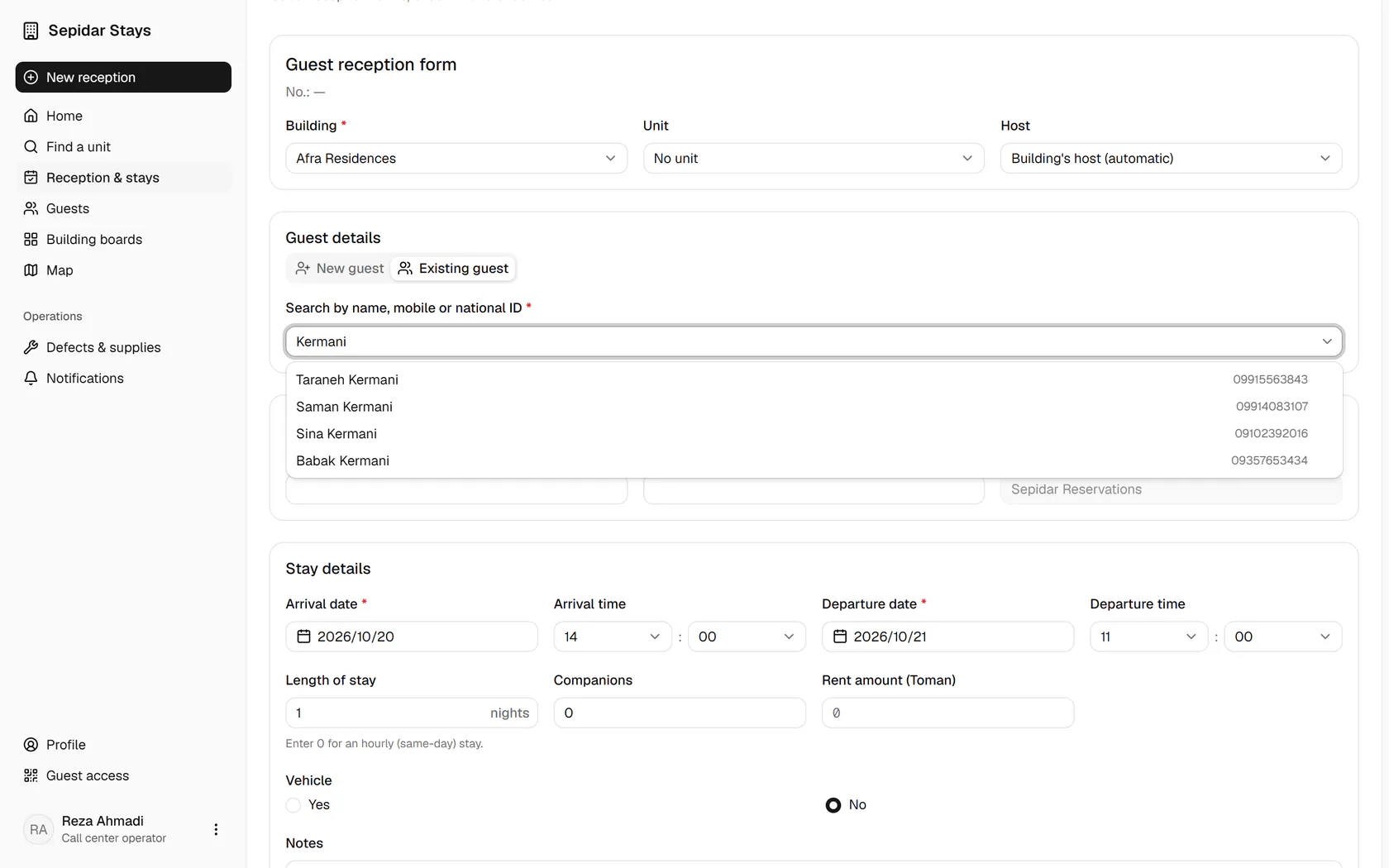
    Type part of the guest's name, mobile number or national ID.

    Type part of the guest's name, mobile number or national ID.
  3. 3

    Pick the right guest from the list; the mobile number beside each name helps.

    Pick the right guest from the list; the mobile number beside each name helps.
  4. 4

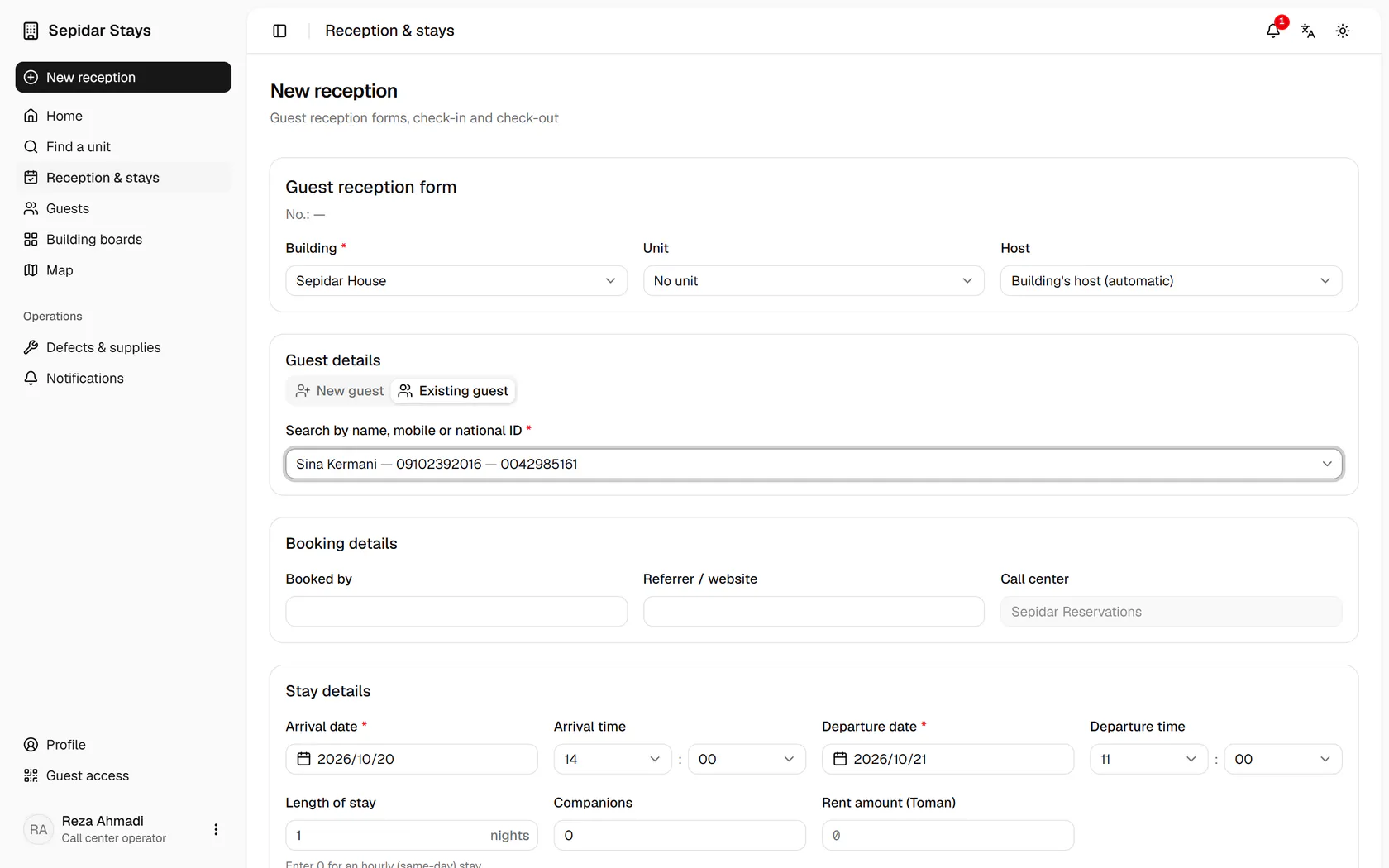
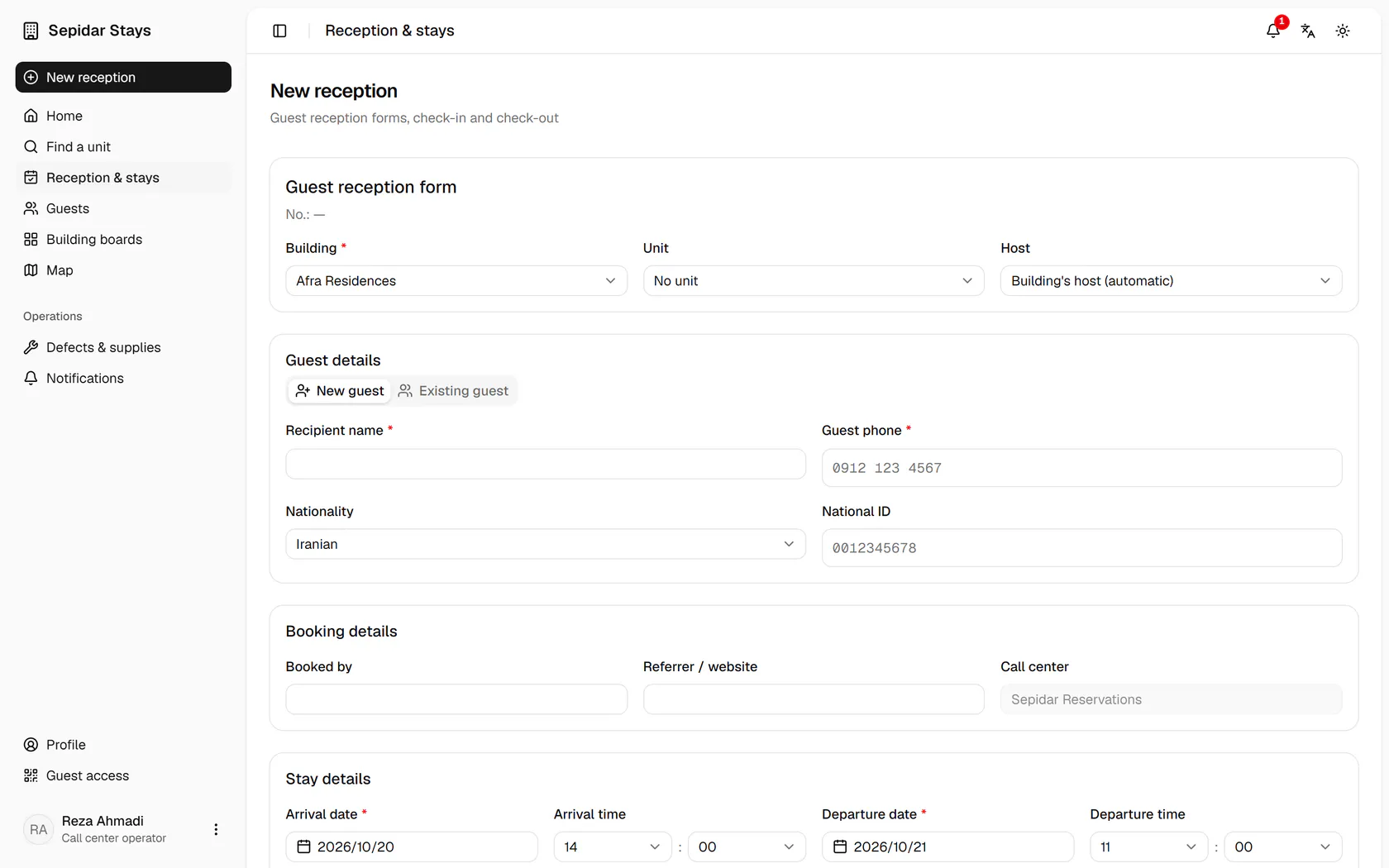
    With the building set, choose the unit and see its current state.

    With the building set, choose the unit and see its current state.
  5. 5

    For a same-day hourly stay, set the length to zero nights and adjust the times.

    For a same-day hourly stay, set the length to zero nights and adjust the times.
  6. 6

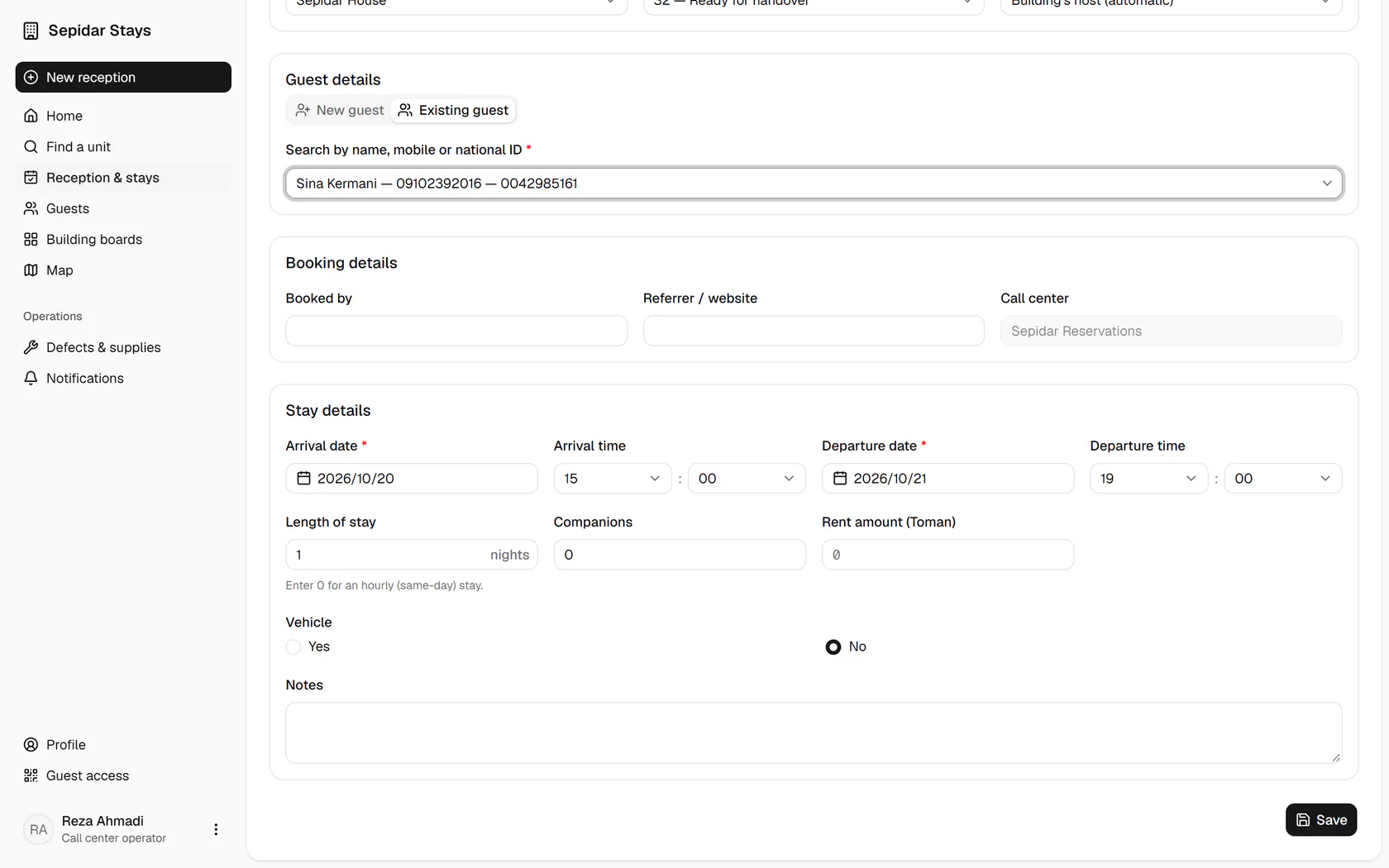
    Enter the amount and save the booking.

    Enter the amount and save the booking.
  7. 7

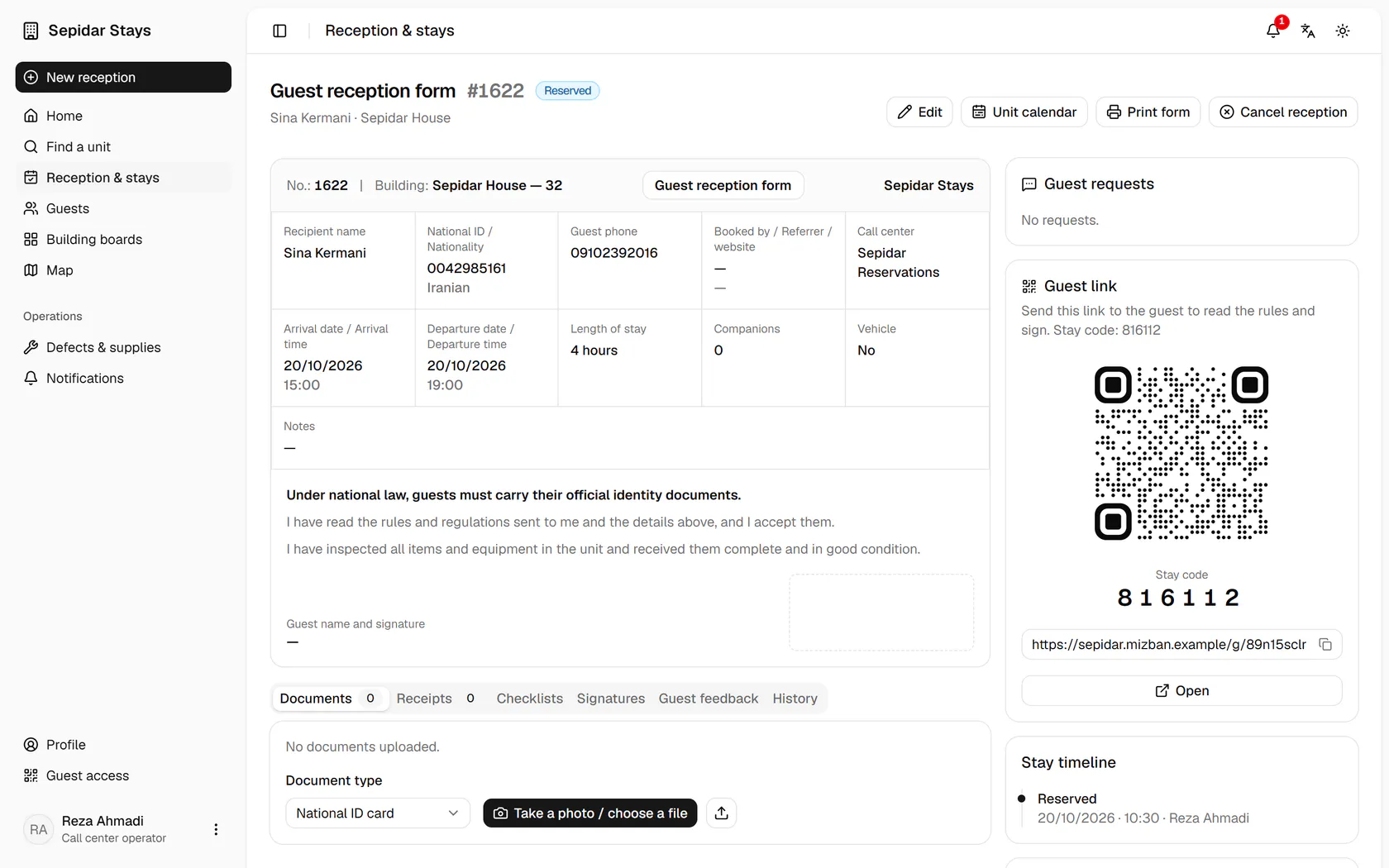
    The four-hour stay is saved, with a fresh guest link and stay code.

    The four-hour stay is saved, with a fresh guest link and stay code.