Skip to content
Mizban

Find a unit and book

The operator finds units free for the requested dates and creates a complete booking with a guest link in minutes.
Call center and operatorsOn a computer8 steps
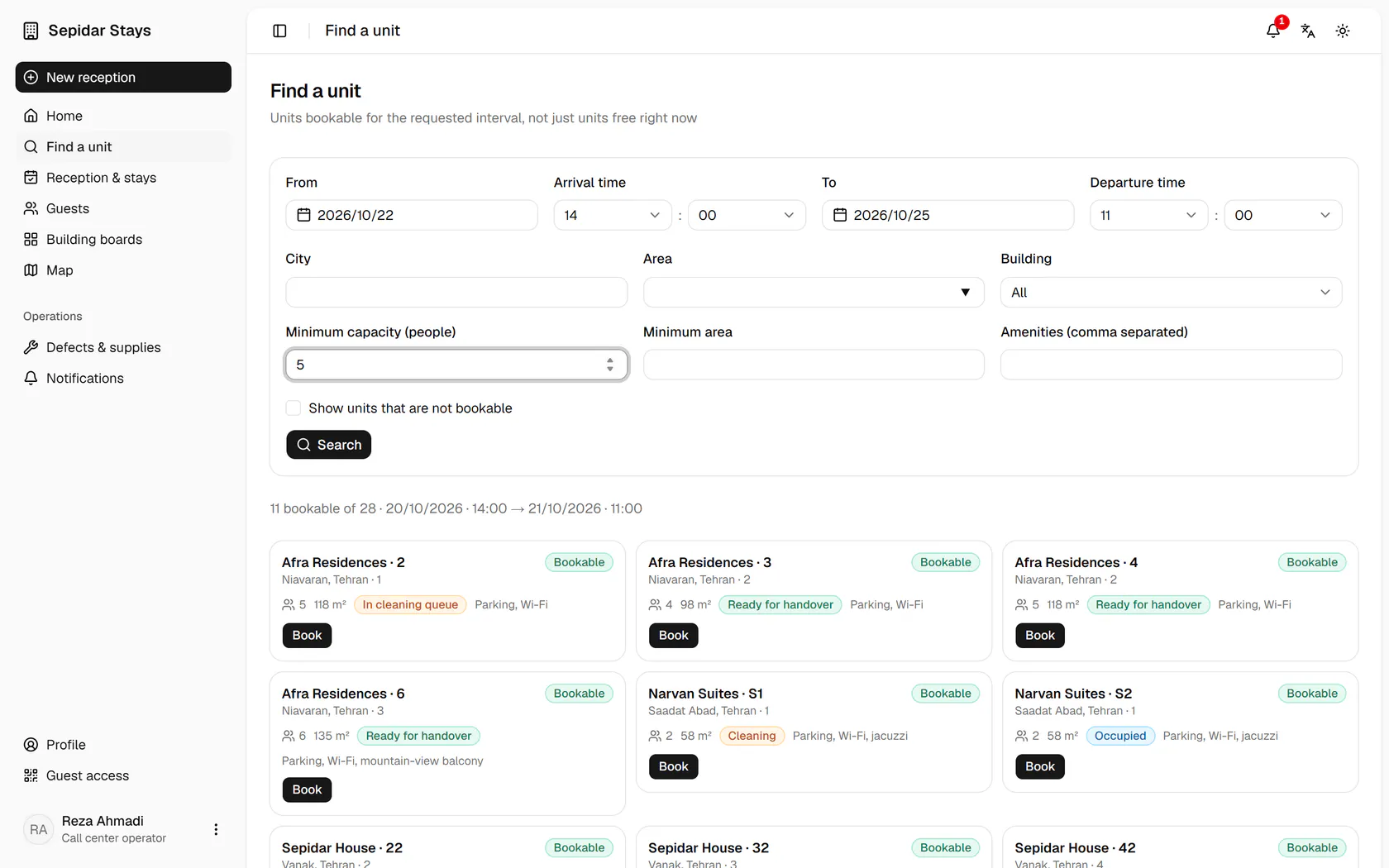
Choose the arrival and departure dates the guest asks for on the phone.Enter the minimum capacity so only units that fit the party are listed.If the guest prefers a building, pick it from the building list.Search to see the units that are bookable for the whole interval.Press Book on the chosen unit to open the booking form with these dates.This is a new guest: enter the name, mobile and national ID, which are checked as you type.Fill in the referrer, companions and amount, then save the booking.The booking is saved: send the guest the link, QR code and six-digit stay code.

Choose the arrival and departure dates the guest asks for on the phone.

Step by step

  1. 1

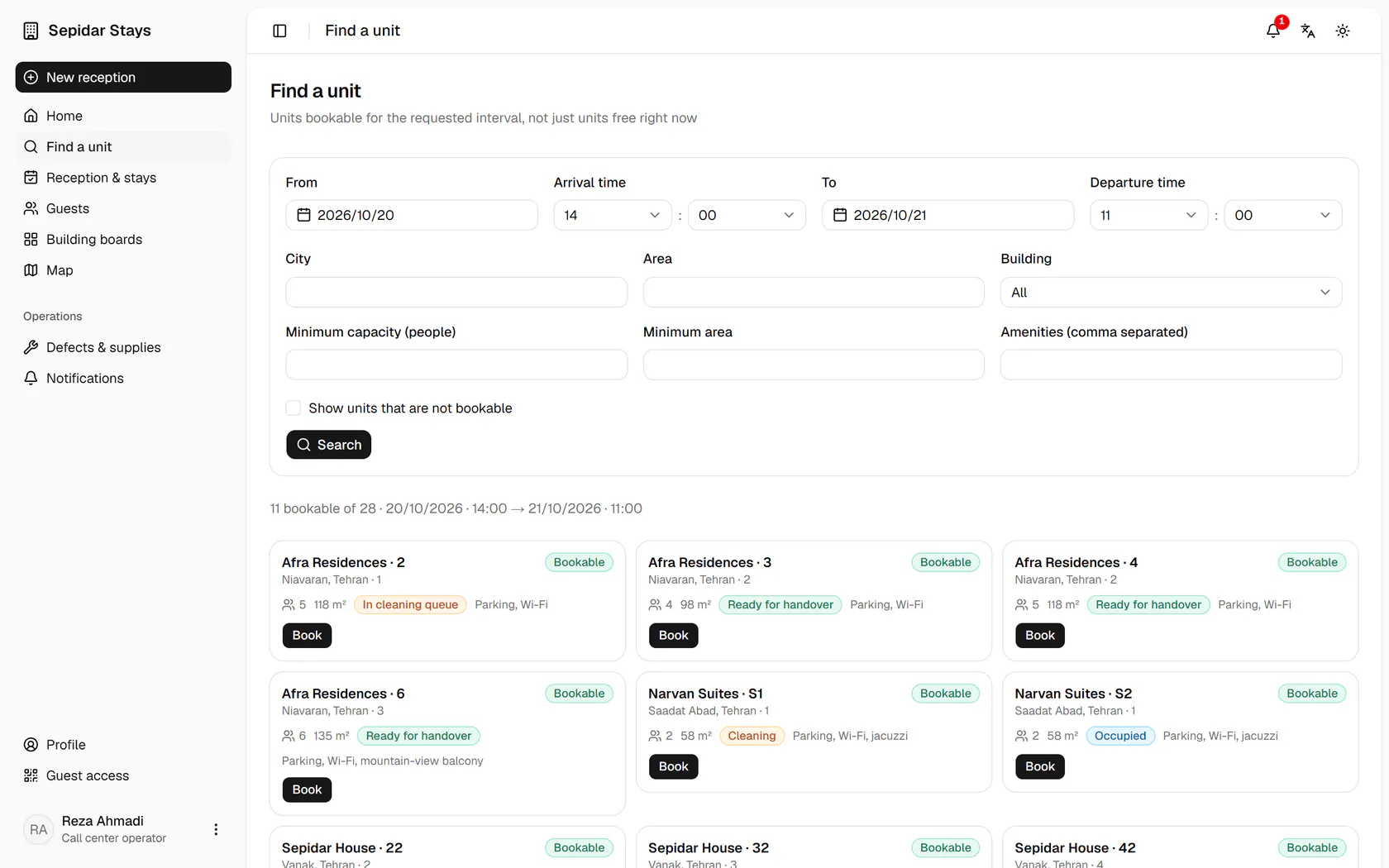
    Choose the arrival and departure dates the guest asks for on the phone.

    Choose the arrival and departure dates the guest asks for on the phone.
  2. 2

    Enter the minimum capacity so only units that fit the party are listed.

    Enter the minimum capacity so only units that fit the party are listed.
  3. 3

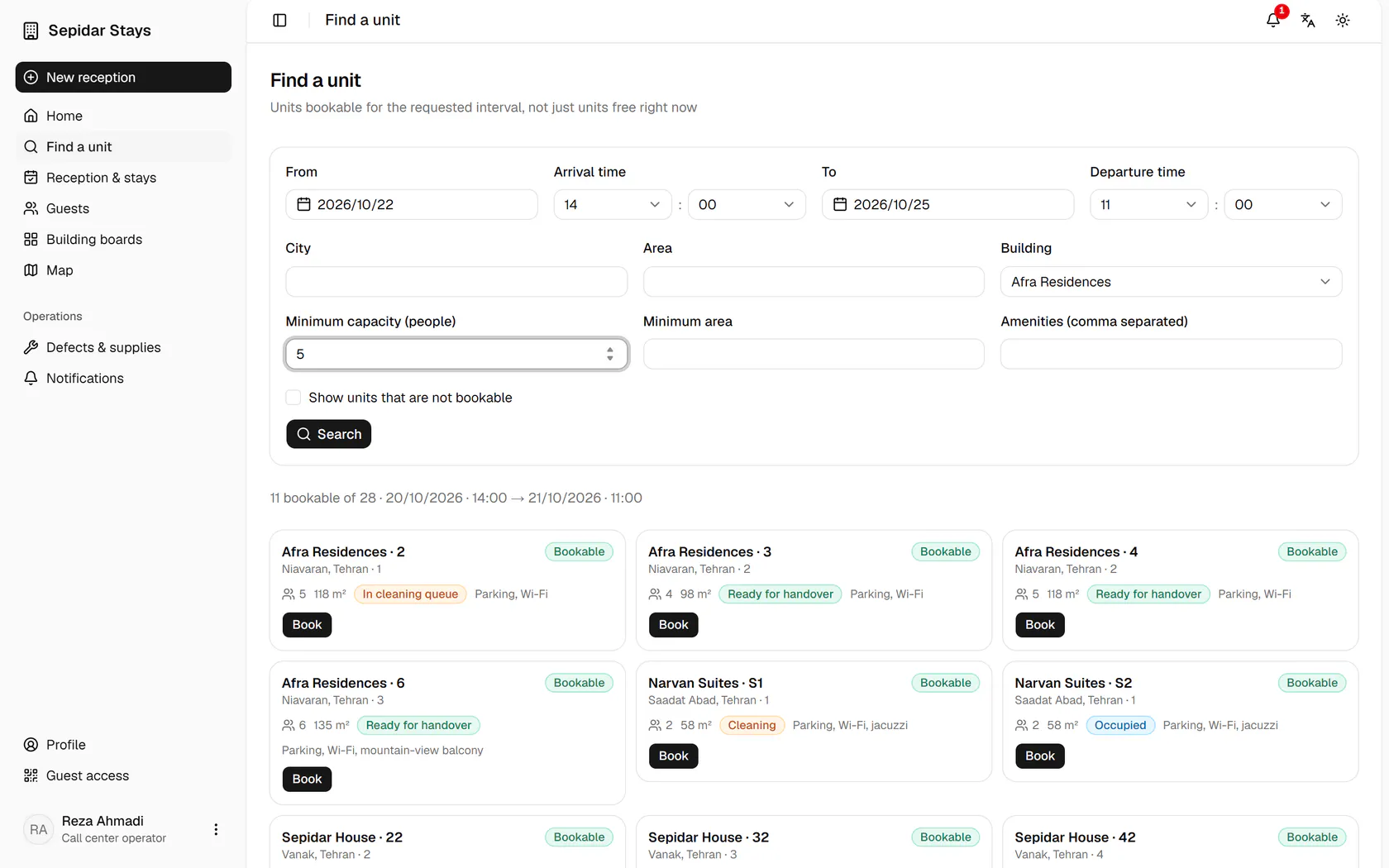
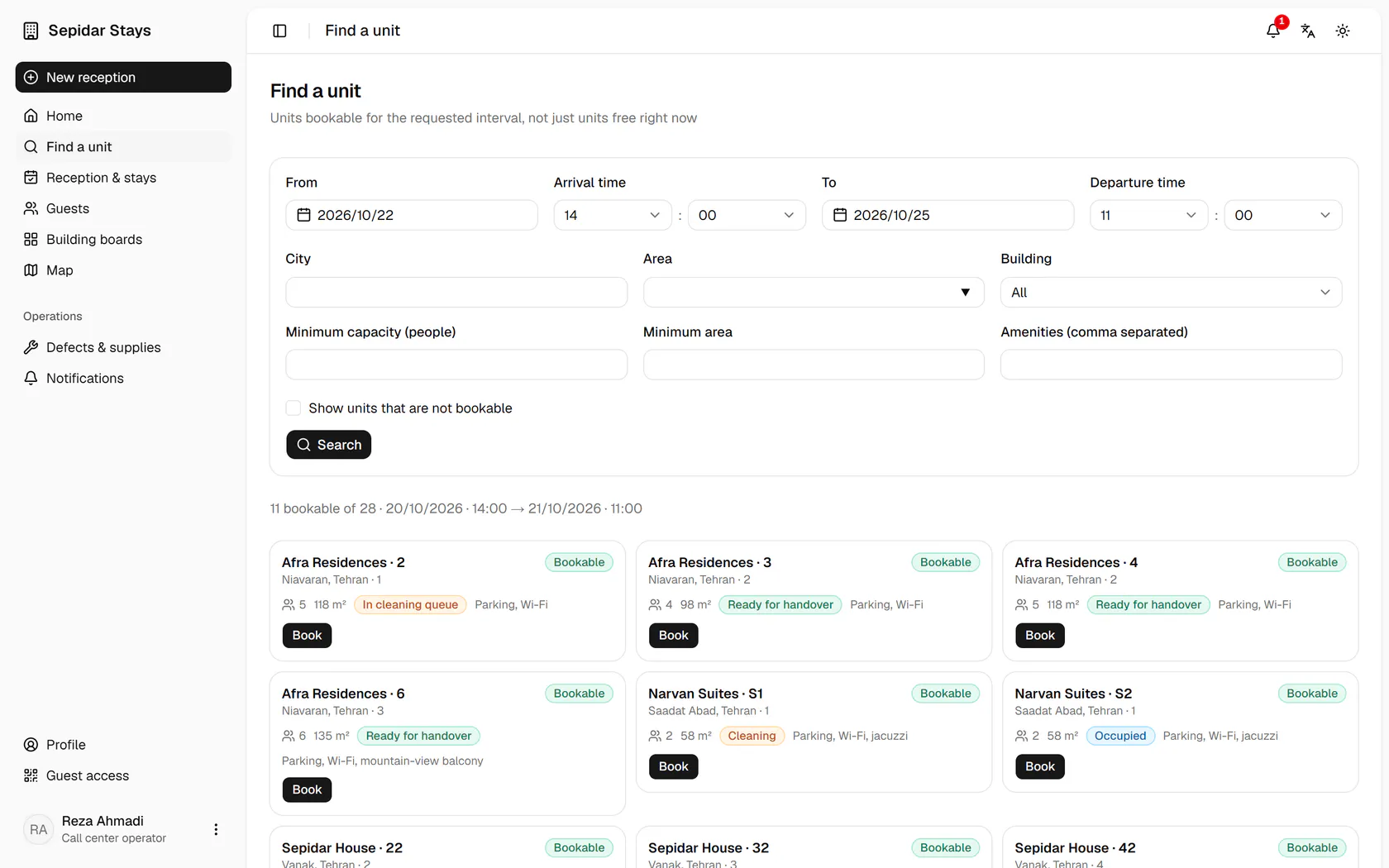
    If the guest prefers a building, pick it from the building list.

    If the guest prefers a building, pick it from the building list.
  4. 4

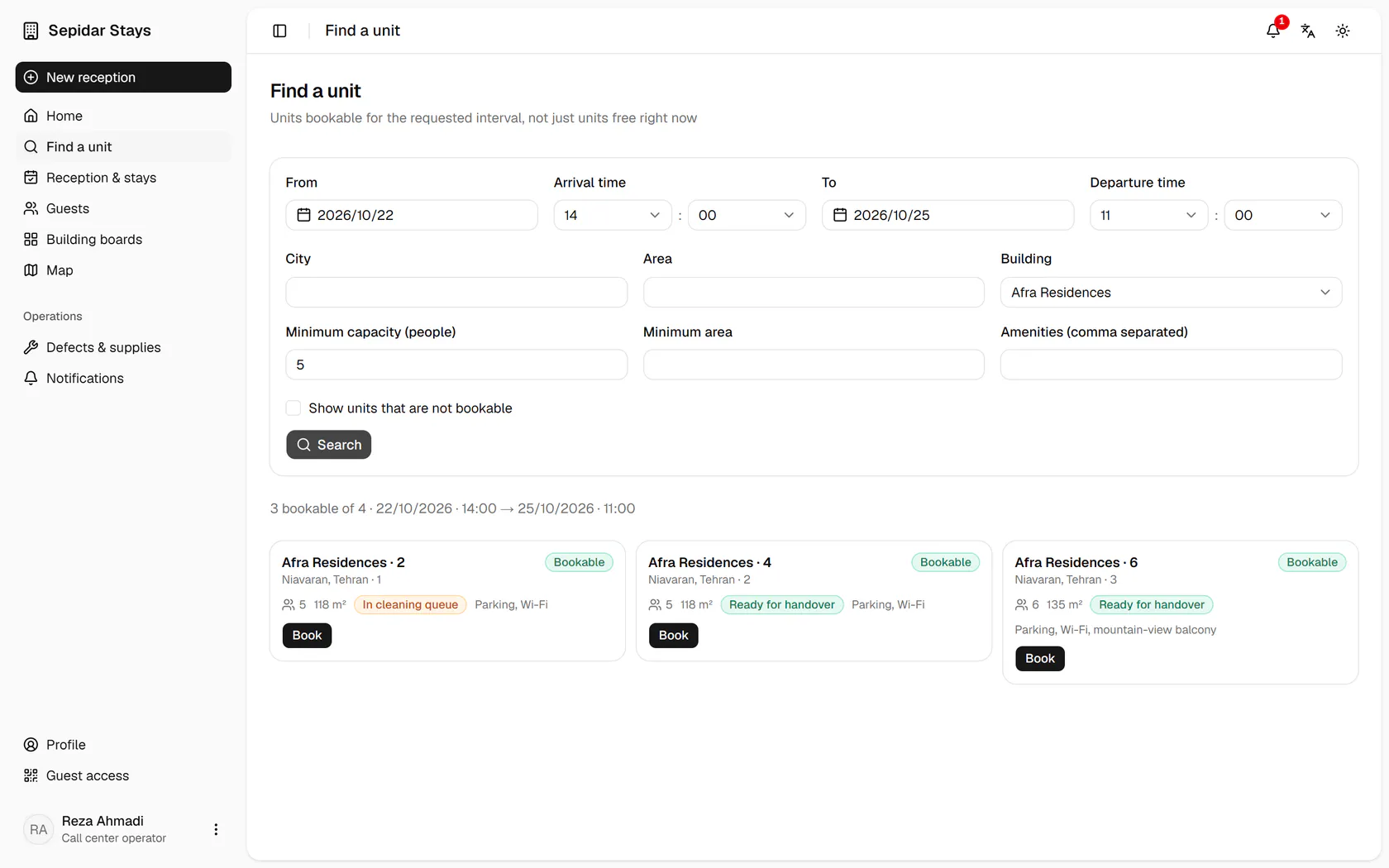
    Search to see the units that are bookable for the whole interval.

    Search to see the units that are bookable for the whole interval.
  5. 5

    Press Book on the chosen unit to open the booking form with these dates.

    Press Book on the chosen unit to open the booking form with these dates.
  6. 6

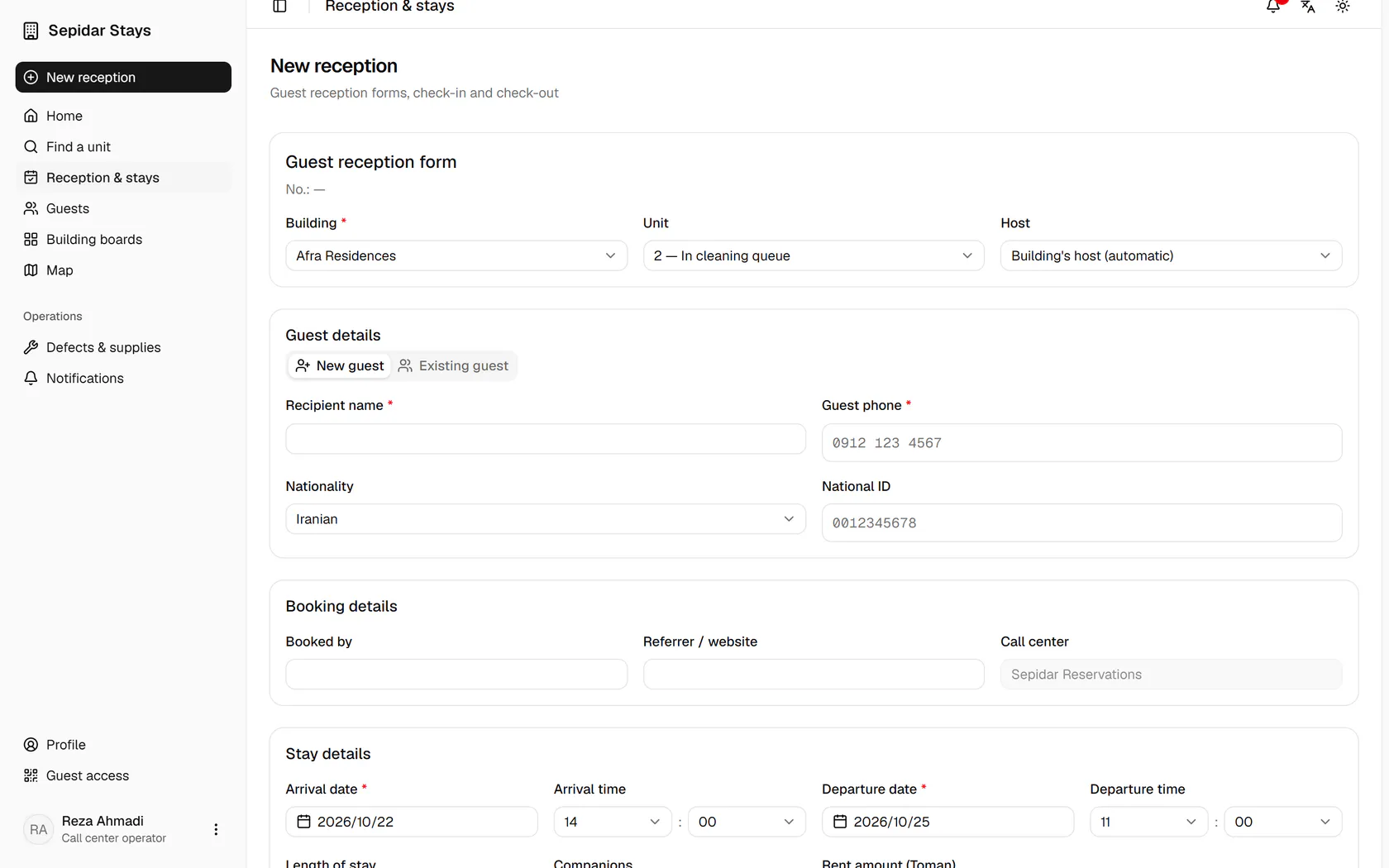
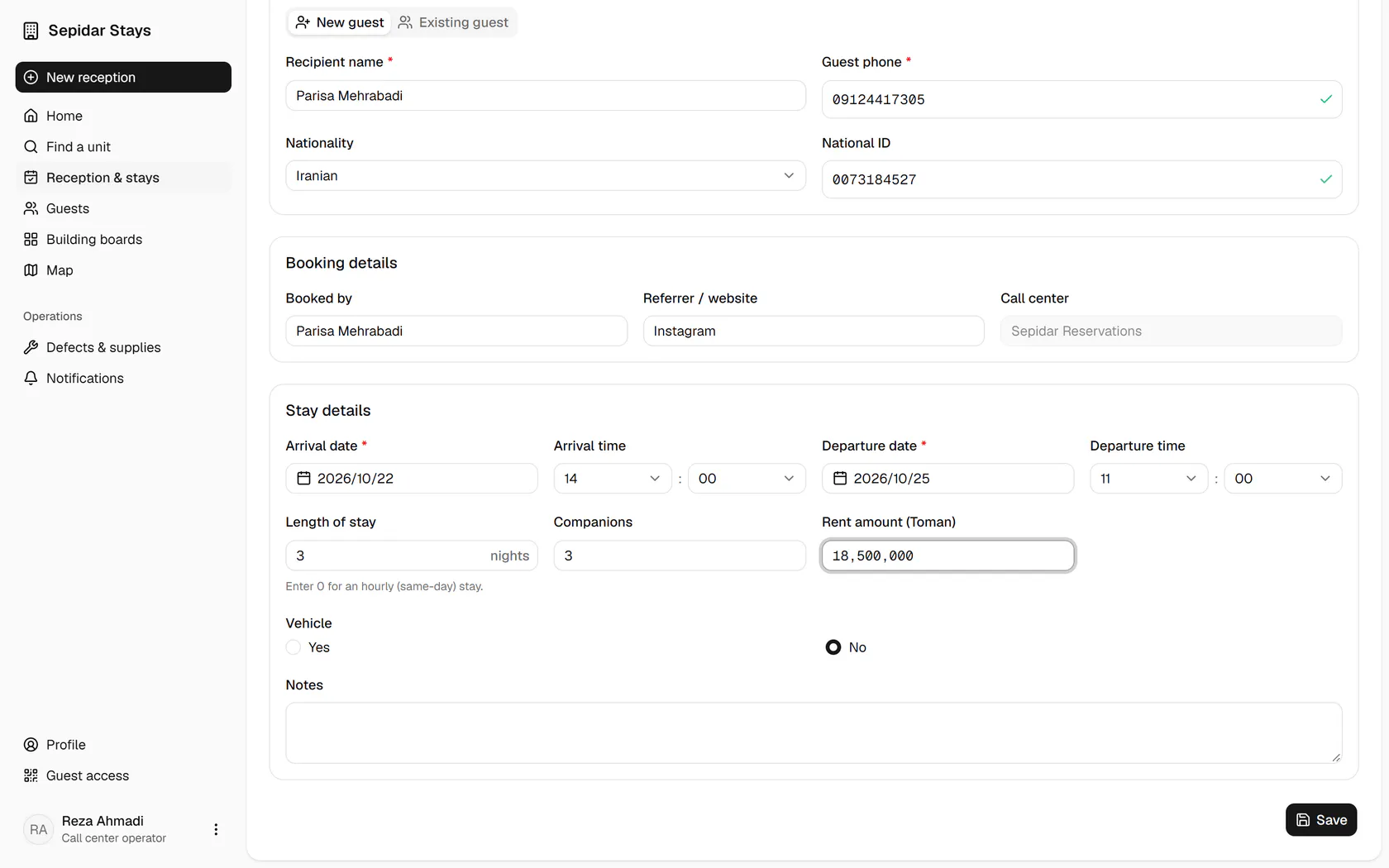
    This is a new guest: enter the name, mobile and national ID, which are checked as you type.

    This is a new guest: enter the name, mobile and national ID, which are checked as you type.
  7. 7

    Fill in the referrer, companions and amount, then save the booking.

    Fill in the referrer, companions and amount, then save the booking.
  8. 8

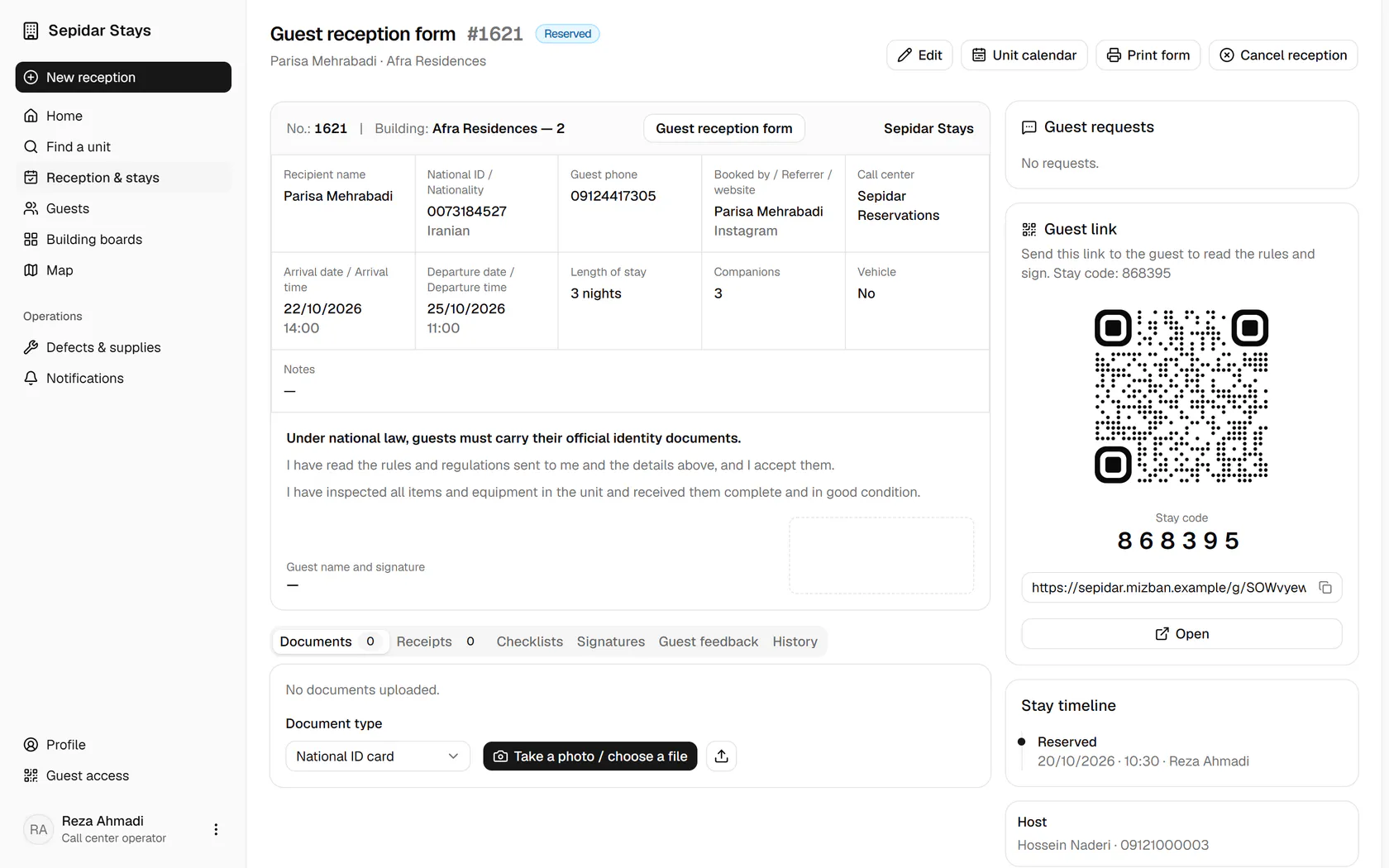
    The booking is saved: send the guest the link, QR code and six-digit stay code.

    The booking is saved: send the guest the link, QR code and six-digit stay code.