Skip to content
Mizban

Call center home queue

The call center starts each day with the work that needs a decision, so no guest request or overdue arrival is forgotten.

Call center and operatorsOn a computer5 steps
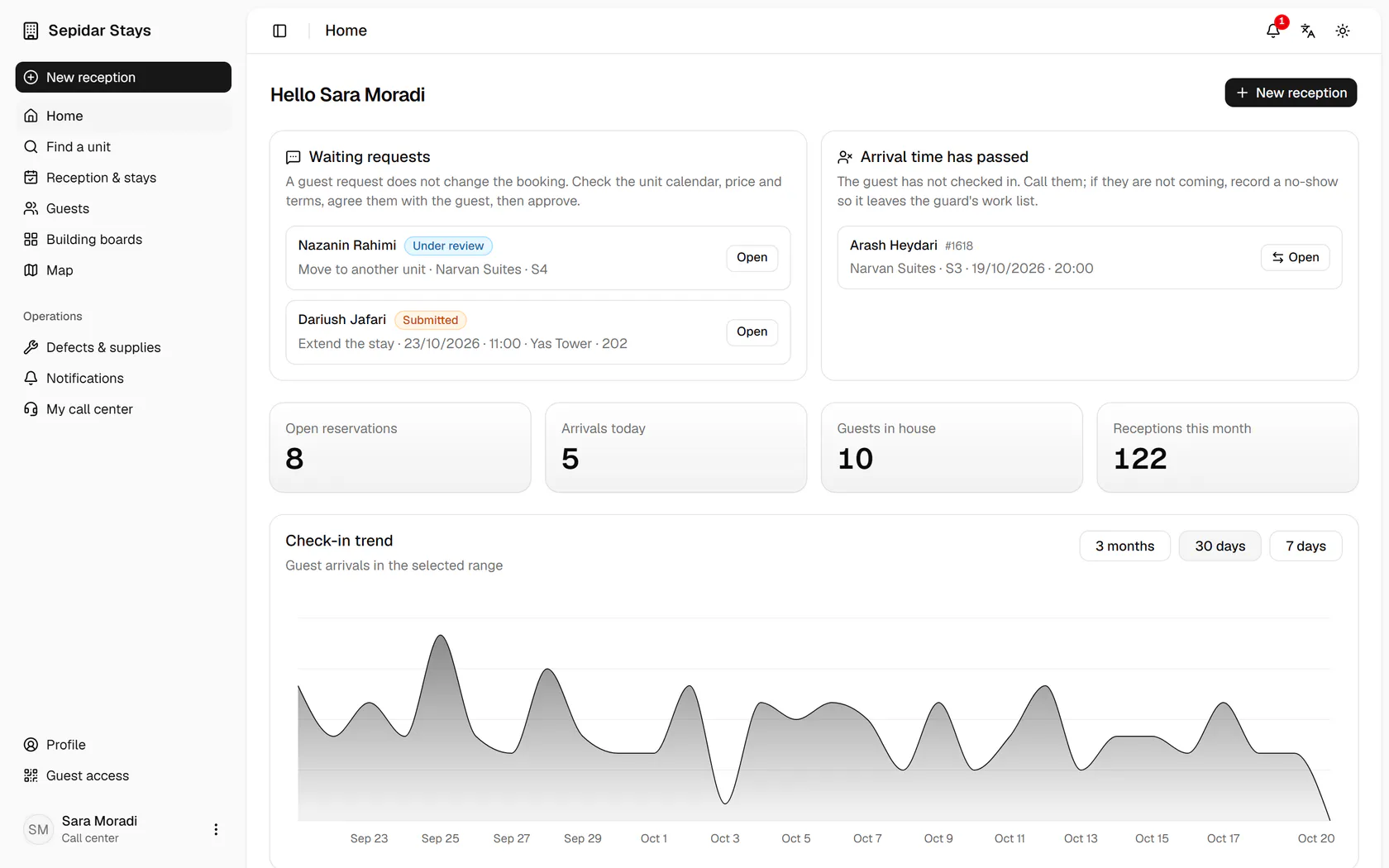
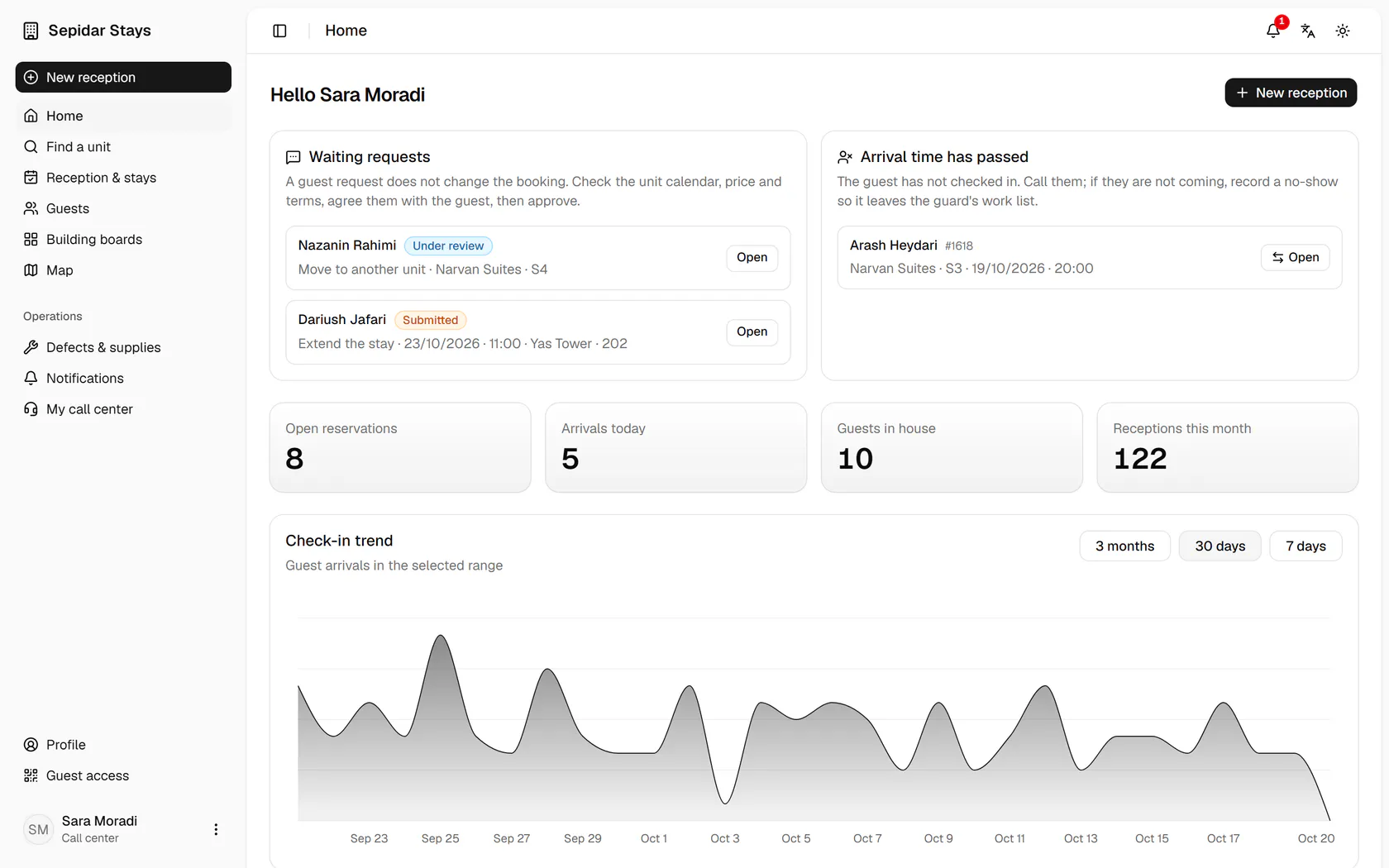
At the top, guest requests such as an extension or a unit change wait for your decision.Next to them are bookings whose arrival time has passed while the guest has not arrived.The summary numbers sit below the queue: open bookings, today's arrivals and guests in house.Open Dariush Jafari's extension request to handle it.The request appears on the stay page beside the booking form, ready to review, approve or decline.

At the top, guest requests such as an extension or a unit change wait for your decision.

Step by step

  1. 1

    At the top, guest requests such as an extension or a unit change wait for your decision.

    At the top, guest requests such as an extension or a unit change wait for your decision.
  2. 2

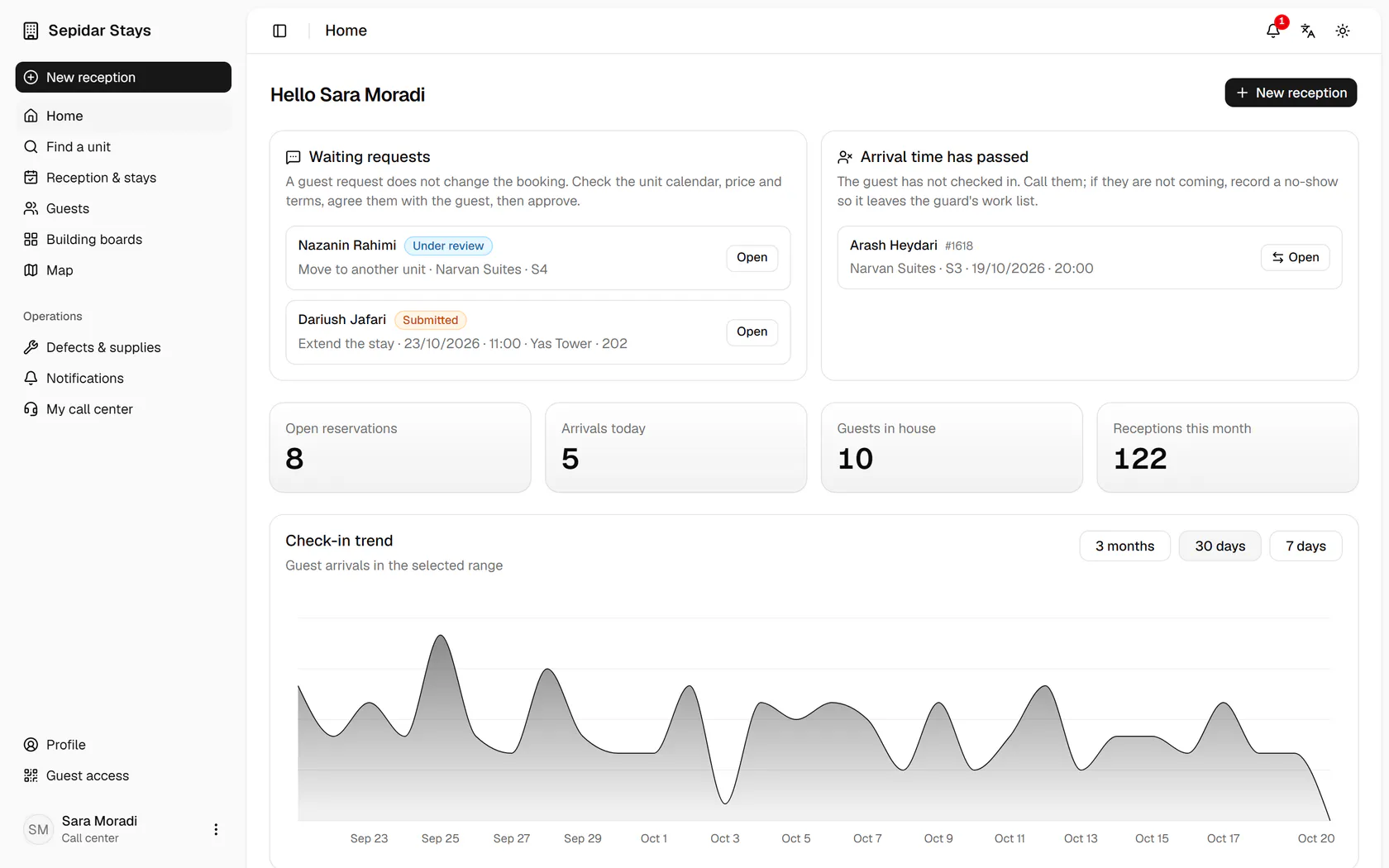
    Next to them are bookings whose arrival time has passed while the guest has not arrived.

    Next to them are bookings whose arrival time has passed while the guest has not arrived.
  3. 3

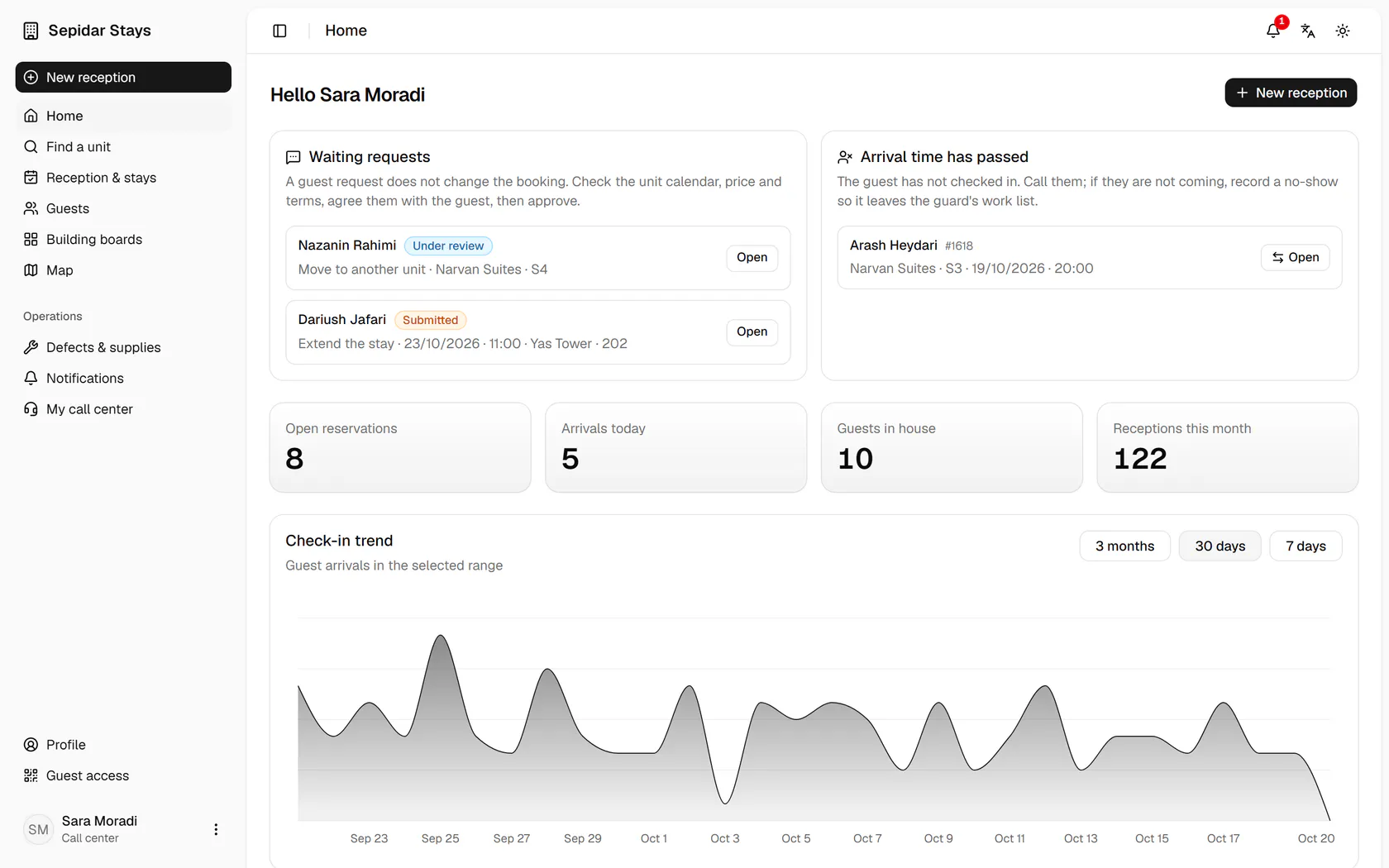
    The summary numbers sit below the queue: open bookings, today's arrivals and guests in house.

    The summary numbers sit below the queue: open bookings, today's arrivals and guests in house.
  4. 4

    Open Dariush Jafari's extension request to handle it.

    Open Dariush Jafari's extension request to handle it.
  5. 5

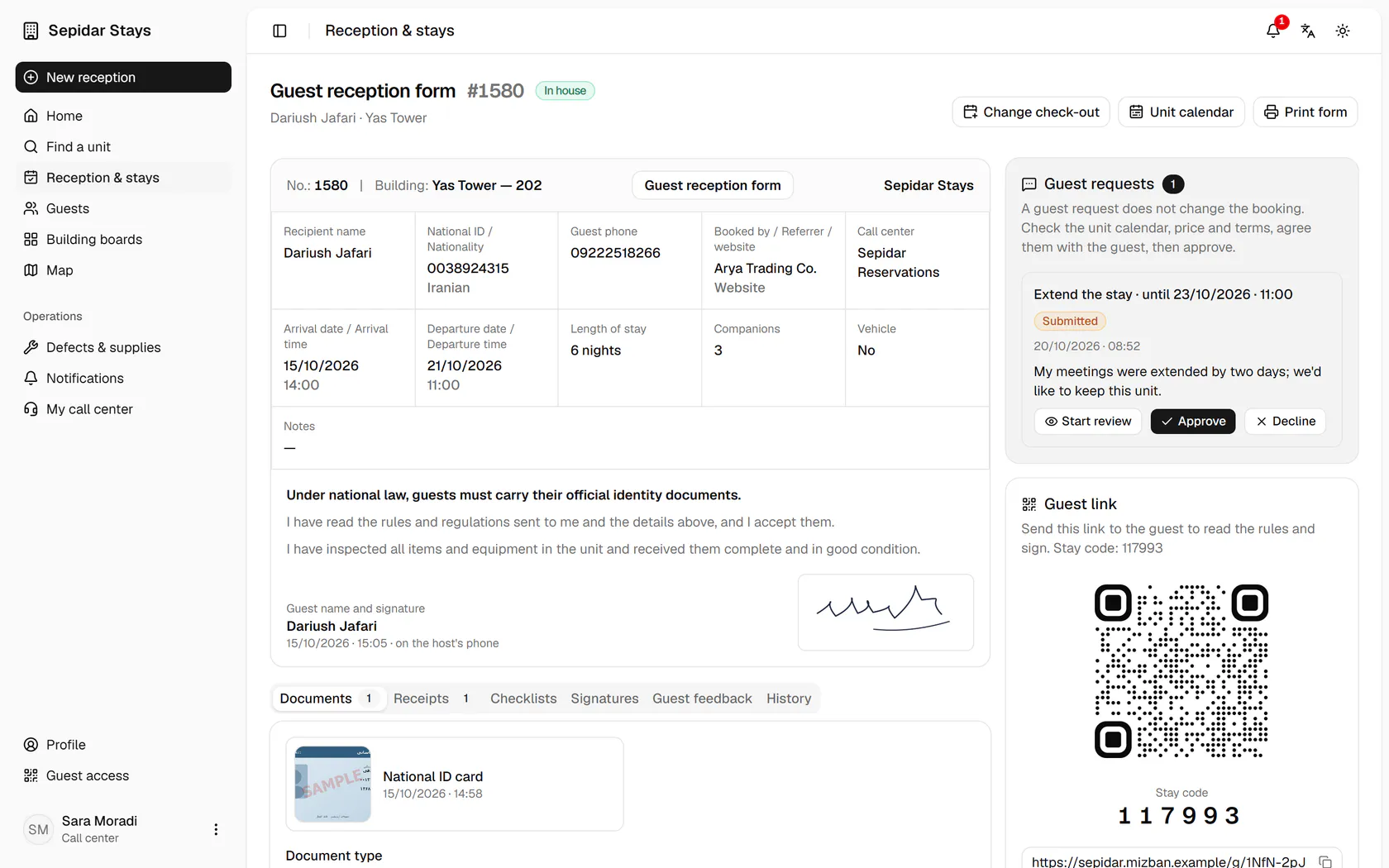
    The request appears on the stay page beside the booking form, ready to review, approve or decline.

    The request appears on the stay page beside the booking form, ready to review, approve or decline.