Verify a payment receipt
Receipts uploaded by guests are checked and verified, so no check-in waits on an unconfirmed payment.
AdminOn a computer4 steps
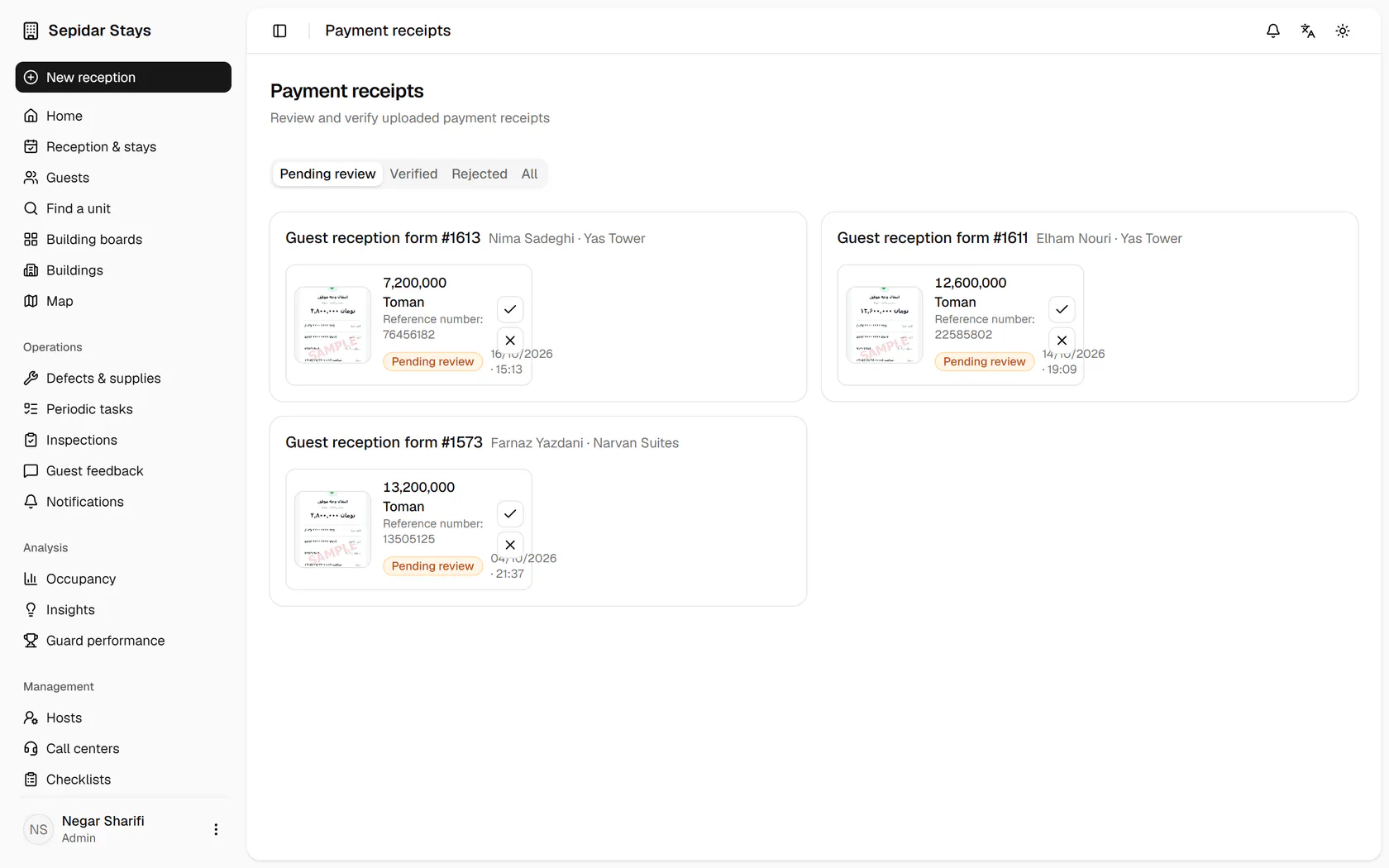
Receipts awaiting review show amount and reference number; open Nima Sadeghi's reception form.
Step by step
- 1
Receipts awaiting review show amount and reference number; open Nima Sadeghi's reception form.
- 2
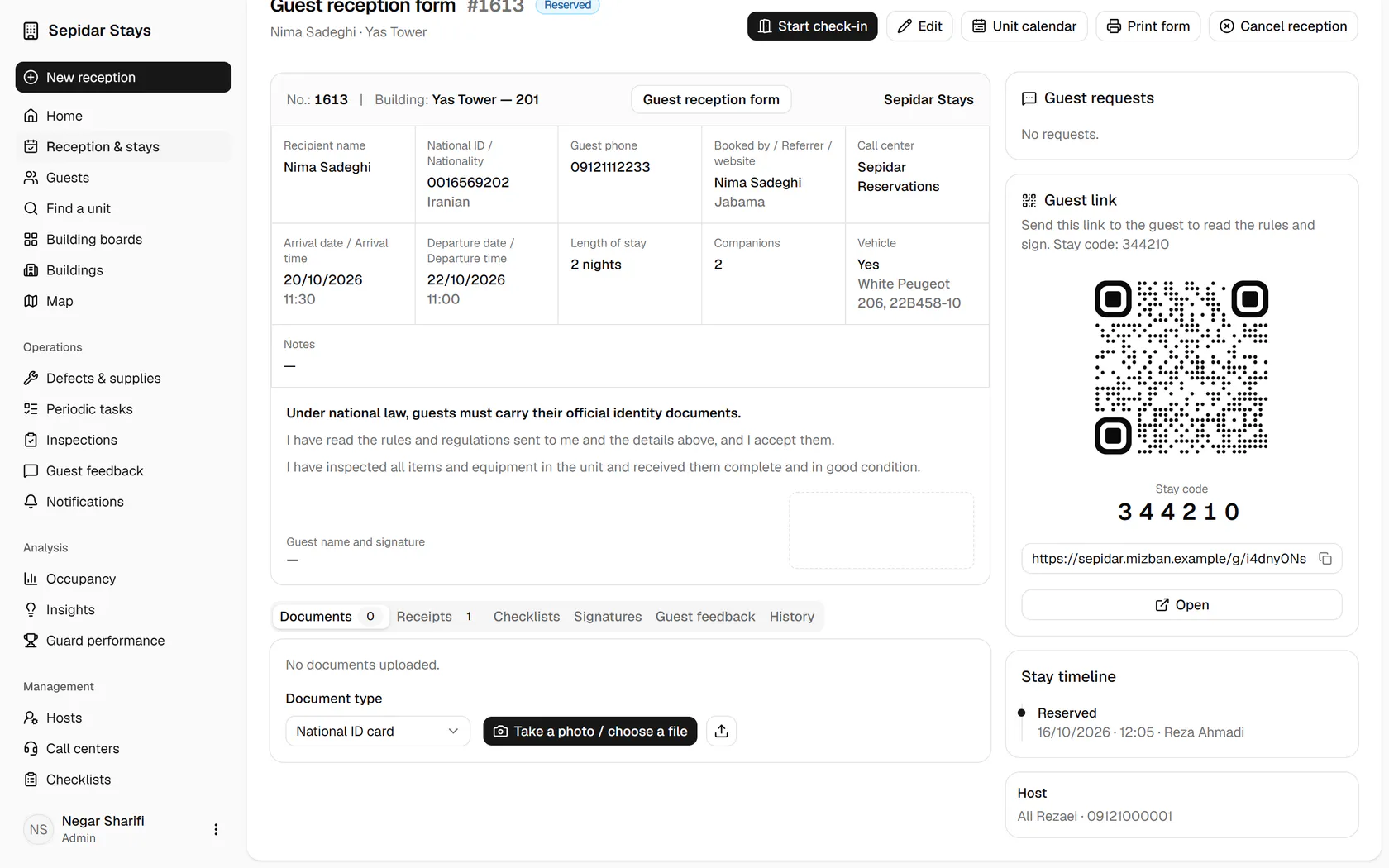
The reception form holds every stay detail; open the Receipts tab.
- 3
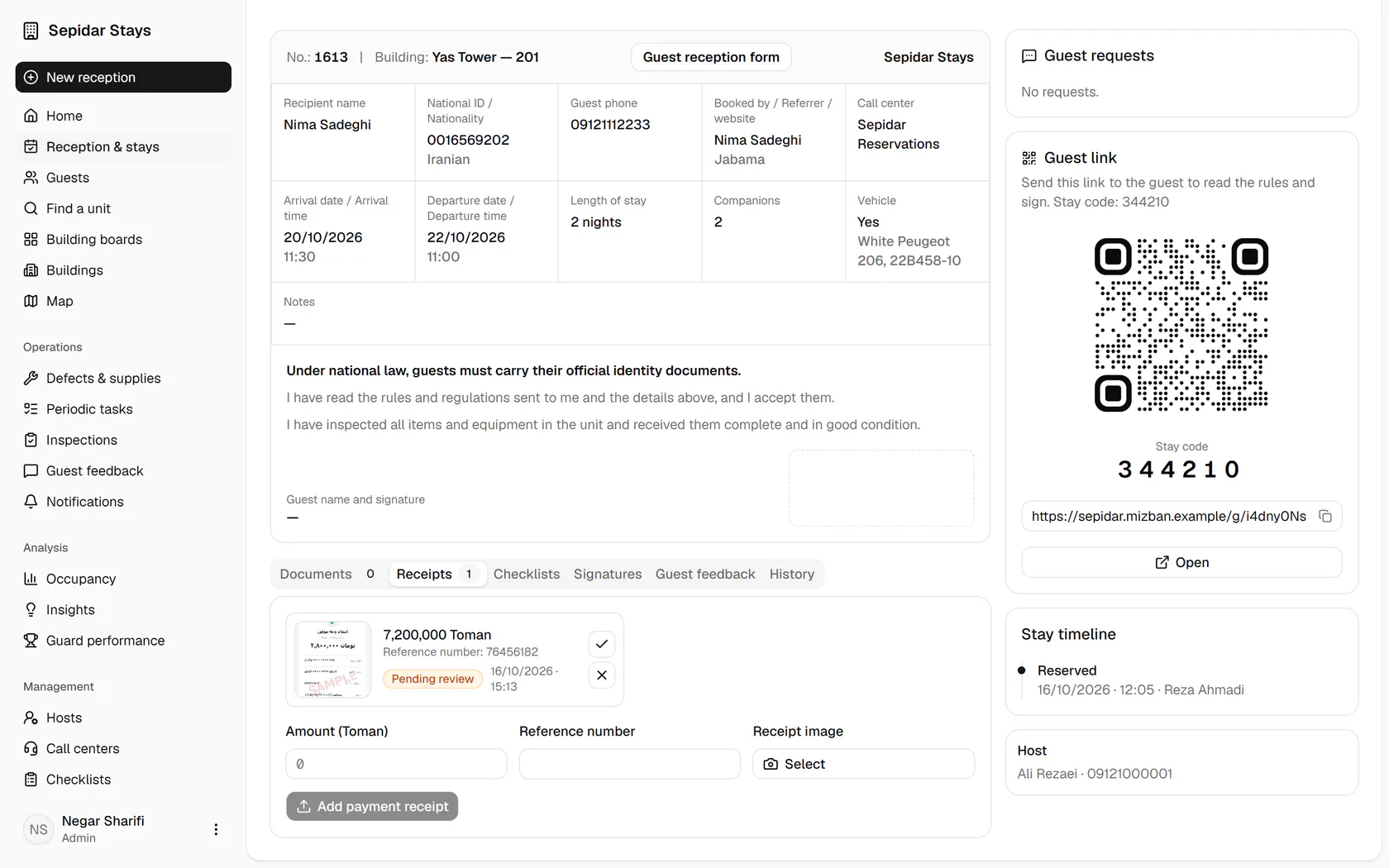
Compare the amount and reference number with the account, then click Verify.
- 4
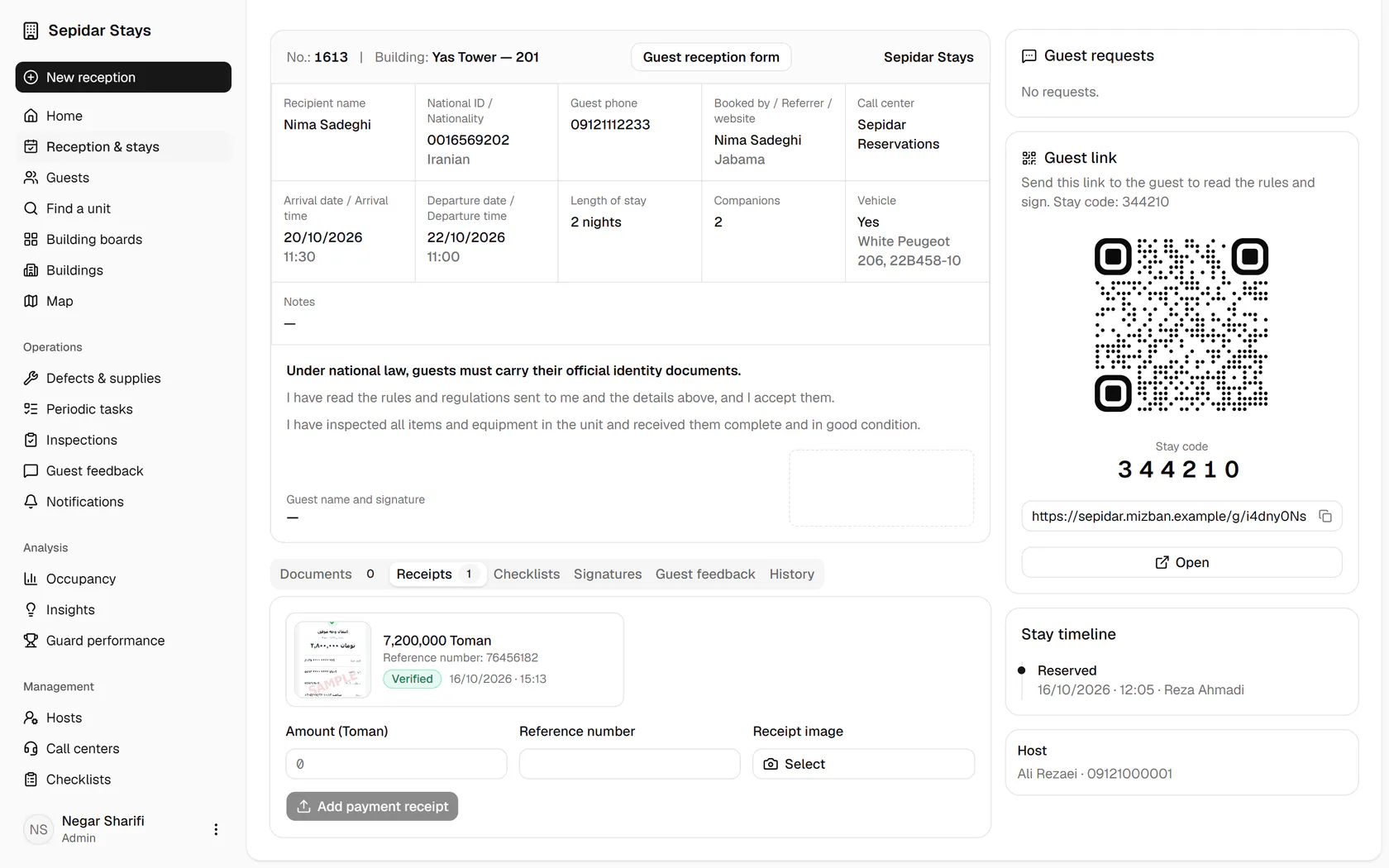
The receipt is verified, and the review is recorded under your name in the activity log.