Skip to content
Mizban

Activity log and notifications

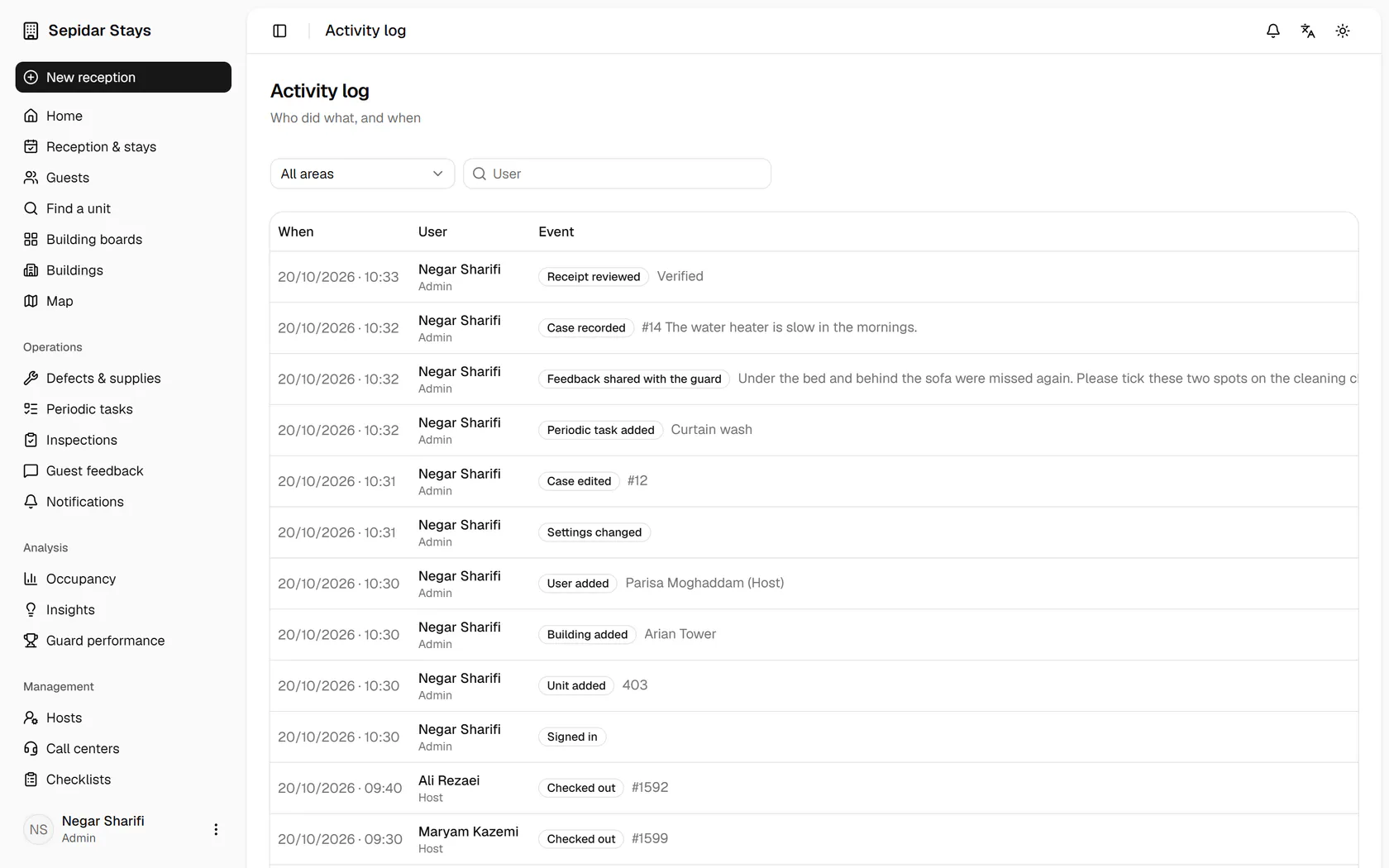
The admin sees who did what, and which texts and reminders were sent and with what status.

AdminOn a computer4 steps
The activity log shows every action with time and user; filter to stays.Check-ins, check-outs and bookings appear in time order; now open Notifications.Your in-app notifications are here; open the SMS tab.Each text is recorded with recipient, message, time and delivery status, like today's check-out reminders.

The activity log shows every action with time and user; filter to stays.

Step by step

  1. 1

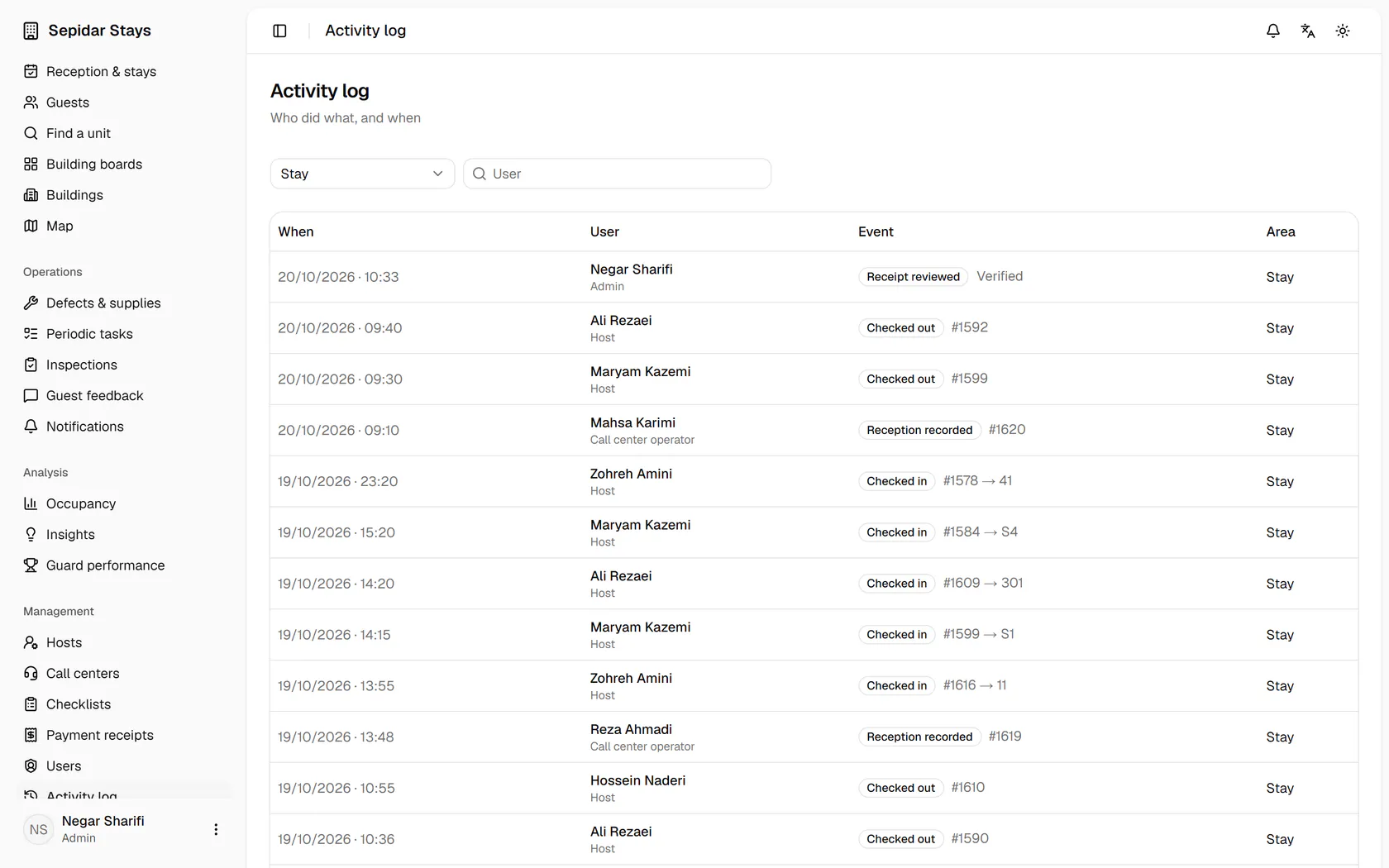
    The activity log shows every action with time and user; filter to stays.

    The activity log shows every action with time and user; filter to stays.
  2. 2

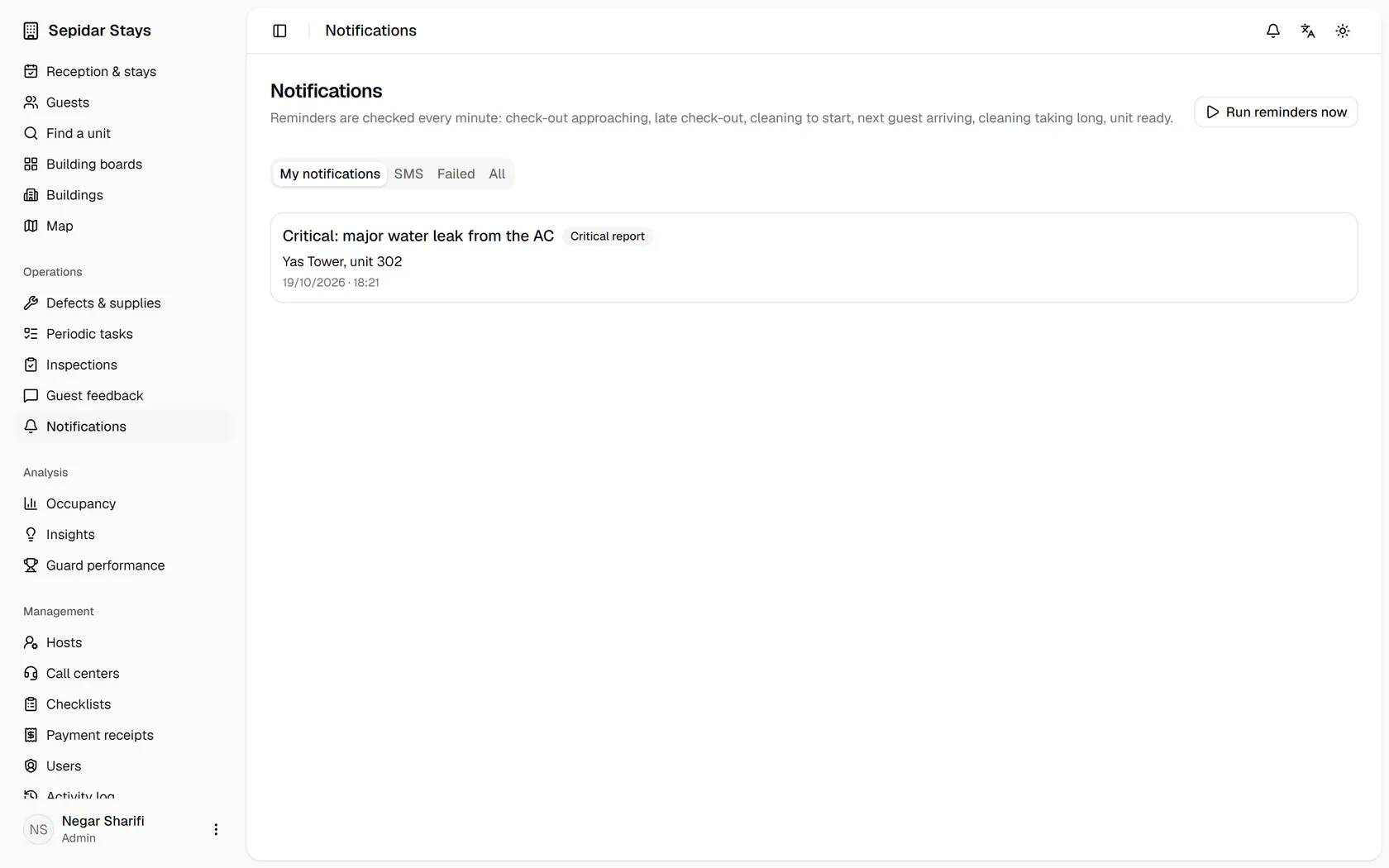
    Check-ins, check-outs and bookings appear in time order; now open Notifications.

    Check-ins, check-outs and bookings appear in time order; now open Notifications.
  3. 3

    Your in-app notifications are here; open the SMS tab.

    Your in-app notifications are here; open the SMS tab.
  4. 4

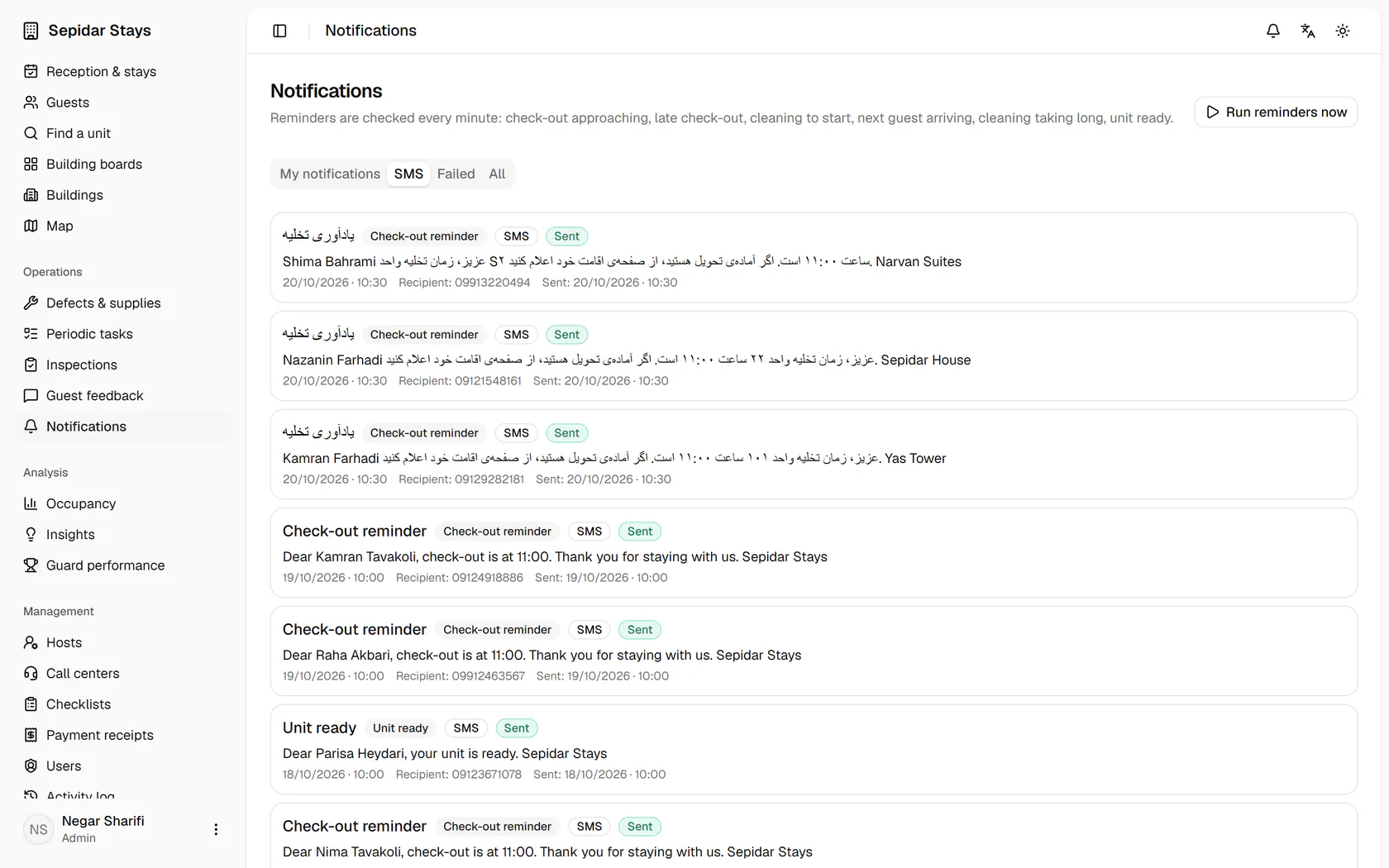
    Each text is recorded with recipient, message, time and delivery status, like today's check-out reminders.

    Each text is recorded with recipient, message, time and delivery status, like today's check-out reminders.