Skip to content
Mizban

Occupancy, insights and map

The admin reads occupancy, answers to management questions, host performance and the building map from real data.

AdminOn a computer5 steps
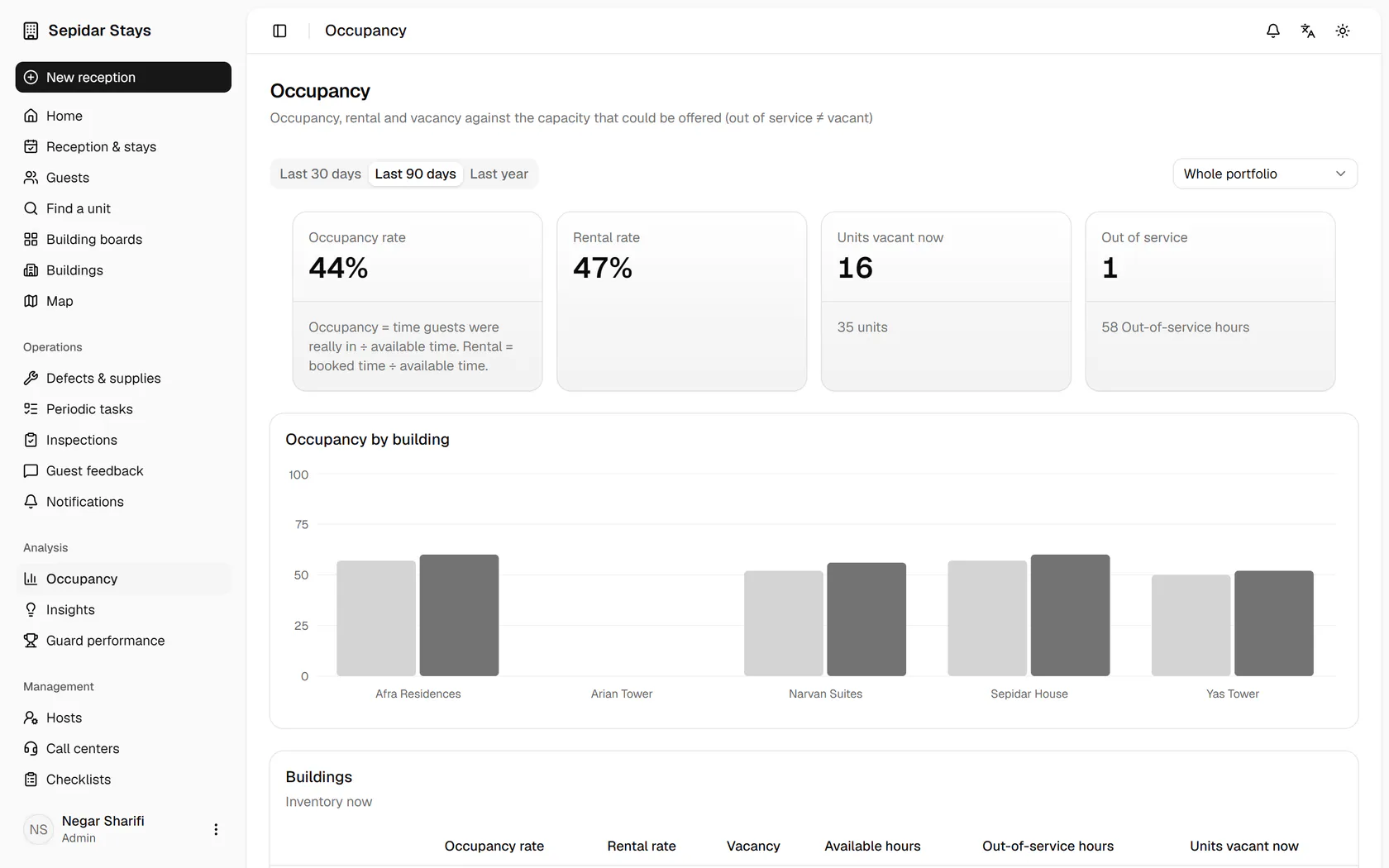
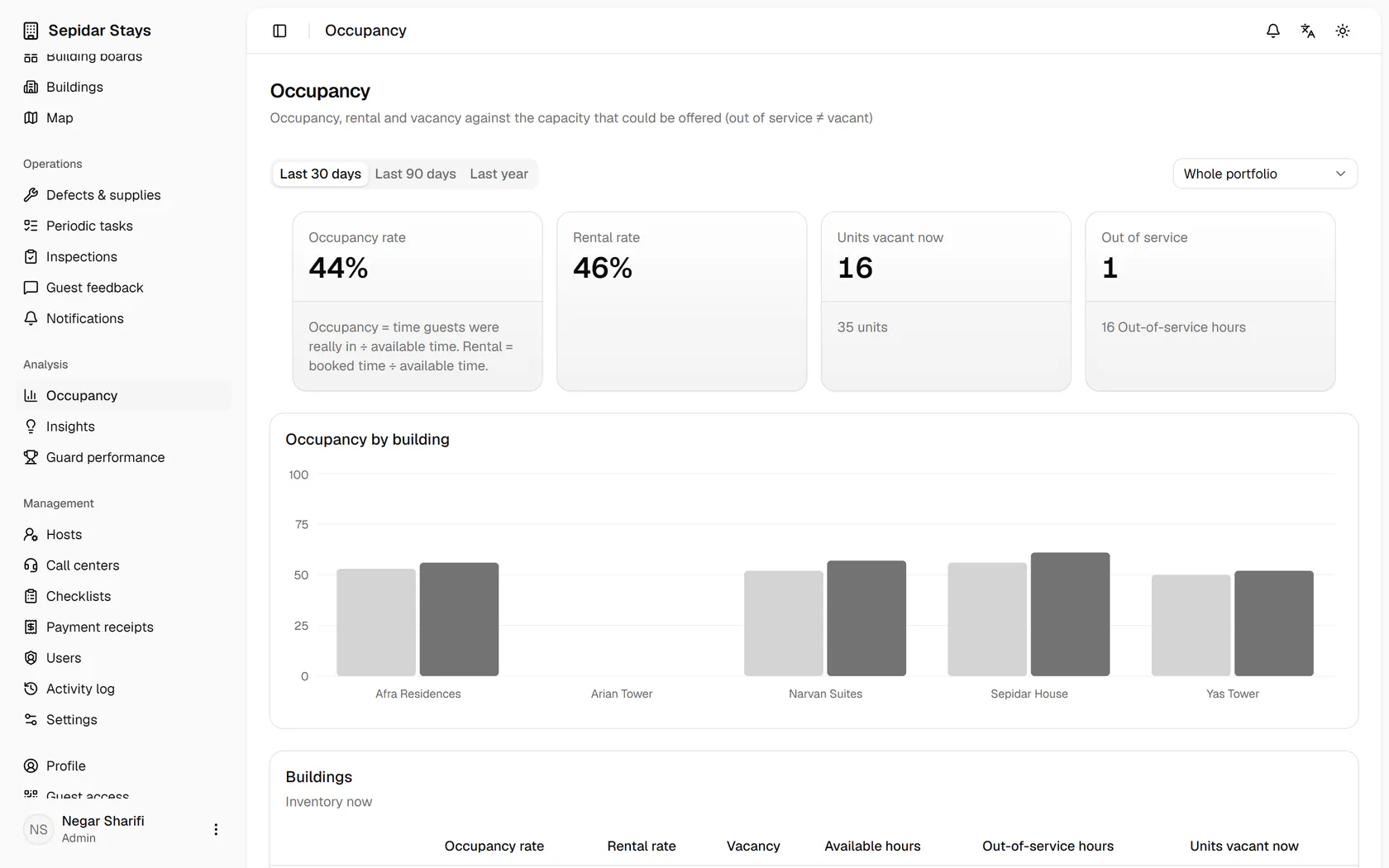
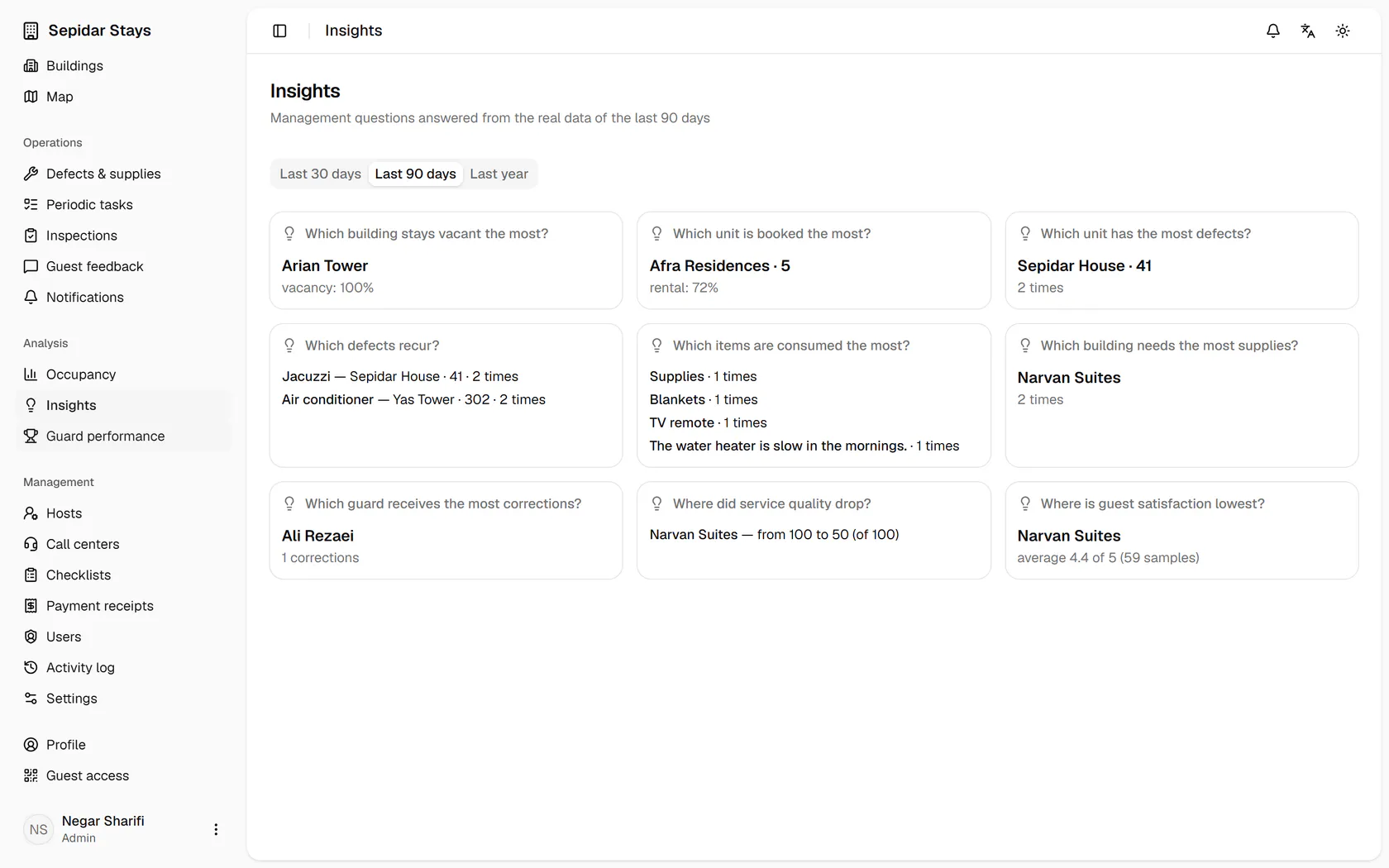
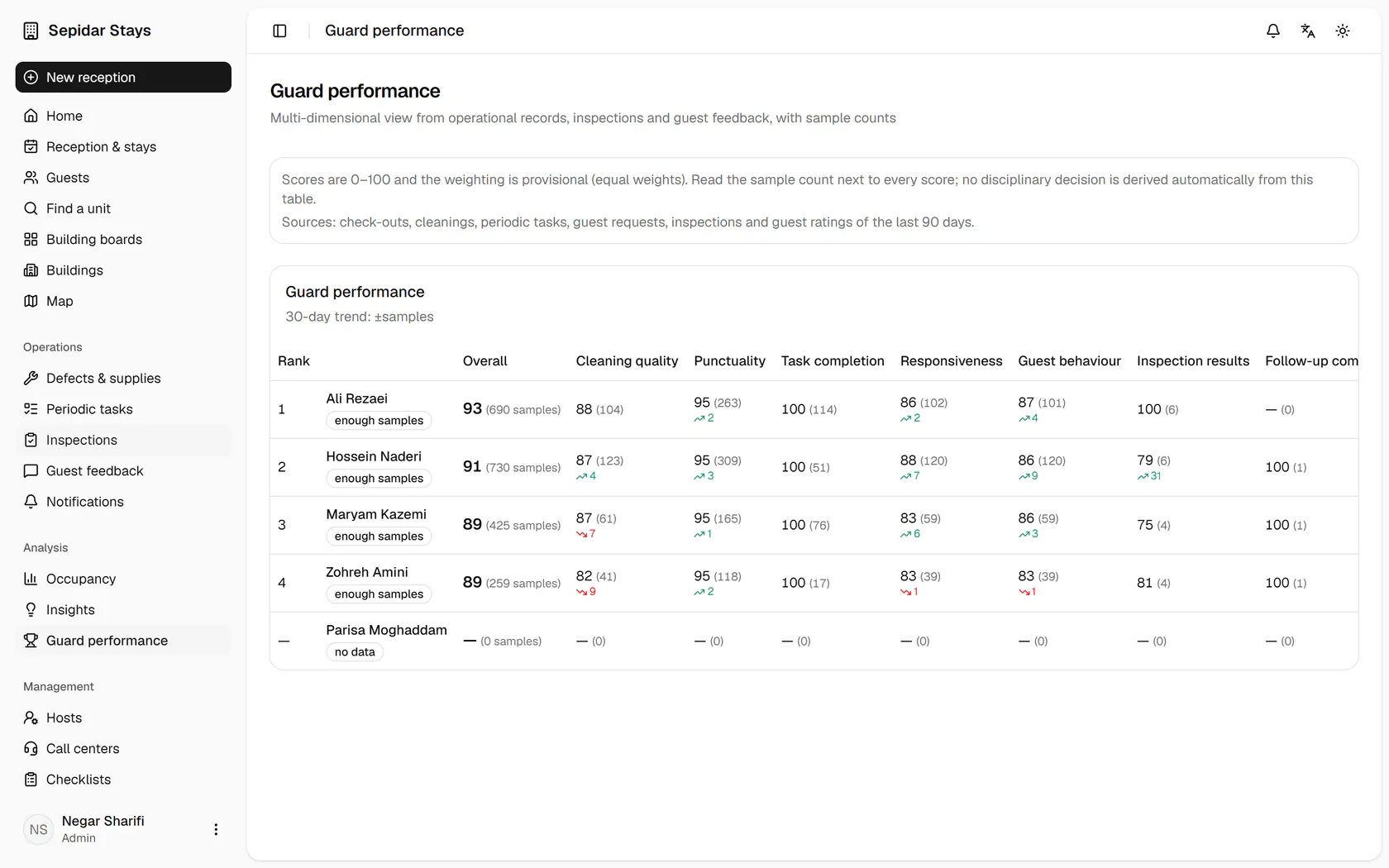
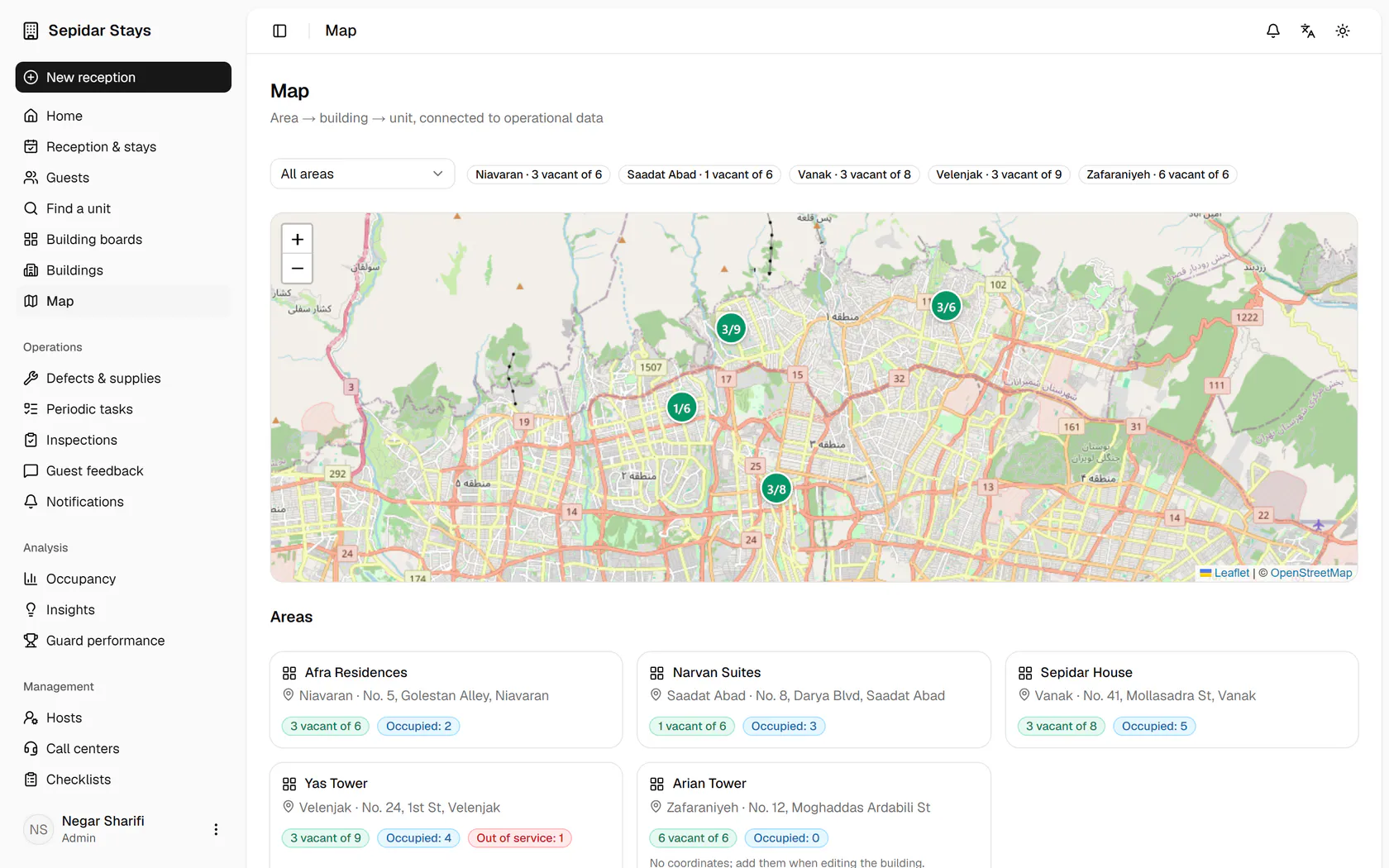
Occupancy and rental rates per building are here; switch the range to the last 30 days.Out of service is counted apart from vacant; now open Insights.Questions like which building stays vacant most are answered; then open Guard performance.Each host's scores come with sample counts and no automatic penalties; open Map.Buildings sit on the map with their vacant units, and you can filter by area.

Occupancy and rental rates per building are here; switch the range to the last 30 days.

18:00End-of-day numbersReal occupancy without out-of-service time, guest satisfaction by building and host performance, each with its sample size.

Step by step

  1. 1

    Occupancy and rental rates per building are here; switch the range to the last 30 days.

    Occupancy and rental rates per building are here; switch the range to the last 30 days.
  2. 2

    Out of service is counted apart from vacant; now open Insights.

    Out of service is counted apart from vacant; now open Insights.
  3. 3

    Questions like which building stays vacant most are answered; then open Guard performance.

    Questions like which building stays vacant most are answered; then open Guard performance.
  4. 4

    Each host's scores come with sample counts and no automatic penalties; open Map.

    Each host's scores come with sample counts and no automatic penalties; open Map.
  5. 5

    Buildings sit on the map with their vacant units, and you can filter by area.

    Buildings sit on the map with their vacant units, and you can filter by area.