Skip to content
Mizban

The admin home page

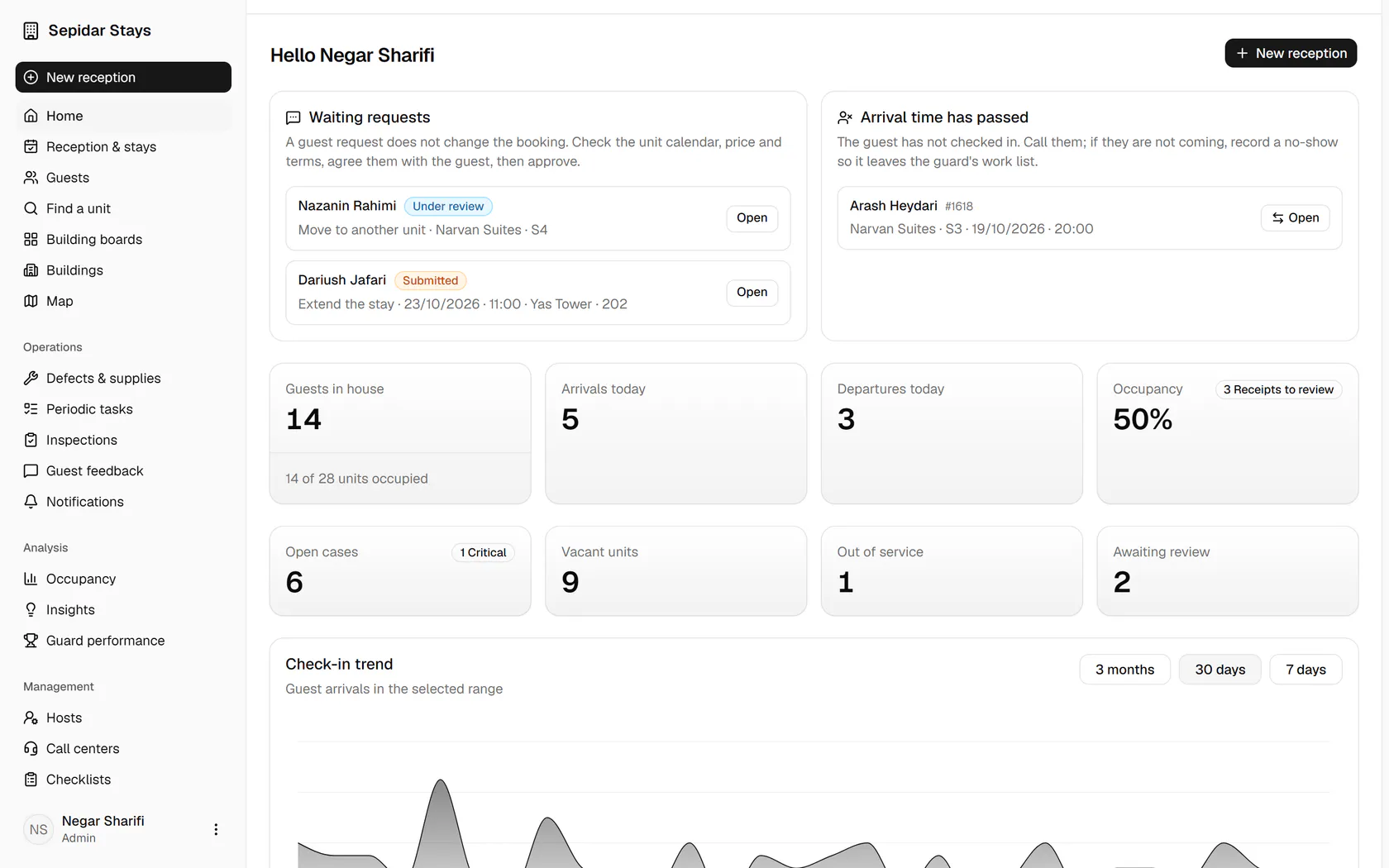
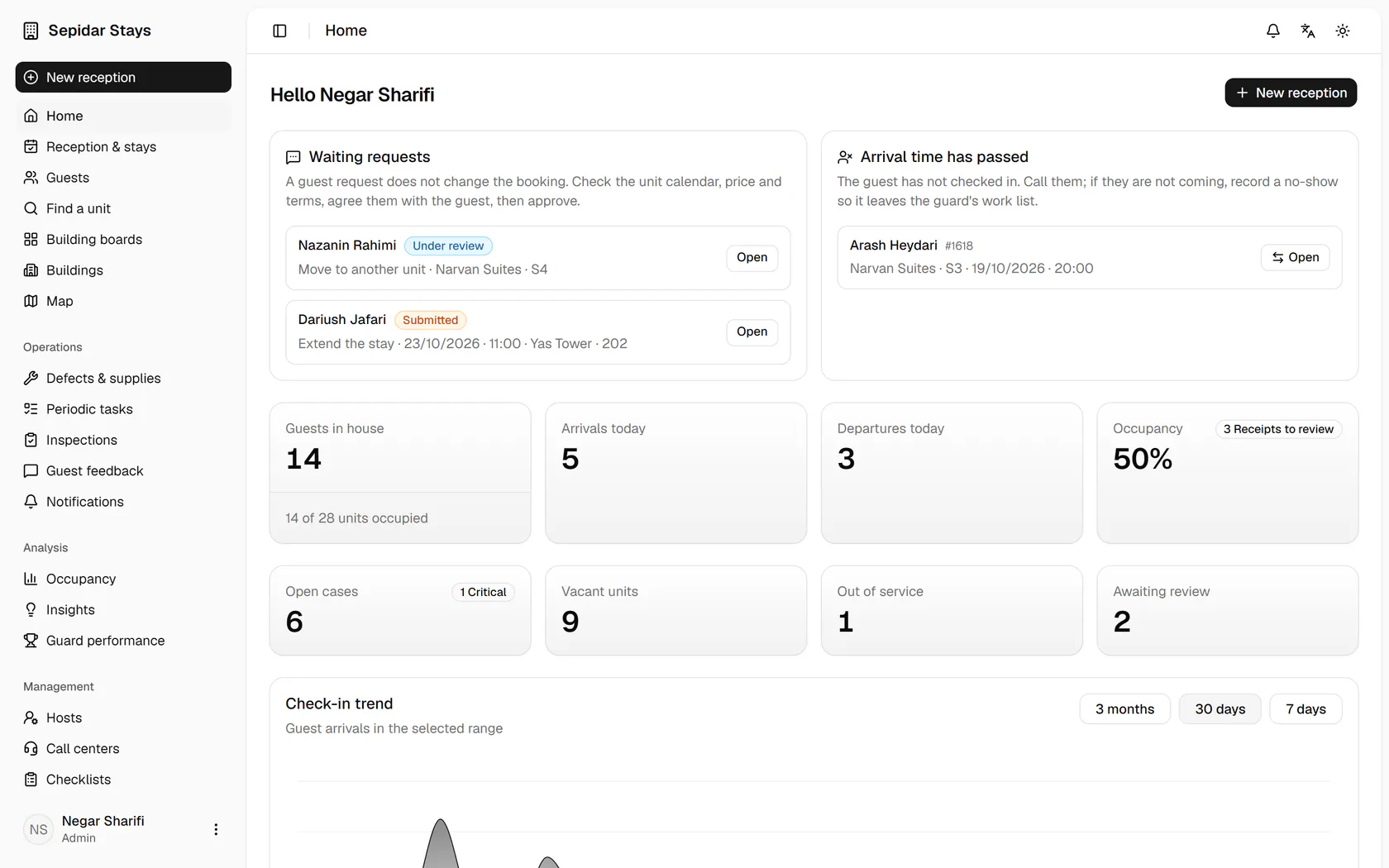
The admin sees at a glance what needs attention today: requests, late arrivals, occupancy, arrivals, departures and cleaning.
AdminOn a computer7 steps
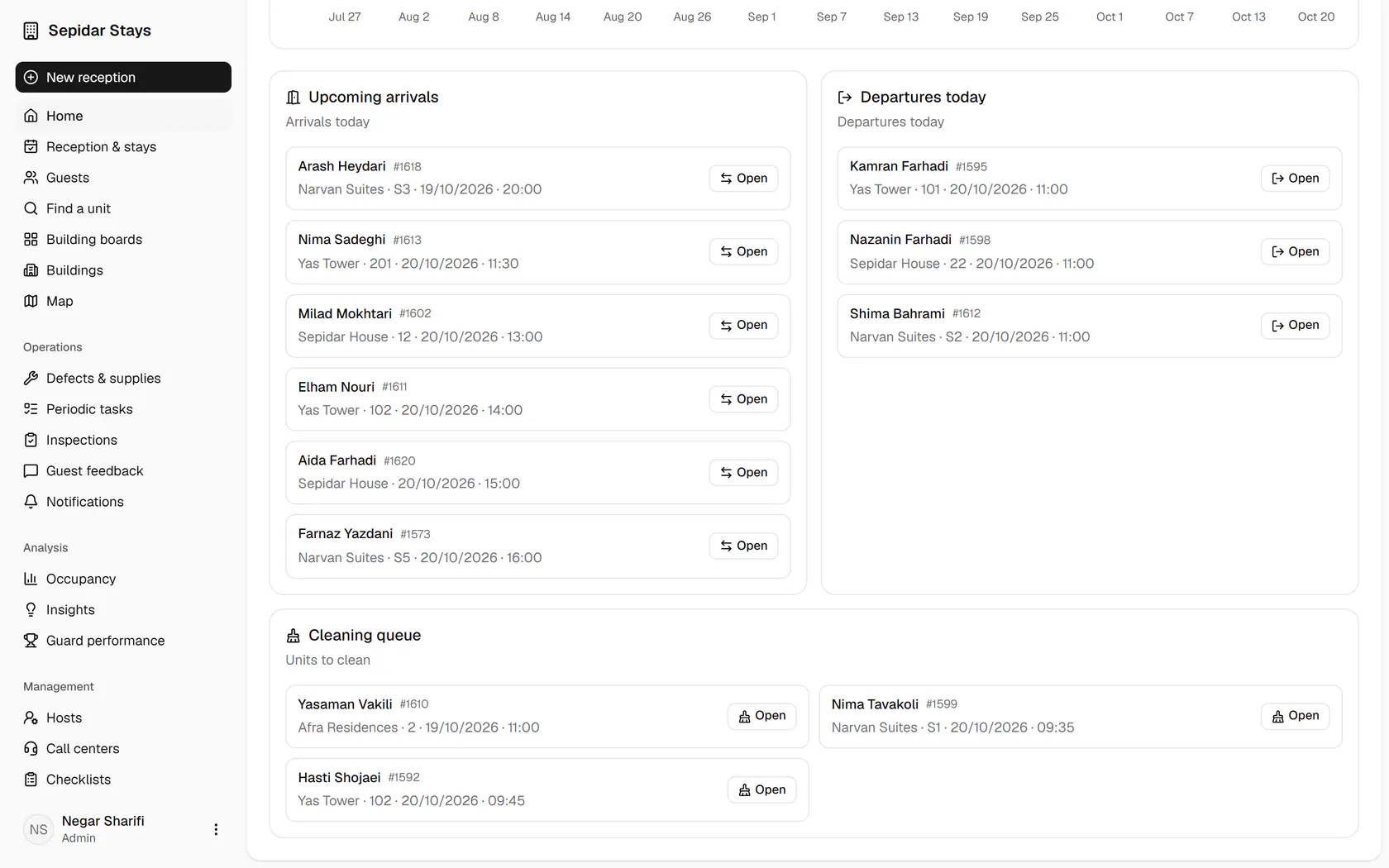
Guest requests such as an extension or a unit move wait for your review at the top.A guest whose arrival time has passed appears here, so you can call them or record a no-show.The cards show guests in house, today's arrivals and departures, and the occupancy rate.Switch the check-in trend chart to three months to see how arrivals moved over time.Upcoming arrivals are listed with building, unit and time, and each one opens in one click.Today's check-outs sit next to arrivals, so you know which units free up soon.The cleaning queue shows the units that must be ready before the next guest arrives.

Guest requests such as an extension or a unit move wait for your review at the top.

Step by step

  1. 1

    Guest requests such as an extension or a unit move wait for your review at the top.

    Guest requests such as an extension or a unit move wait for your review at the top.
  2. 2

    A guest whose arrival time has passed appears here, so you can call them or record a no-show.

    A guest whose arrival time has passed appears here, so you can call them or record a no-show.
  3. 3

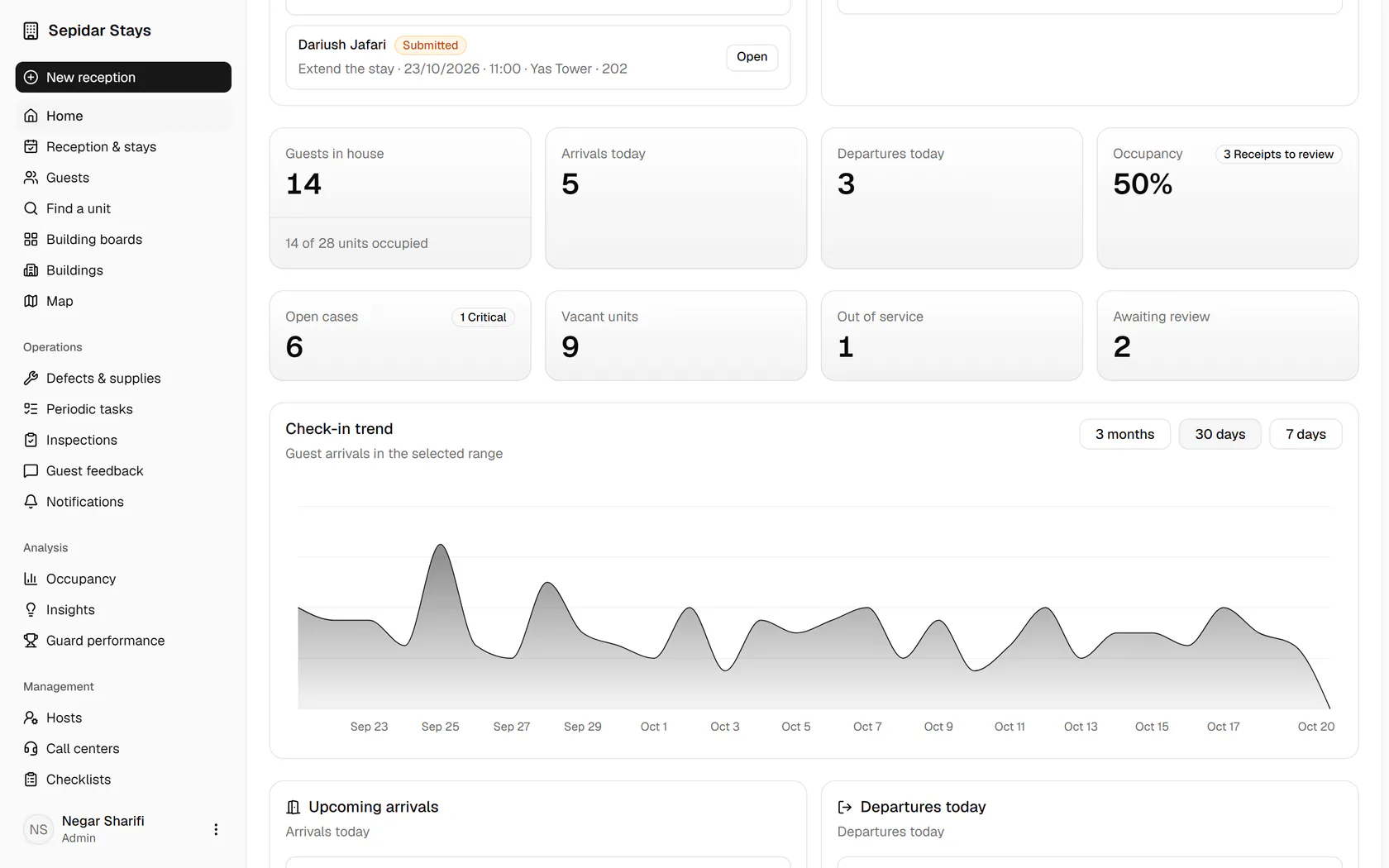
    The cards show guests in house, today's arrivals and departures, and the occupancy rate.

    The cards show guests in house, today's arrivals and departures, and the occupancy rate.
  4. 4

    Switch the check-in trend chart to three months to see how arrivals moved over time.

    Switch the check-in trend chart to three months to see how arrivals moved over time.
  5. 5

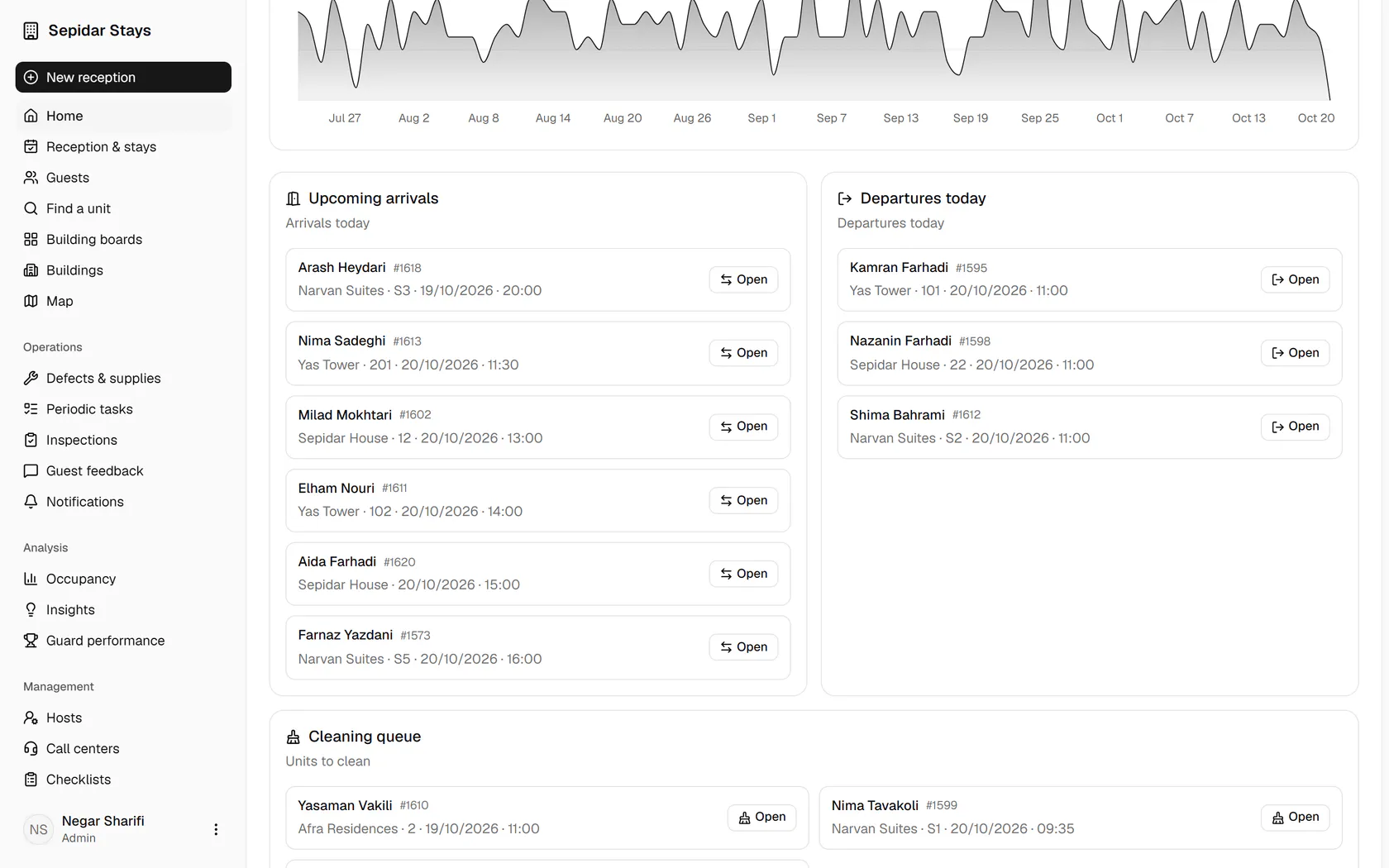
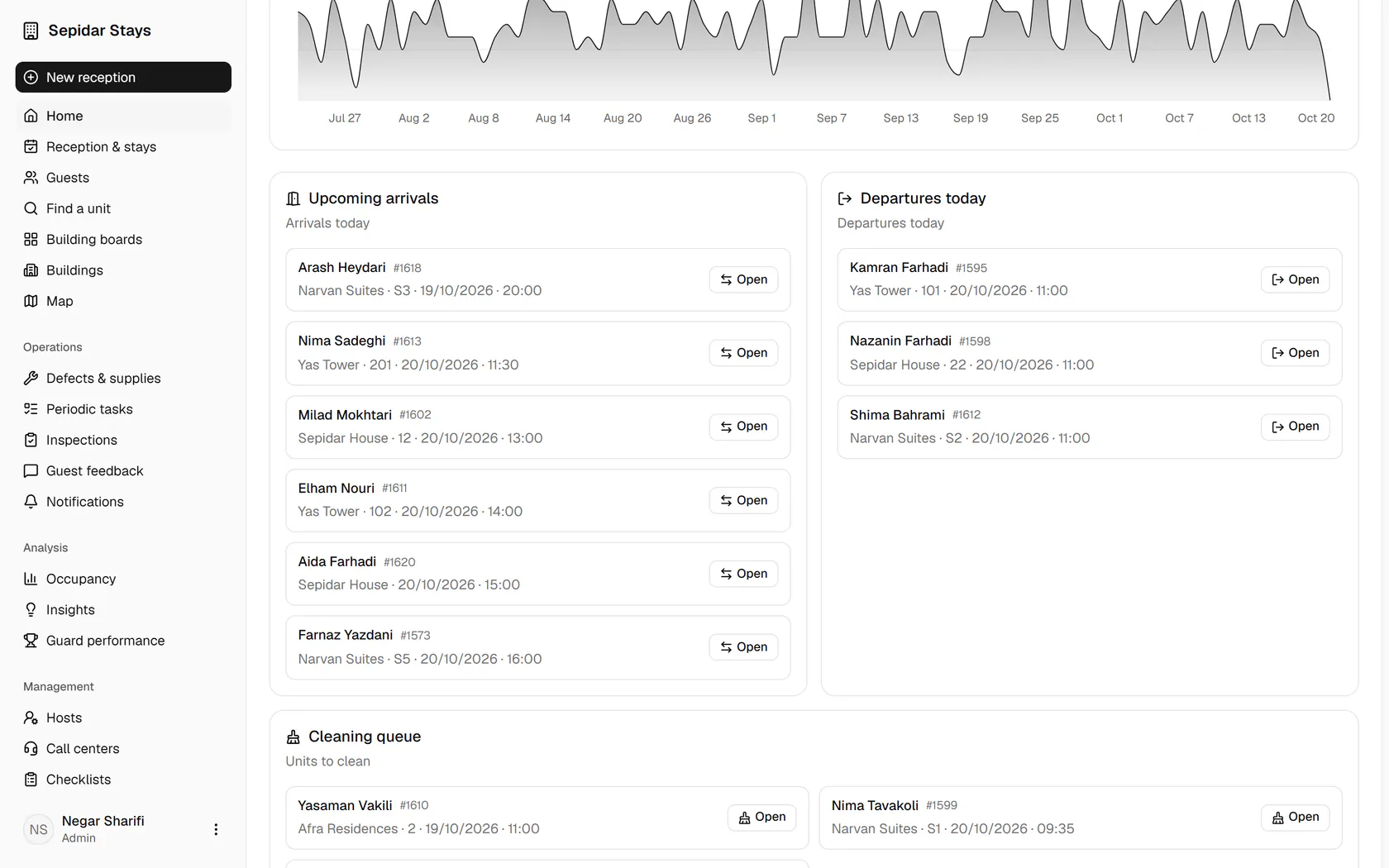
    Upcoming arrivals are listed with building, unit and time, and each one opens in one click.

    Upcoming arrivals are listed with building, unit and time, and each one opens in one click.
  6. 6

    Today's check-outs sit next to arrivals, so you know which units free up soon.

    Today's check-outs sit next to arrivals, so you know which units free up soon.
  7. 7

    The cleaning queue shows the units that must be ready before the next guest arrives.

    The cleaning queue shows the units that must be ready before the next guest arrives.