Buildings, units and the board
The admin keeps each building's units up to date and sees every unit's booking and operational state on the board.
AdminOn a computer7 steps
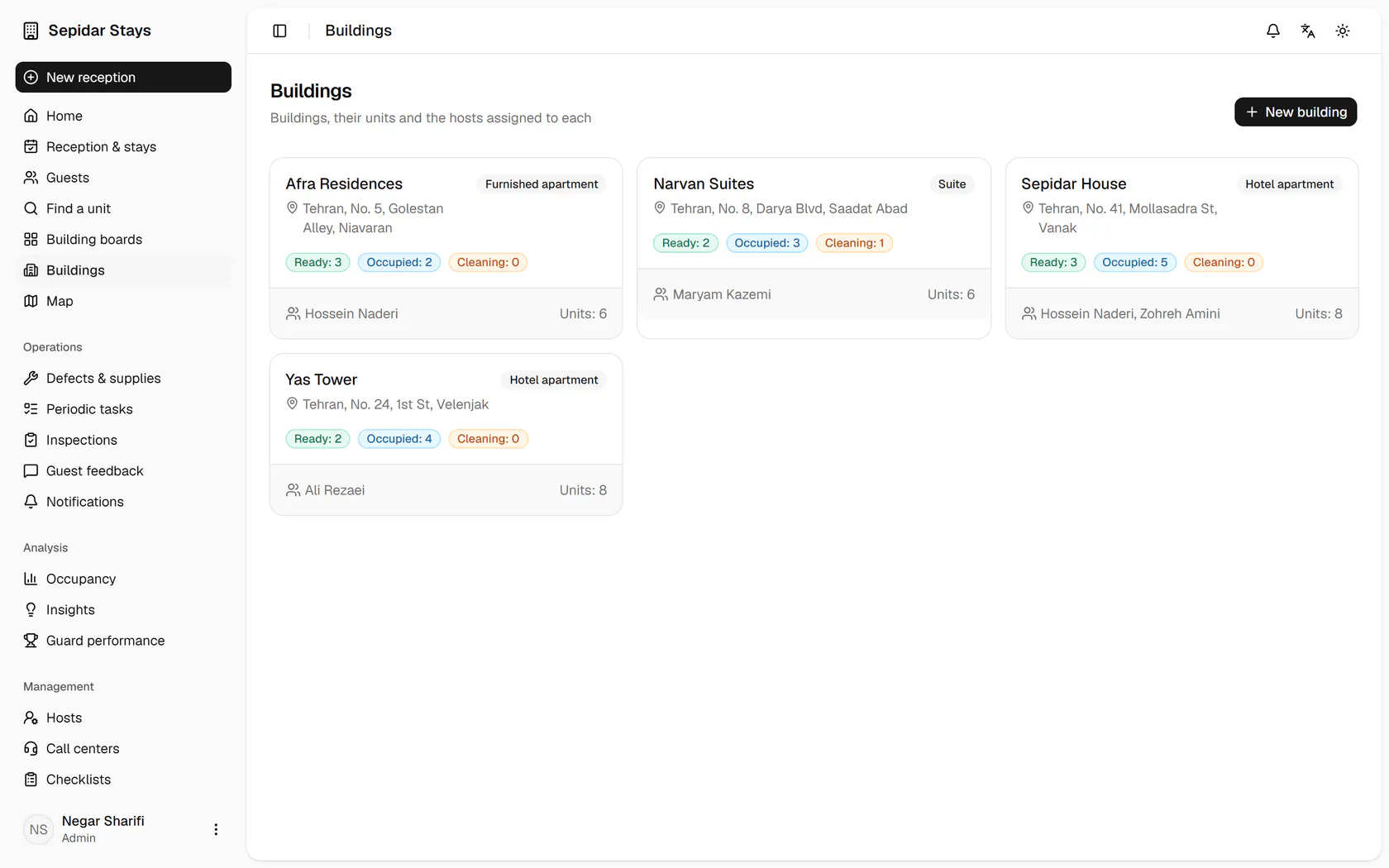
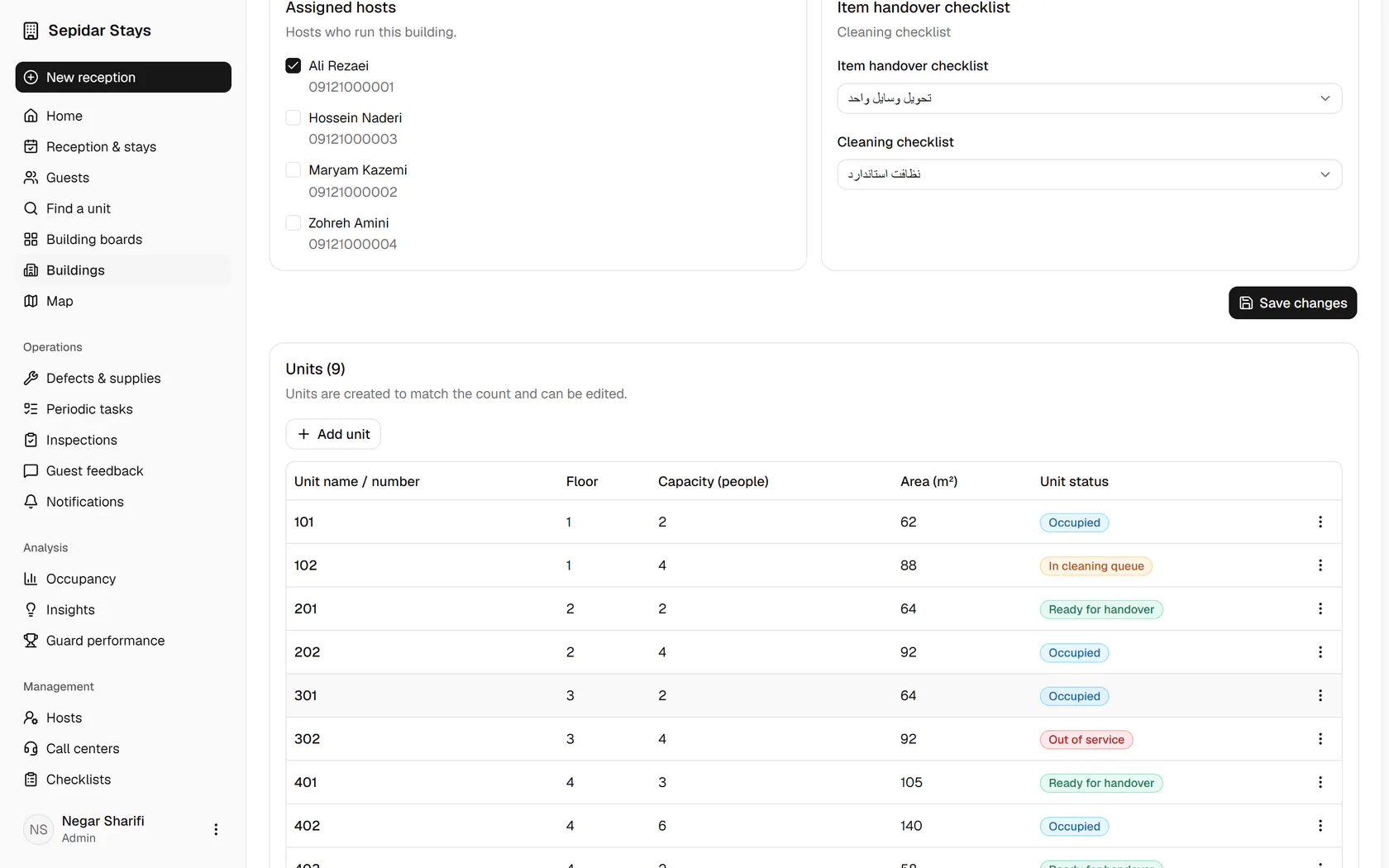
The buildings list shows ready, occupied and cleaning counts; open Yas Tower.
Step by step
- 1
The buildings list shows ready, occupied and cleaning counts; open Yas Tower.
- 2
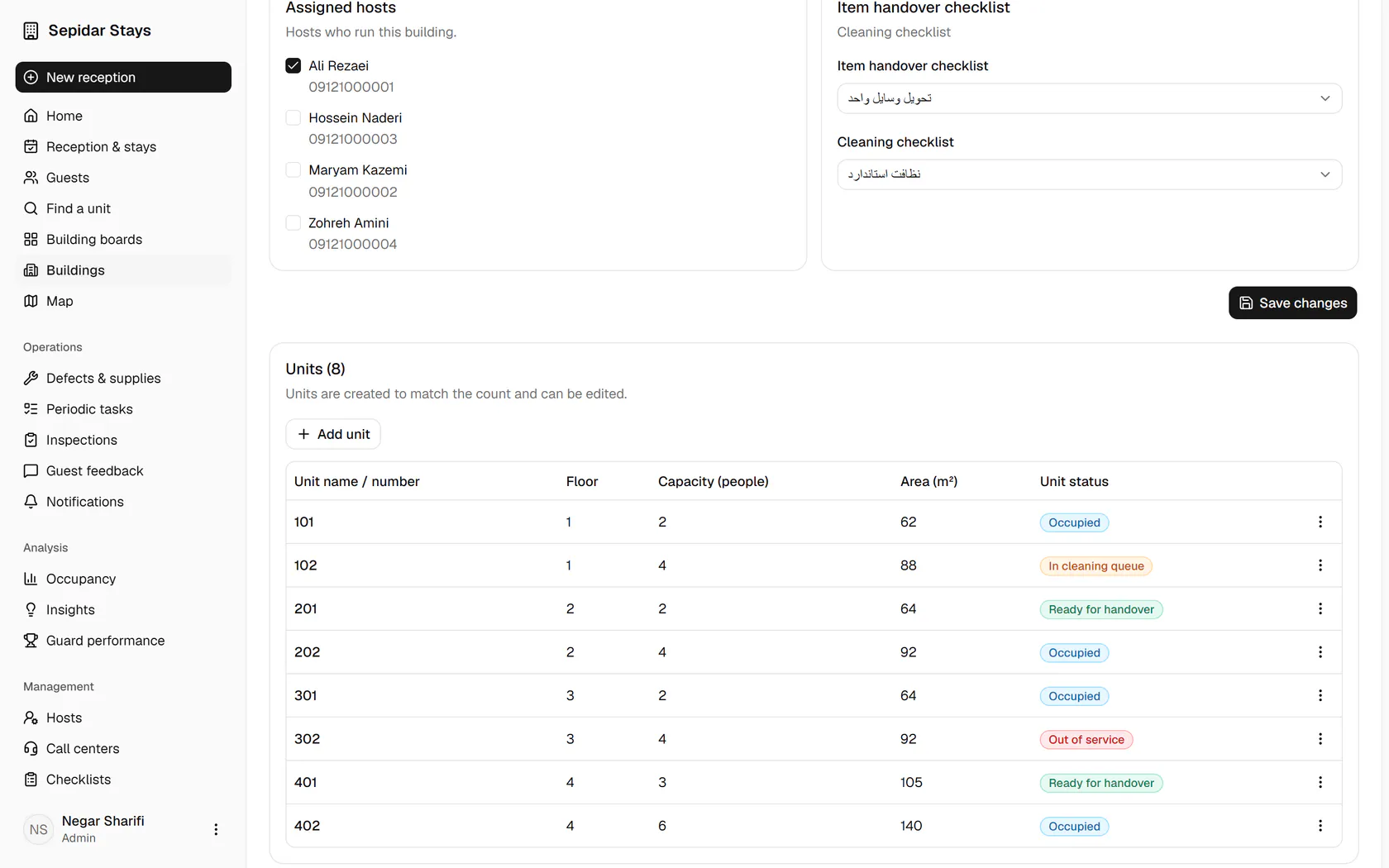
Below the building details is the units table with each status; click Add unit for a new one.
- 3
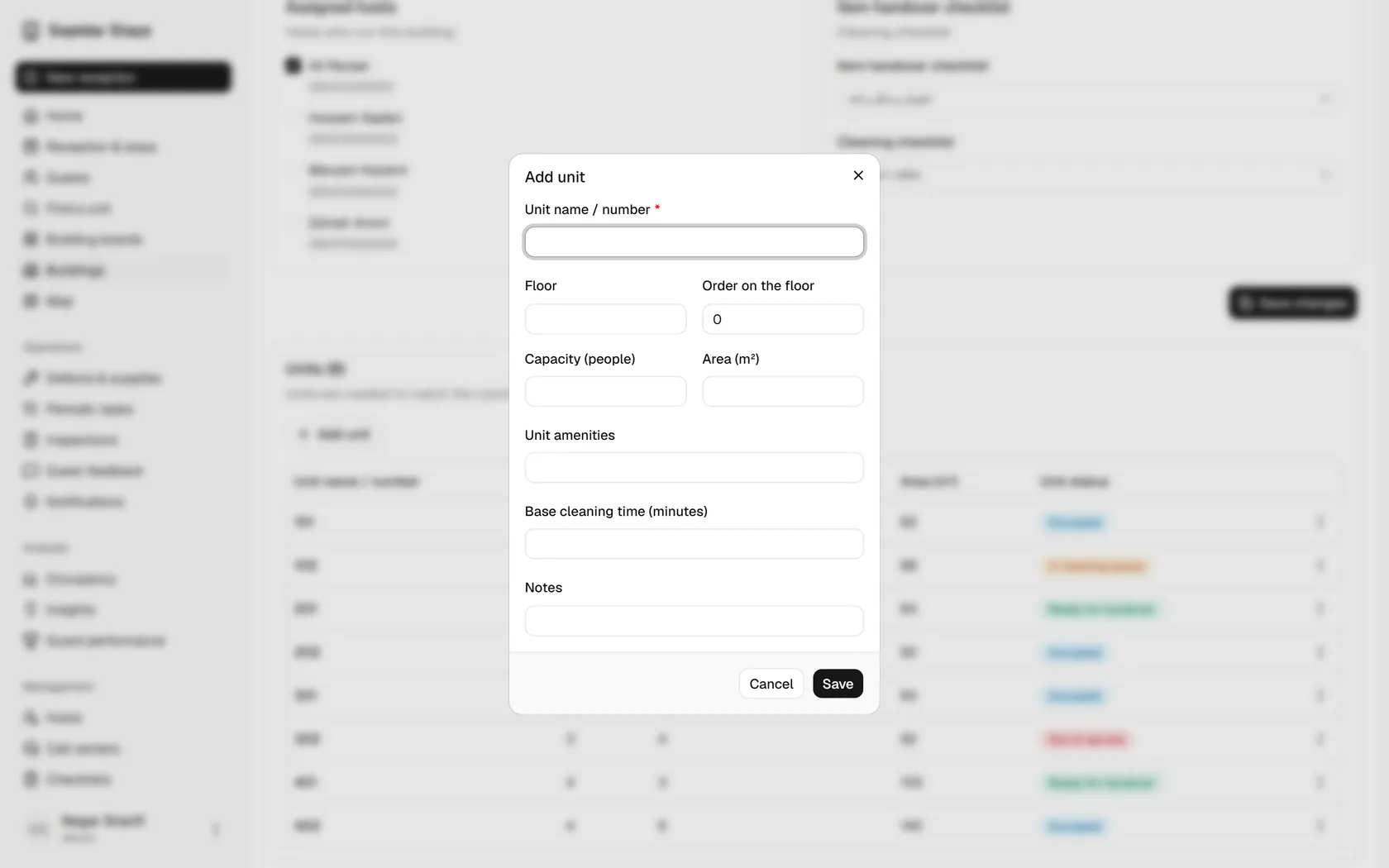
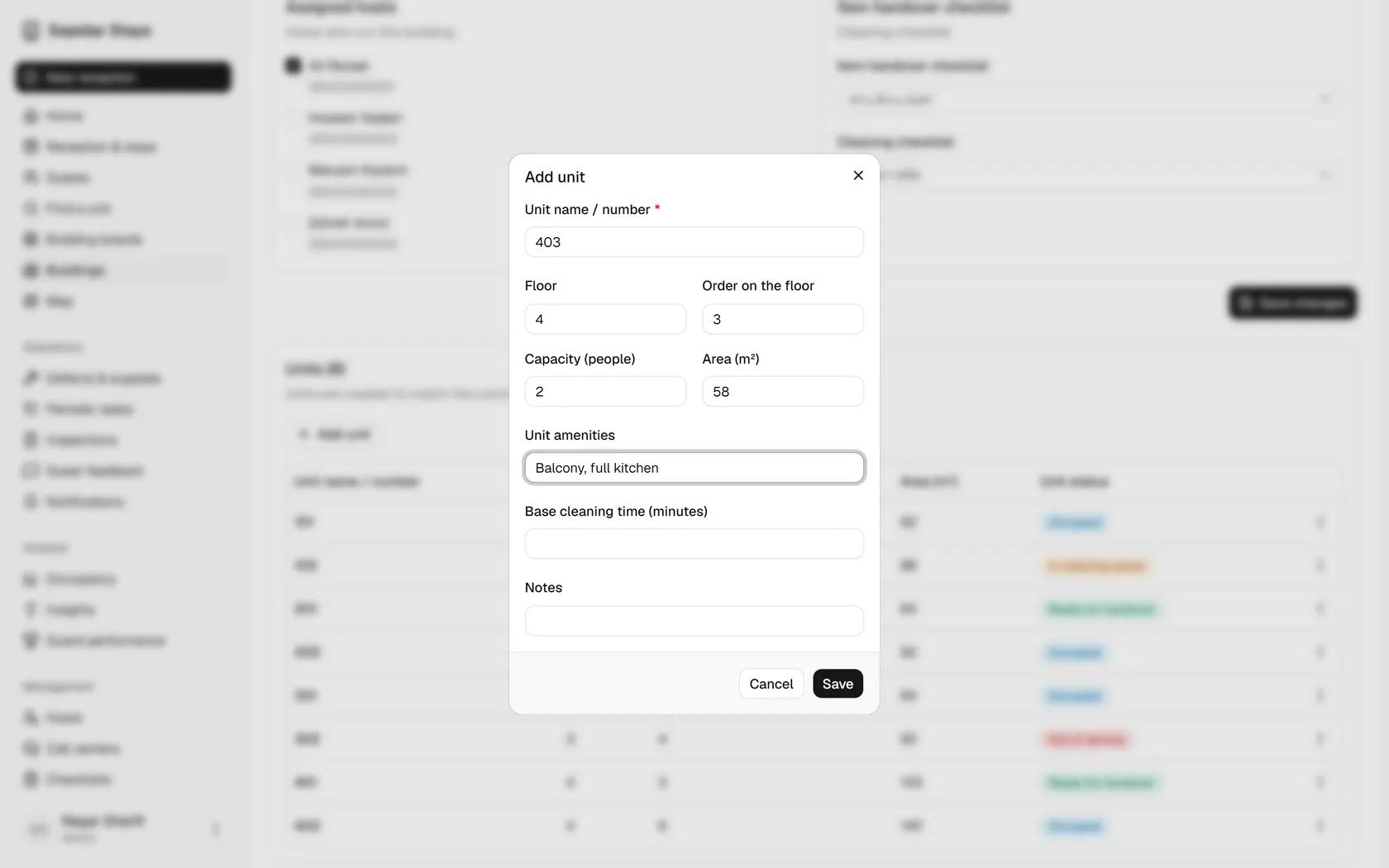
Type the unit name or number, then add its floor, capacity, area and amenities.
- 4
Save, and unit 403 joins the table and can be booked right away.
- 5
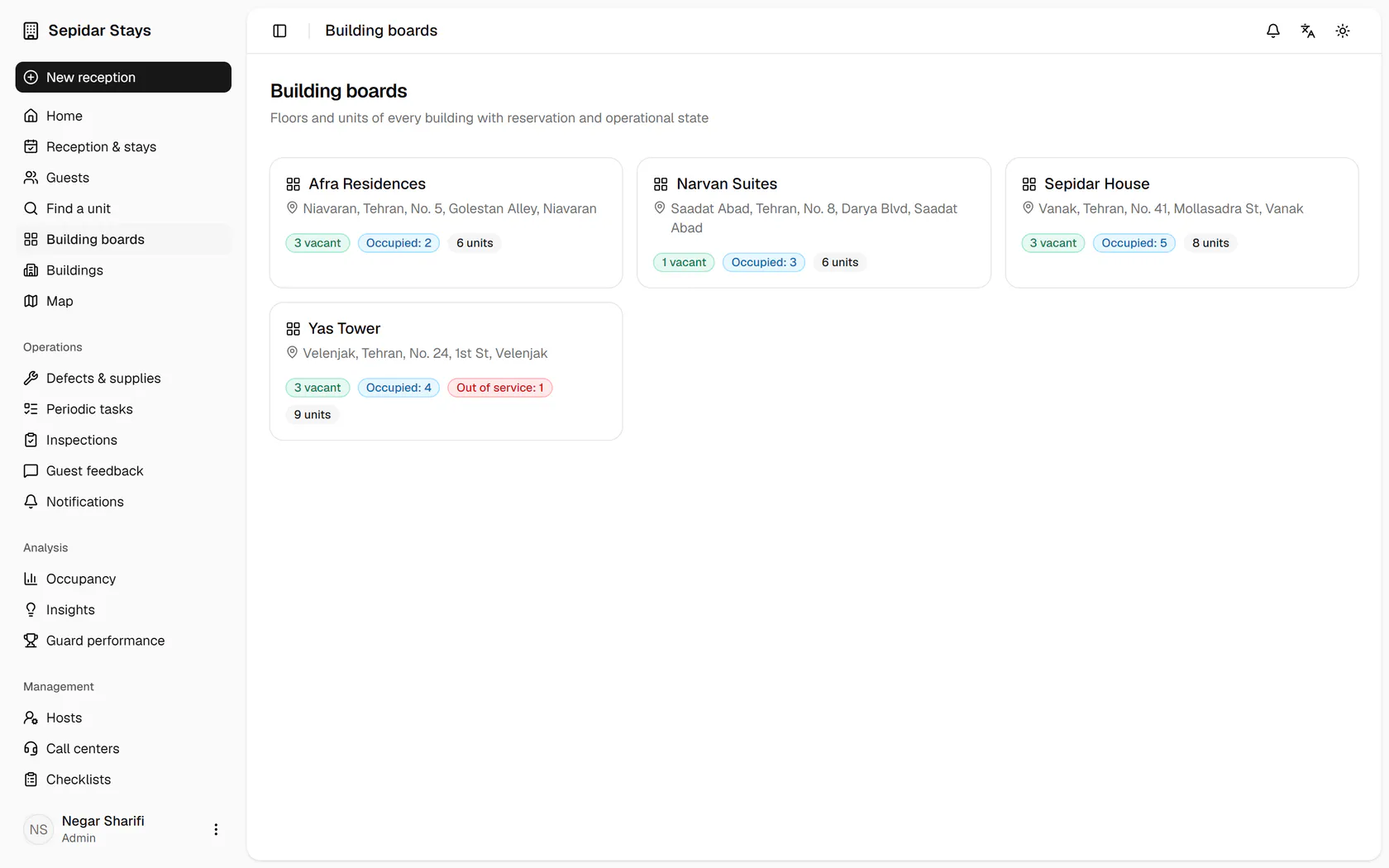
To see the units floor by floor, open Building boards from the menu.
- 6
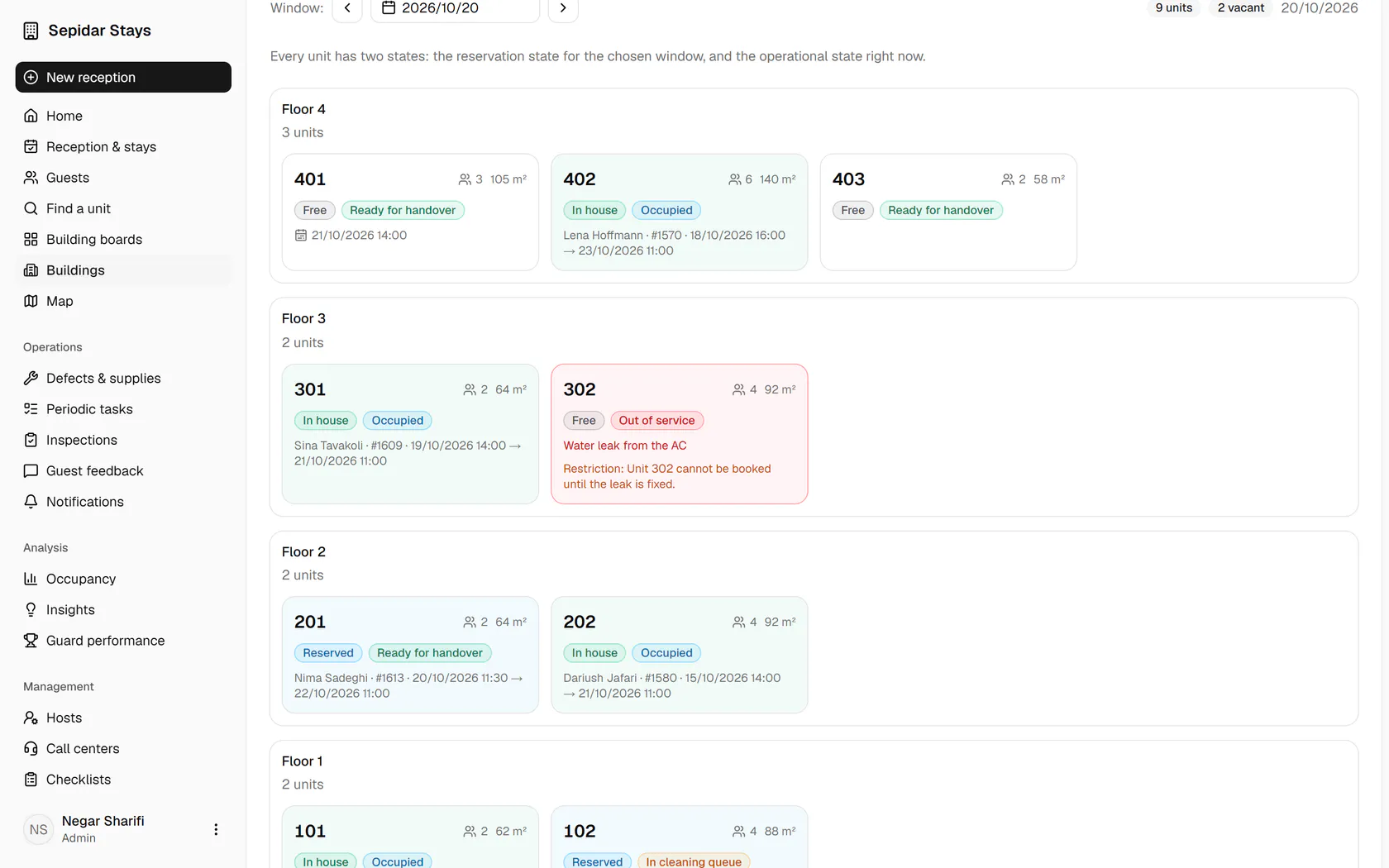
Each building shows its vacant, occupied and out-of-service units; choose Yas Tower.
- 7
Every unit shows two states, booking and operational, like unit 302 which is out of service.