Skip to content
Mizban

Send a unit to cleaning

The host notes the unit's condition and extra work, so the ready time is estimated more accurately.

HostOn a phone5 steps
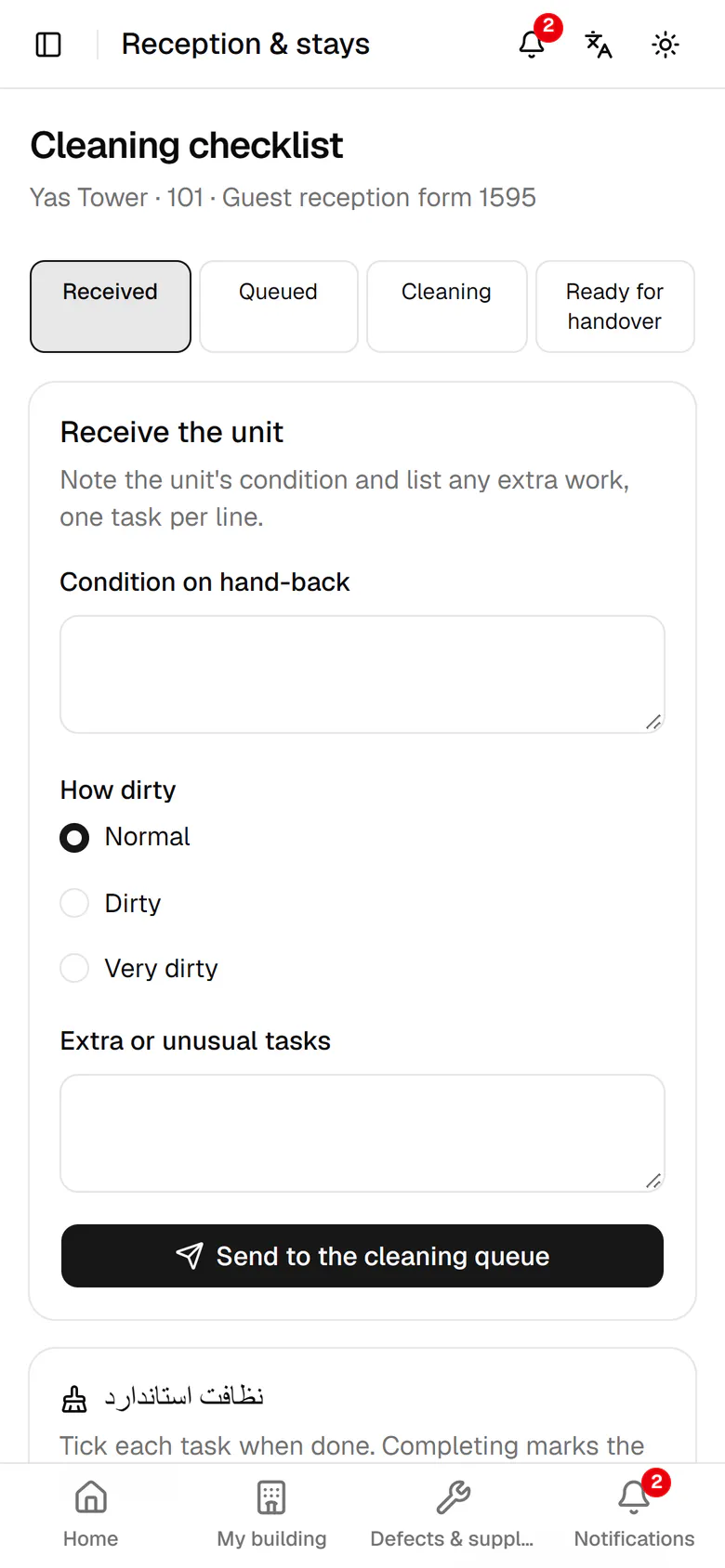
Describe in one line the state of the unit at hand-back.Choose how dirty it is. This changes the estimated cleaning time.List any extra tasks, one per line.Tap Send to the cleaning queue to put the unit in line.The estimate and ready time are calculated, with your extra tasks listed below.

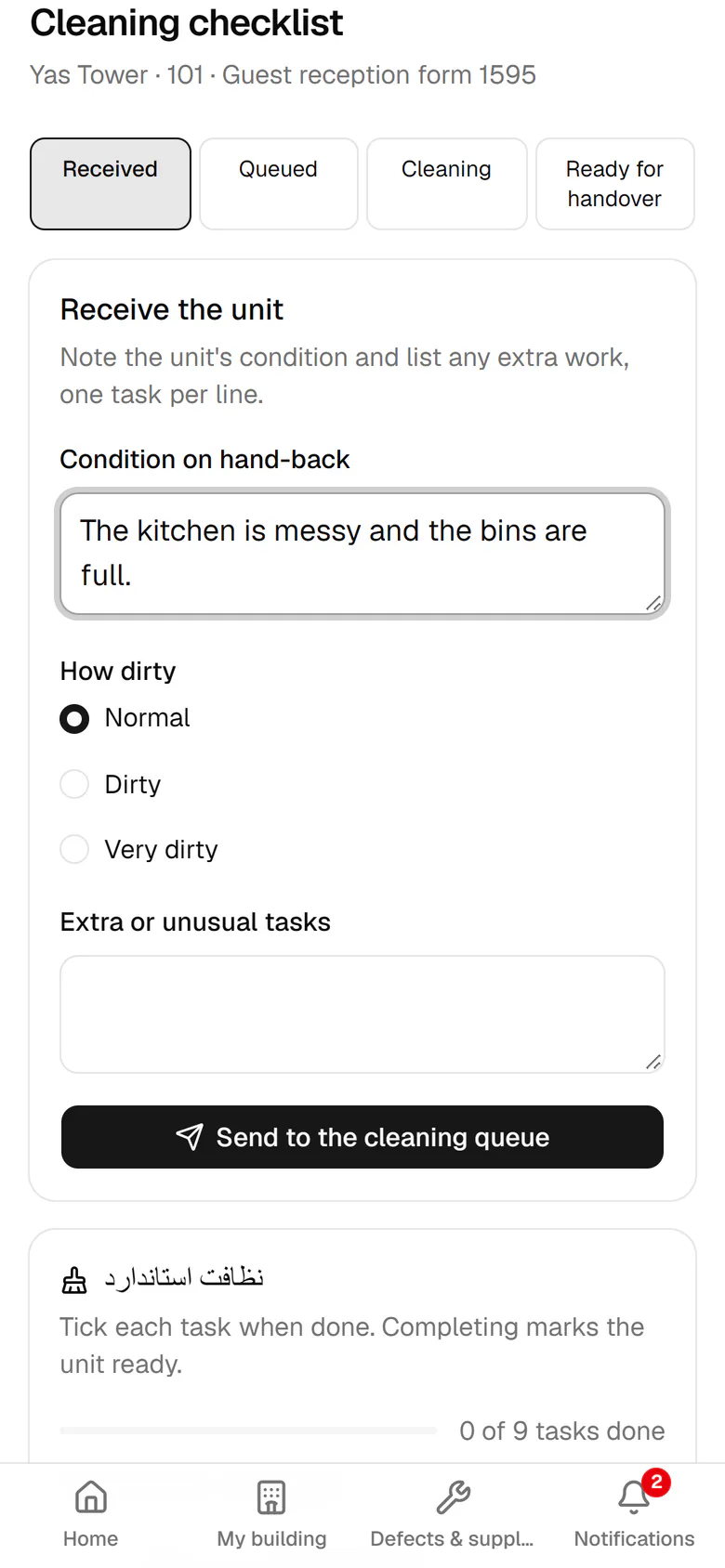
Describe in one line the state of the unit at hand-back.

11:20Unit 102 must be ready by 14:00Elham arrives at 14:00. Ali receives the unit, starts cleaning and ticks the checklist. Elham sees the estimated ready time on her page.

Step by step

  1. 1

    Describe in one line the state of the unit at hand-back.

    Describe in one line the state of the unit at hand-back.
  2. 2

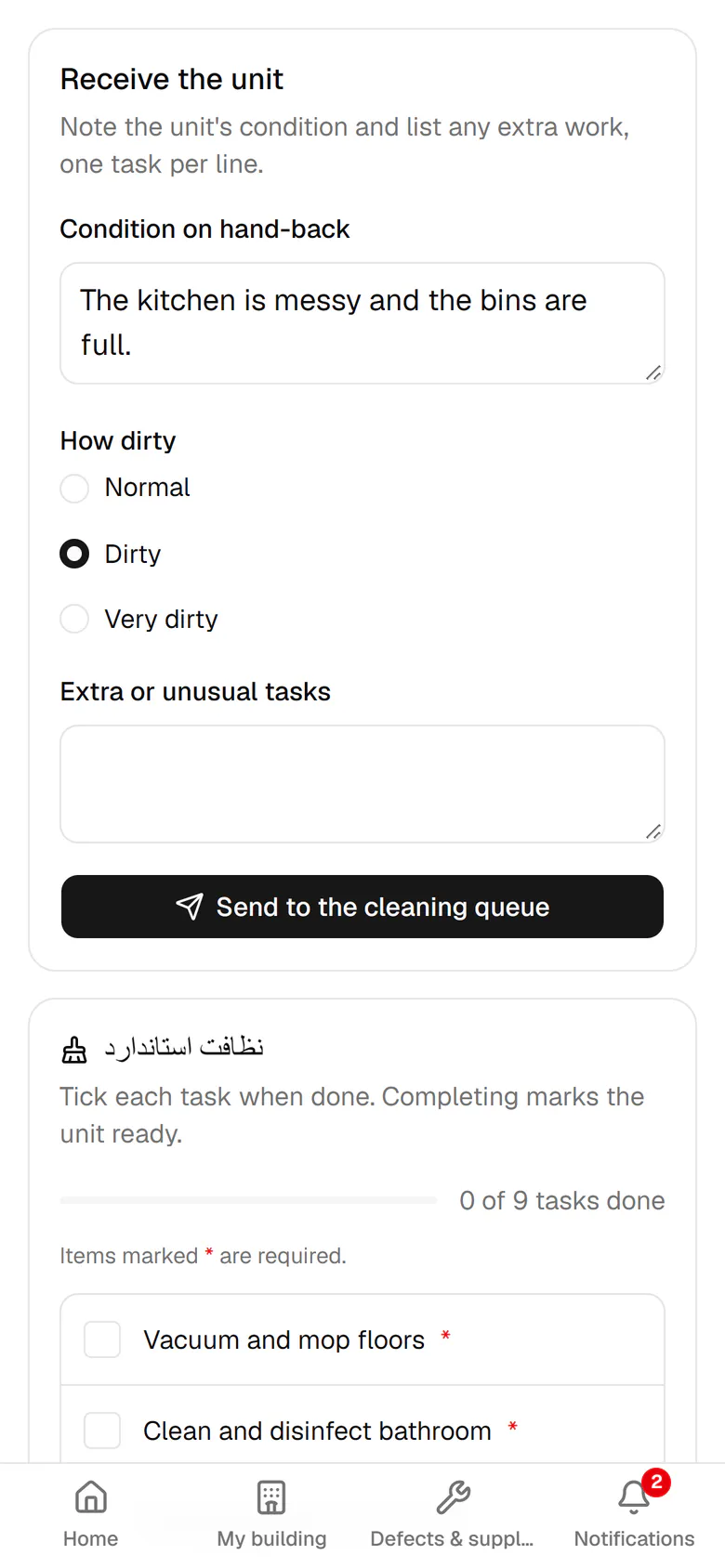
    Choose how dirty it is. This changes the estimated cleaning time.

    Choose how dirty it is. This changes the estimated cleaning time.
  3. 3

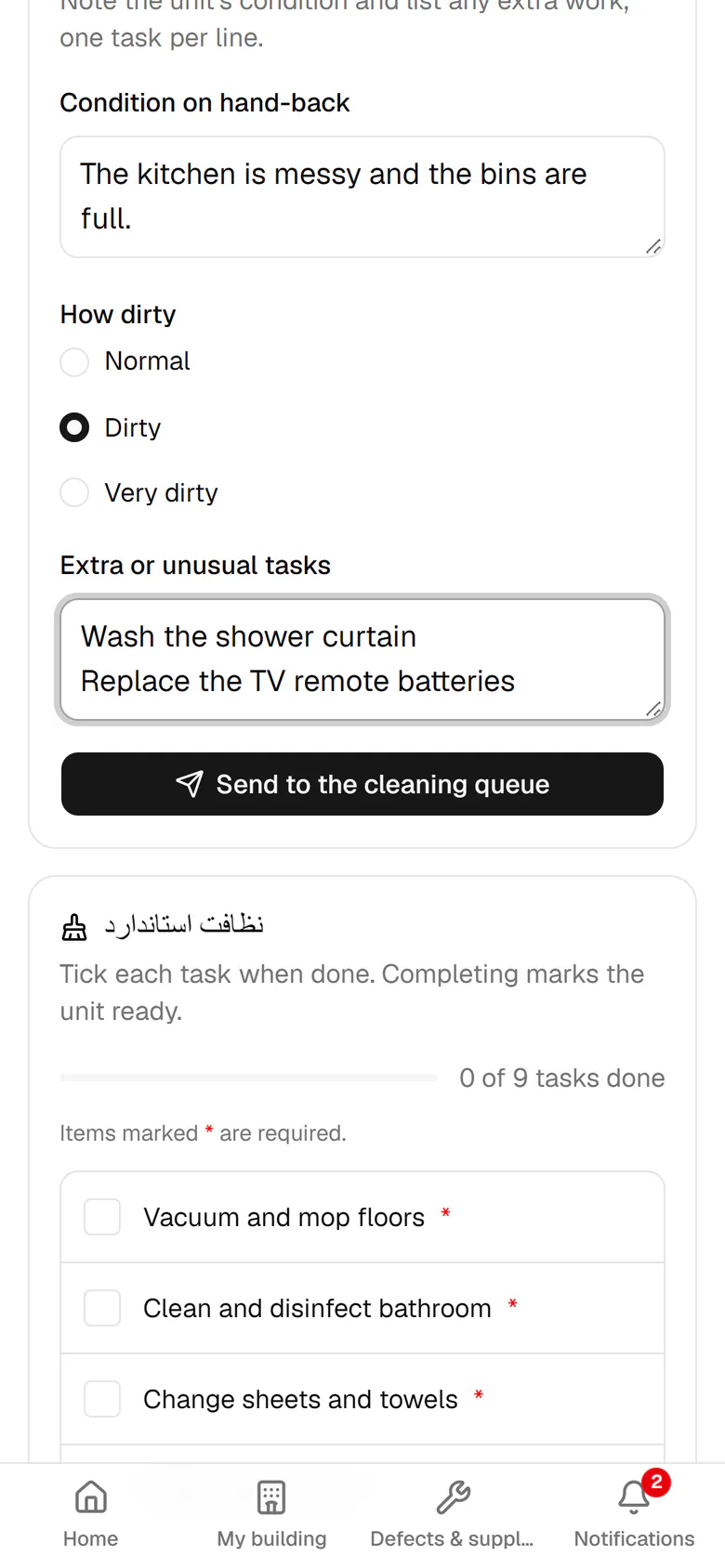
    List any extra tasks, one per line.

    List any extra tasks, one per line.
  4. 4

    Tap Send to the cleaning queue to put the unit in line.

    Tap Send to the cleaning queue to put the unit in line.
  5. 5

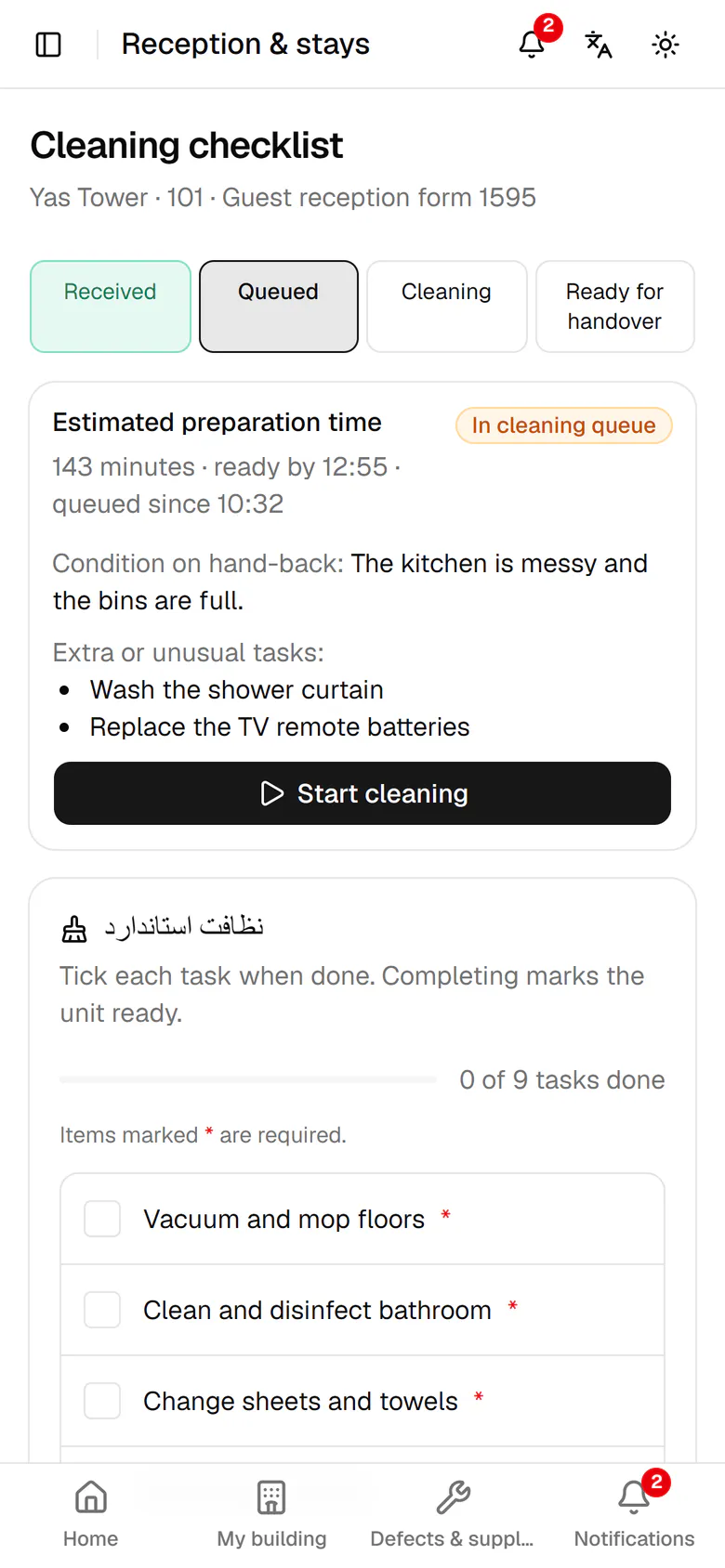
    The estimate and ready time are calculated, with your extra tasks listed below.

    The estimate and ready time are calculated, with your extra tasks listed below.