Skip to content
Mizban

Review periodic tasks

Periodic work the host has done is approved or sent back by the inspector, so a tick never replaces real quality.

InspectorOn a computer7 steps
In periodic tasks, open the Awaiting review tab.The Sepidar House extinguisher check lacks proof, so choose Needs correction.Write why it goes back; work cannot be returned without a reason.Confirm, and the task returns to the host's list of due work.Now open the Yas Tower unit 201 kitchen deep clean.Read the host's note and completion time, then approve the work.The task is approved and stays in this unit's history next to earlier runs.

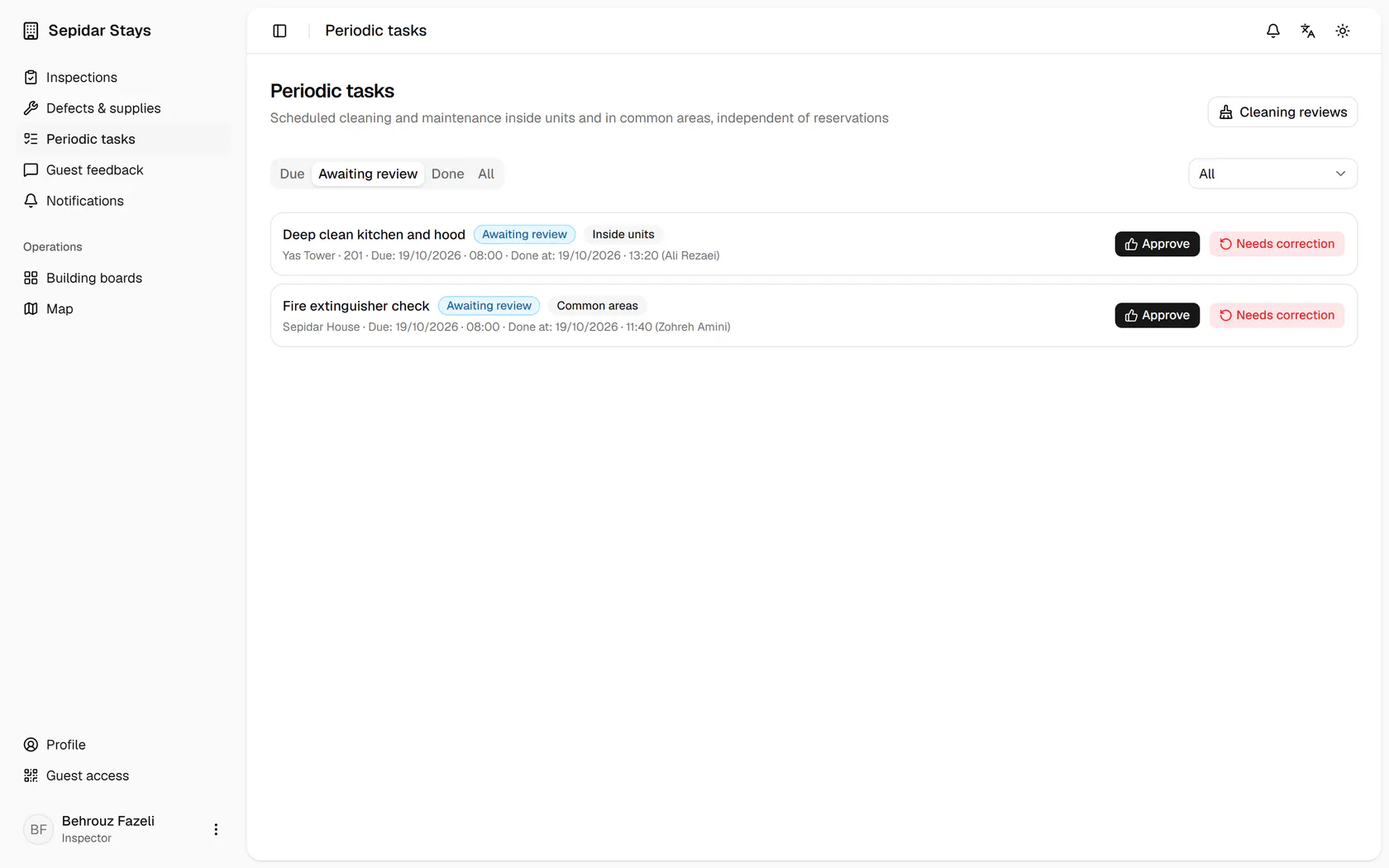
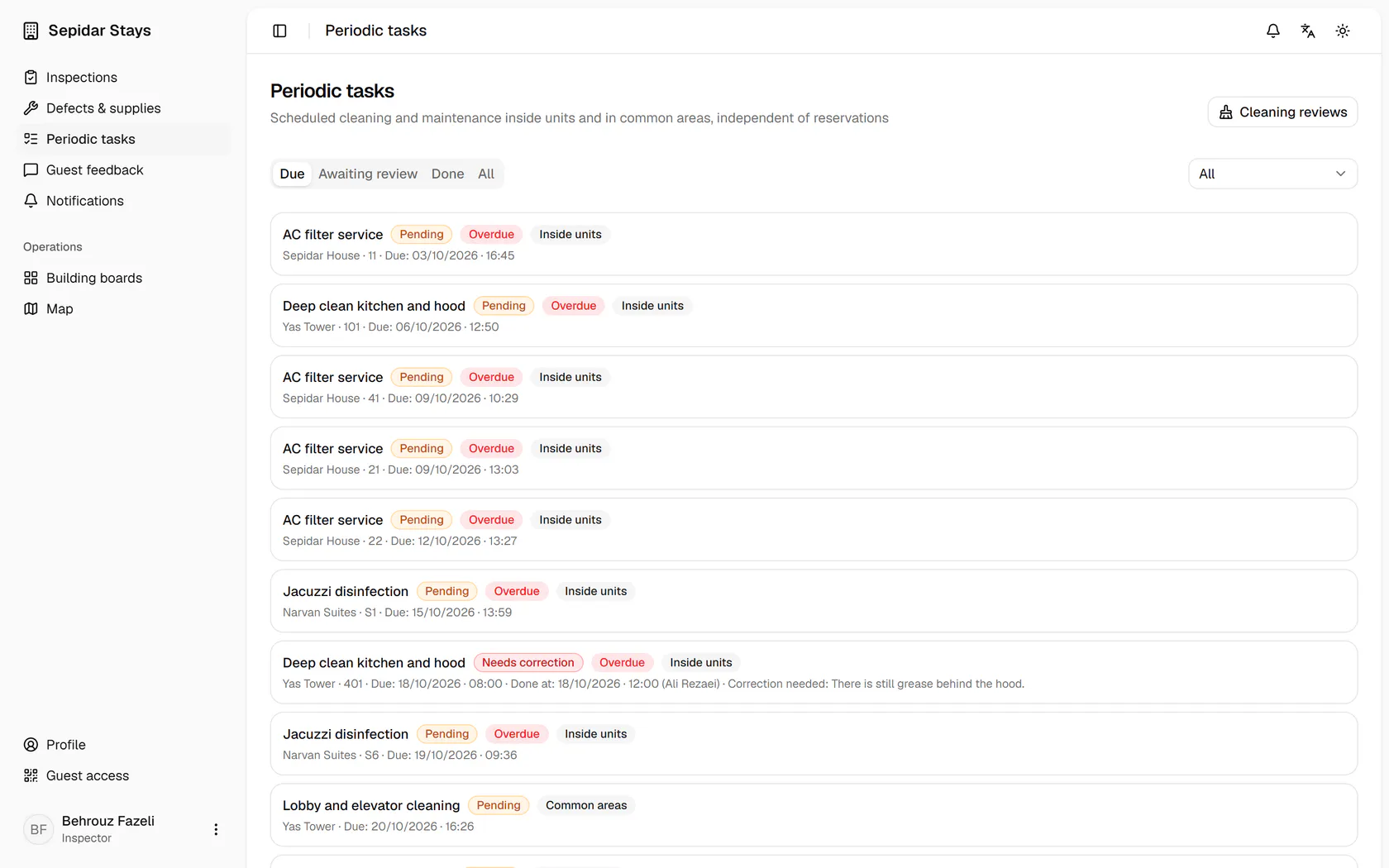
In periodic tasks, open the Awaiting review tab.

Step by step

  1. 1

    In periodic tasks, open the Awaiting review tab.

    In periodic tasks, open the Awaiting review tab.
  2. 2

    The Sepidar House extinguisher check lacks proof, so choose Needs correction.

    The Sepidar House extinguisher check lacks proof, so choose Needs correction.
  3. 3

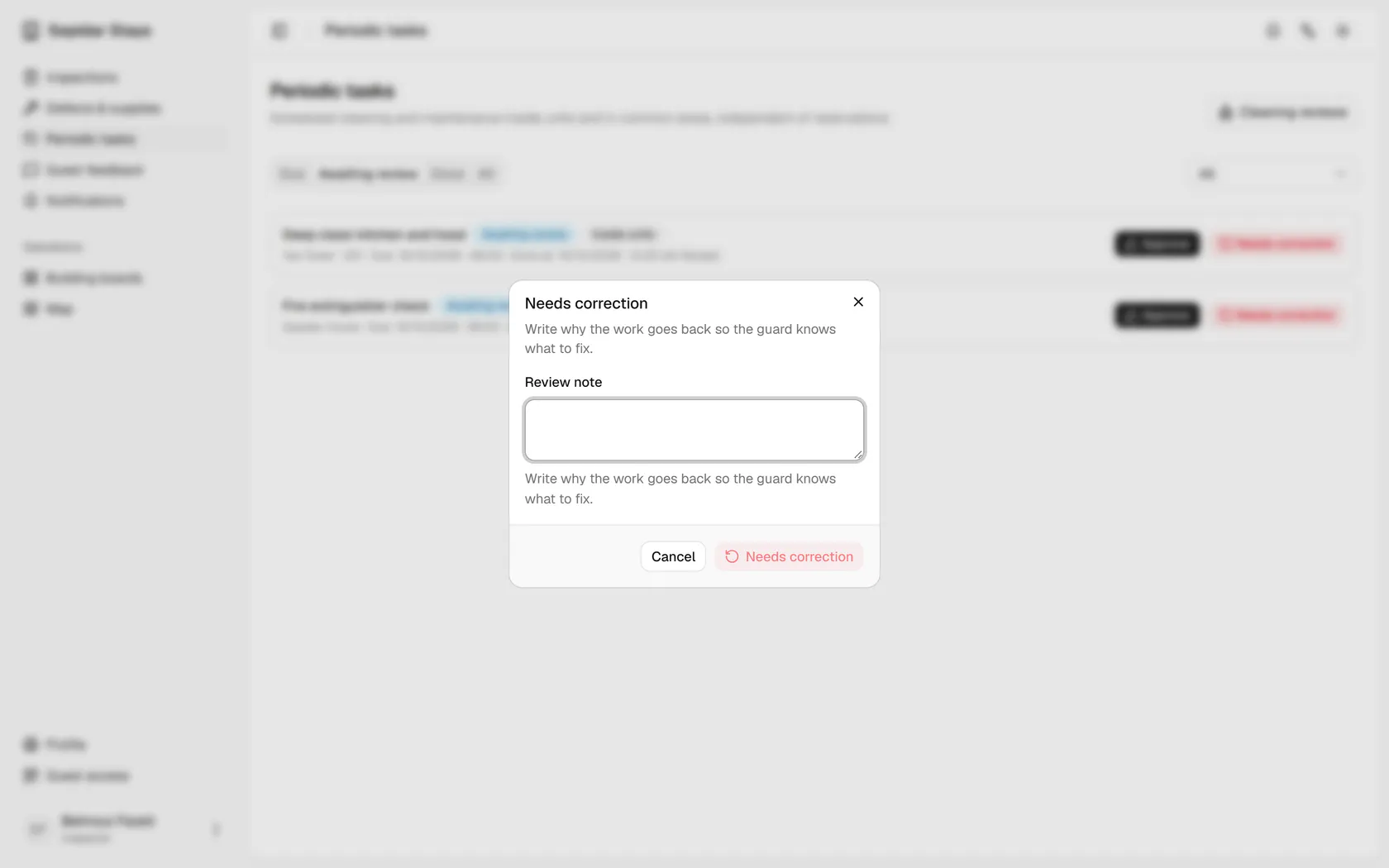
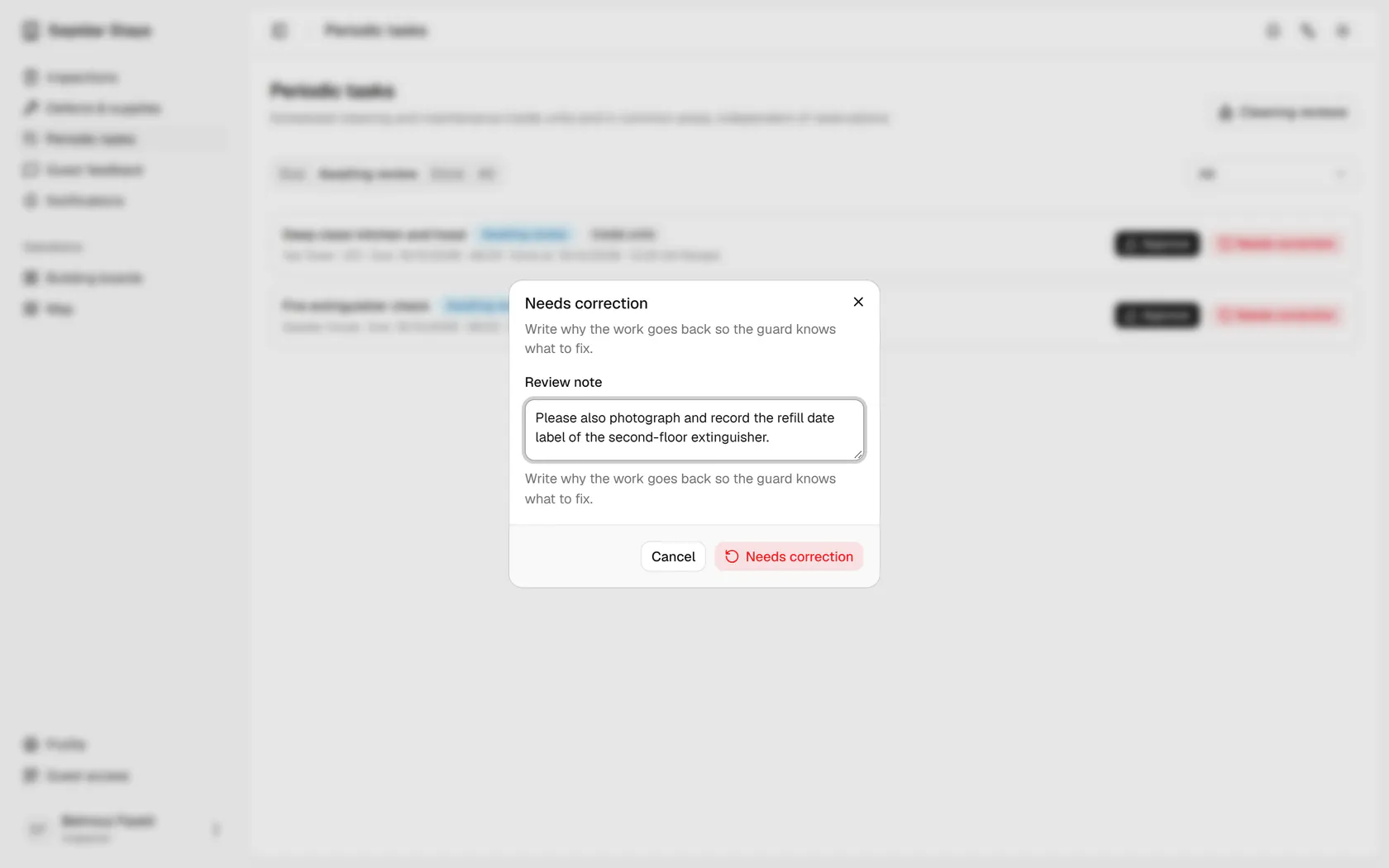
    Write why it goes back; work cannot be returned without a reason.

    Write why it goes back; work cannot be returned without a reason.
  4. 4

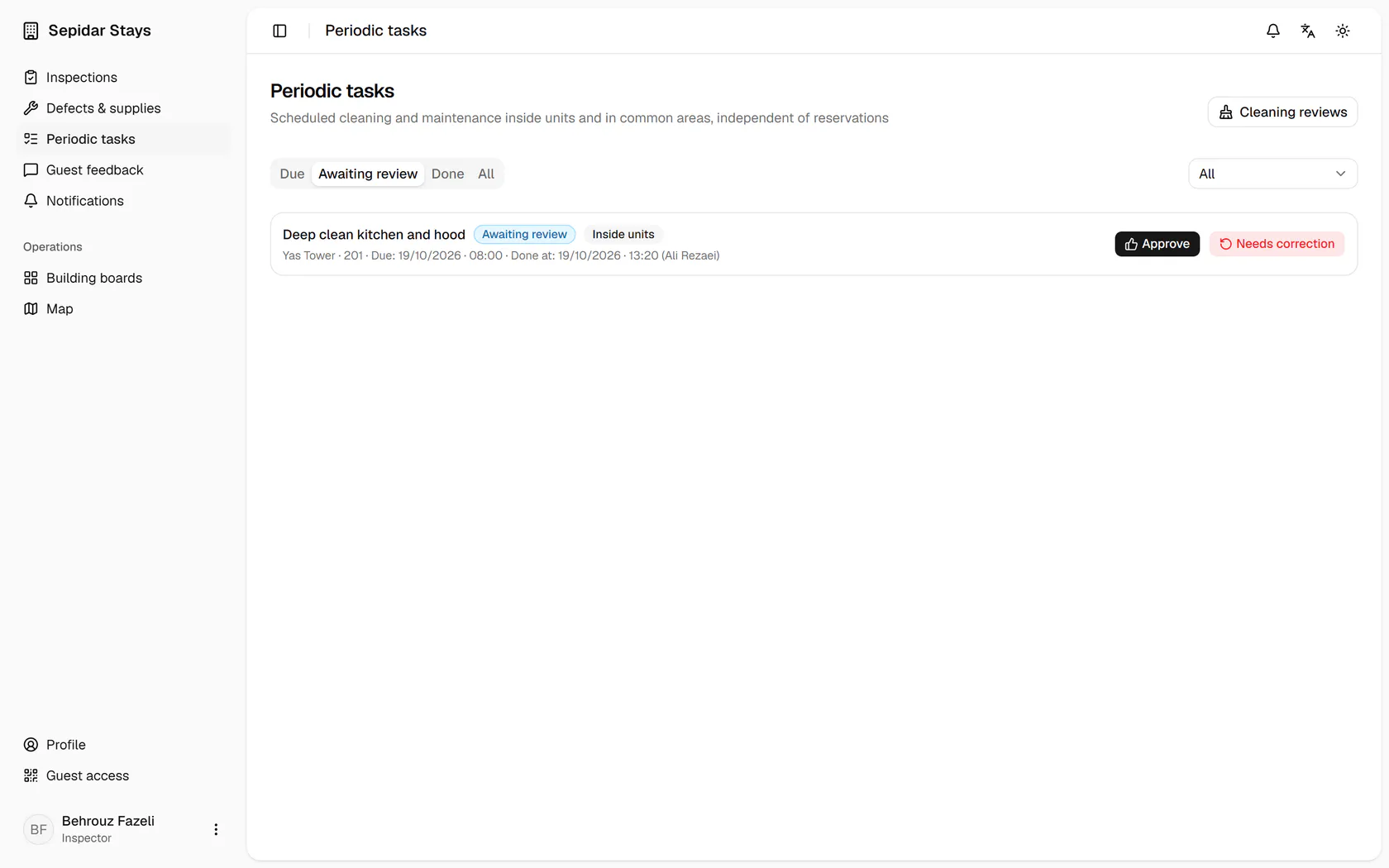
    Confirm, and the task returns to the host's list of due work.

    Confirm, and the task returns to the host's list of due work.
  5. 5

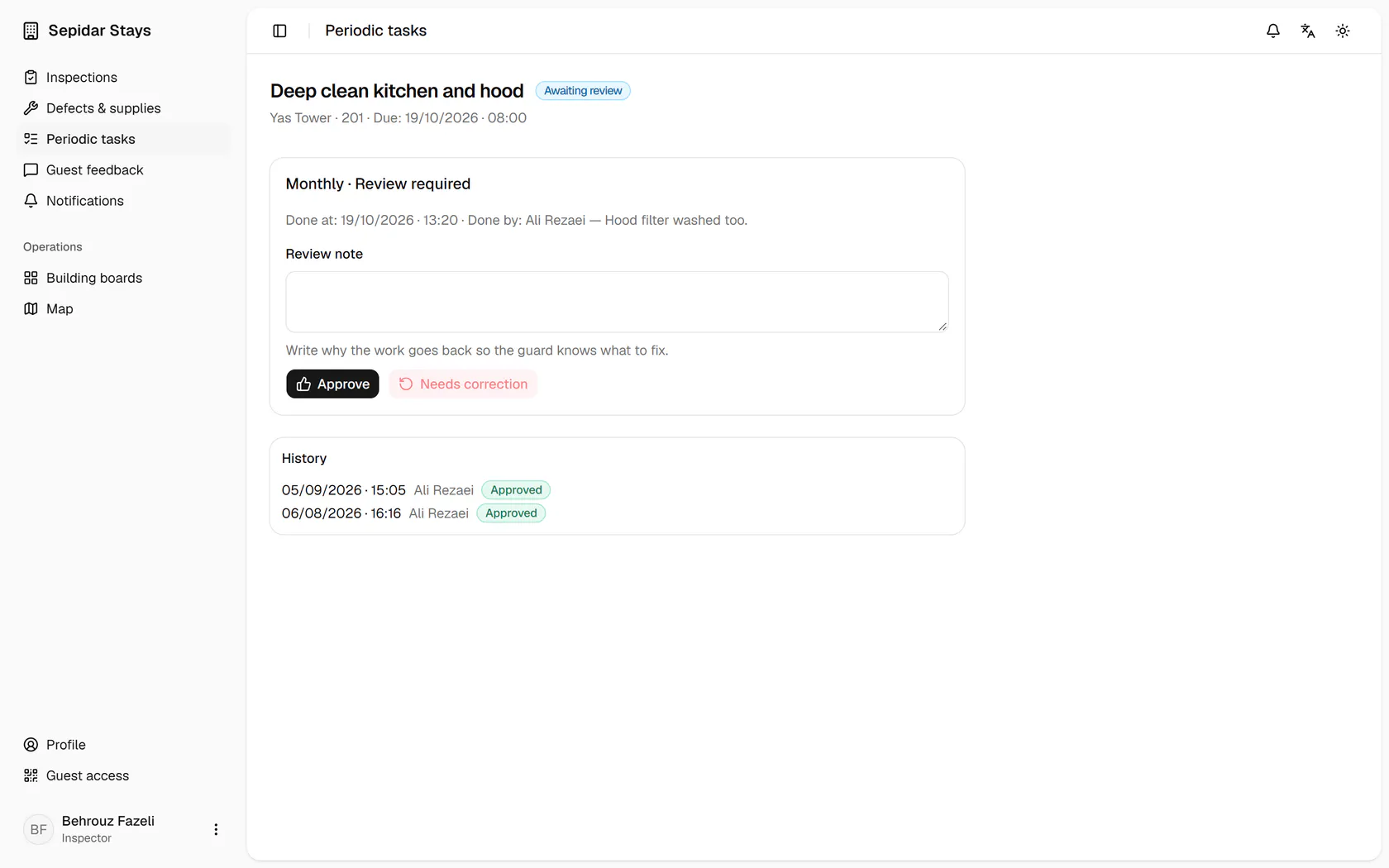
    Now open the Yas Tower unit 201 kitchen deep clean.

    Now open the Yas Tower unit 201 kitchen deep clean.
  6. 6

    Read the host's note and completion time, then approve the work.

    Read the host's note and completion time, then approve the work.
  7. 7

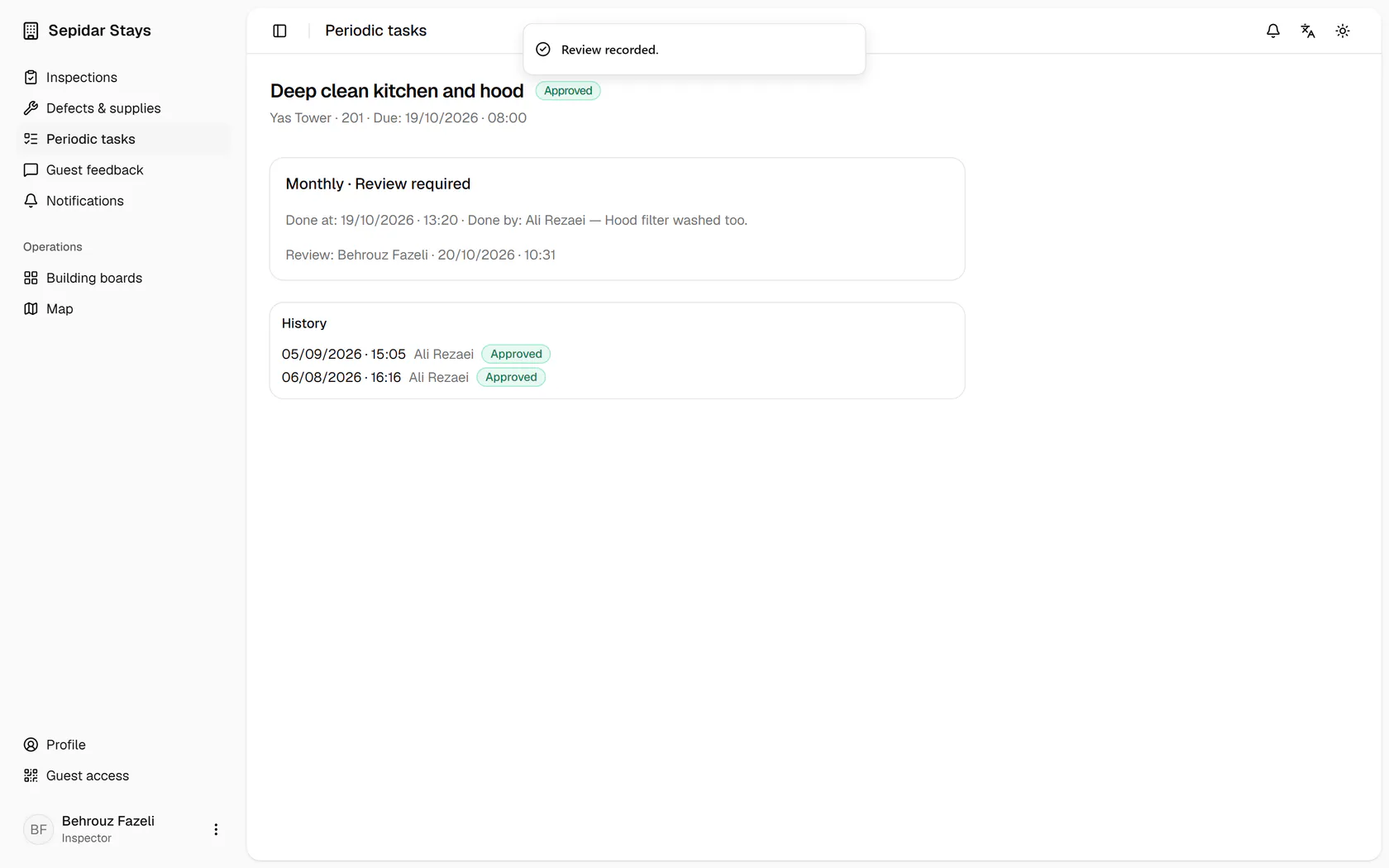
    The task is approved and stays in this unit's history next to earlier runs.

    The task is approved and stays in this unit's history next to earlier runs.