Skip to content
Mizban

Periodic tasks and corrections

The host marks periodic tasks done and redoes a task the reviewer sent back, with a short note.

HostOn a phone6 steps
On Home, tap Periodic tasks to see what is due.The lobby and elevator are clean. Tap Mark done.The next lobby round is set for tomorrow. Now open the returned task for unit 401.The reason it came back is shown above. Write what you fixed.Tap Mark done again to send it for review.The task now awaits review, with your note saved next to it.

On Home, tap Periodic tasks to see what is due.

Step by step

  1. 1

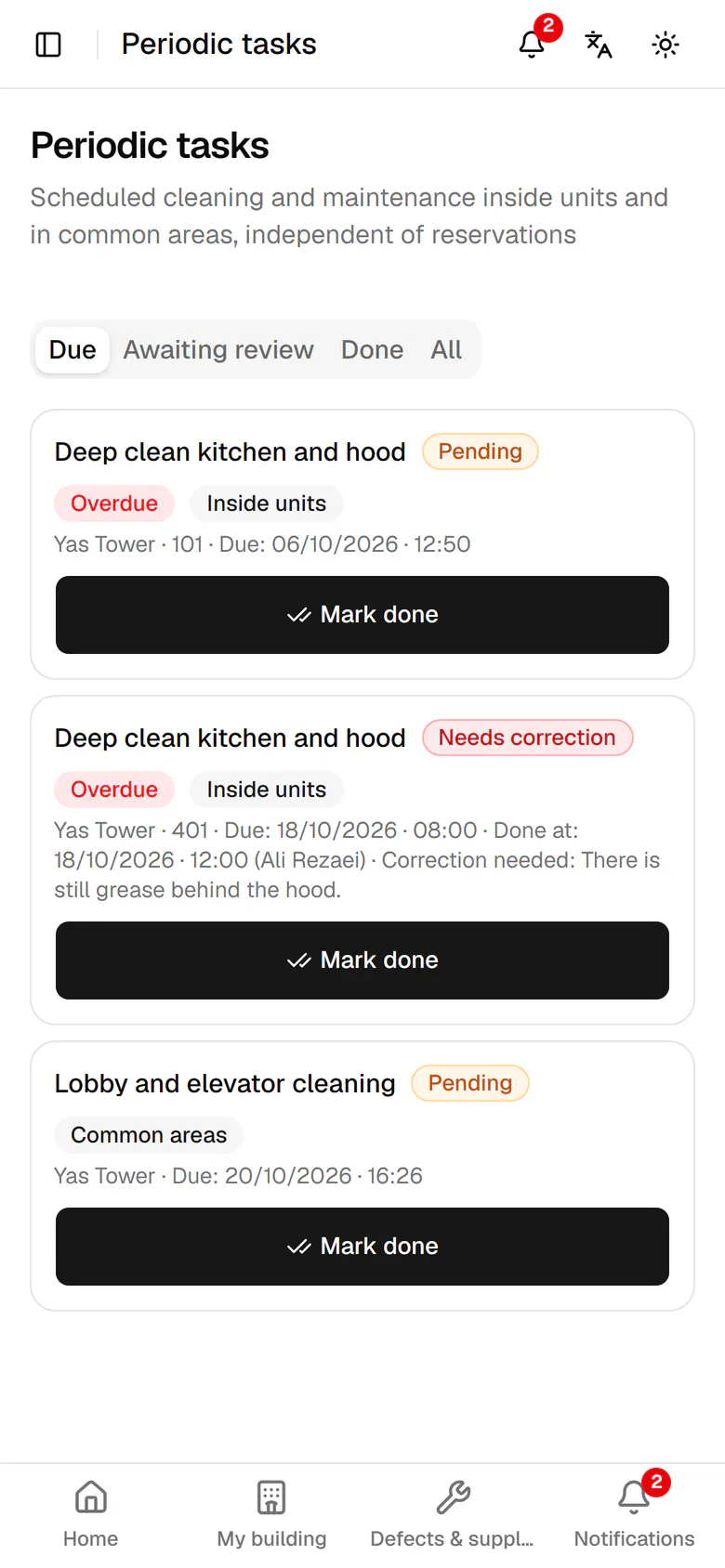
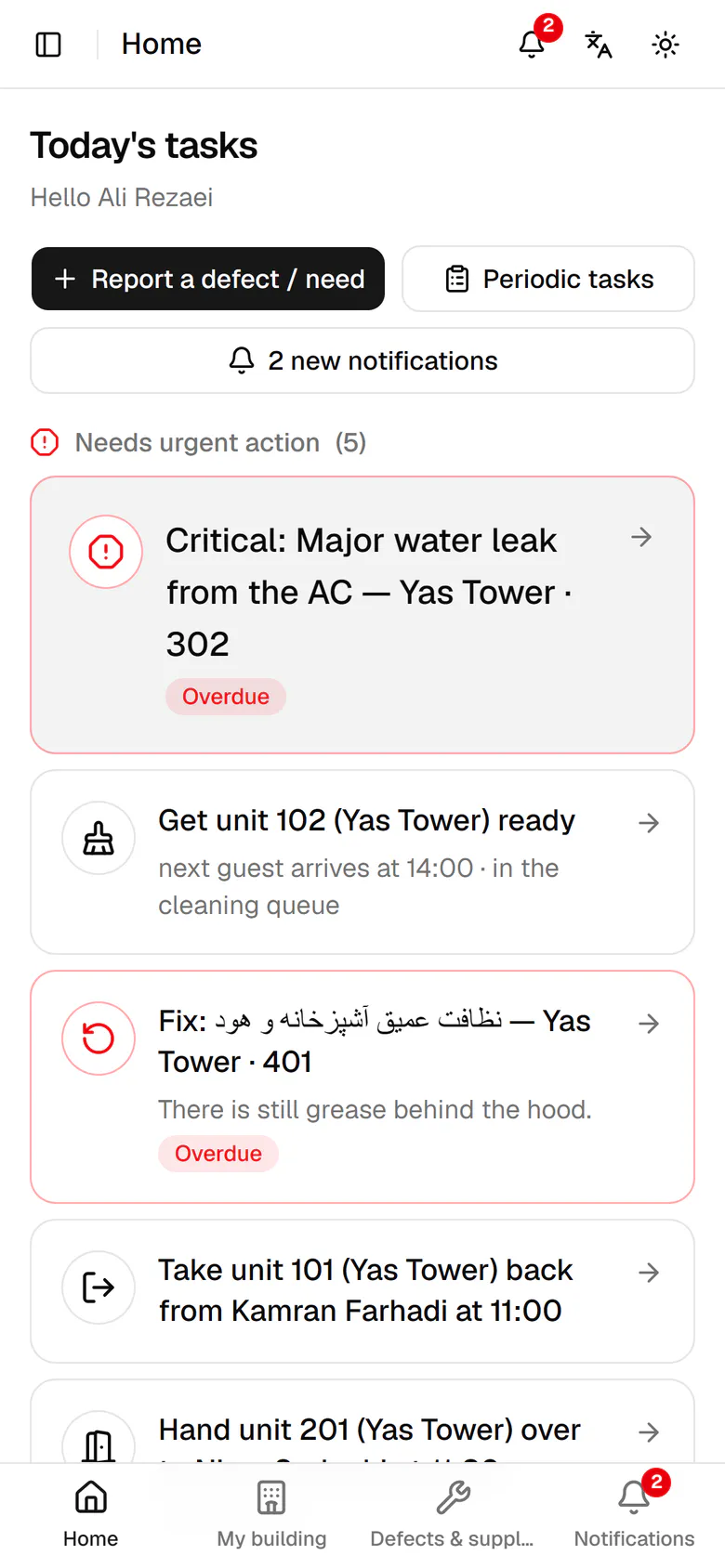
    On Home, tap Periodic tasks to see what is due.

    On Home, tap Periodic tasks to see what is due.
  2. 2

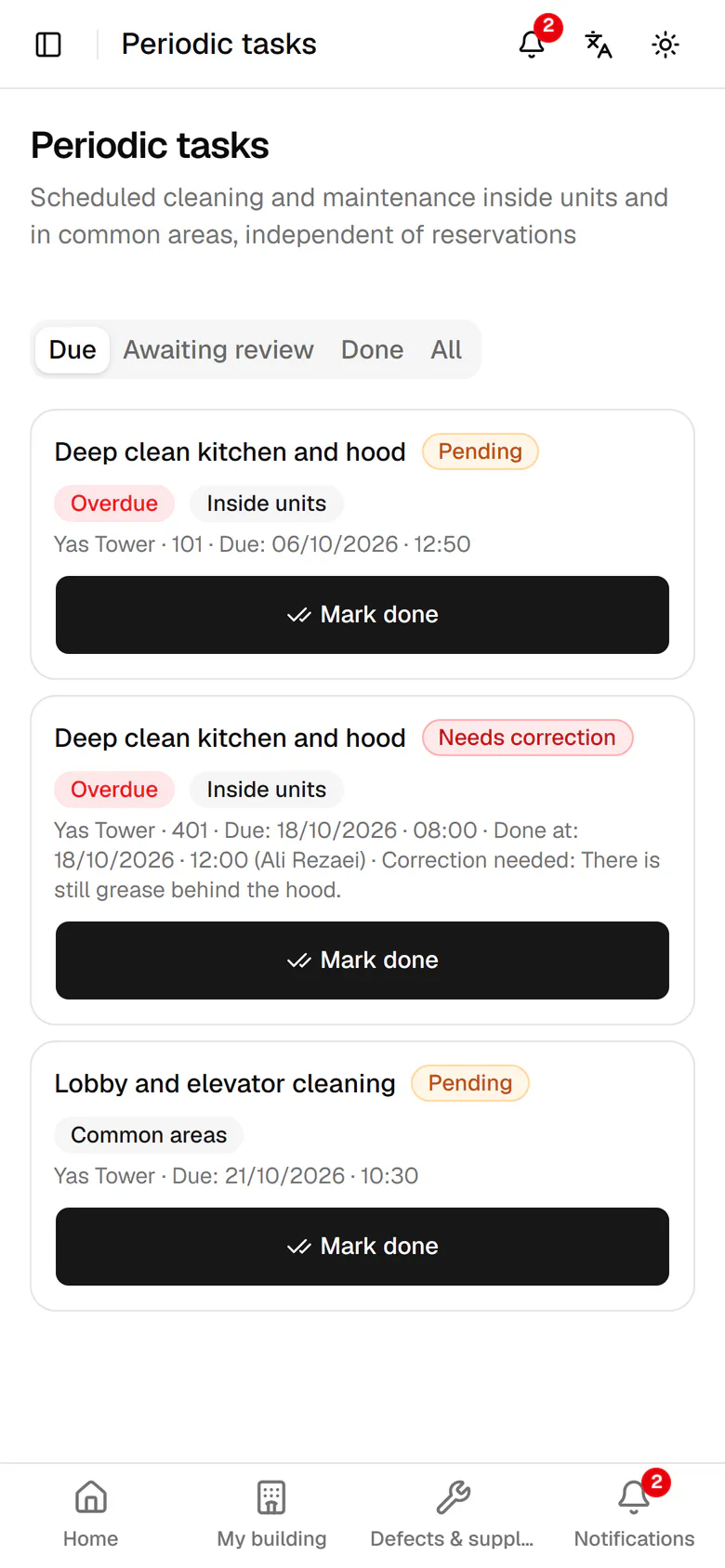
    The lobby and elevator are clean. Tap Mark done.

    The lobby and elevator are clean. Tap Mark done.
  3. 3

    The next lobby round is set for tomorrow. Now open the returned task for unit 401.

    The next lobby round is set for tomorrow. Now open the returned task for unit 401.
  4. 4

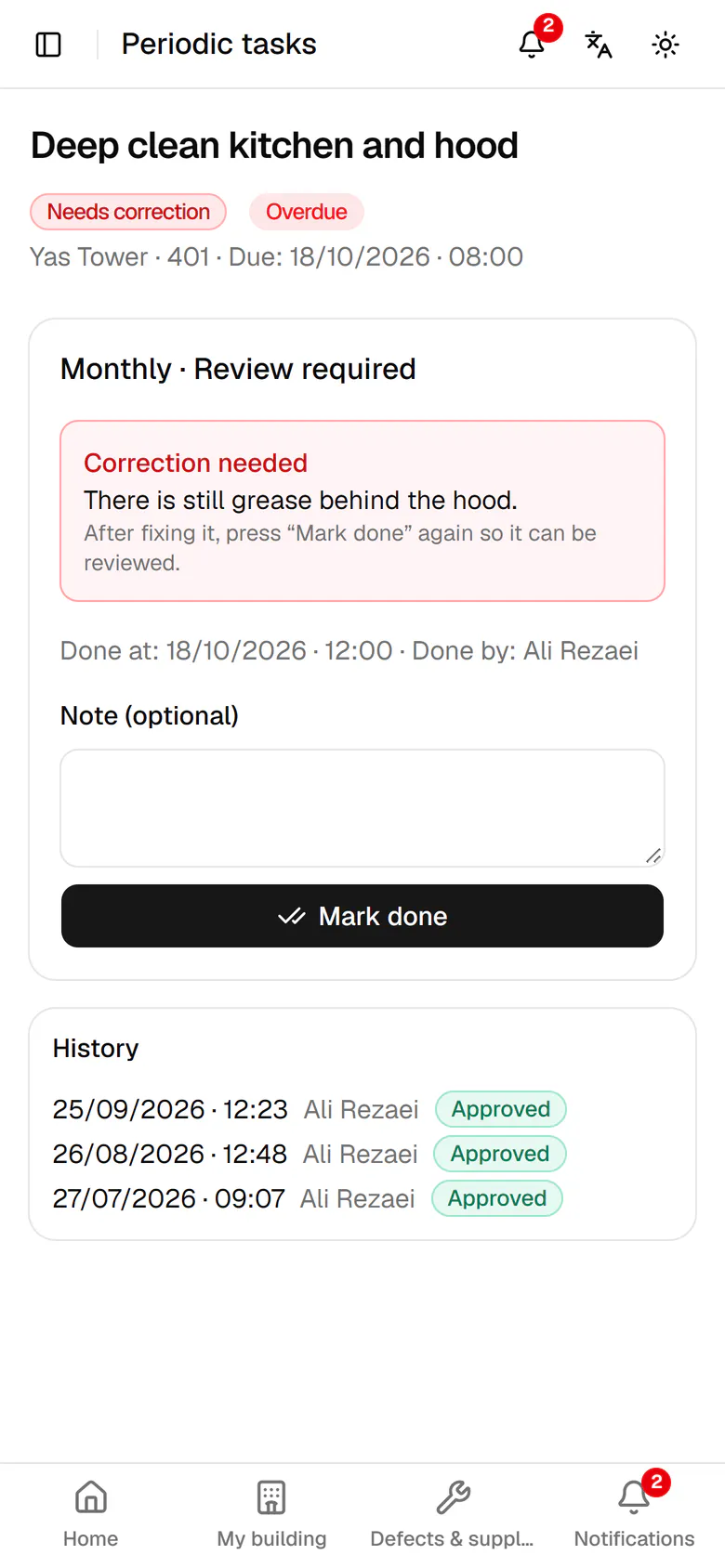
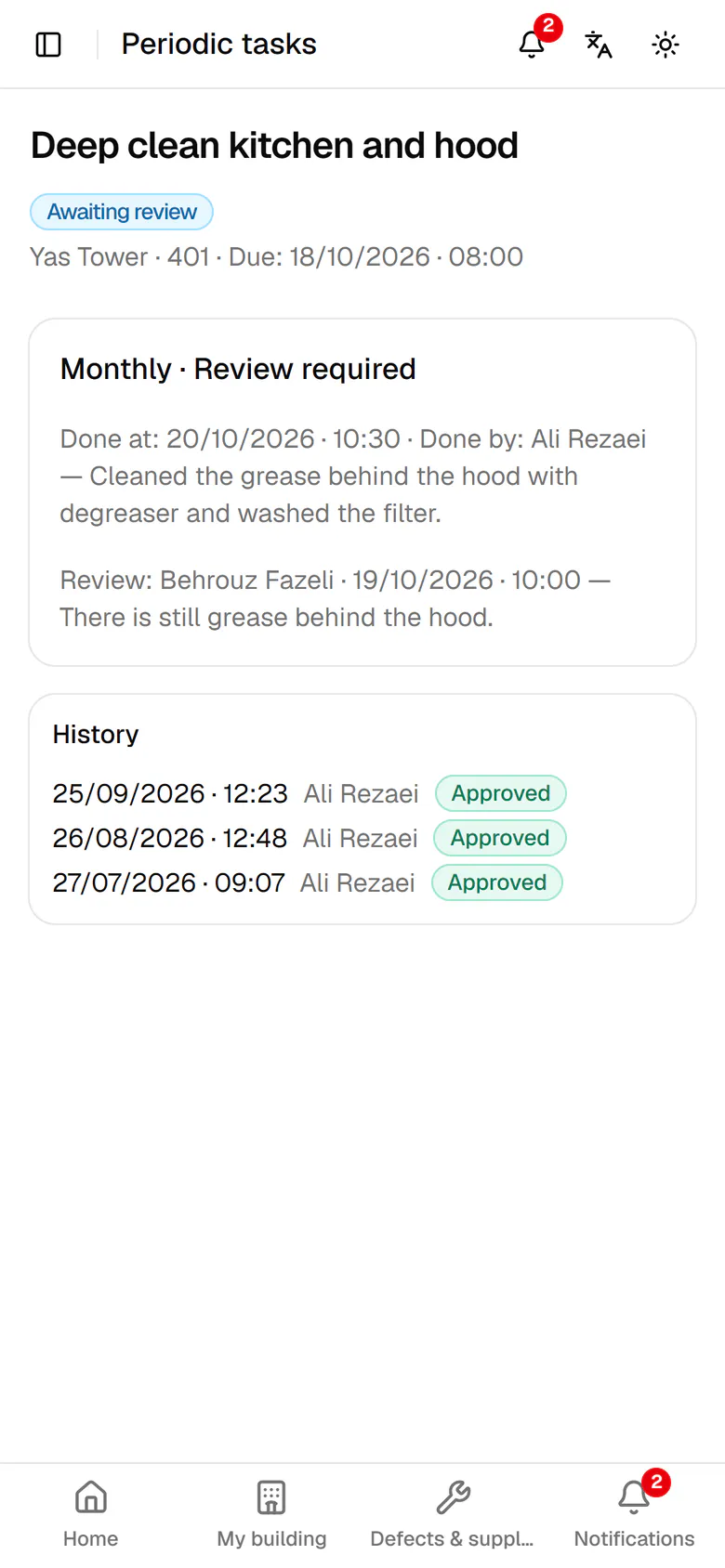
    The reason it came back is shown above. Write what you fixed.

    The reason it came back is shown above. Write what you fixed.
  5. 5

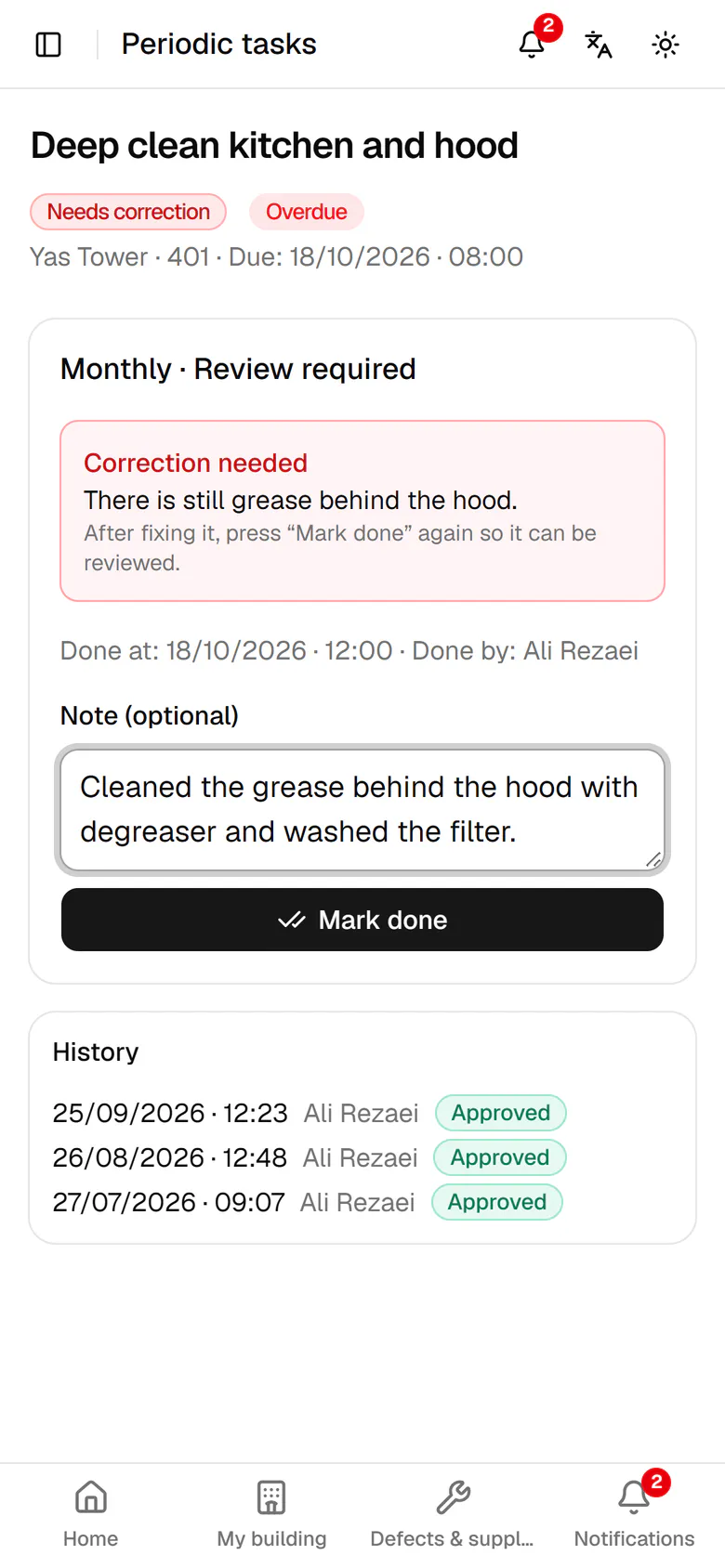
    Tap Mark done again to send it for review.

    Tap Mark done again to send it for review.
  6. 6

    The task now awaits review, with your note saved next to it.

    The task now awaits review, with your note saved next to it.