Skip to content
Mizban

Waiting for a part

When a repair needs a part, the repairer writes why, and everyone sees what the case is waiting for.

MaintenanceOn a phone5 steps
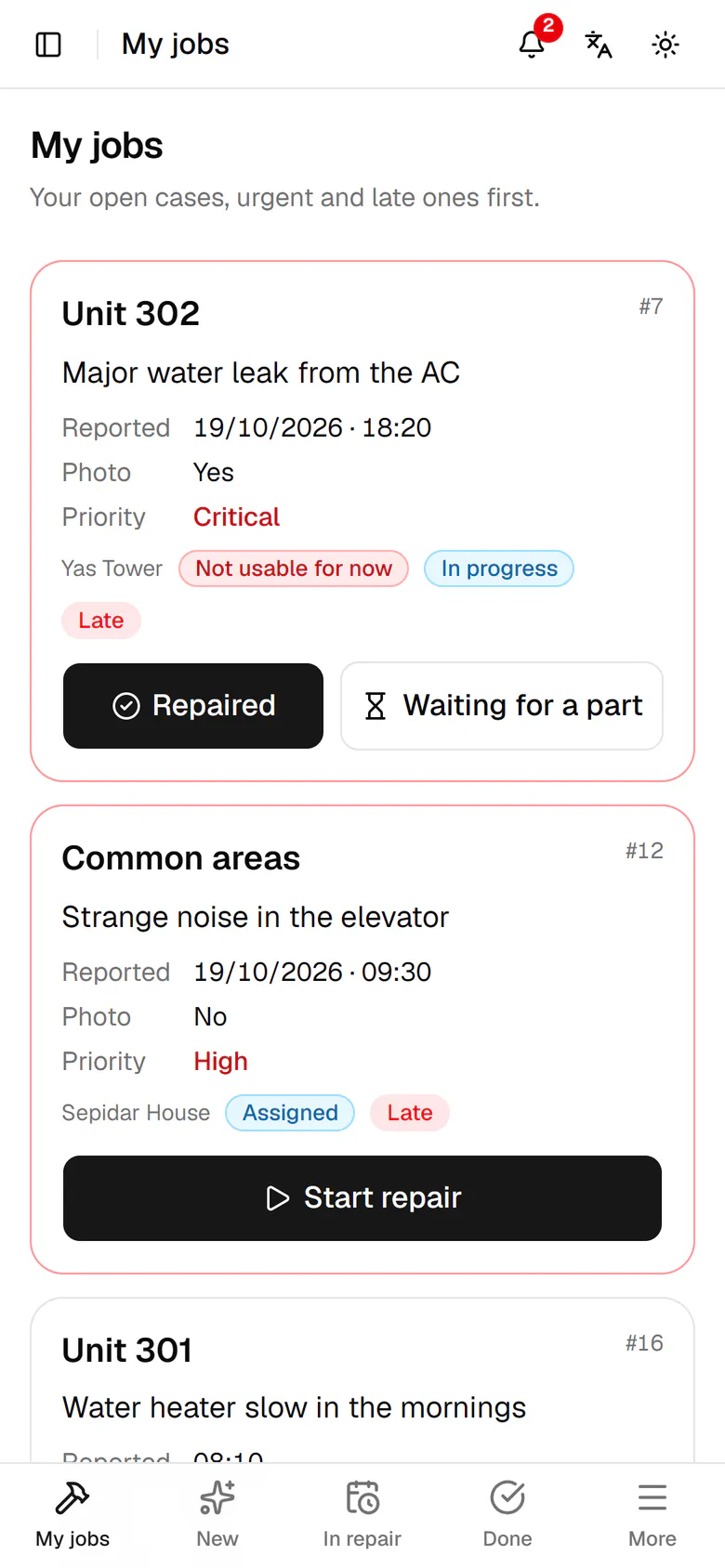
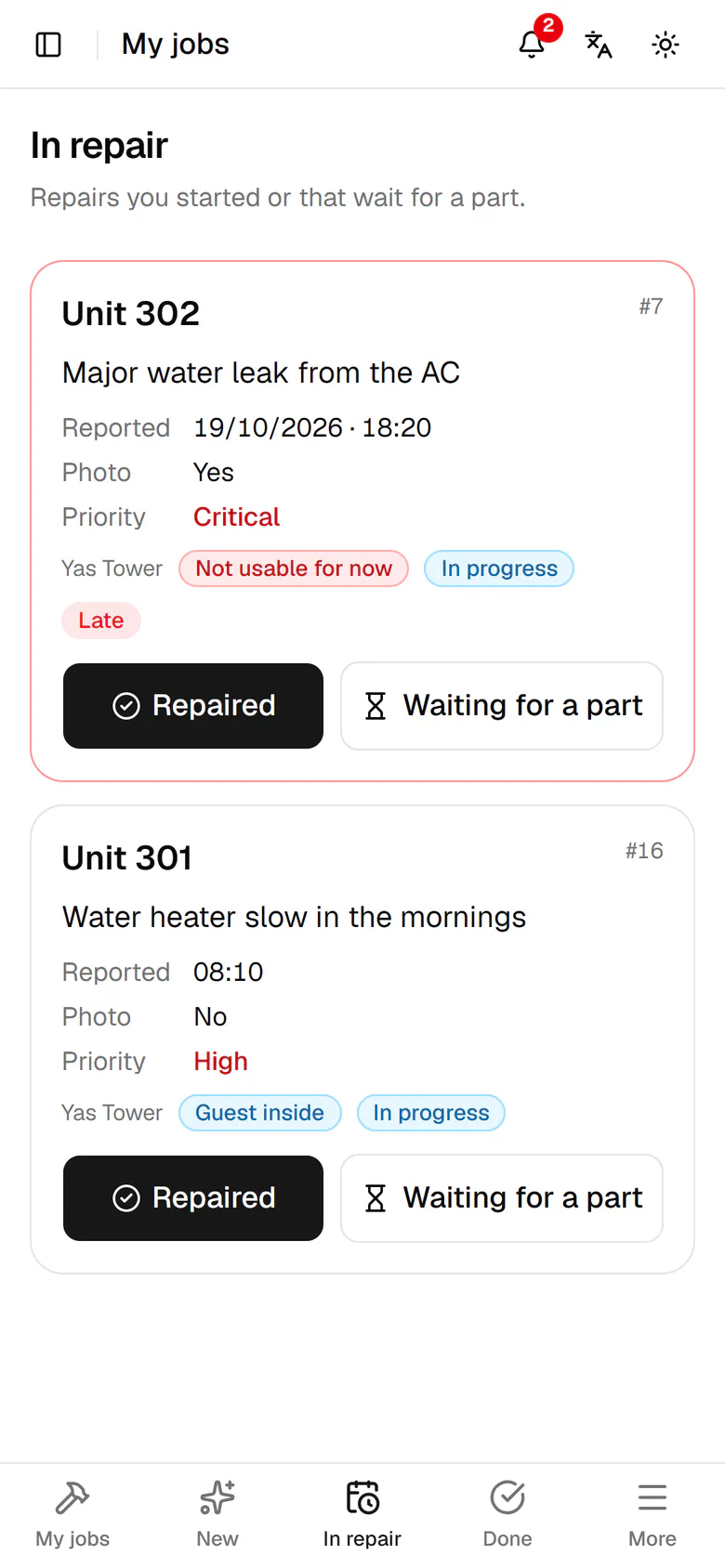
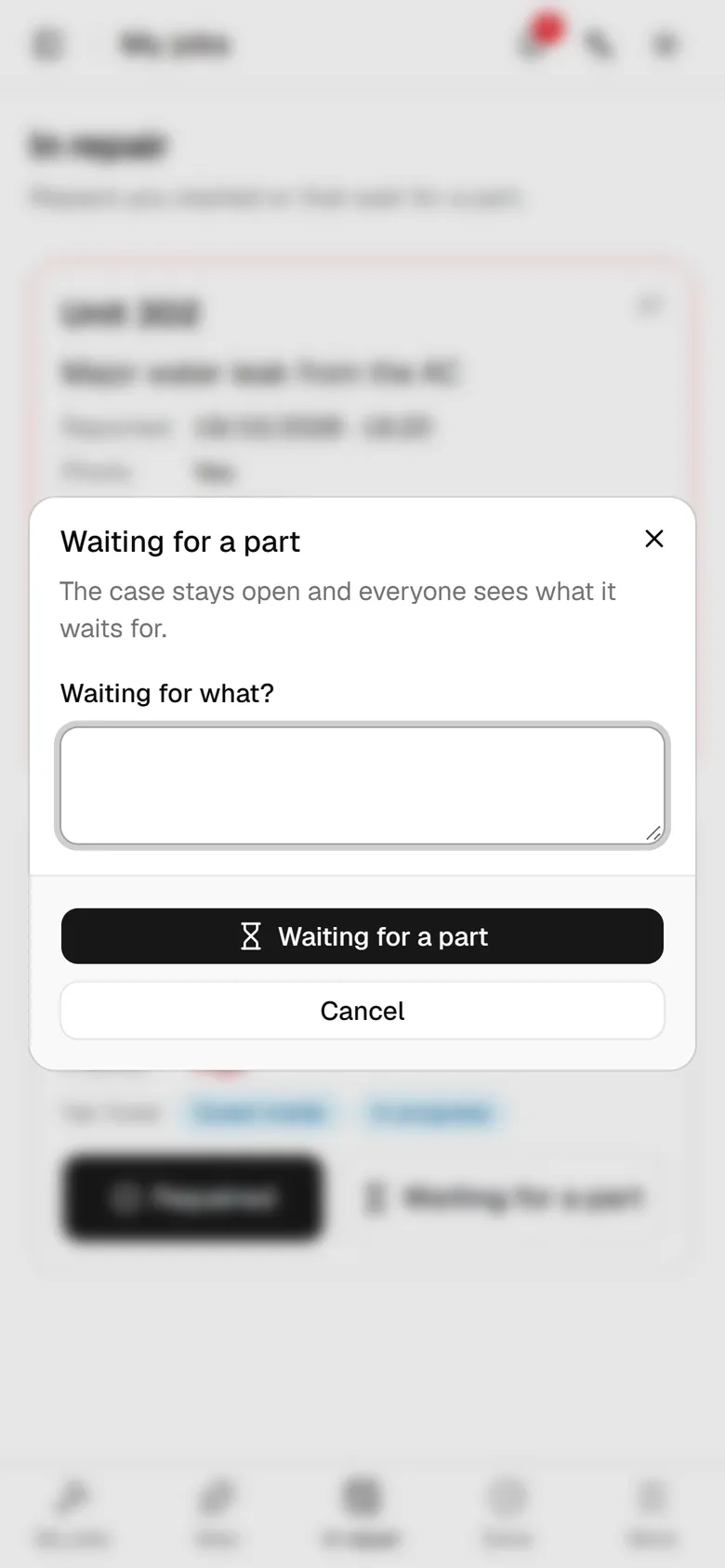
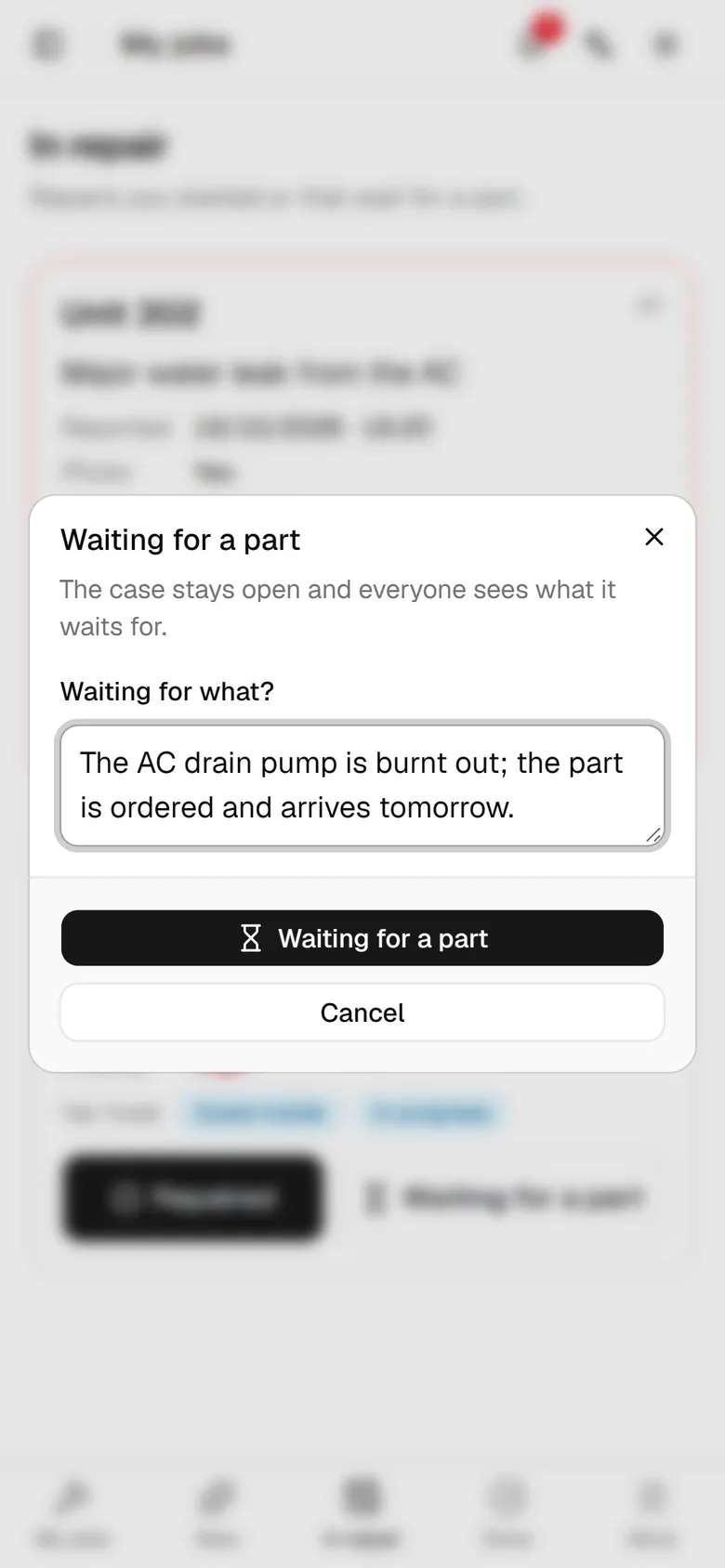
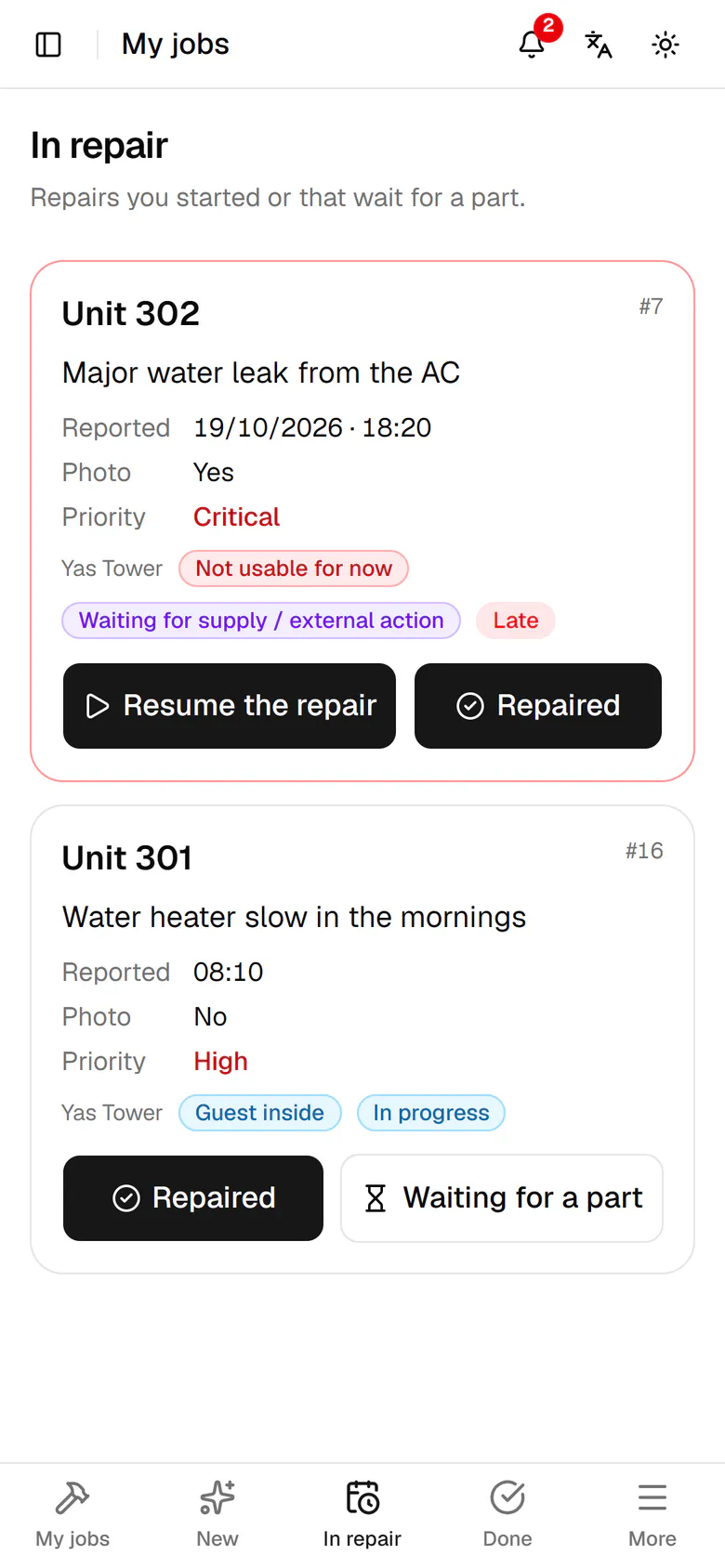
Tap In repair in the bottom bar.The AC pump in unit 302 must be replaced. Tap Waiting for a part.Write what you are waiting for and when it arrives.Tap Waiting for a part so the case stays open with its reason.The card now waits for supply; when the part arrives, tap Resume the repair.

Tap In repair in the bottom bar.

Step by step

  1. 1

    Tap In repair in the bottom bar.

    Tap In repair in the bottom bar.
  2. 2

    The AC pump in unit 302 must be replaced. Tap Waiting for a part.

    The AC pump in unit 302 must be replaced. Tap Waiting for a part.
  3. 3

    Write what you are waiting for and when it arrives.

    Write what you are waiting for and when it arrives.
  4. 4

    Tap Waiting for a part so the case stays open with its reason.

    Tap Waiting for a part so the case stays open with its reason.
  5. 5

    The card now waits for supply; when the part arrives, tap Resume the repair.

    The card now waits for supply; when the part arrives, tap Resume the repair.