Skip to content
Mizban

The supervisor's operations report

The supervisor sees how fast cases, cleaning and periodic work move, without the money figures kept for management.

SupervisorOn a computer6 steps
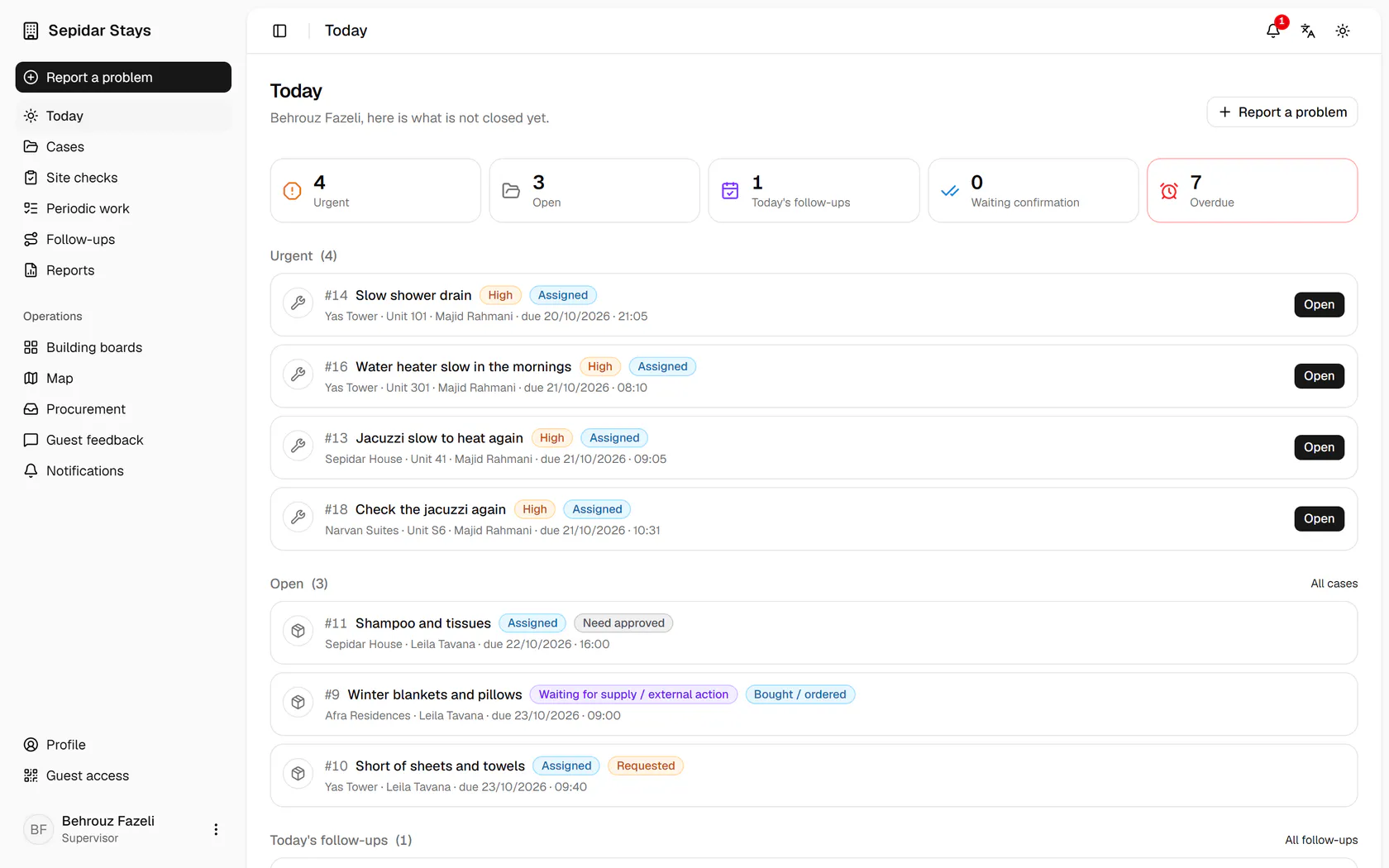
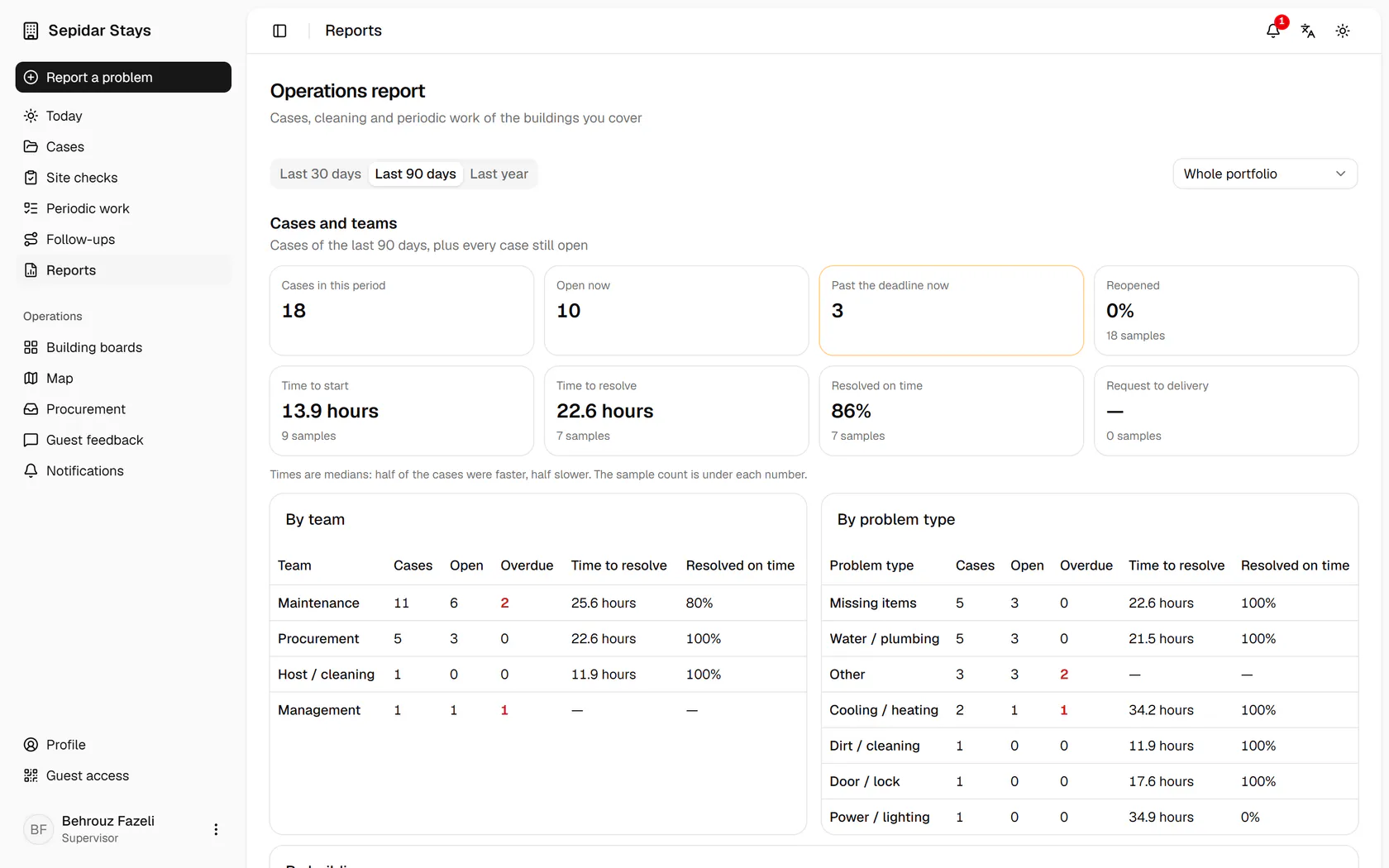
Open Reports from the side menu.Set the period to 30 days to see this month.Open and overdue cases, and the median time to start and to fix, are here.The team table shows which team is furthest behind.Cleaning: work time, the gap from check-out to ready, and today's queue.Periodic work: how many tasks were done on time and how many went back.

Open Reports from the side menu.

Step by step

  1. 1

    Open Reports from the side menu.

    Open Reports from the side menu.
  2. 2

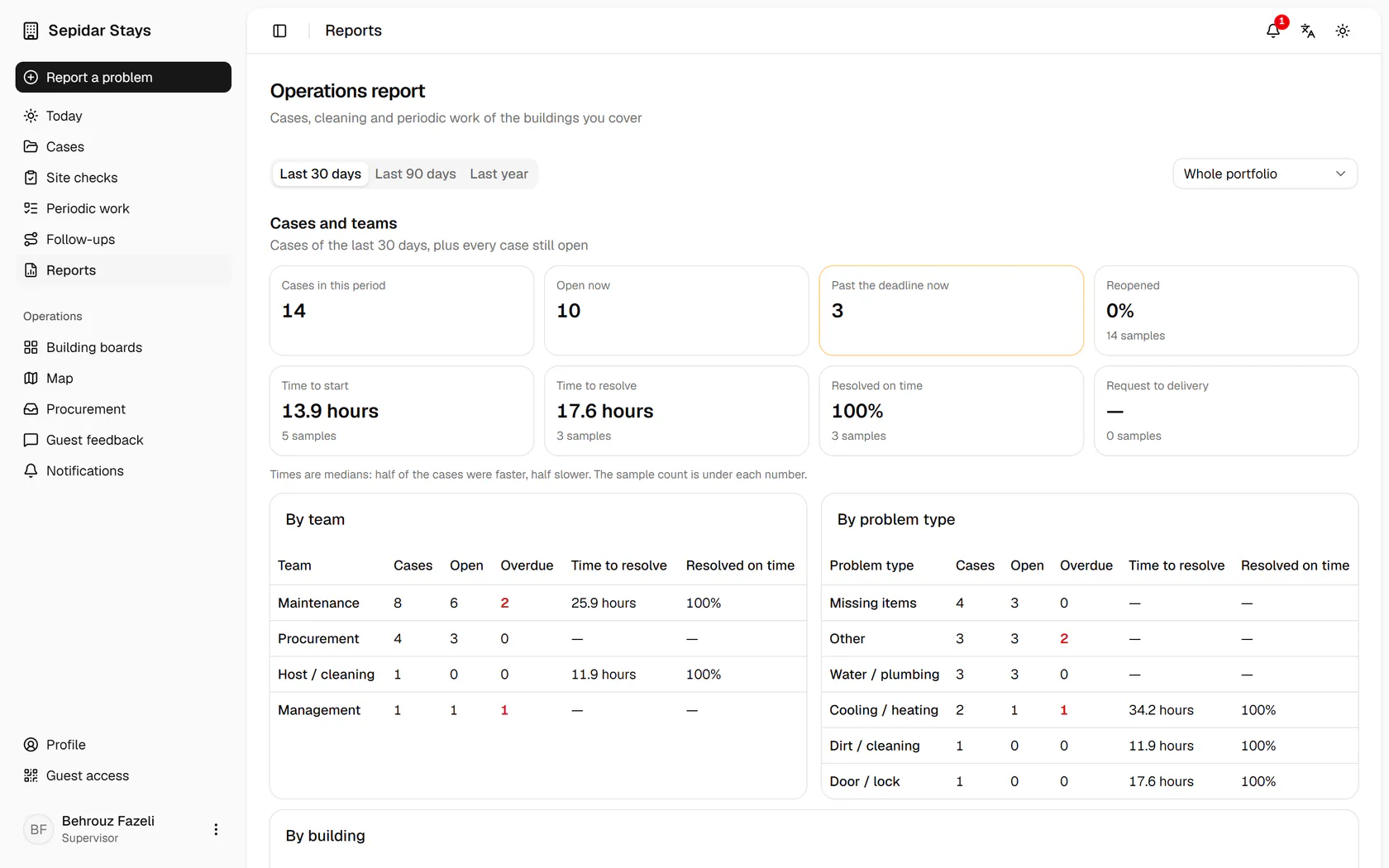
    Set the period to 30 days to see this month.

    Set the period to 30 days to see this month.
  3. 3

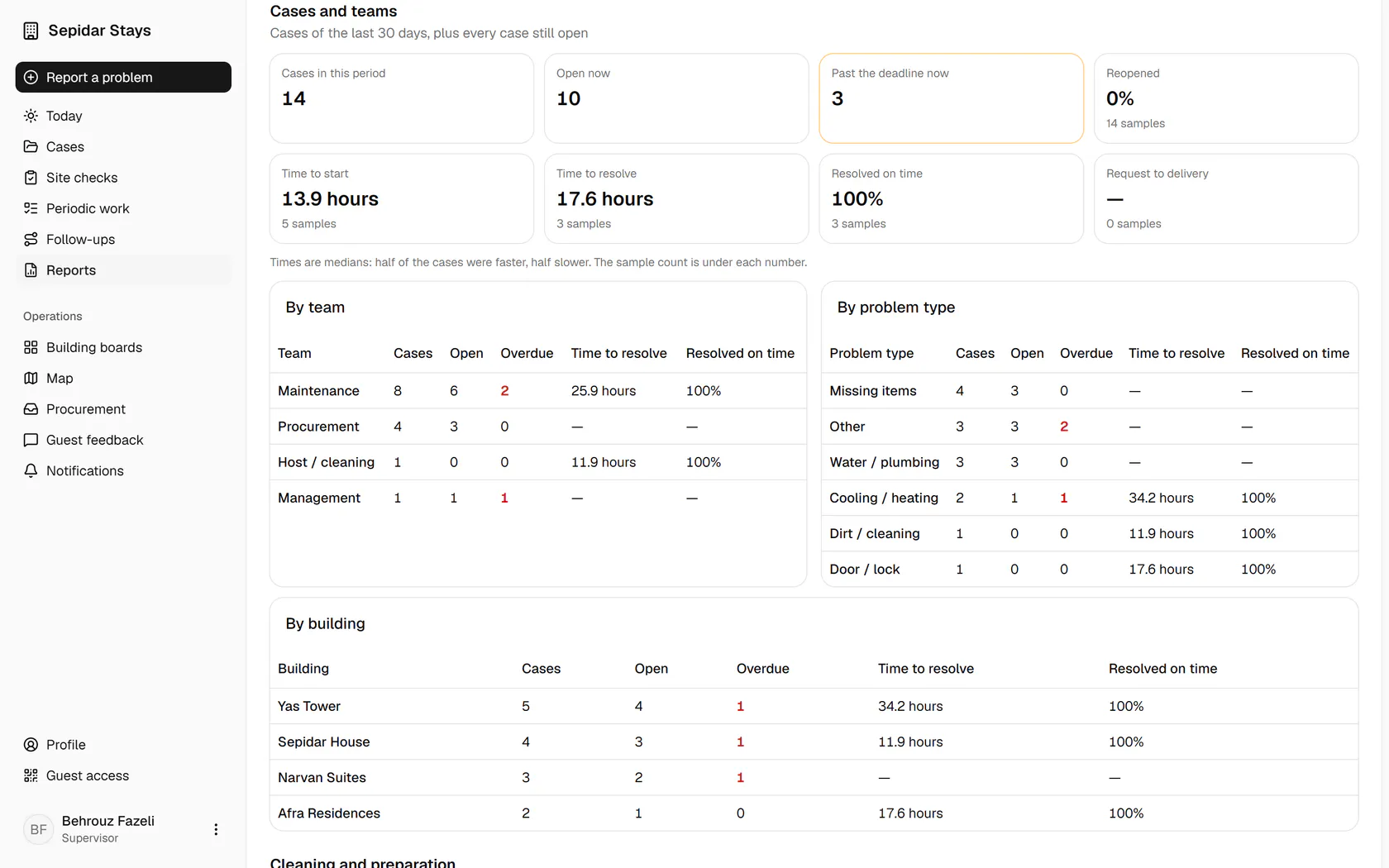
    Open and overdue cases, and the median time to start and to fix, are here.

    Open and overdue cases, and the median time to start and to fix, are here.
  4. 4

    The team table shows which team is furthest behind.

    The team table shows which team is furthest behind.
  5. 5

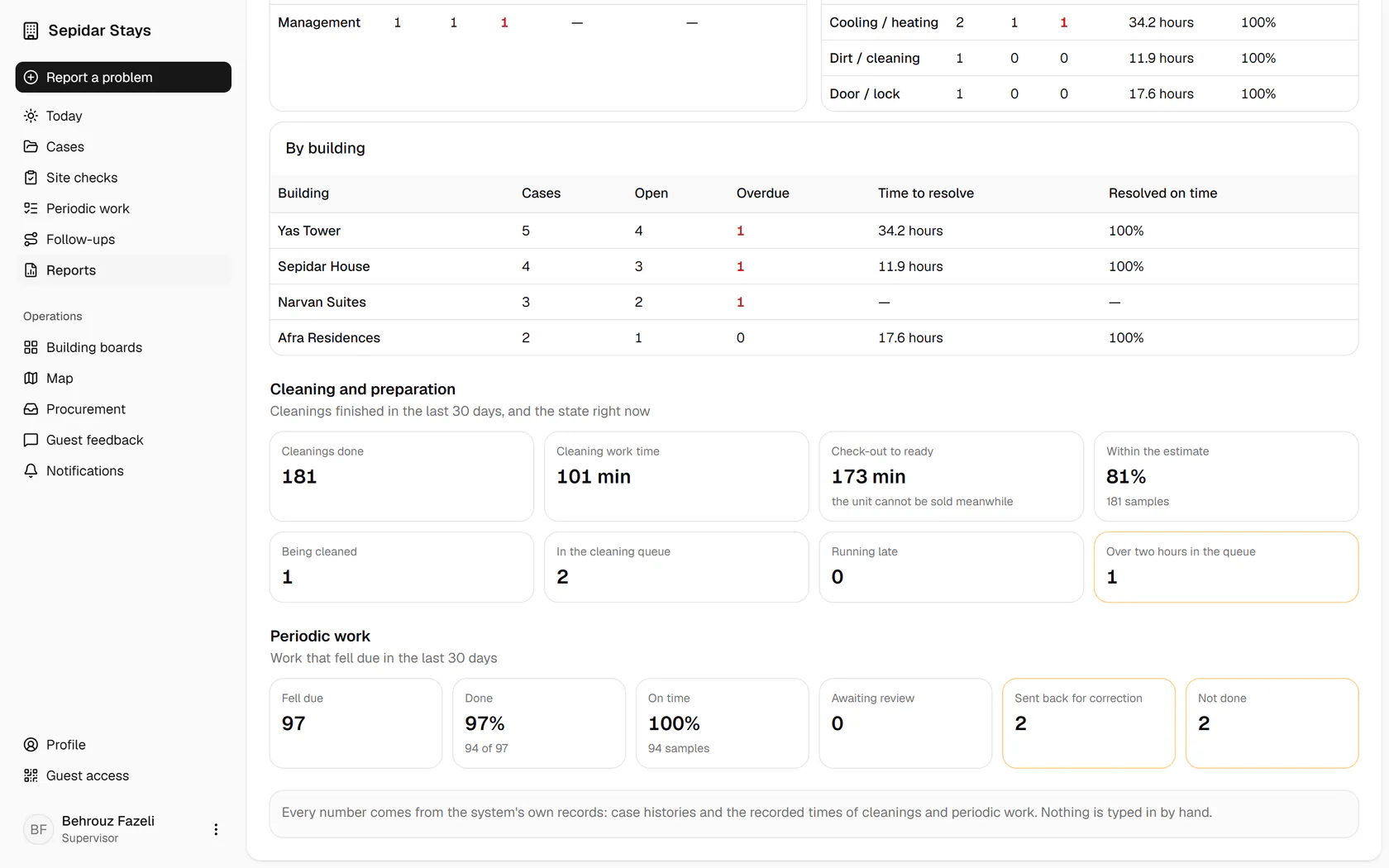
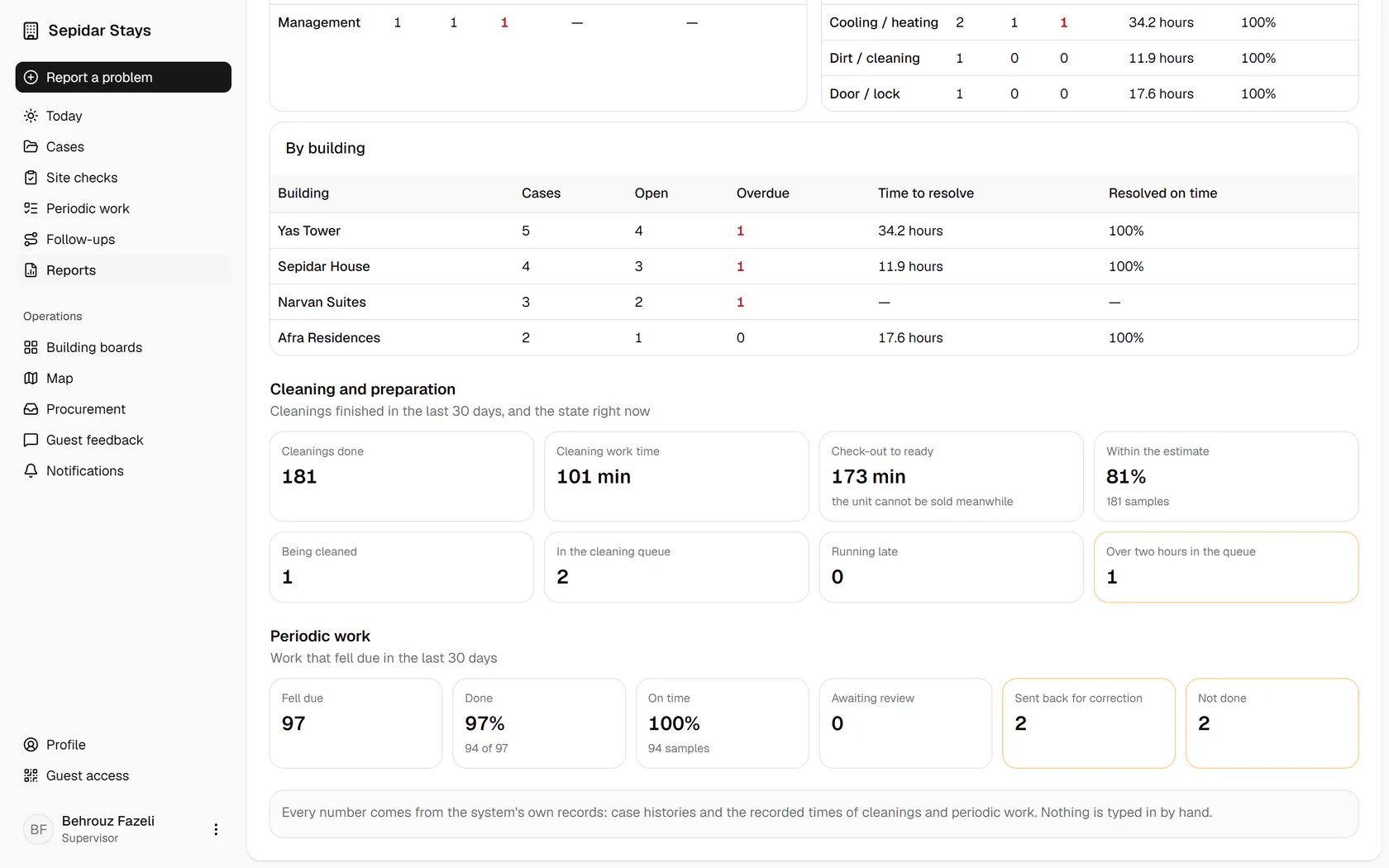
    Cleaning: work time, the gap from check-out to ready, and today's queue.

    Cleaning: work time, the gap from check-out to ready, and today's queue.
  6. 6

    Periodic work: how many tasks were done on time and how many went back.

    Periodic work: how many tasks were done on time and how many went back.