Skip to content
Mizban

Open follow-ups

Everything not closed yet is on one list, so fewer phone chases and fewer forgotten jobs.

SupervisorOn a computer5 steps
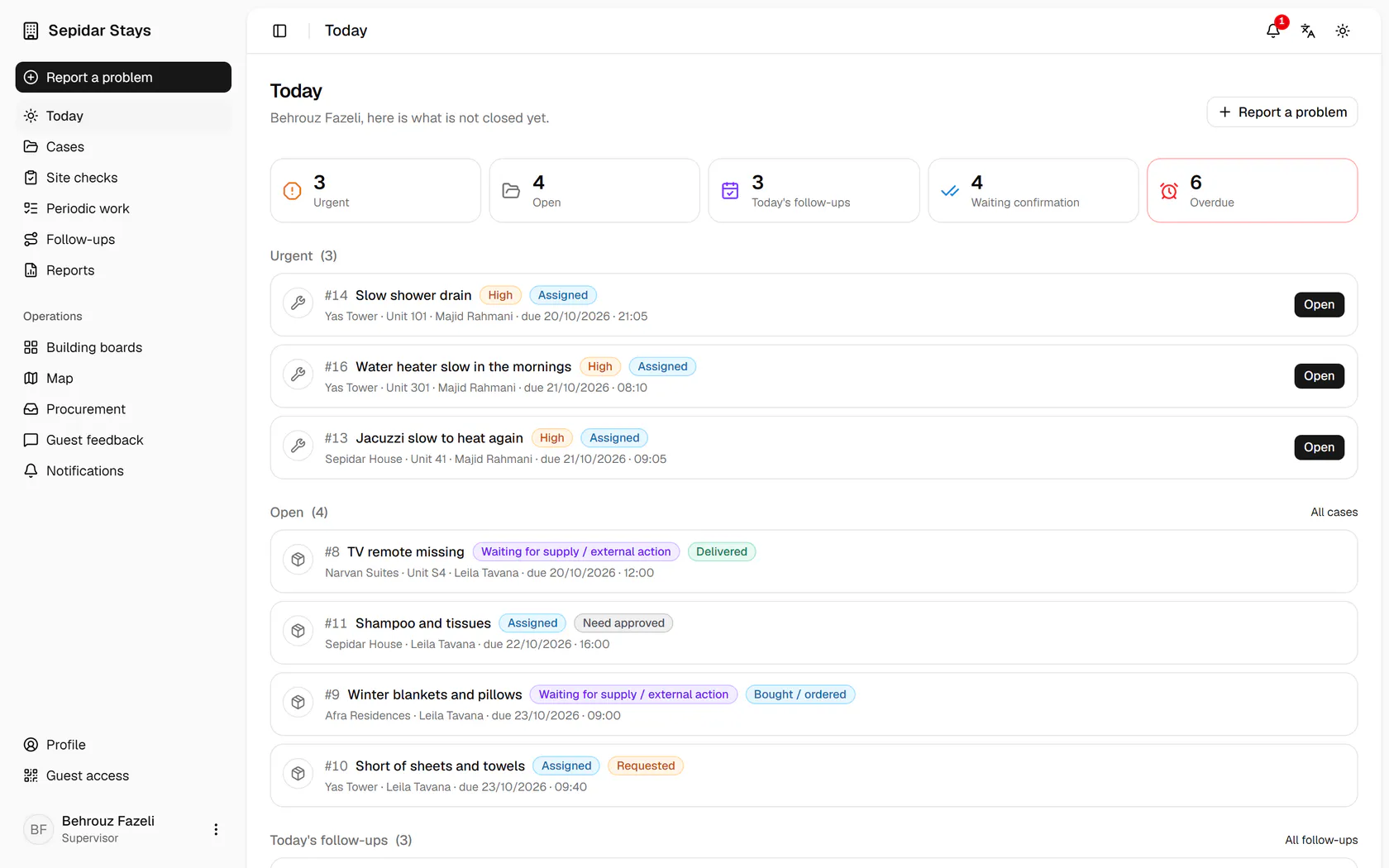
Open Follow-ups from the side menu to see everything still unfinished.First come repairs that are done and wait for your look.The TV remote reached unit S4; confirm the delivery to close the case.Site check findings not fixed yet show with the date to look again.Periodic work sent back is here too, so you can watch it being redone.

Open Follow-ups from the side menu to see everything still unfinished.

Step by step

  1. 1

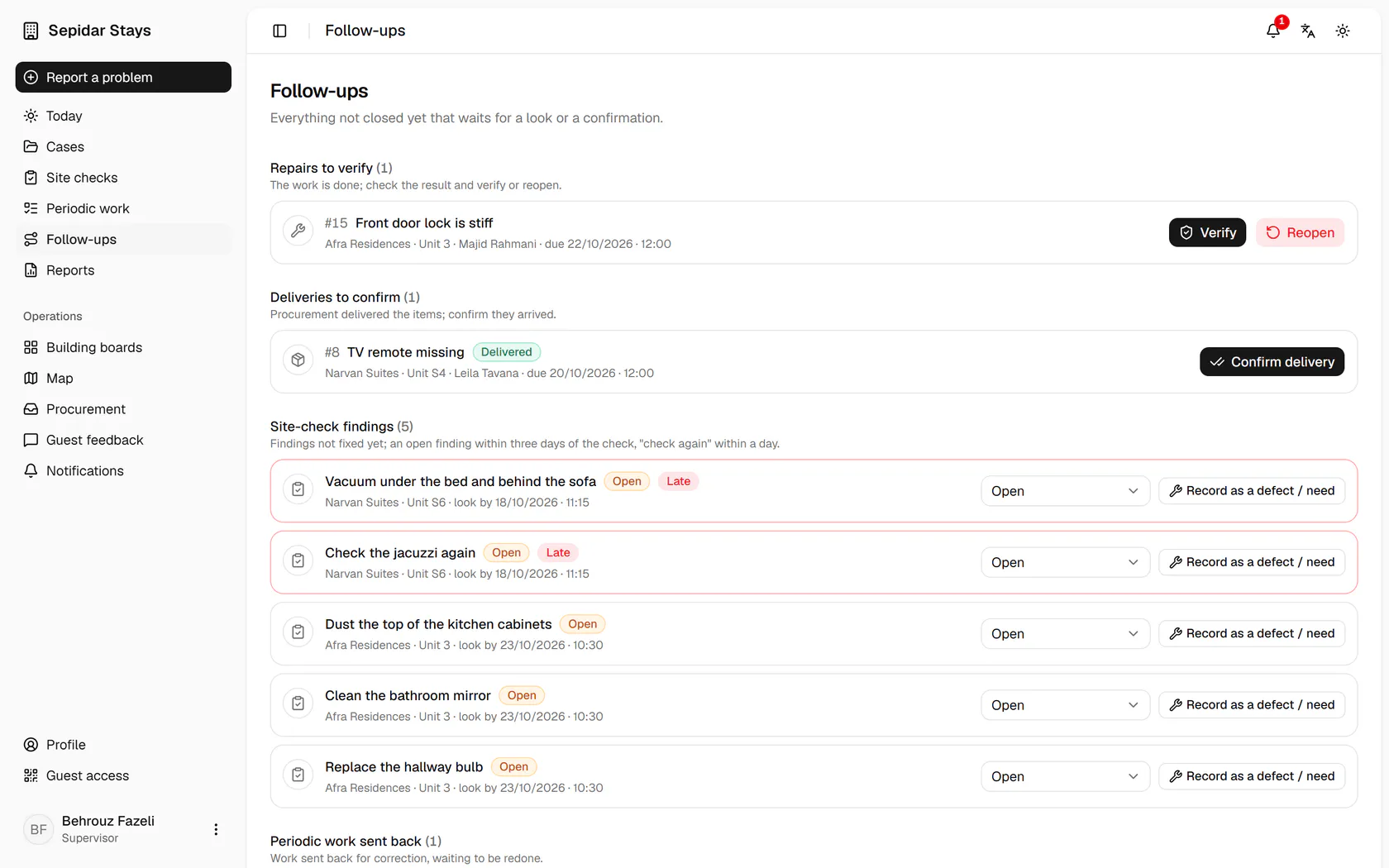
    Open Follow-ups from the side menu to see everything still unfinished.

    Open Follow-ups from the side menu to see everything still unfinished.
  2. 2

    First come repairs that are done and wait for your look.

    First come repairs that are done and wait for your look.
  3. 3

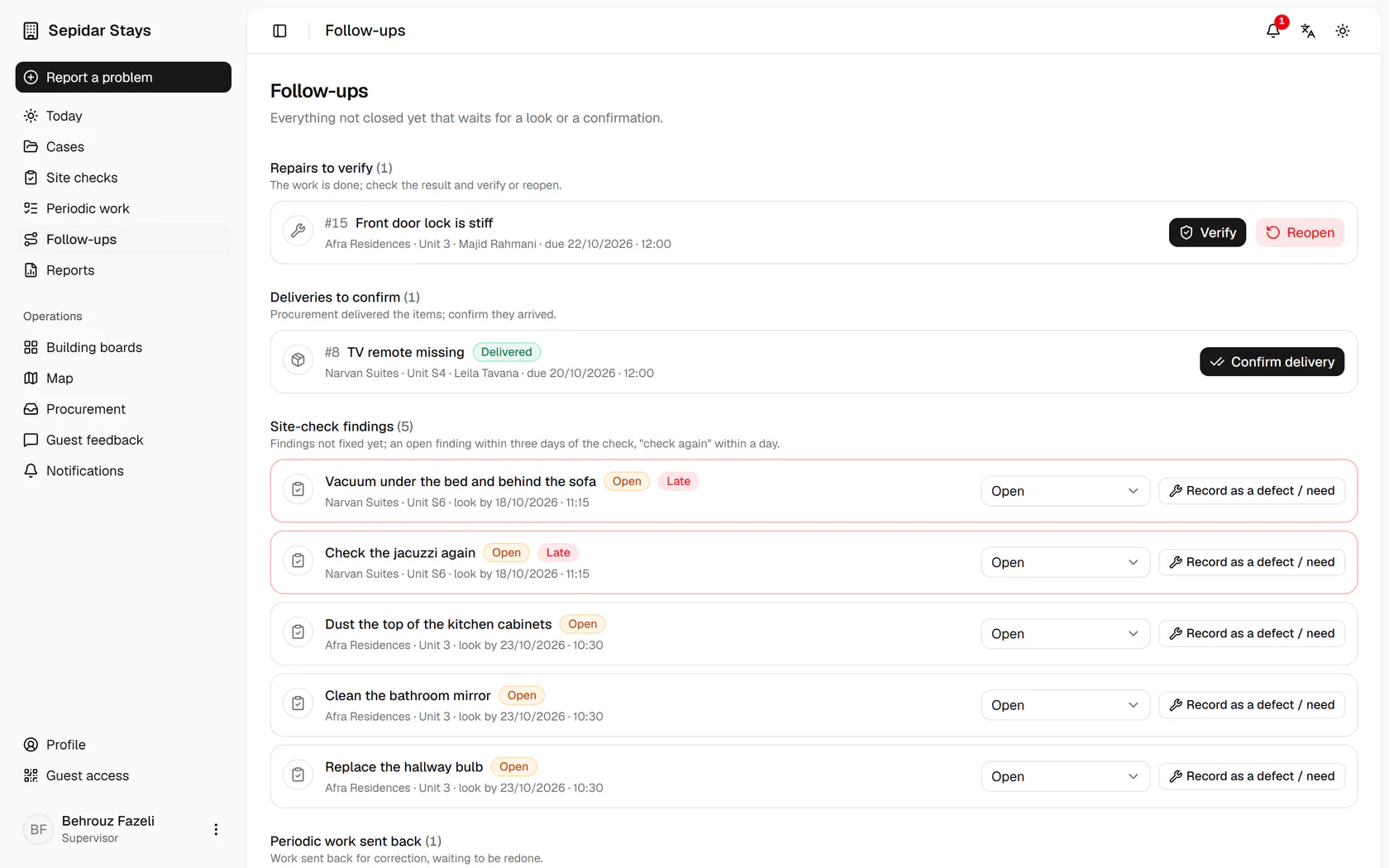
    The TV remote reached unit S4; confirm the delivery to close the case.

    The TV remote reached unit S4; confirm the delivery to close the case.
  4. 4

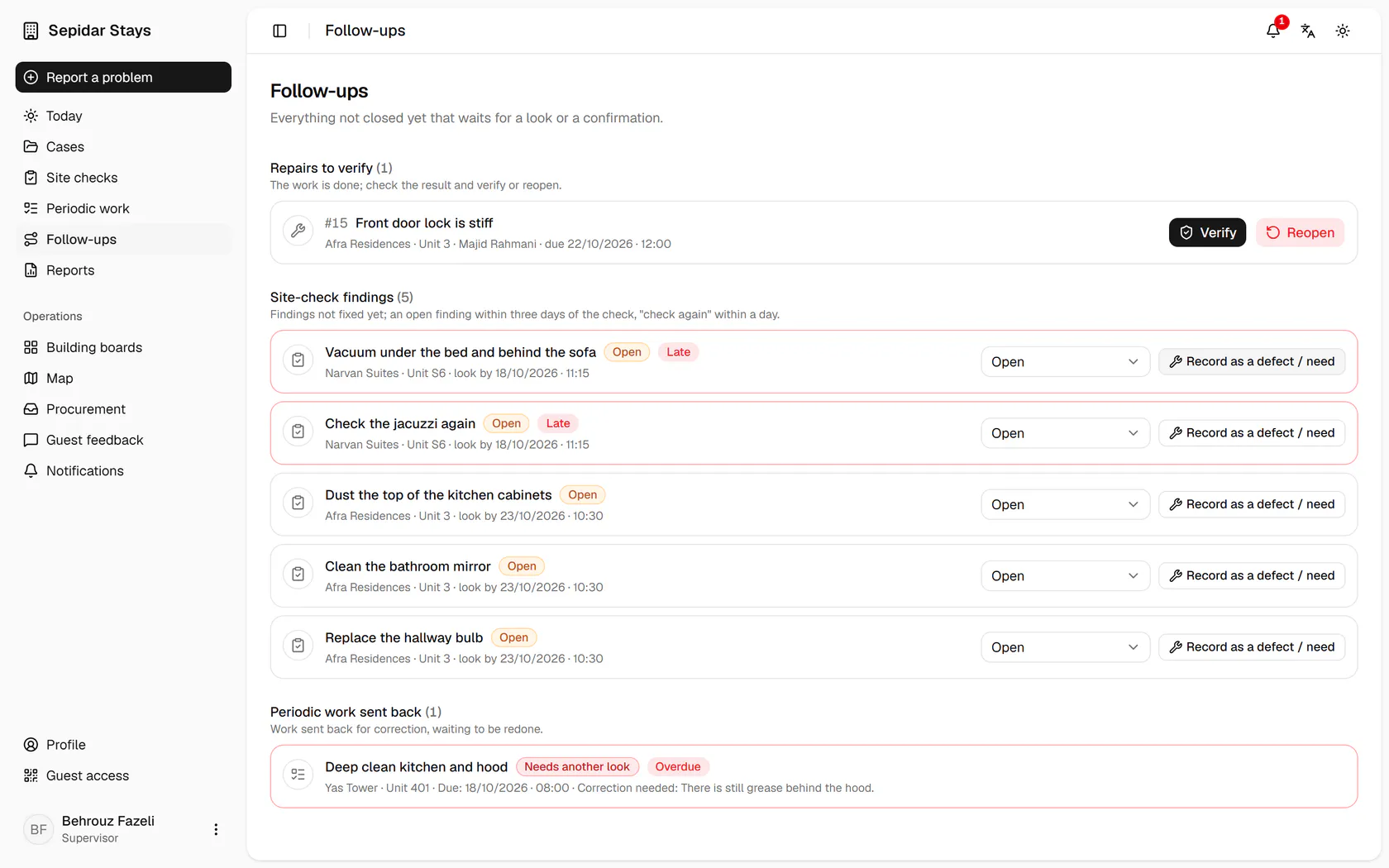
    Site check findings not fixed yet show with the date to look again.

    Site check findings not fixed yet show with the date to look again.
  5. 5

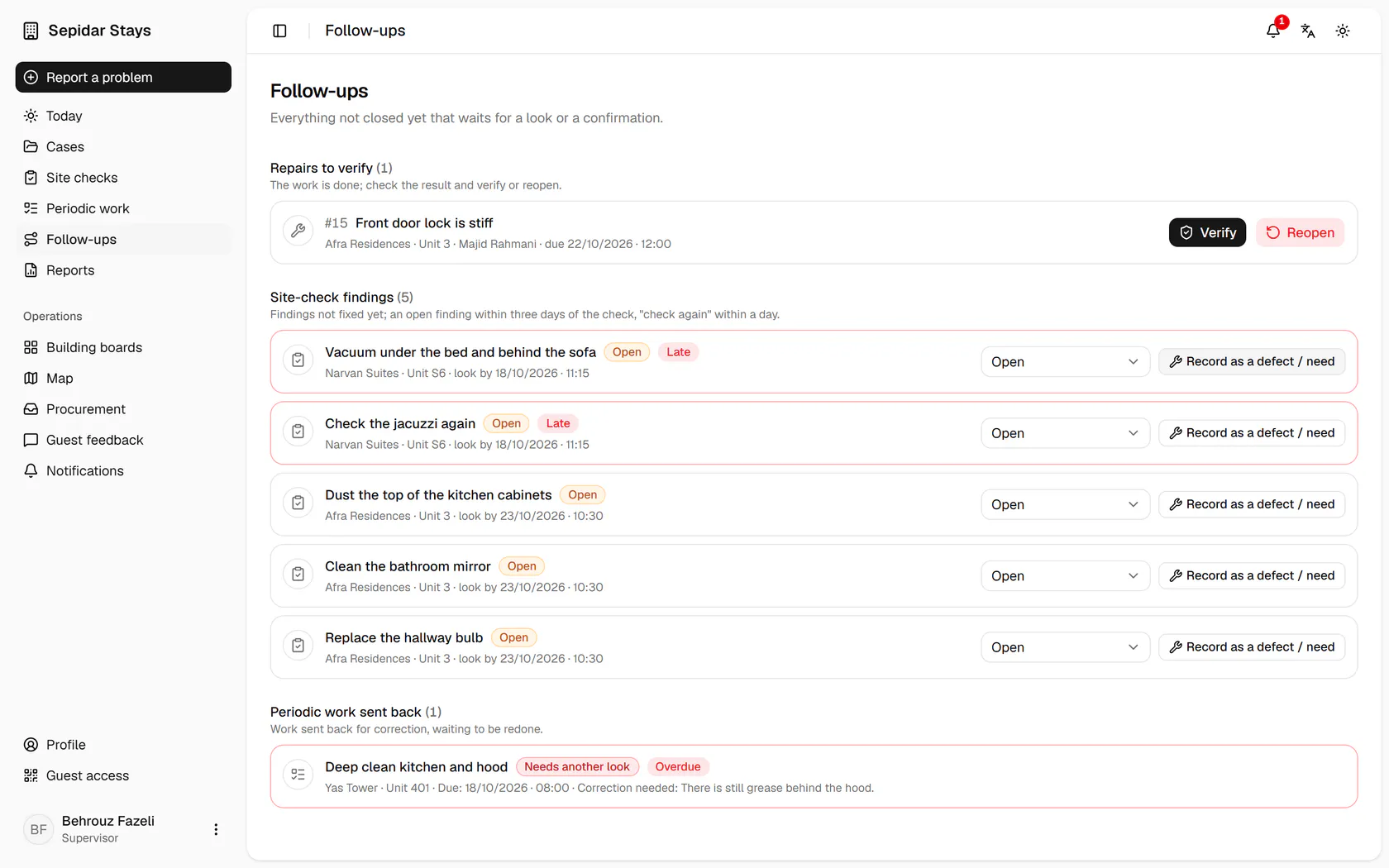
    Periodic work sent back is here too, so you can watch it being redone.

    Periodic work sent back is here too, so you can watch it being redone.