The operational map
Every building sits on the map with its real capacity, and one click leads to its board and unit calendars.
ManagementOn a computer5 steps
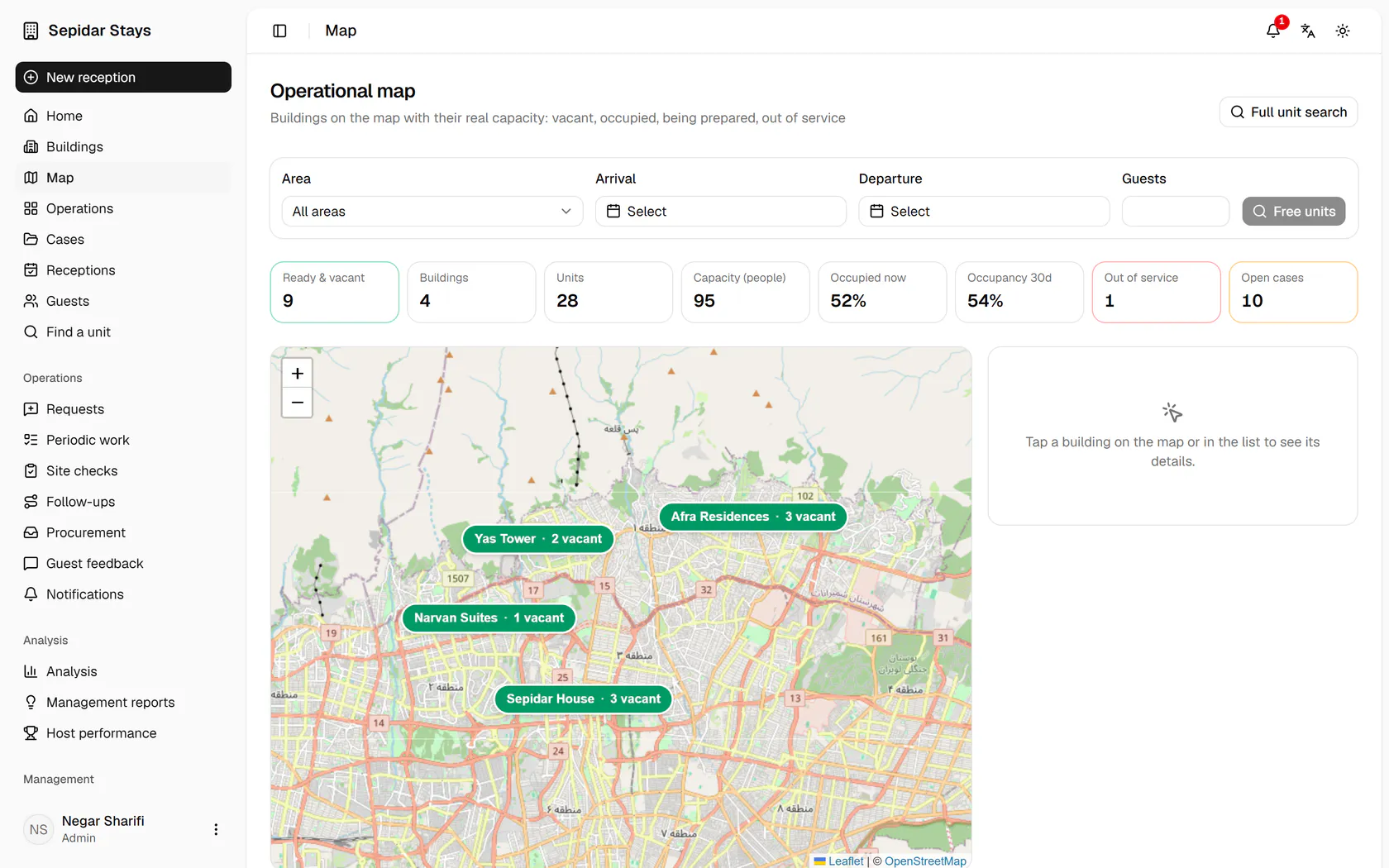
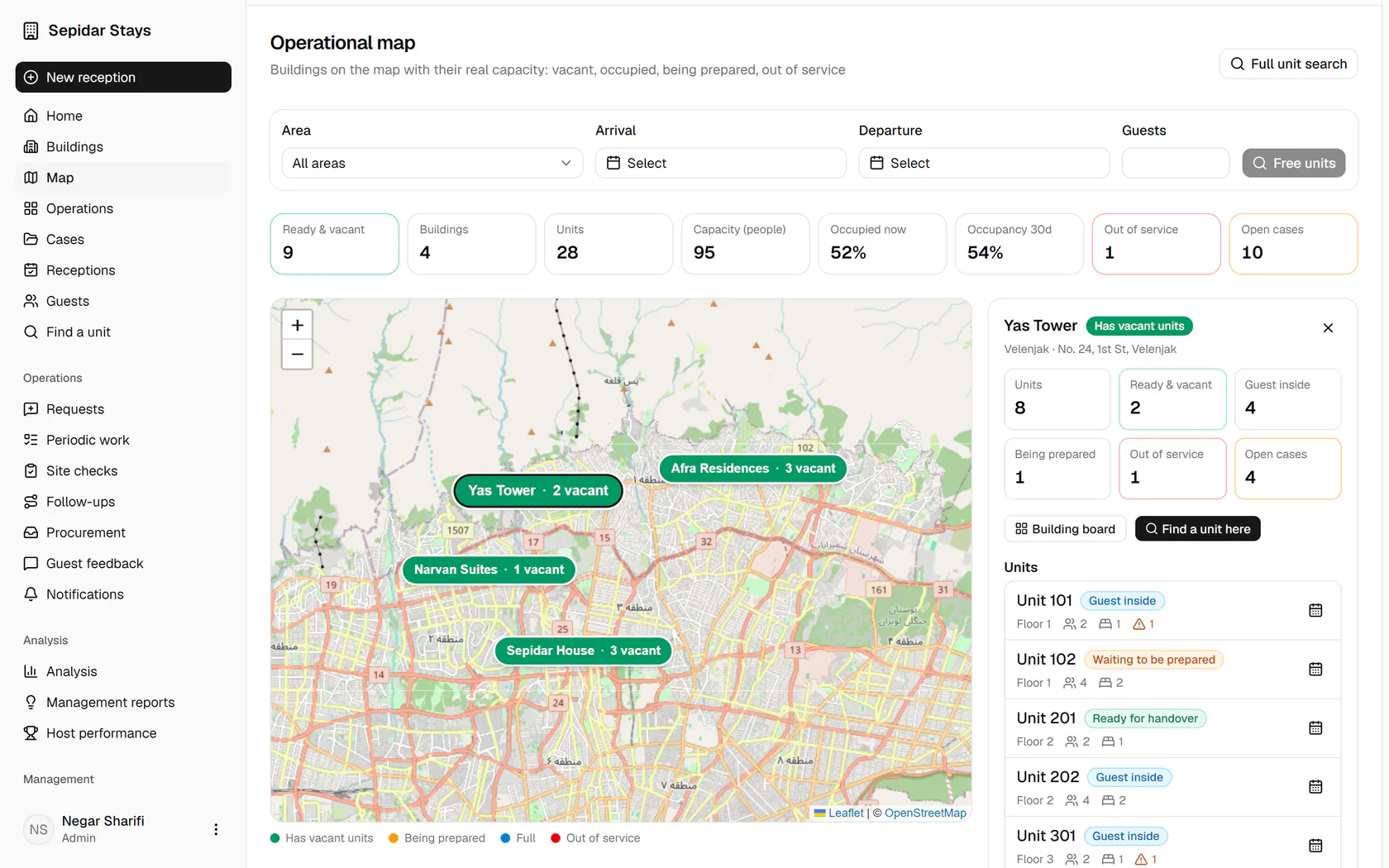
Each pill's colour shows the building's state and the number counts ready vacant units; click Yas Tower.
Step by step
- 1
Each pill's colour shows the building's state and the number counts ready vacant units; click Yas Tower.
- 2
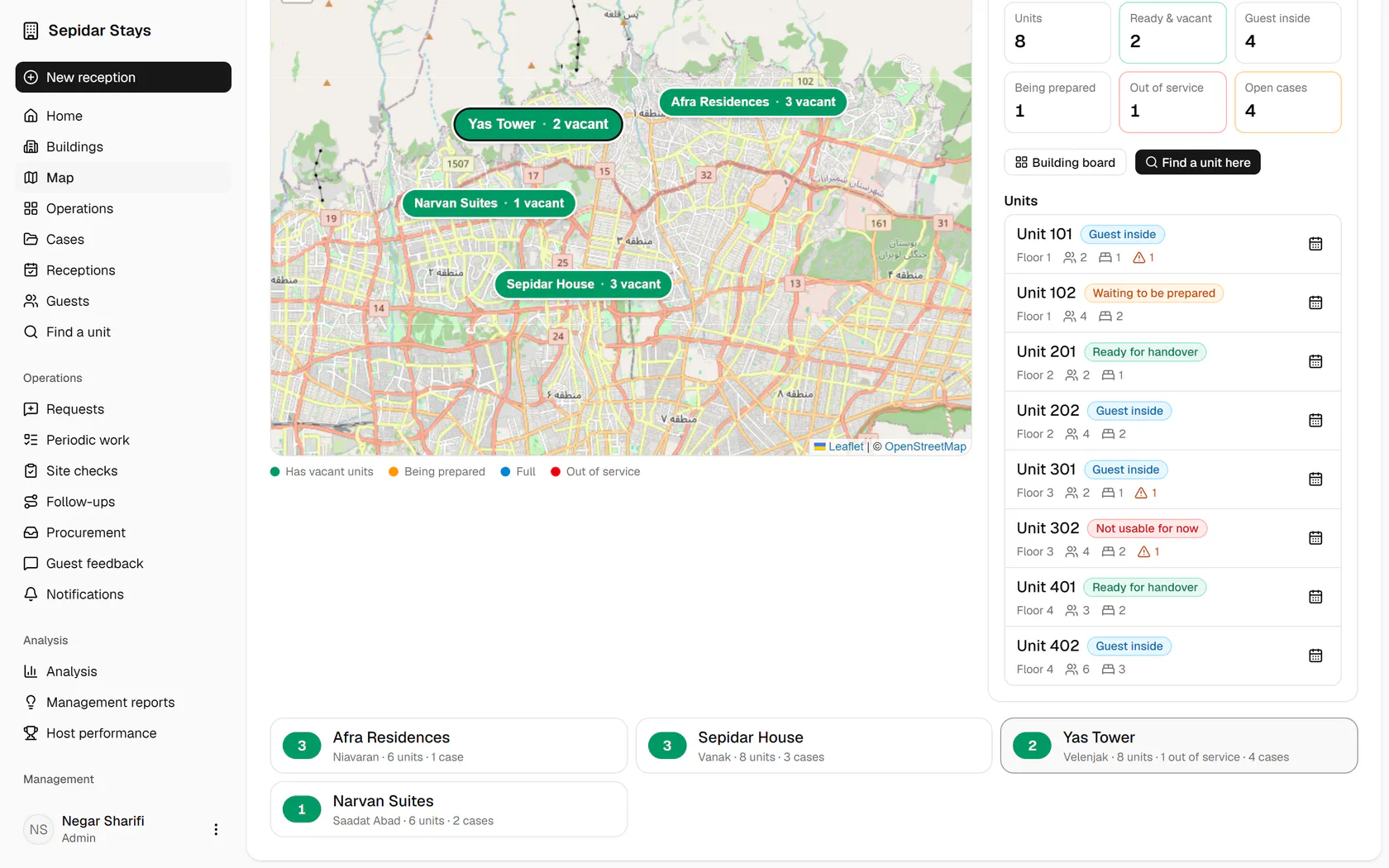
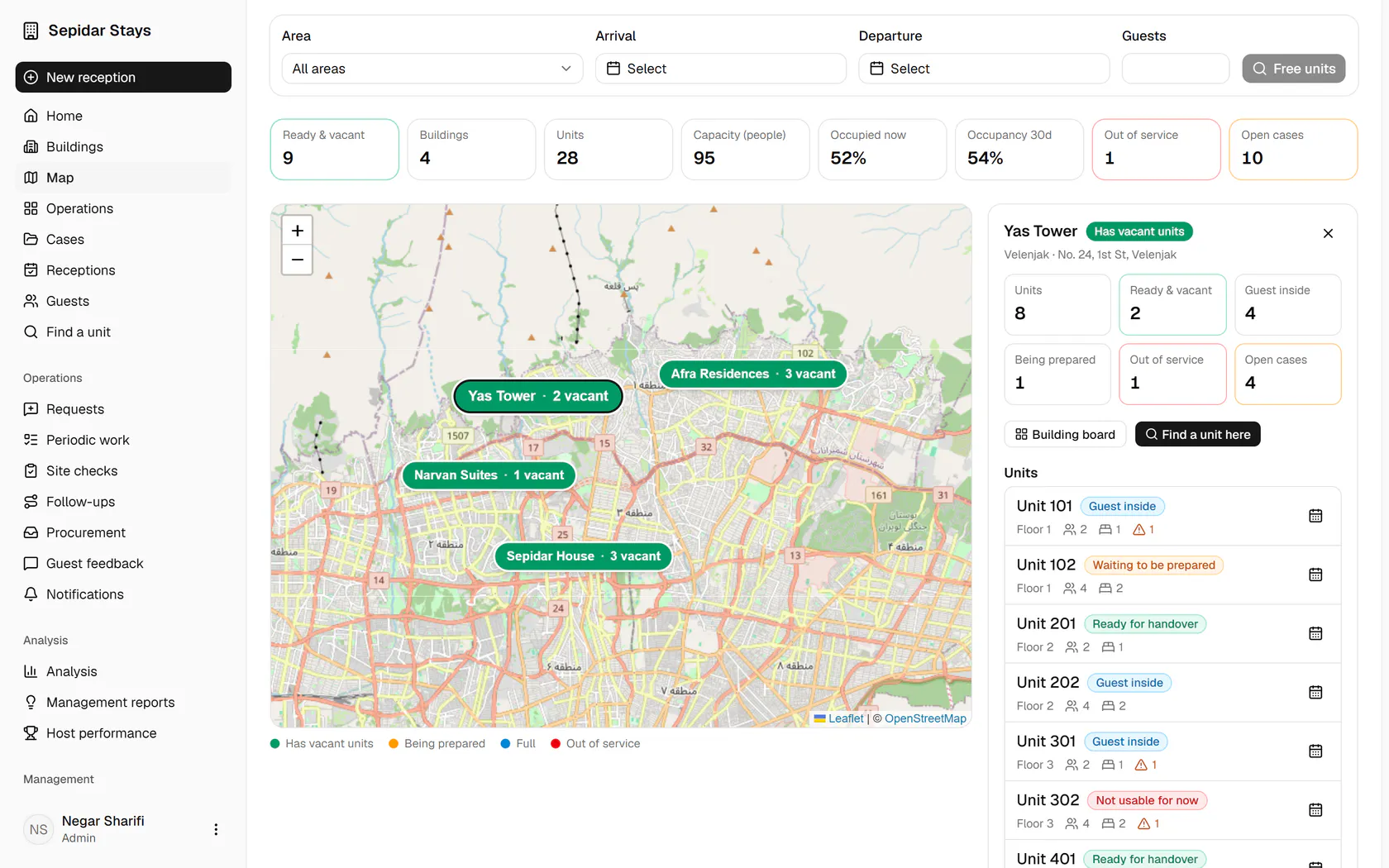
The side panel counts the units: ready and vacant, occupied, being prepared, out of service, open cases.
- 3
Below, each unit is listed with today's state, its capacity and any open cases.
- 4
To see floors and units side by side, click Building board.
- 5
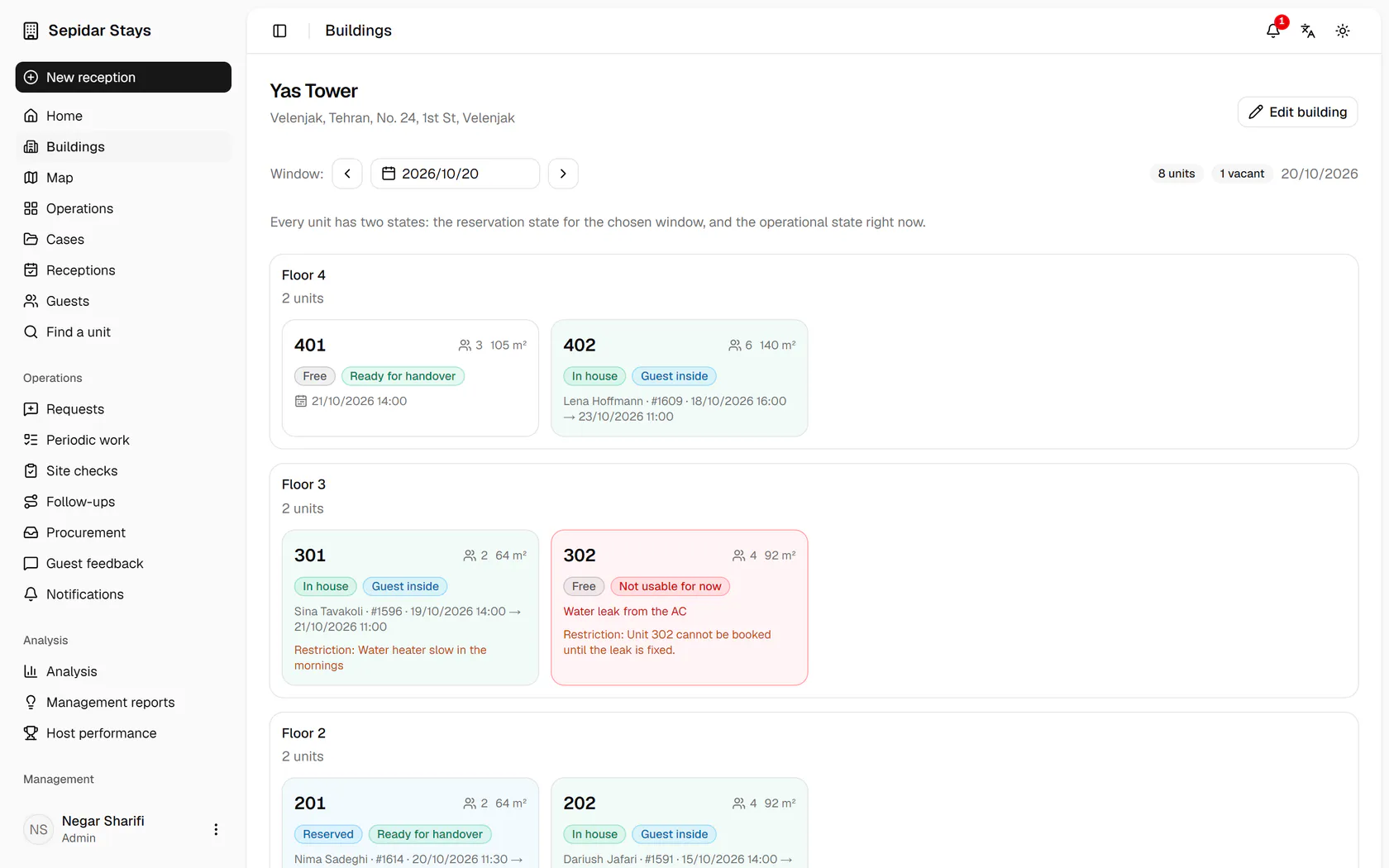
The Yas Tower board opens with each unit's booking and operational state.