Route a case to a team
The supervisor sets the team, priority and owner of a new case, so no problem is left without an owner.
SupervisorOn a computer7 steps
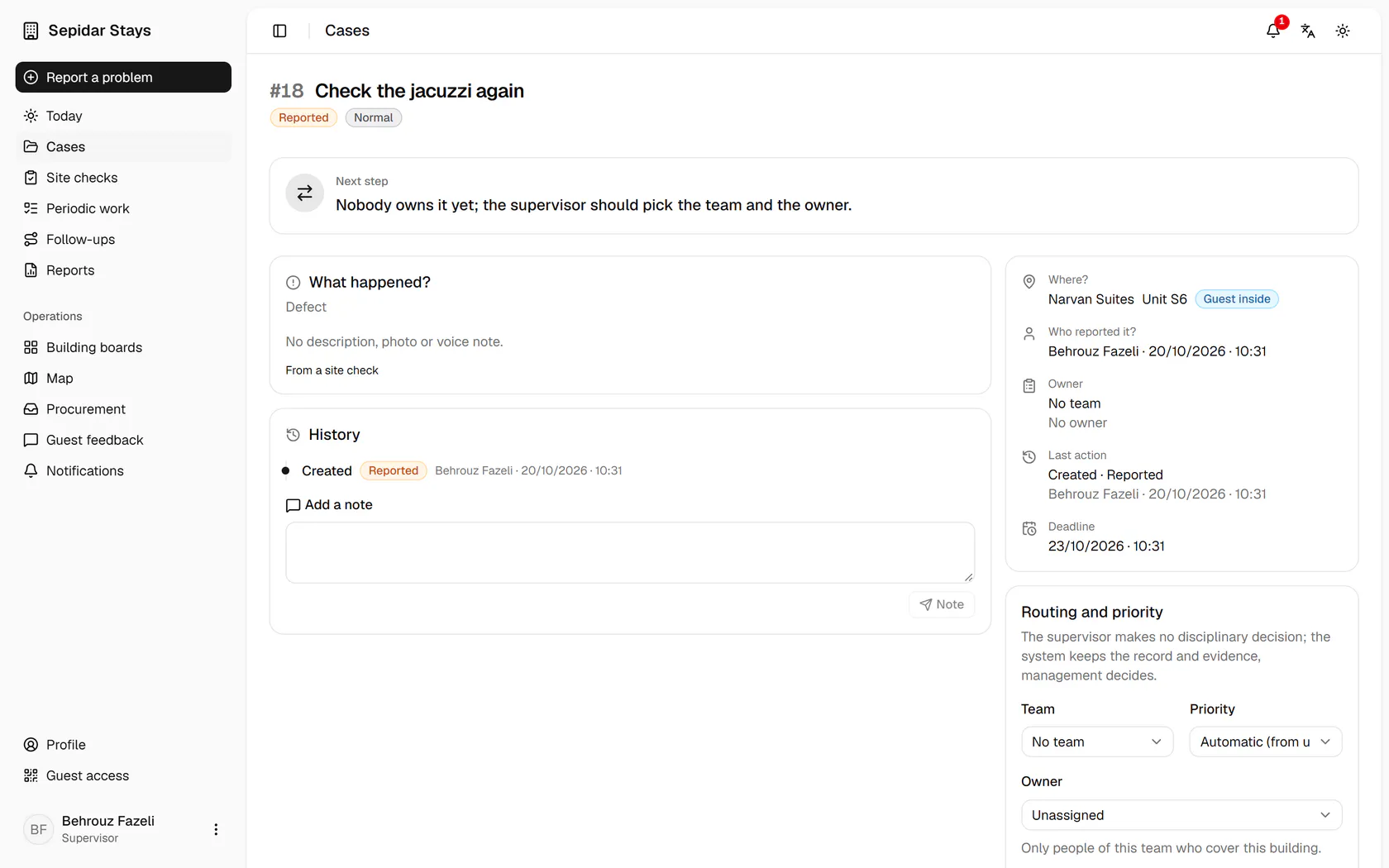
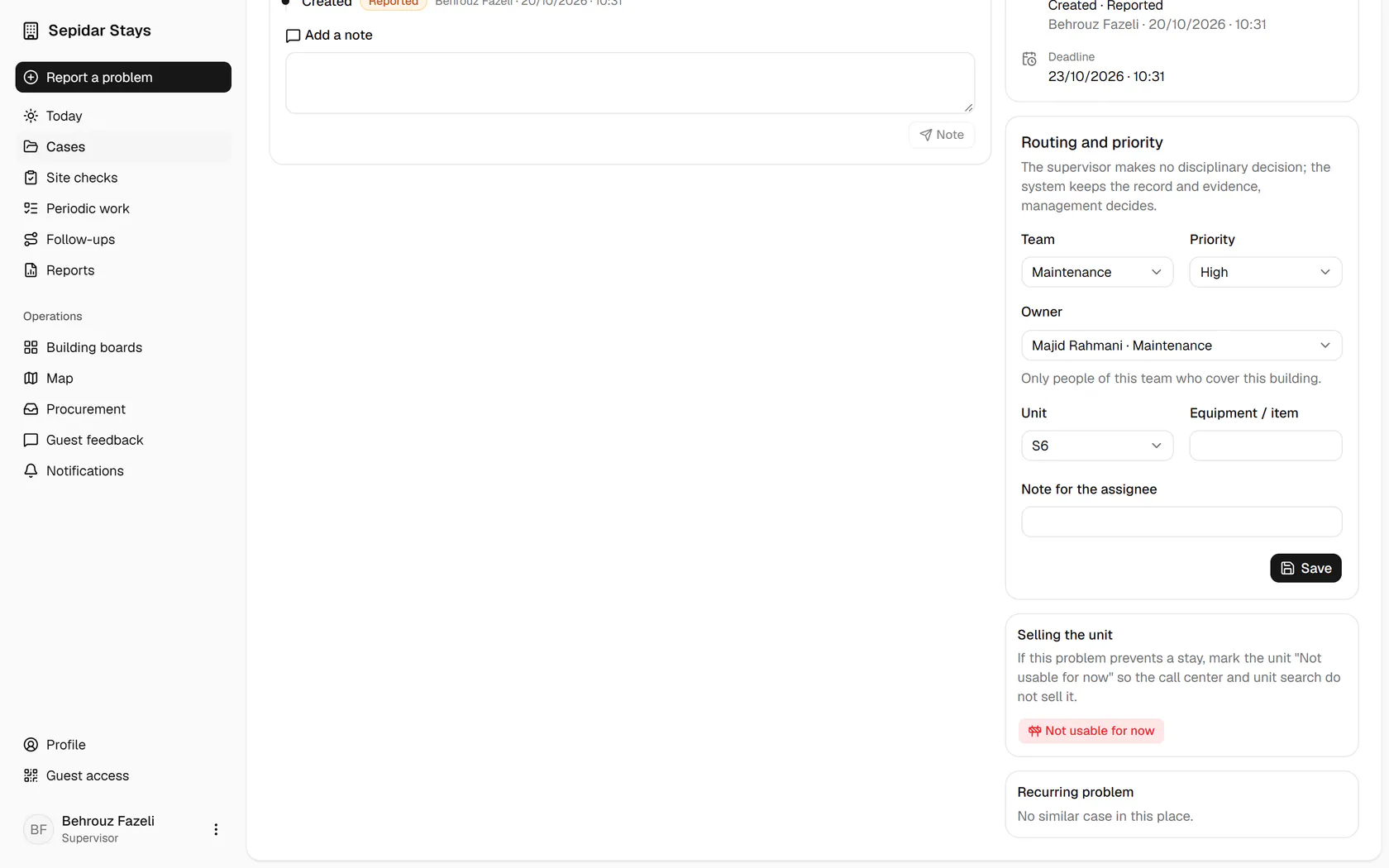
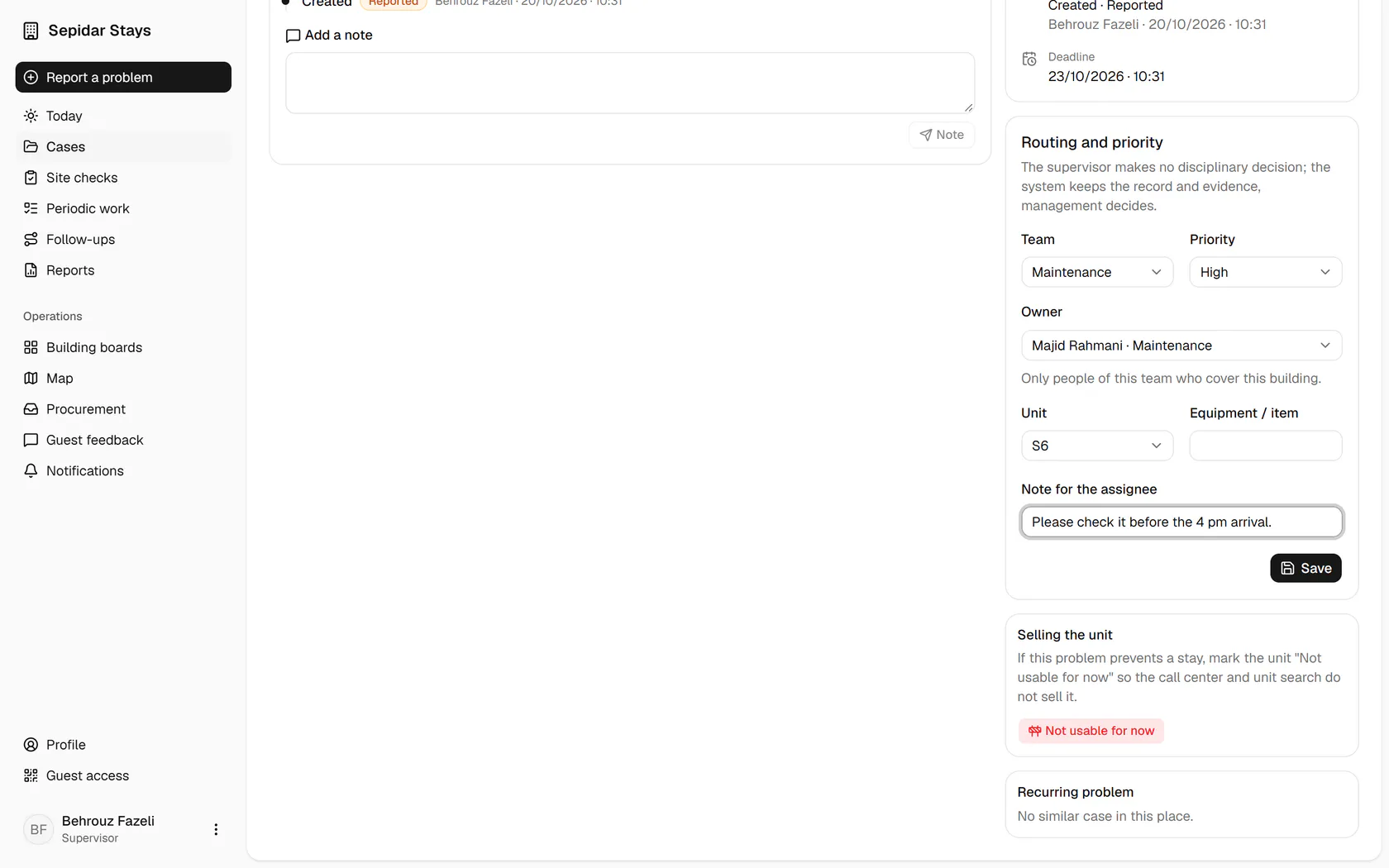
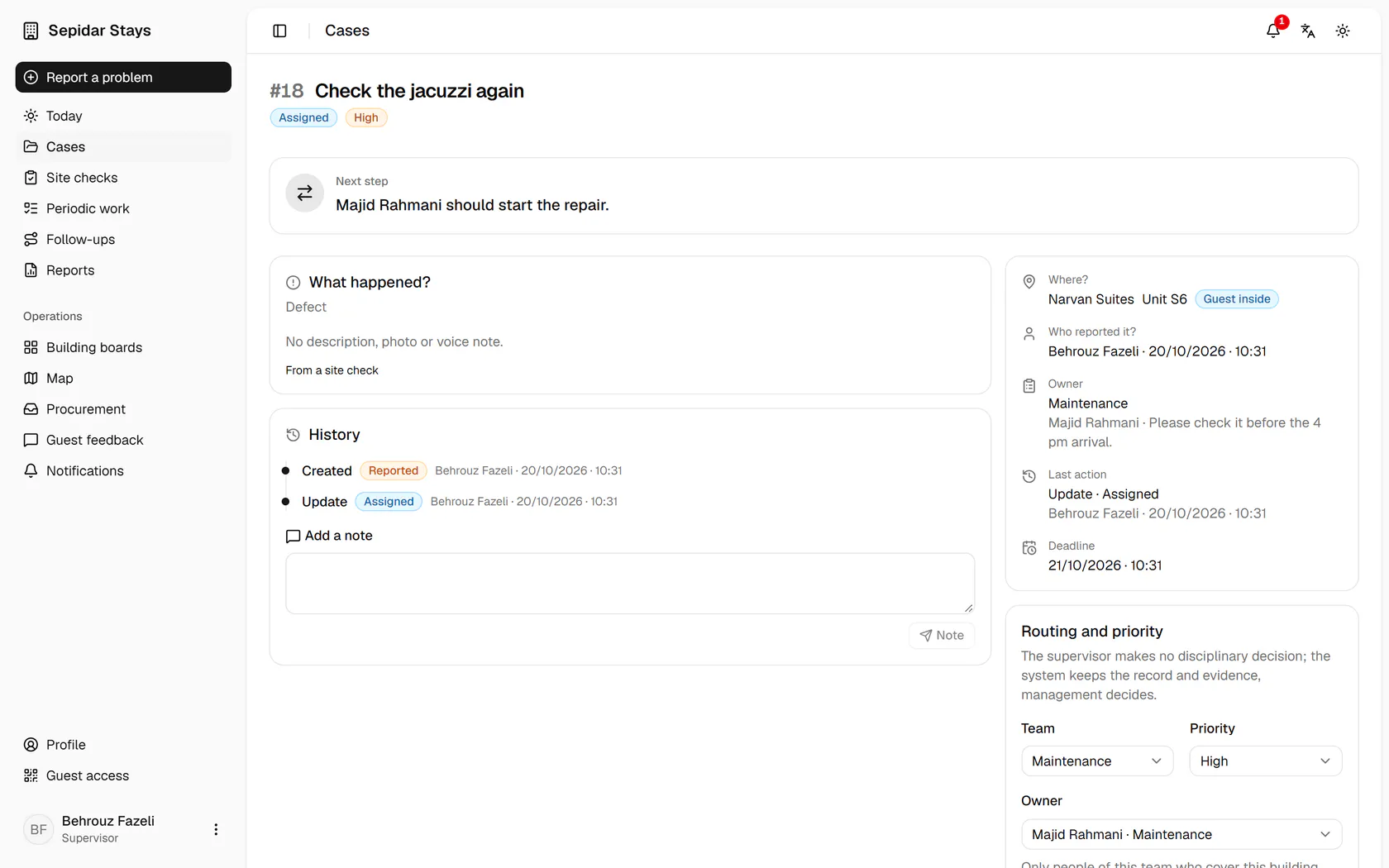
The next step says this case has no owner yet and needs routing.
Step by step
- 1
The next step says this case has no owner yet and needs routing.
- 2
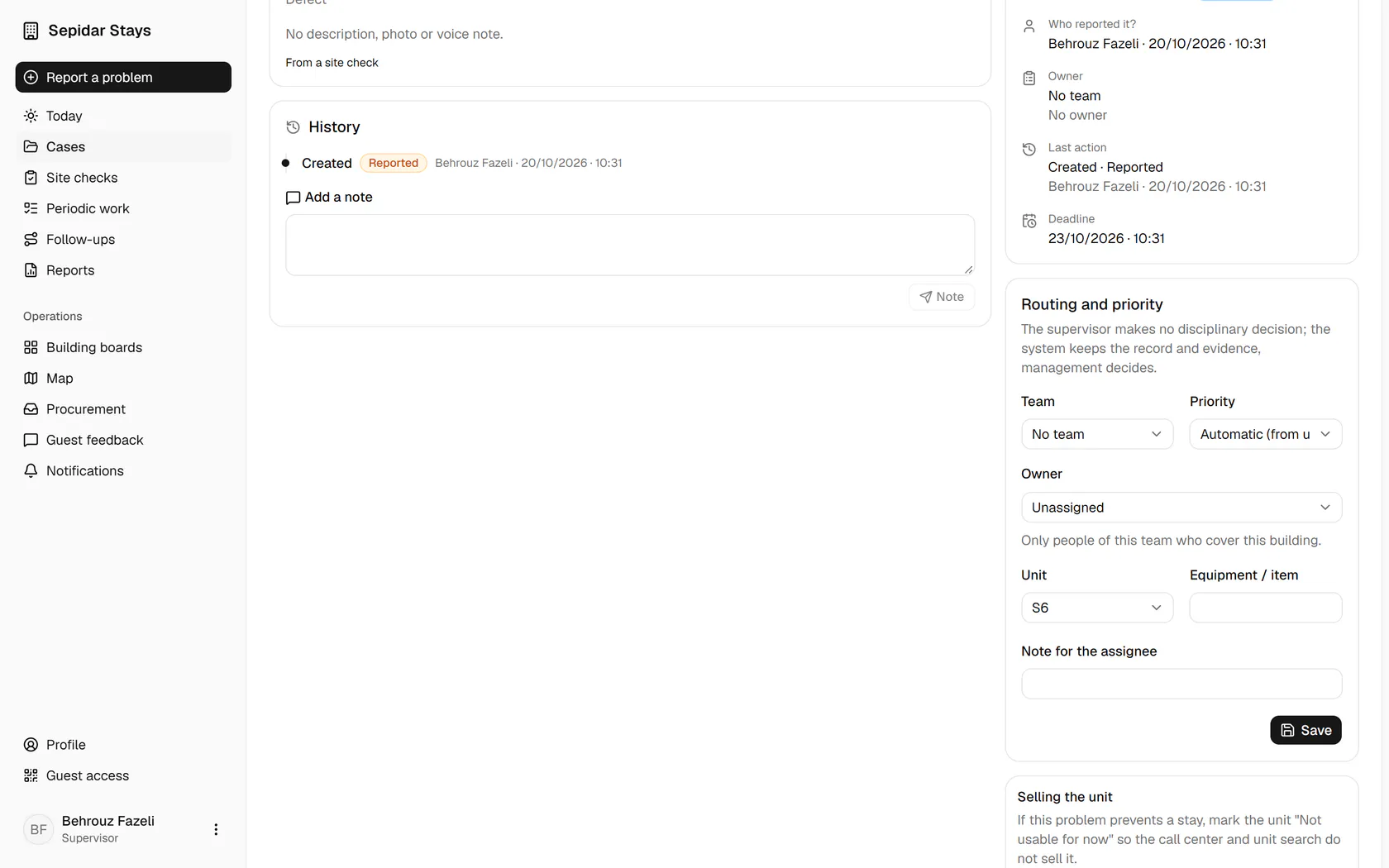
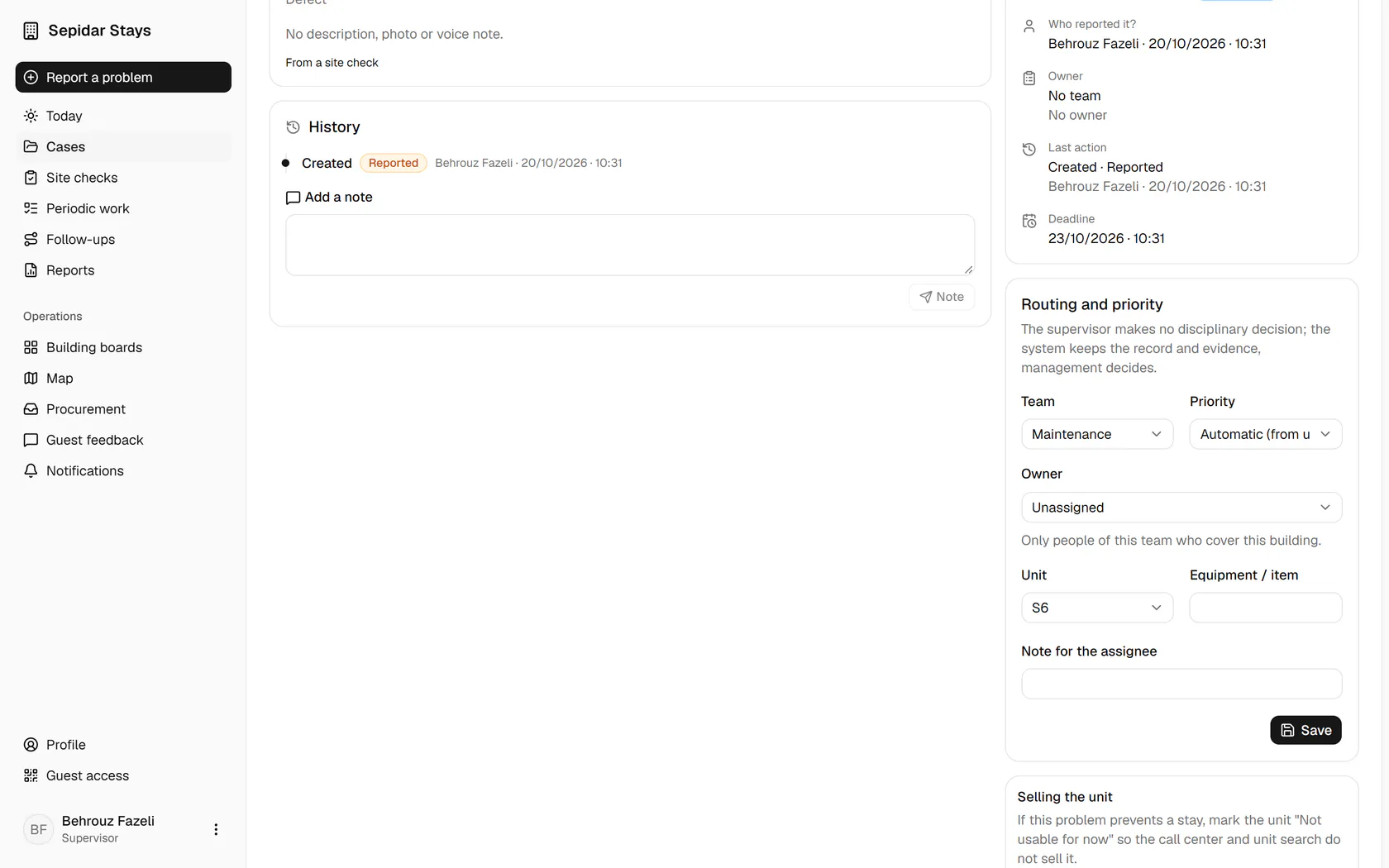
The jacuzzi is faulty, so choose the Maintenance team.
- 3
A guest is due today, so set the priority to High for a shorter deadline.
- 4
Only people of this team who cover this building are listed; pick one.
- 5
Write a short note for the owner, for example by when the work is needed.
- 6
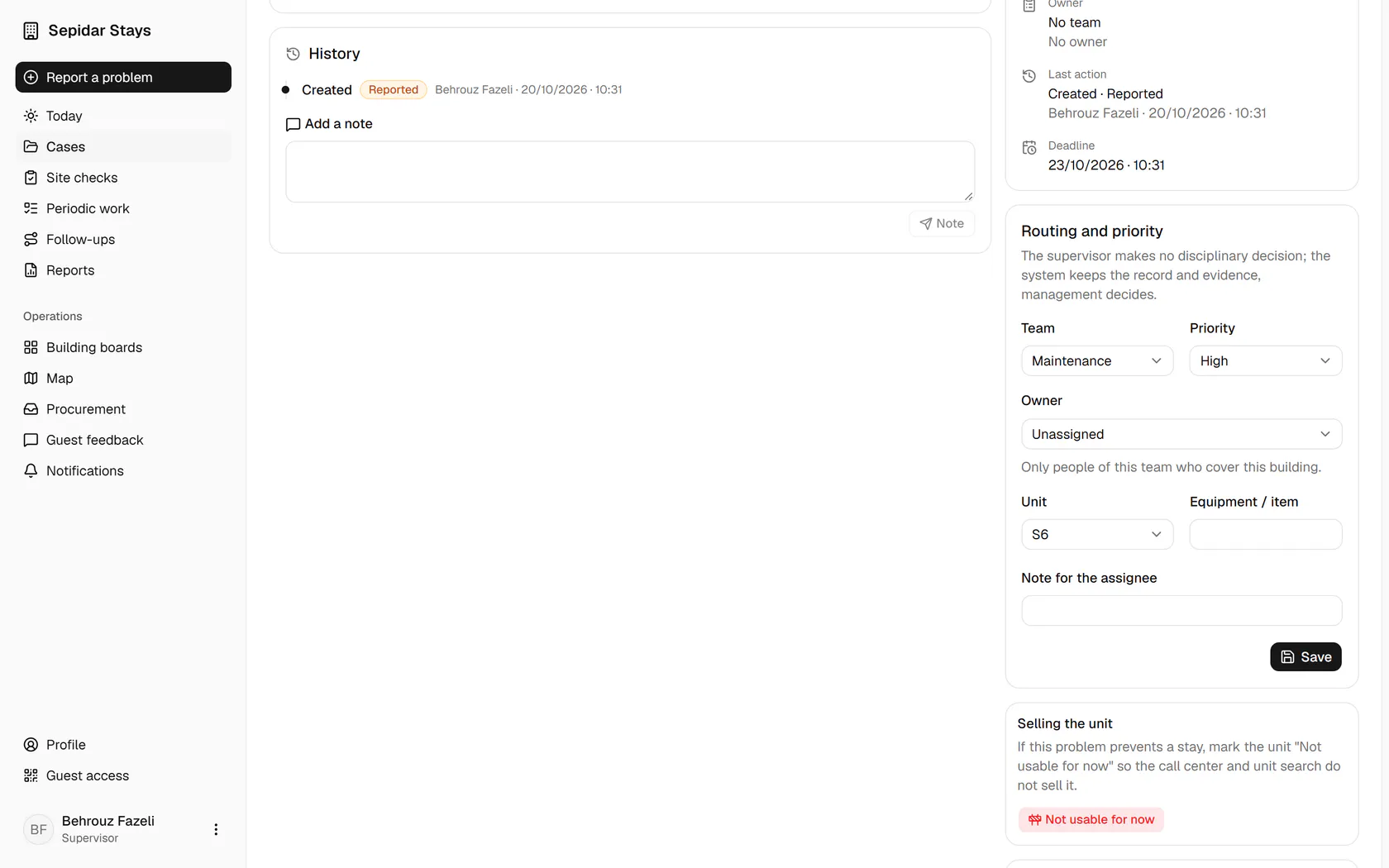
Save so the case lands in the owner's jobs with its deadline set.
- 7
The next step is now to start the repair, and the routing is in the history.